








Depending on your overall search engine optimization (SEO) strategy, getting your website to the top of search results can take months or even years. Unfortunately, some people don’t want to go through that effort, so they turn to SEO spam — which is never a good idea.
What’s more, if you fall victim to questionable black hat SEO tactics from third parties, your own site’s rankings can suffer. Protecting yourself from these attacks can help ensure that you aren’t unfairly penalized by search engines.
In this article, we’ll talk about how SEO spam works. Then we’ll show you how to find out if your WordPress website is under assault. Finally, we’ll show you how to take measures to safeguard your site against these threats.
You’re likely familiar with the concept of spam. It can come in the form of unwanted emails, comments left by bots, and even text messages.
SEO spam occurs when someone uses your site to try and manipulate their own search engine rankings. They can fill your website with keywords, add unwanted links, publish spammy pages, and even use your server to send emails.
This type of spam is dangerous because it can negatively affect your hard-earned search engine rankings. That’s because search engines don’t know who’s behind the spam — just that it’s on your site.
Years of hard work to reach the top of search results can be undone almost overnight.
Understanding how search engine spam works is the first step towards protecting yourself against it. Here are some of the black hat tactics that fall into the category of SEO spam:
Overall, SEO spam usually isn’t subtle. Instead of adding a few links or keywords, attackers will try to get the most benefit from your website before you notice what’s happening.
In a lot of cases, attackers use bots to identify security vulnerabilities. If you have an open comments section, you’ll likely run into spam on an almost daily basis.
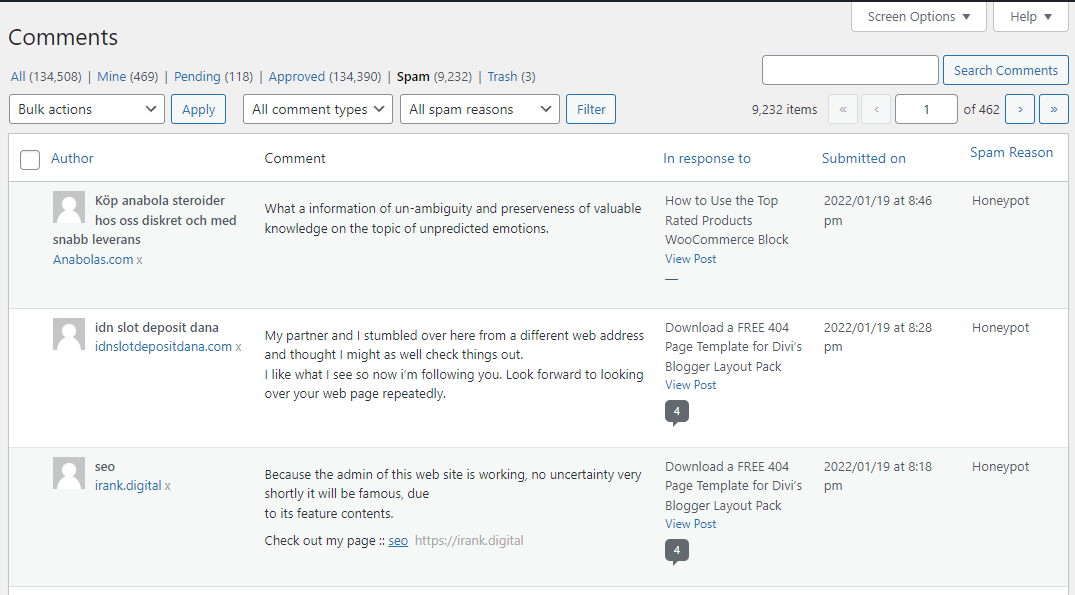
Every website is a potential target for SEO spam, but if you fail to put the proper measures in place, you run a higher risk of becoming a victim.
There are a lot of ways attackers might gain access to your website. For instance, if you use the same credentials for other accounts, they might be revealed during a data breach. Using outdated plugins, themes, or old versions of WordPress can also lead to vulnerabilities on your site.
As your website grows in popularity, it can become a bigger target for competitors who are willing to use black hat SEO tactics. That’s why we recommend prioritizing WordPress security from the start.
Although spam attacks are typically obvious, you might miss them if you’re not paying close attention or are busy with other tasks. In this section, we’ll discuss several ways you can figure out if your site has been the target of an SEO spam attack.
When you run a website, you become intimately familiar with its content. You probably remember every keyword and link you placed while working on a page or post.
So if you’re checking out your website and you encounter content or links that you didn’t put there, you might be the victim of an SEO attack. This may be more difficult to determine if you have multiple team members with editing permissions, but when these keywords and links are unrelated to your usual content, it’s easy to spot them.
If you come across a page or post on your website that you or your teammates didn’t set up, that can be a clear sign of an SEO attack. To verify this, look to see if the page contains spammy keywords or links to suspicious websites. On the same note, if you suddenly start seeing ads on your site that you didn’t authorize, your website was likely breached.
There are many factors that can cause sudden changes in your website’s traffic — seasonality, new competitors, or even search engine algorithm updates. And since SEO spam negatively affects your rankings, this can often translate to a sharp drop in visitors.
If you notice an abrupt change, you might want to take a closer look at your website’s data. You can use tools like Google Analytics paired with Google Search Console to see if these drops have anything to do with security issues.
You might have run across the occasional website that displays a security warning when you try to access it. That’s because Google is very proactive about signaling to users when a site may be dangerous.
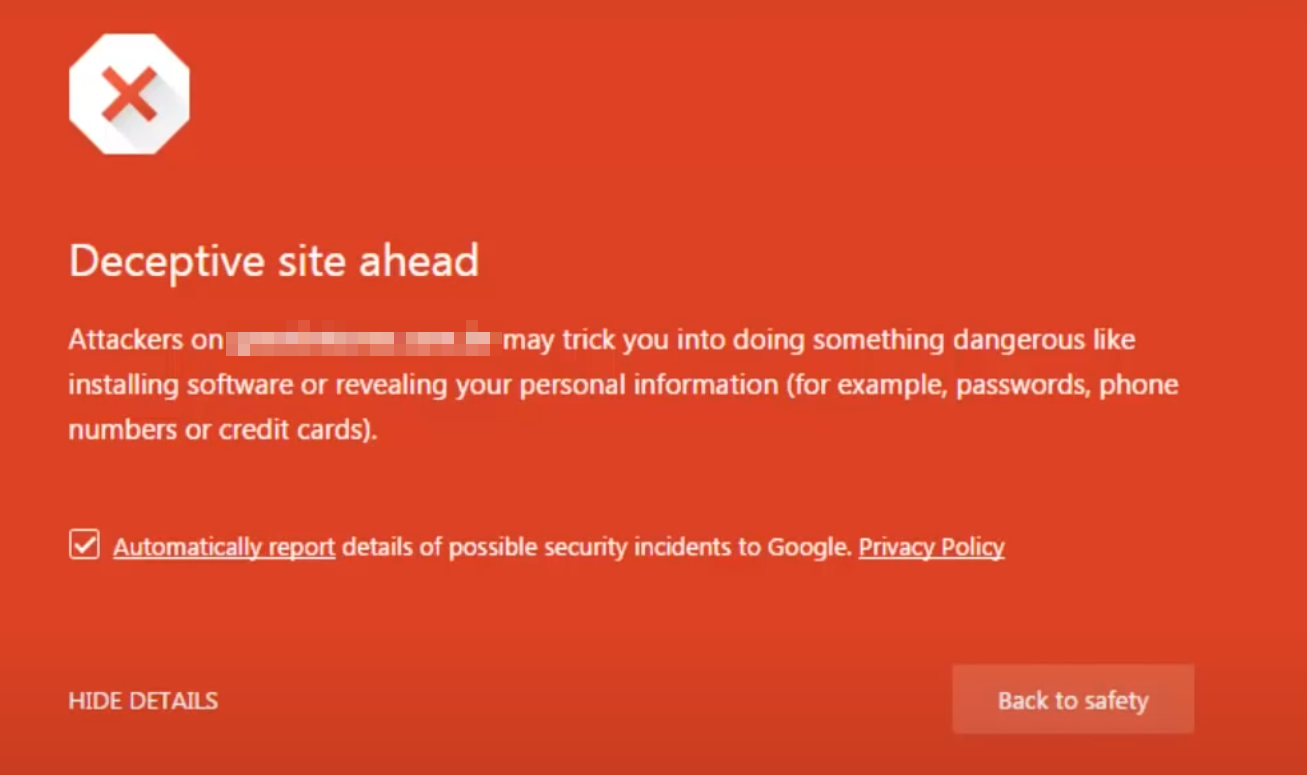
SEO spam is one of the reasons you might end up on Google’s blocklist and receive this warning. Visitors can still access your site, but that warning will likely scare off the vast majority of them.
Google Search Console can notify you of a breach and identify instances of URL and content injection, as well as deceptive pages on your website.
This is possibly the best tool for identifying SEO spam. If you check the security report for your site often, you’ll be able to spot any issues before they become serious. Ideally, the Search Console security report should look like this:

Without the right tools, by the time you identify SEO spam, chances are that your website is already being penalized.
Once you know you’re the victim of an SEO spam attack, you’d be wise to fix the problem before it seriously harms your site’s rankings. Let’s explore some different approaches you can take, depending on the type of damage you’re dealing with.
WordPress makes it easy to both publish and edit posts and pages. That means you can also delete entire pages and posts in a matter of seconds.
If you run across spam posts or pages, your best bet is to delete them immediately. If someone injected links into existing legitimate content, you can also remove them manually.
Another option is to use WordPress revisions to return hacked posts or pages to previous versions. That is a bit less time-intensive if you have previous copies available.
These are simple processes, but they’re very prone to human error.
Search engines should remove deleted pages automatically, but you can also do so manually to speed up the process. If you use Search Console, you can use the Removals tool to tell Google not to show specific pages in its results.
Jetpack’s WordPress security tool includes an activity log so you can track everything that happens on your website, including updates to its content.
You should be able to spot updates that you didn’t make to the site — a dead giveaway of unauthorized access.
The easiest solution to an SEO spam attack is to restore a backup to a previous version. In your activity log, find the time that your page or post was edited, then simply restore a backup to the moment right before that happened. Since all of Jetpack’s backups are real-time, you’ll be able to get super granular.
Once you’ve restored the backup, make sure to update your account credentials in case they were compromised.
If you want to be more proactive, the Akismet plugin is the best way to protect against spam comments. You can set it to delete spam comments automatically or hold them for manual approval.
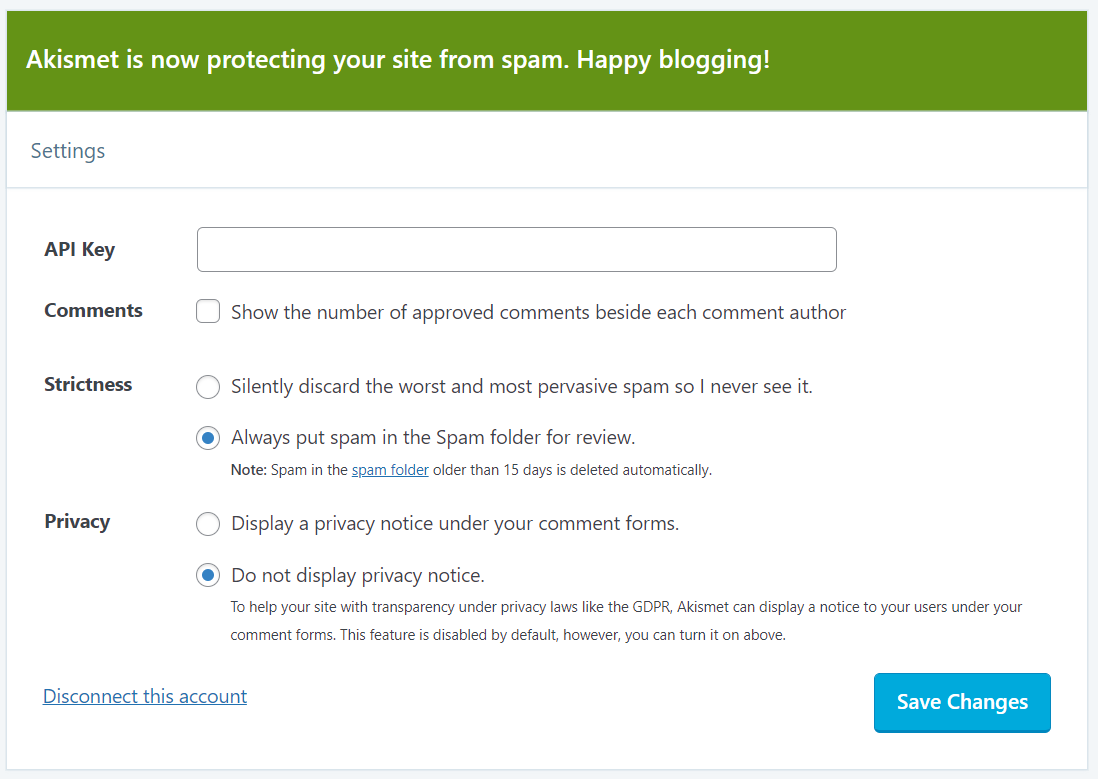
If attackers have access to the backend of your site, they might manually approve comments themselves. In that case, you’ll need to check the Approved queue for comments that look like spam. Our recommendation is to keep an eye out for ones that include links, are poorly written, or are irrelevant to the post.
Some SEO spam attacks are more sophisticated than others. There are forms of link injection that alter links specifically for search engine crawlers, rather than ones that humans can visibly see. This type of SEO spam can go undetected even if you pay close attention to your website.
The best way to spot code injections on your website is to use a WordPress security plugin like Sucuri.
Once you install and activate Sucuri, go to Sucuri Security → Dashboard in the WordPress admin dashboard. There, you can check to see if there are any security issues with your site. Sucuri will provide a report showing any instances of SEO spam, as well as any additional safety concerns.

Keep in mind that Sucuri serves two purposes. It helps you identify security issues and aids you in protecting against them, but it cannot reverse any damage that has already been done. If the plugin finds instances of SEO spam, you’ll need to deal with them yourself.
Fixing your website after an SEO spam attack can be very time-consuming. If the attack goes on for a while, you’ll also have to deal with the hit to your search engine rankings.
It’s better, of course, to not let it happen at all. Here’s how to prevent SEO spam attacks:
Protecting your website against SEO spam attacks is easier than you might imagine. If you’re working on a new website, we recommend that you take the time to prioritize security from the start. That way, you reduce the chances of having to deal with SEO spam attacks later on. But it’s never too late to put these practices in place and protect your site and reputation.
There are many types of SEO spam attacks, including keyword stuffing, link injections, and server infiltration. Fortunately, there are also a lot of ways to safeguard your website against these threats, including using plugins like Jetpack and Akismet.
There’s no reason spam should take over your WordPress website. With Akismet, you can protect your website from comment spam and ensure that attackers don’t share links you don’t approve of!
此内容由惯性聚合(RSS阅读器)自动聚合整理,仅供阅读参考。 原文来自 — 版权归原作者所有。