


If you’re reading this you probably already know what Metabase and Fly.io are. This is guide on how to get the two working together in minutes.

-
Create your Fly app
This’ll be the app we’ll configure to host your Metabase Docker image.
# Choose your app's name here $ fly apps create my-metabase -
Create a volume for the app
By default Metabase will use the H2 database engine for a zero-config installation. This is where it stores all data for your installation (dashboards, questions you’ve created, configuration, etc).
We want to make sure that any restarts of your app don’t wipe all that stuff - so we’ll create a persistent Fly volume to mount on the Docker container, and tell Metabase to store its H2 files on it.
(While H2 is fine for small deployments it’s recommended that you instead configure a standalone RDBS database as a more reliable store. You can read about how to do this in Metabase’s docs).
# App name must be the same from step 1 above
# The size is denoted in gigabytes. You can start small and
# use `fly extend` to increase its size later.
$ fly volumes create --app my-metabase --size 1 metabase_data
Fly will prompt you to select the region where your volume should live. Choose the one you’re trying to deploy your application to (the closer this is geographically to the database you want to connect to Metabase, the better). When we get to deploying your app it’ll automatically be placed in the same region as your volume.
-
Create the
fly.tomlconfig fileIf you haven’t already, change to a directory you’d like to use to store config for this Fly app and put write this
fly.tomlfile to it.The config declares that you want to deploy a Docker image, configures its mounts, exposes it to the internet, and sets up some healthchecks.
For more info on
fly.tomlcheck out Fly’s reference.# Replace this with your app's name app = "my-metabase" kill_signal = "SIGTERM" kill_timeout = 5 [build] # You might want to pin this version to a specific # tag in order to avoid surprising updates. image = "metabase/metabase:latest" # Mounts the Fly volume to the Metabase Docker image [mounts] source = "metabase_data" destination = "/metabase-data" [env] # Tells Metabse to store the H2 database on # the mounted volume. MB_DB_FILE = "/metabase-data/metabase.db" [http_service] internal_port = 3000 force_https = true # This configuration scales Metabase down to 0 when # it's not being used. It's a good money saver, but # does lead to cold start lag, so if you need your # Metabase to be snappy, or if you use its ability to # generate reports on a schedule, change min_machines_running # accordingly. auto_start_machines = true auto_stop_machines = true min_machines_running = 0 [http_service.concurrency] type = "requests" hard_limit = 150 soft_limit = 100 [[http_service.checks]] grace_period = "120s" interval = "30s" method = "GET" timeout = "5s" path = "/api/health" -
Deploy!
Now that everything’s configured let’s push up the app! This will take longer the first time you do it as Metabase will need to initialise and run migrations on its database.
Note that we set the VM Memory to 1024MB from the get-go. Metabase runs on the JVM, and the JVM is hungry! I frequently saw out of memory (OOM) errors in logs when running with less than 1024MB.
$ fly deploy --vm-memory 1024 # And if you're curious you can follow your app's logs # in a separate terminal: $ fly logs -
Done!
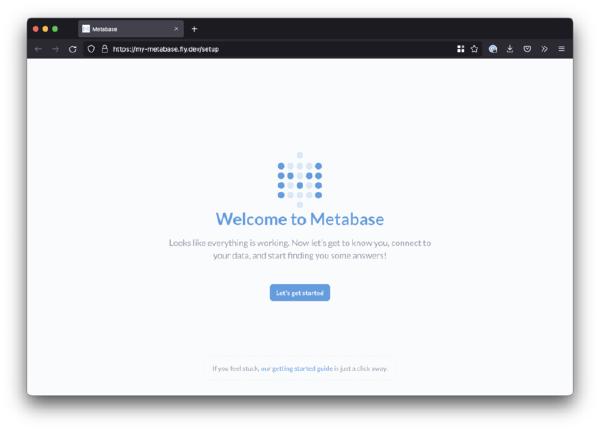
Hooray - your deployment’s done! Time to configure Metabase via its UI by opening your browser and visiting your new deployment:
Tip: If you’re adding a datasource from within your Fly org, you can easily reference it by its internal network address:
[app-name].internal.

Edit July 2023: Updated post to include instructions compatible with Fly Machines V2, and to include scale to zero configuration.