






由于国内特殊的网络环境,Git ( 此处一般指通过 Git 连接 GitHub )、NPM 包管理器在国内使用起来可能不是那么容易,经常出现网络抽风的情况。如果您有本地代理工具,可以为它们配置本地代理。
常用的代理软件一般都很容易看到本地 HTTP 代理和 Socks5 代理端口,此处以 Windows 下最好用的 Clash For Windows( 以下简称 CFW )为例。
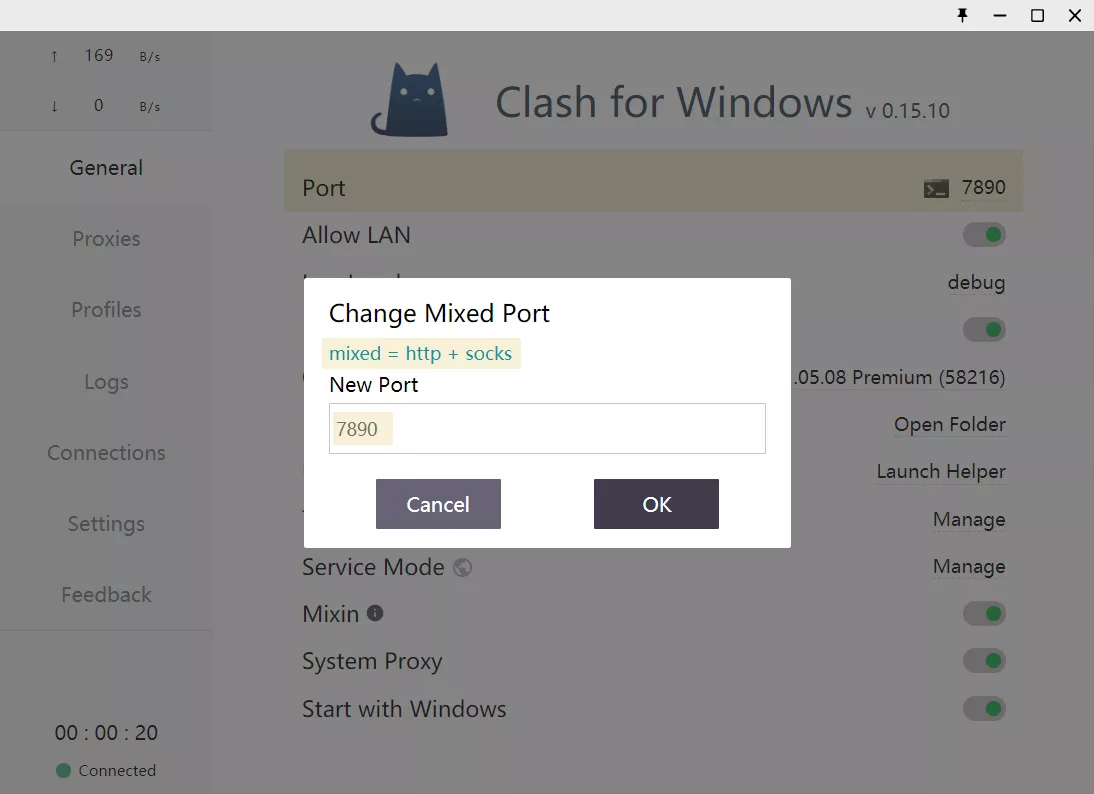
老版本的 CFW 使用的 HTTP 端口和 Socks5 端口是不同的,但是在新版本中开始使用 Mixed Port ( 混合端口 ),因此此处都是本地端口 7890 ,一切以实际为准
Git 同时支持 HTTP 代理和 Socks5 代理,二选一即可
# http
git config --global http.proxy http://server:port
git config --global https.proxy http://server:port
# socks5
git config --global http.proxy socks5://127.0.0.1:7891
git config --global https.proxy socks5://127.0.0.1:7891
以 CFW 代理工具为例:
# http
git config --global http.proxy http://127.0.0.1:7890
git config --global https.proxy http://127.0.0.1:7890
# socks5
git config --global http.proxy socks5://127.0.0.1:7890
git config --global https.proxy socks5://127.0.0.1:7890
取消 Git 代理:
git config --global --unset http.proxy
git config --global --unset https.proxy
NPM 原生支持 HTTP 代理类型,但是不支持 Socks5 代理类型,如果还想要使用 Socks5 代理,可能还需要使用一个工具使用 HTTP 监听 Socks5 代理 (禁止套娃),此处不做讨论
# http
npm config set proxy http://server:port
npm config set https-proxy http://server:port
以 CFW 代理工具为例:
npm config set proxy http://127.0.0.1:7890
npm config set https-proxy http://127.0.0.1:7890
取消 NPM 代理:
npm config delete proxy
npm config delete https-proxy
Yarn 原生就拥有比 NPM 更快的速度,类似 NPM,使用 HTTP 代理(必要的话),打开终端:
# http
yarn config set proxy http://server:port
yarn config set https-proxy http://server:port
以 CFW 代理工具为例:
yarn config set proxy http://127.0.0.1:7890
yarn config set https-proxy http://127.0.0.1:7890
取消 Yarn 代理:
yarn config delete proxy
yarn config delete https-proxy
此内容由惯性聚合(RSS阅读器)自动聚合整理,仅供阅读参考。 原文来自 — 版权归原作者所有。