


Bash scripts don't need to be boring. I found a fantastic tool that make it easy to use great looking UI elements in bash - Gum.
I have used Gum to create sinit - shiny command line Spring Boot project initialzer - that one day got surprisingly popular on Twitter.
Gum is a part of bigger project - Charm.sh - a set of Go libraries for making command line apps. Gum is not a library for Go though. It's a simple tool that lets you use the power of Charm - specifically Bubbles and Lipgloss in bash scripts.
How to use it? It is surprisingly easy.
First, install gum:
Installation instructions for other operating systems.
Now you can run gum command from terminal to get beautiful prompts:
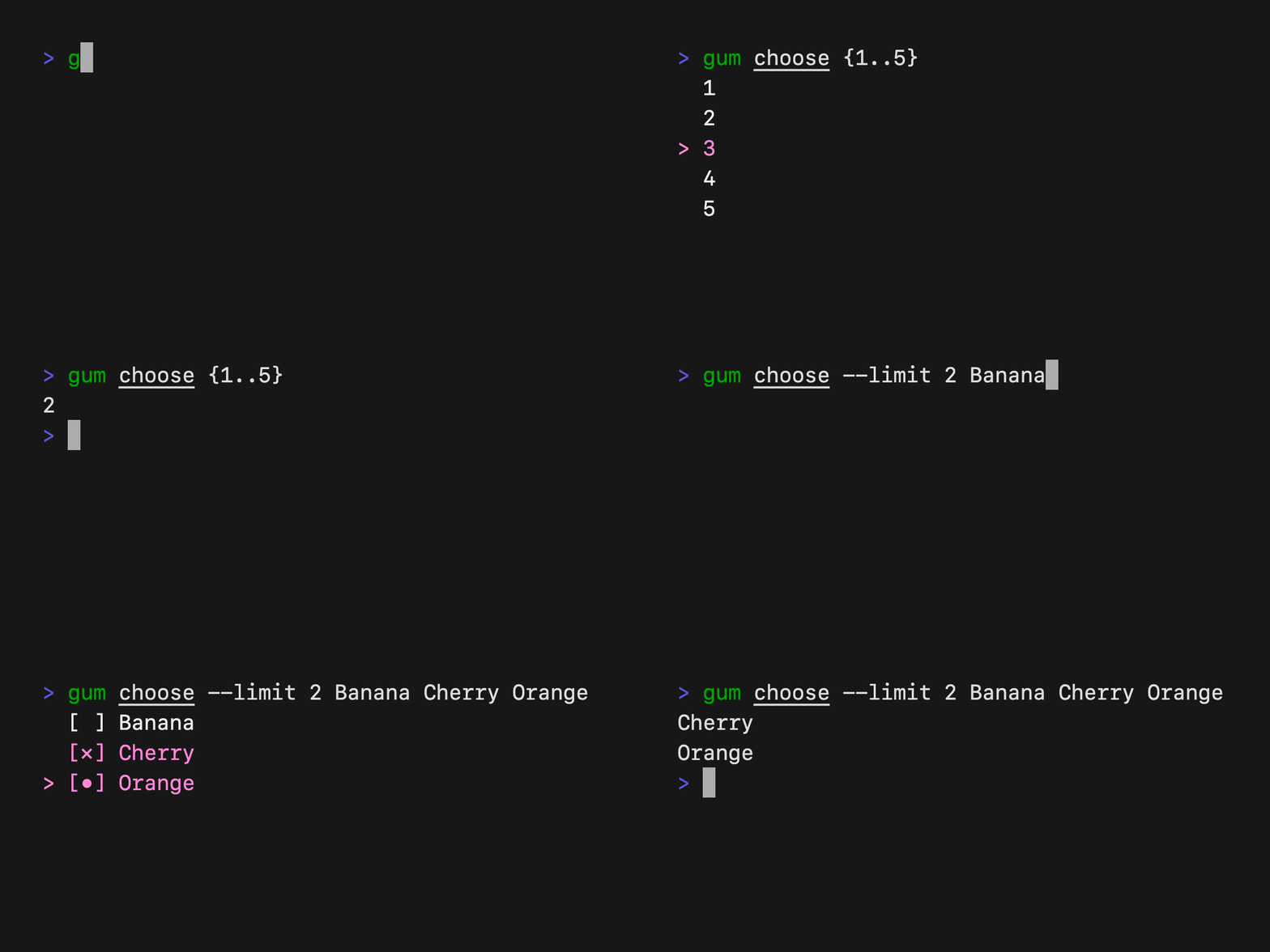
There are multiple widgets like choose: input, file, writer, spin and more. All are presented in Gum readme.
Since they are regular command, they can be also used in bash scripts:
bash
#!/bin/sh
gum style --foreground 255 'Choose fruit'
FRUIT=$(gum choose "Banana" "Apple" "Orange")
gum confirm "Pack to shopping cart?" && gum spin --title "Adding to shopping cart" -- sleep 2 && echo "Added $FRUIT to shopping cart"
Results in:
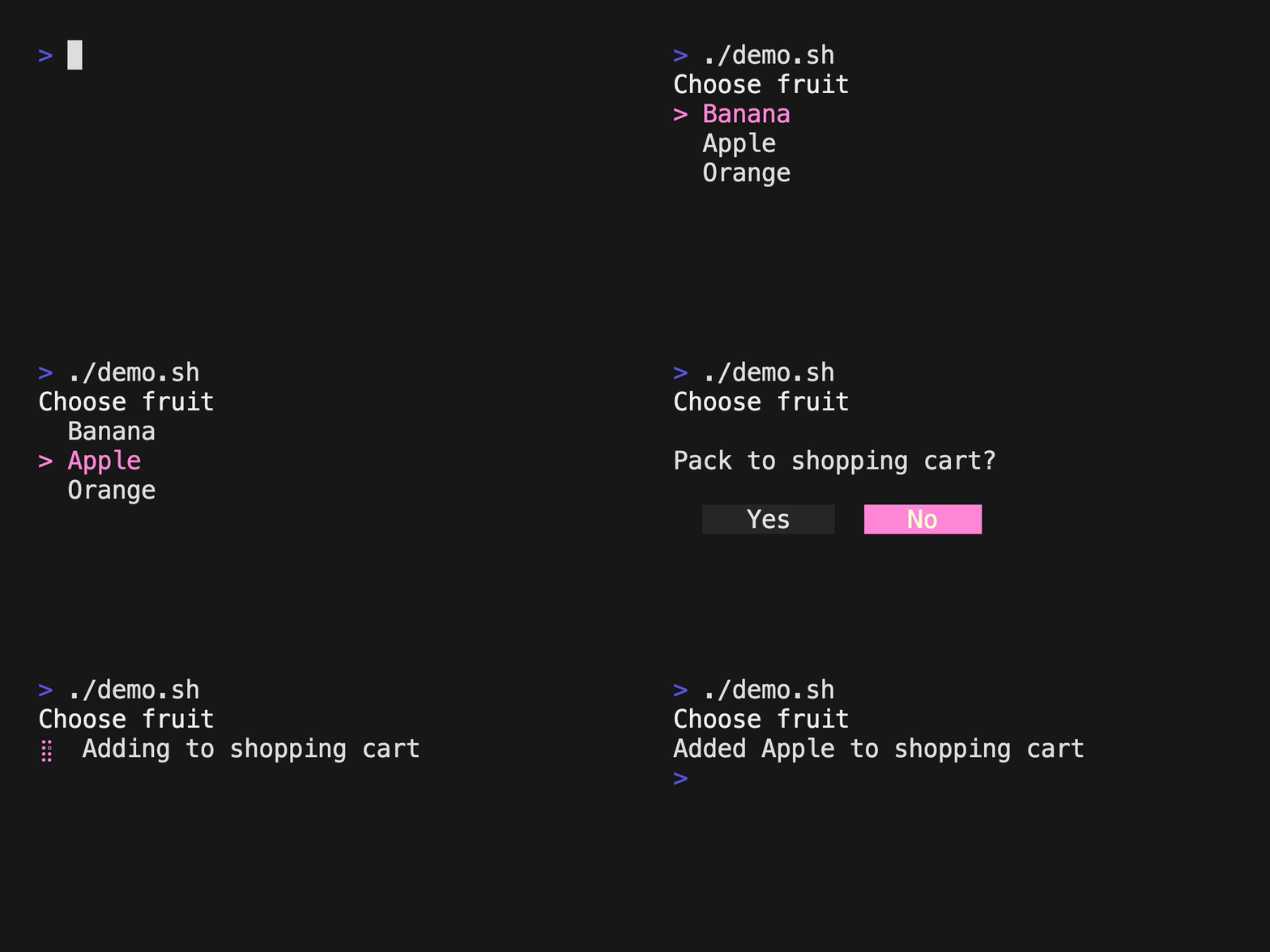
While Gum is trivial to use but few things took me a bit of time to figure out.
To print a styled content use gum style:
bash
gum style --foreground 255 'Choose fruit'If you want to use multiple styles in single line:
bash
echo "Hello! $(gum style --foreground 240 'Choose') $(gum style --foreground 212 'fruit')"gum confirm in a variable gum confirm does not return the result to a variable but we can access it through $?:
bash
gum confirm "Pack to shopping cart?"

if [ $? -eq 0 ]; then
  ...
else
  ...
fi
where $? == 0 for choosing Yes and $? == 1 for choosing No.
gum spin in a variable By default gum spin executes a command but does not return the results. To fix it add --show-output parameter:
bash
QUEUES=$(gum spin --show-output --title "Fetching SQS queues" -- aws sqs list-queues | jq -r '.QueueUrls[]')This is a bit more complex example showing how to use gum in a real world use case - it's a CLI listener for SQS, useful for debugging incoming messages:
bash
QUEUES=$(gum spin --show-output --title "Fetching SQS queues" -- aws sqs list-queues | jq -r '.QueueUrls[]')
QUEUE_URL=$(gum choose $QUEUES)
echo $SELECTED_QUEUE

while true; do
	MSG=$(gum spin --show-output --title "receiving messages" -- aws sqs receive-message --queue-url $QUEUE_URL --wait-time-seconds 20)
    RECEIPT_HANDLE=$(echo $MSG | jq -r '.Messages[] | .ReceiptHandle')
    if ! [[ -z ${RECEIPT_HANDLE} ]]; then
        echo "Received message:"
        echo "$MSG" | jq -r '.Messages[] | .Body | fromjson'
        gum spin --title "deleting message" -- aws sqs delete-message --queue-url $QUEUE_URL --receipt-handle $RECEIPT_HANDLE
    fi
done
That's how it works in action:

While Gum is great for making boring bash scripts elegant and interactive, writing full-fledged complex CLIs in bash is a pain. If you are comfortable with Go, go ahead and code something cool with Bubbles and Lipgloss.
Ping me on Twitter if you create something cool with gum! I would love to see how much creativity it unlocks.
Let's stay in touch and follow me on Twitter: @maciejwalkowiak
Subscribe to RSS feed 
此内容由惯性聚合(RSS阅读器)自动聚合整理,仅供阅读参考。 原文来自 — 版权归原作者所有。