Proxmox® is a registered trademark of Proxmox Server Solutions GmbH.
I am no member of the Proxmox Server Solutions GmbH. This is not an official programm from Proxmox!
This is distributed in the hope that it will be useful, but
WITHOUT ANY WARRANTY; without even the implied warranty of
MERCHANTABILITY or FITNESS FOR A PARTICULAR PURPOSE.
See the GNU General Public License for more details.
Features:
- Update Proxmox (the host / all cluster nodes / all included LXCs and VMs)
- Normal run is "Interactive" / Headless Mode can be run with `update -s`
- Logging
- Exit tracking, so you can send additional commands for finish or failure (edit files in `/root/Proxmox-Updater/exit`)
- Config file
Info can be found with update -h
Installation:
In Proxmox GUI Host Shell or as root on proxmox host terminal:
bash <(curl -s https://raw.githubusercontent.com/BassT23/Proxmox/master/install.sh)
If you want to update the VMs also, please install and run `qemu-guest-agent` on VM.
check out here: https://pve.proxmox.com/wiki/Qemu-guest-agent for more infos.
Update the script:
update -up
If update run into issue, please remove first with:
bash <(curl -s https://raw.githubusercontent.com/BassT23/Proxmox/master/install.sh) uninstall
and install new
Extra Updates:
If updater detects Installation: (disable, if you wand in /root/Proxmox-Updater/update.conf)
- PiHole
- ioBroker
- Pterodactyl
- Octoprint
- Docker Container Images
Config File:
The config file is stored under /root/Proxmox-Updater/update.conf
With this file, you can manage the updater. For example; if you don't want to update PiHole, comment the line out with #, or change "true" to "false".
- Host / LXC / VM
- Headless Mode
- Extra updates
- "stopped" or "running" LXC/VM
- "only" or "exclude" LXC/VM by ID
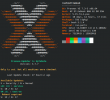
Welcome Screen:
The Welcome Screen is an extra for you. Its optional!
Can be installed or uninstalled with:
bash <(curl -s https://raw.githubusercontent.com/BassT23/Proxmox/master/install.sh) welcome
- The Welcome-Screen brings an update-checker with it. It check on 07am and 07pm for updates via crontab. The result will show up in Welcome-Screen (Only if updates are available).
- The update-checker also use the config file!
- To force the check, you can run `/root/Proxmox-Updater/check-updates.sh` in Terminal.
- Need neofetch to be installed (if not installed, script will make it automatically)
Beta Testing:
If anybody want to help with failure search, please test our beta (if available).
Install beta update with:
bash <(curl -s https://raw.githubusercontent.com/BassT23/Proxmox/beta/install.sh) update
Credits:
@Uruk - for help with the code



 I don't want to be unfriendly.