


I’ve now tried several times to install my AMD RX 6700 XT in my Proxmox server. Unfortunately, without success. Whenever the card is installed, Proxmox stops booting (freezed ASUS-Bootlogo or simply a black screen). In this state I can hit Ctrl+Alt+Del to reboot the machine. At first, I suspected an incorrect BIOS setting or that Proxmox was booting in Legacy BIOS mode. I also removed the riser card and installed the card directly. I also tired temporarily removing the QNAP QM2-2P-384A. I now suspect that it is due to an incompatibility between the card and the motherboard.
Could that actually be the case?
Hardware:
- ASUS P9D-E/4L
- Xeon E3-1231 v3
- Samsung 850 Pro 256 GB SATA SSD (Proxmox boot)
- ASUS PIKE 2308
- QNAP QM2-2P-384A
- ASMB7-iKVM
- RX 6700 XT
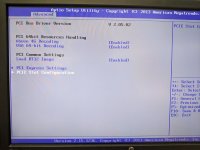
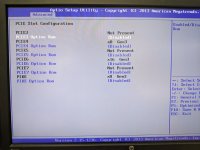
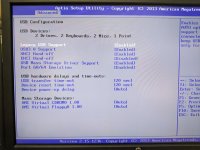
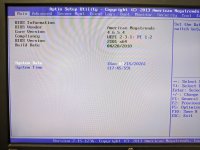
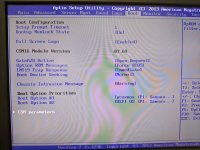
I disabled all PCIe Option ROMs and ASPM. It doesn't matter to what Above 4G Decoding and VGA 64-bit Decoding are set to. I tested both legacy and UEFI-related boot settings. Without the GPU it boots perfectly fine! With the GPU installed, it never finishes booting, as described earlier.
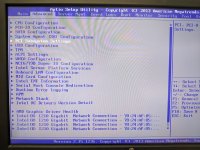
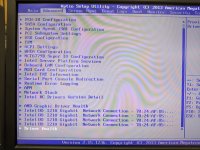
When the GPU is installed, new entries AMD Graphic Driver Health and Driver Health (NAVI22: Healthy) show up under Advanced in my BIOS.
Has anyone used a similar setup successfully?
-
PXL_20260315_184635580.jpg
208.4 KB · Views: 5
-
PXL_20260315_184642038.jpg
215 KB · Views: 5
-
PXL_20260315_184658336.jpg
226.7 KB · Views: 5
-
PXL_20260315_184829373.jpg
277.1 KB · Views: 5
-
PXL_20260315_184559544.jpg
272.3 KB · Views: 5
-
PXL_20260315_184612080.jpg
322.6 KB · Views: 5
-
PXL_20260315_184844461.jpg
251.1 KB · Views: 5
-
PXL_20260315_184925641.jpg
203.7 KB · Views: 4
-
PXL_20260315_184940492.jpg
275.9 KB · Views: 4
-
PXL_20260315_184952296.jpg
306.3 KB · Views: 5