







If you are using Terraform, you’ve probably been in a situation where, after applying some changes, you immediately pinged a teammate on Slack to let him know that the apply finished.
Terraform is excellent at provisioning, but it does not natively help with communication. Your team is most likely using Slack during their workday. They have it open on a second monitor, on their phone, or on a tablet, making it the most-used application throughout the day.
Integrating Terraform with Slack is cost-effective because the infrastructure is already in place. You do not need to build a new dashboard or train your team on a new tool, as you are only sending information to a place they are already looking.
In this article, we will cover:
Once you spend enough time working with Terraform, you quickly realize that many things are happening: pipelines run, plans get generated, applies succeed or fail, drift gets detected, and others.
If these actions are not visible in a place your team already watches, you end up with at least two problems. Things break silently, or someone has to watch a CI dashboard.
Integrating Terraform with Slack helps address several common challenges:
Sending Terraform notifications to Slack is not possible with vanilla Terraform. You need to leverage your CI/CD system, a webhook handler, or a managed infrastructure orchestration platform.
For example, you can use GitHub Actions to send notifications about your Terraform runs by using this action from the GitHub Actions Marketplace.
Here’s an example of how that part of the workflow should look:
name: Terraform Apply

on:
 push:
   branches: [main]

jobs:
 terraform:
   runs-on: ubuntu-latest
   steps:
     - uses: actions/checkout@v4

     - uses: hashicorp/setup-terraform@v3

     - run: terraform init && terraform apply -auto-approve -no-color

     - name: Notify Slack
       if: always()
       uses: slackapi/slack-github-action@v2
       with:
         webhook: ${{ secrets.SLACK_WEBHOOK_URL }}
         webhook-type: incoming-webhook
         payload: |
           {
             "text": "Terraform apply ${{ job.status }} on ${{ github.repository }}@${{ github.ref_name }} by ${{ github.actor }}"
           }
You will need to configure the SLACK_WEBHOOK_URL as a secret inside your GitHub repository for this to work, and you can also modify the conditions in which this job runs.
This is just a simple example, and it won’t provide as much information as you will need in a production environment.
For IaC workflows, it’s always better to leverage an infrastructure orchestration platform’s Slack integration for greater granularity, and we will cover that later in the article.
As mentioned before, there is a built-in Terraform provider for Slack that enables you to manage channels and users in the same way that you’d manage AWS resources, GitHub repositories, or even Kubernetes resources.
Let’s create a new Slack channel by using this provider:
terraform {
 required_providers {
   slack = {
     source  = "pablovarela/slack"
     version = "~> 1.0"
   }
 }
}

provider "slack" {}

resource "slack_conversation" "terraform" {
 name       = "terraform-test"
 topic      = "Terraform-managed channel"
 is_private = false
}
To connect to the Slack provider, you will need to generate a token and, depending on how this configuration is set up, export it as an environment variable named SLACK_TOKEN.
To generate the token, you will need to create a Slack application from scratch by following the workflow from here.
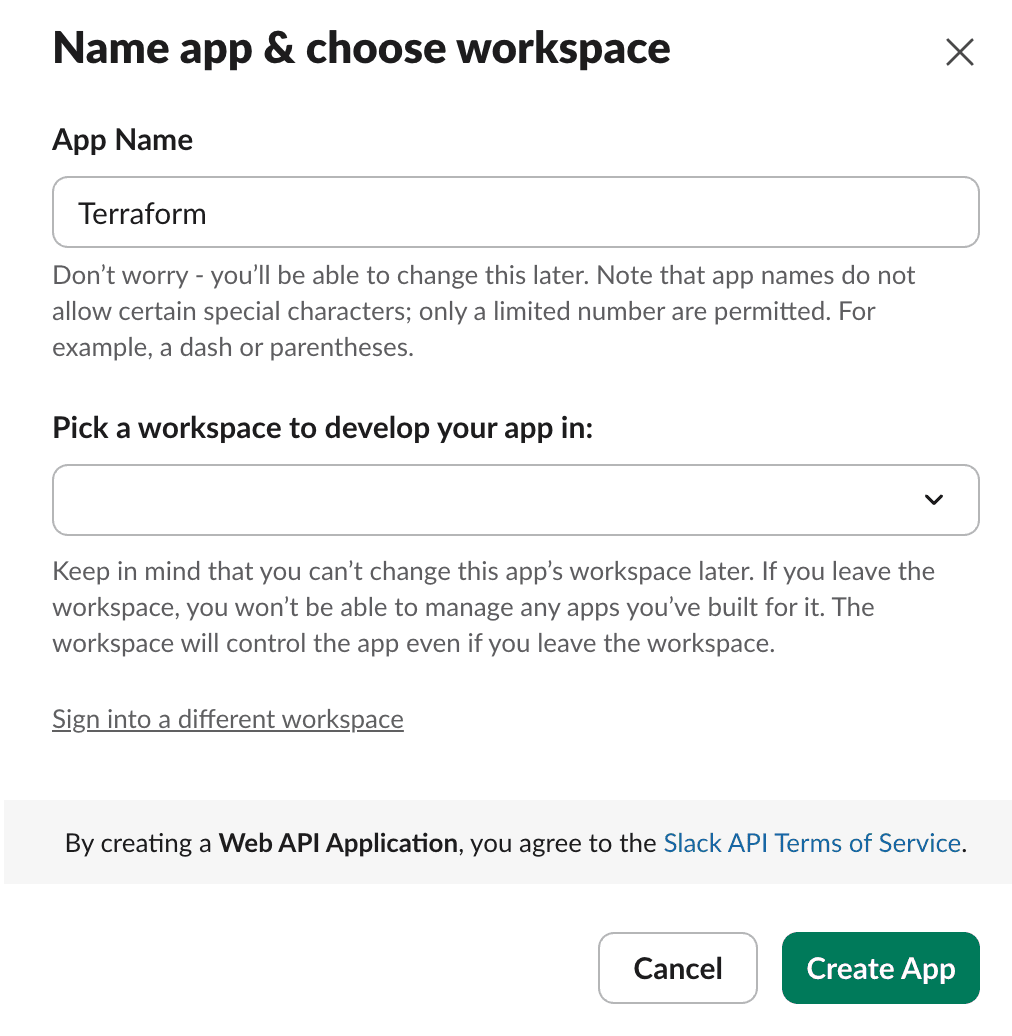
Add a name to your App, pick the workspace, and select the “Create App” option.
Next, we need to add User Token Scopes, which are configured under OAuth and Permissions. These are the permissions I’ll add:
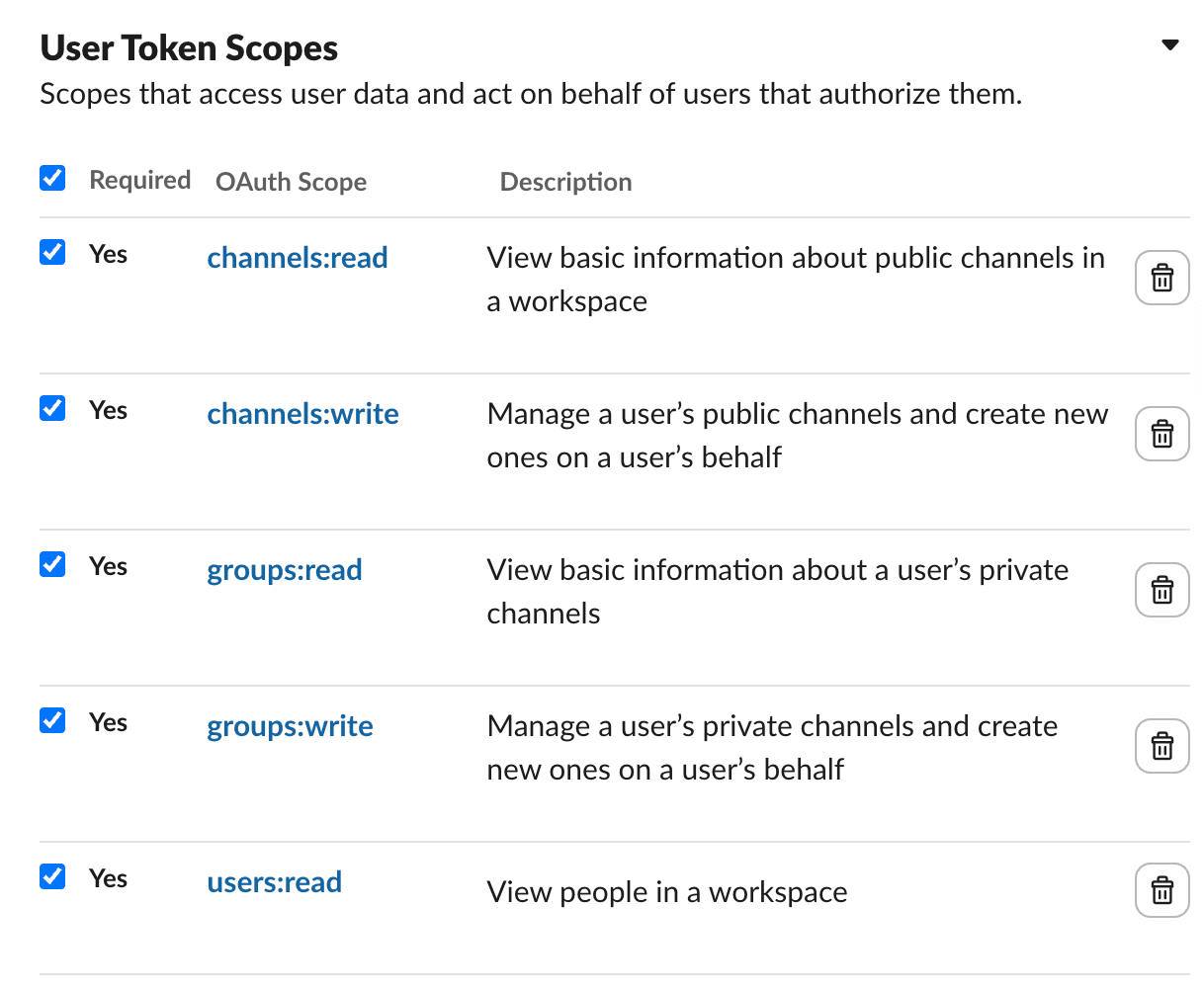
After adding these scopes, at the top of the same page, select the “Install to YourWorkspaceName” option from under OAuth Tokens. A User OAuth Token should have been generated (its value usually starts with xoxp-...).
Save this token to the SLACK_TOKEN environment variable:
export SLACK_TOKEN=xoxp-....
Now, you should be able to create the Slack channel using the Terraform configuration above.
slack_conversation.terraform: Creating...
slack_conversation.terraform: Creation complete after 2s [id=C0B6V0WC68Y]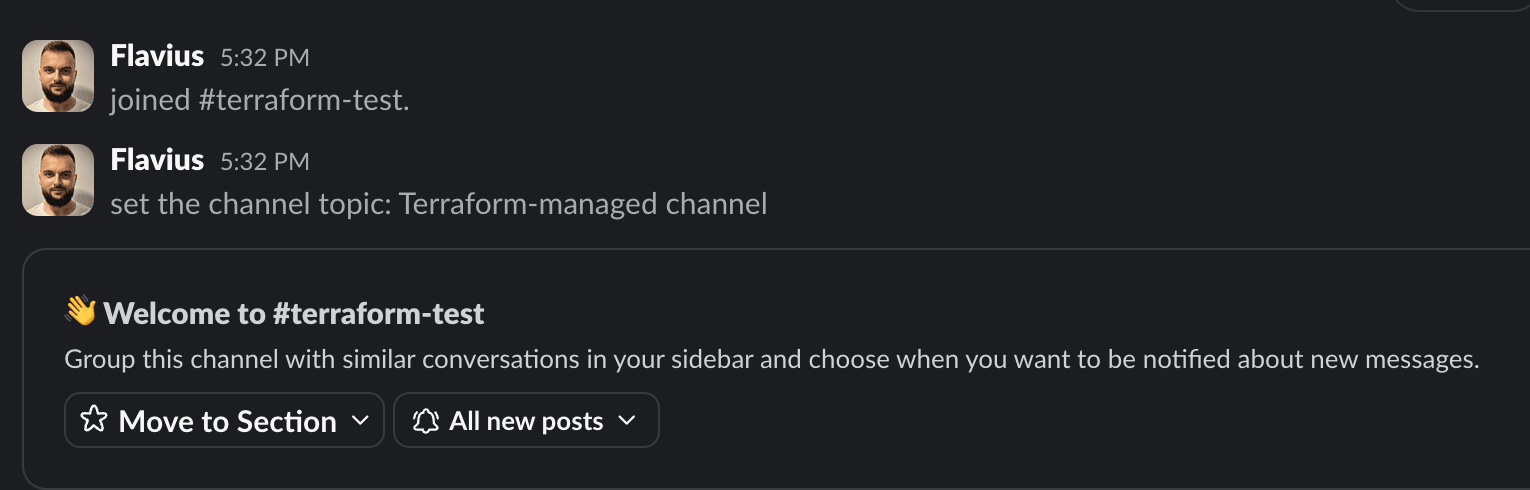
Spacelift integrates natively with Slack, so you can be notified about everything important that is happening in your Spacelift account.
Let’s set up the integration. In our Spacelift account, the first thing we need to do is go to Integrations and then select Slack (you need to be a Spacelift and Slack admin to set it up):
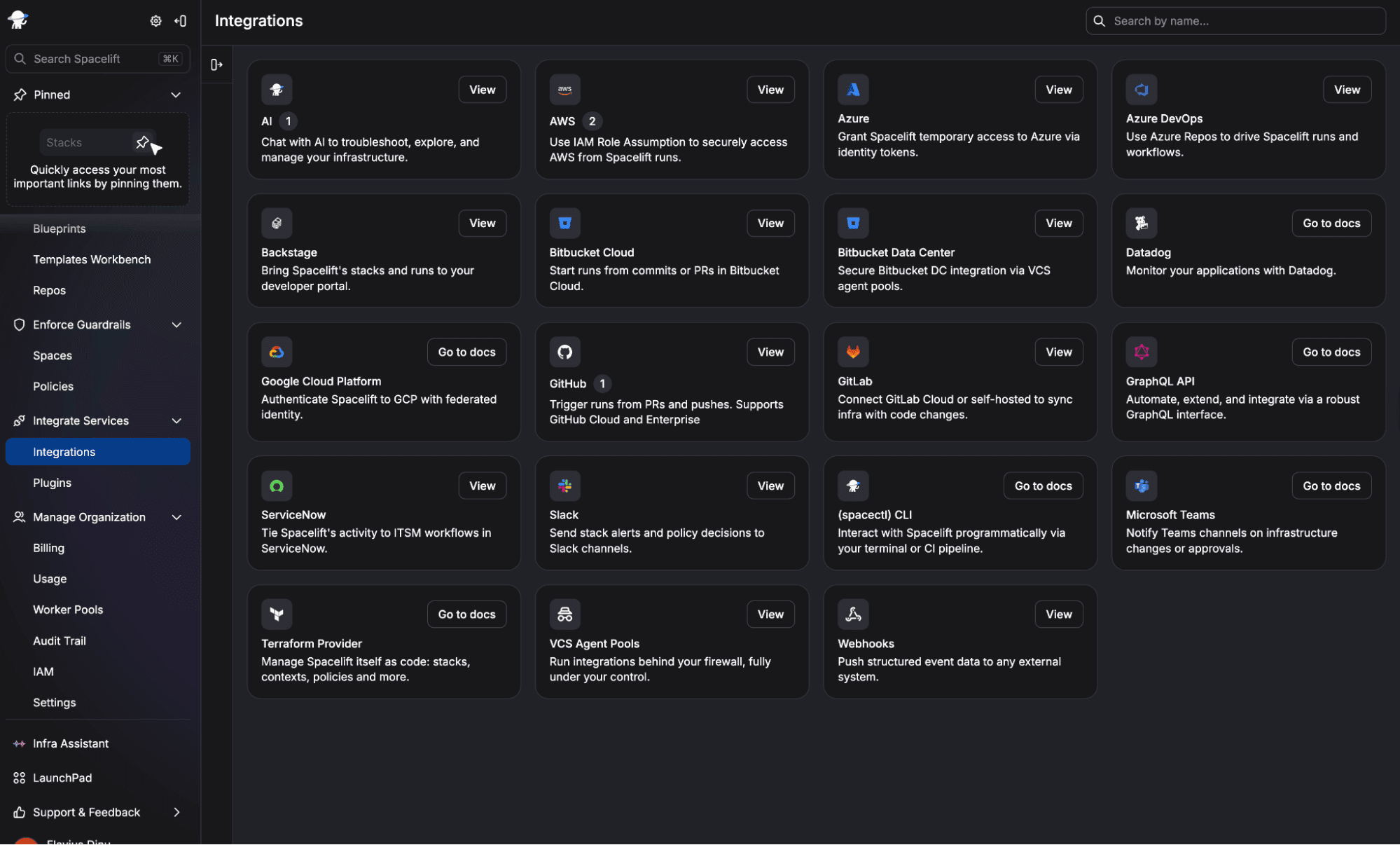
Next, click Connect, and an OAuth2 exchange will be performed, which installs the Spacelift Slack application in your workspace.
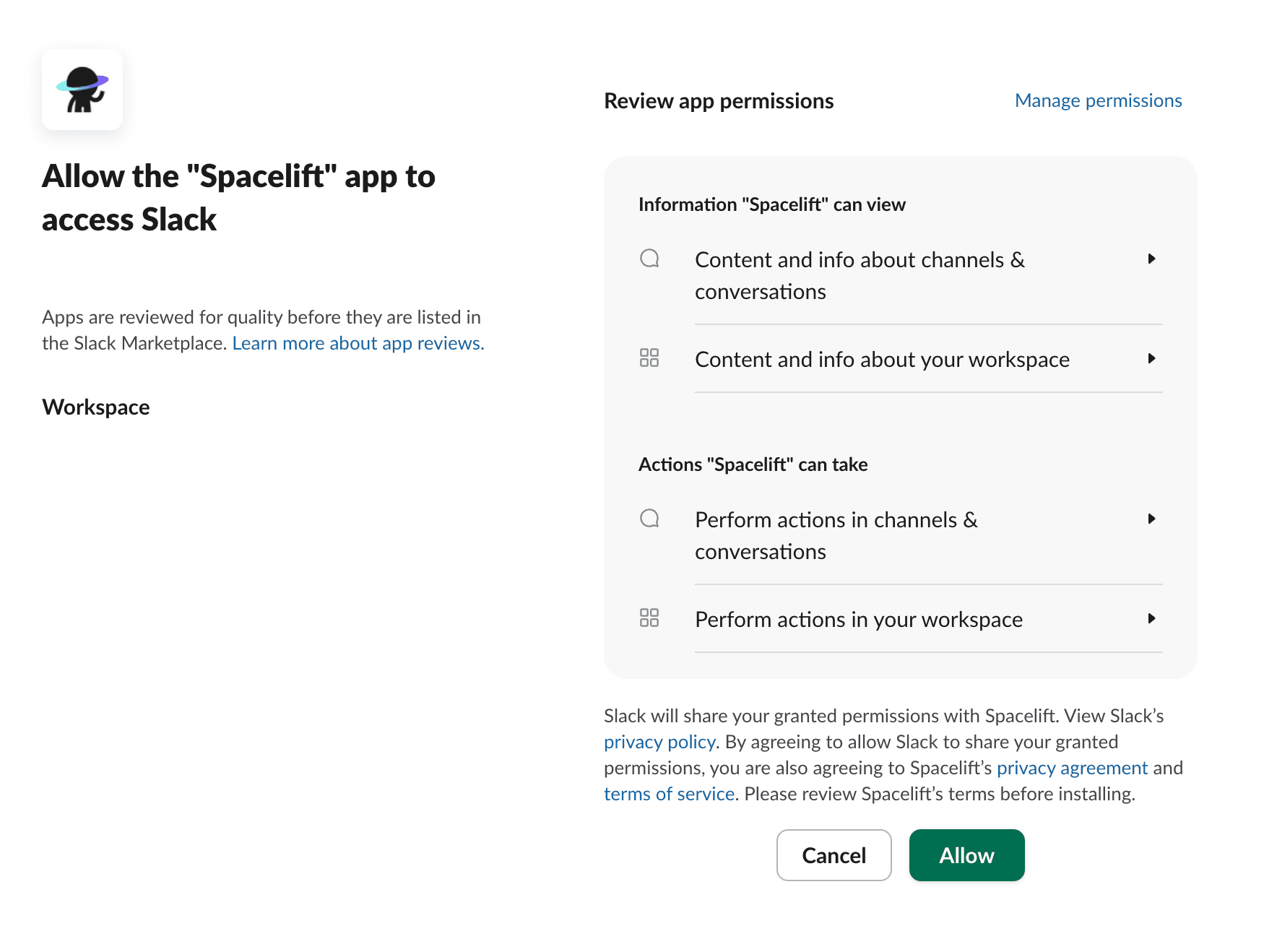
Even after installing the app, you will need to use notification policies on a per-stack/per-space basis to send information to Slack. This is done to give you granular control over the notifications sent.
The good news is that you don’t have to write policies from scratch. You can filter policies in Spacelift’s policy library by the Slack label and see what is available:
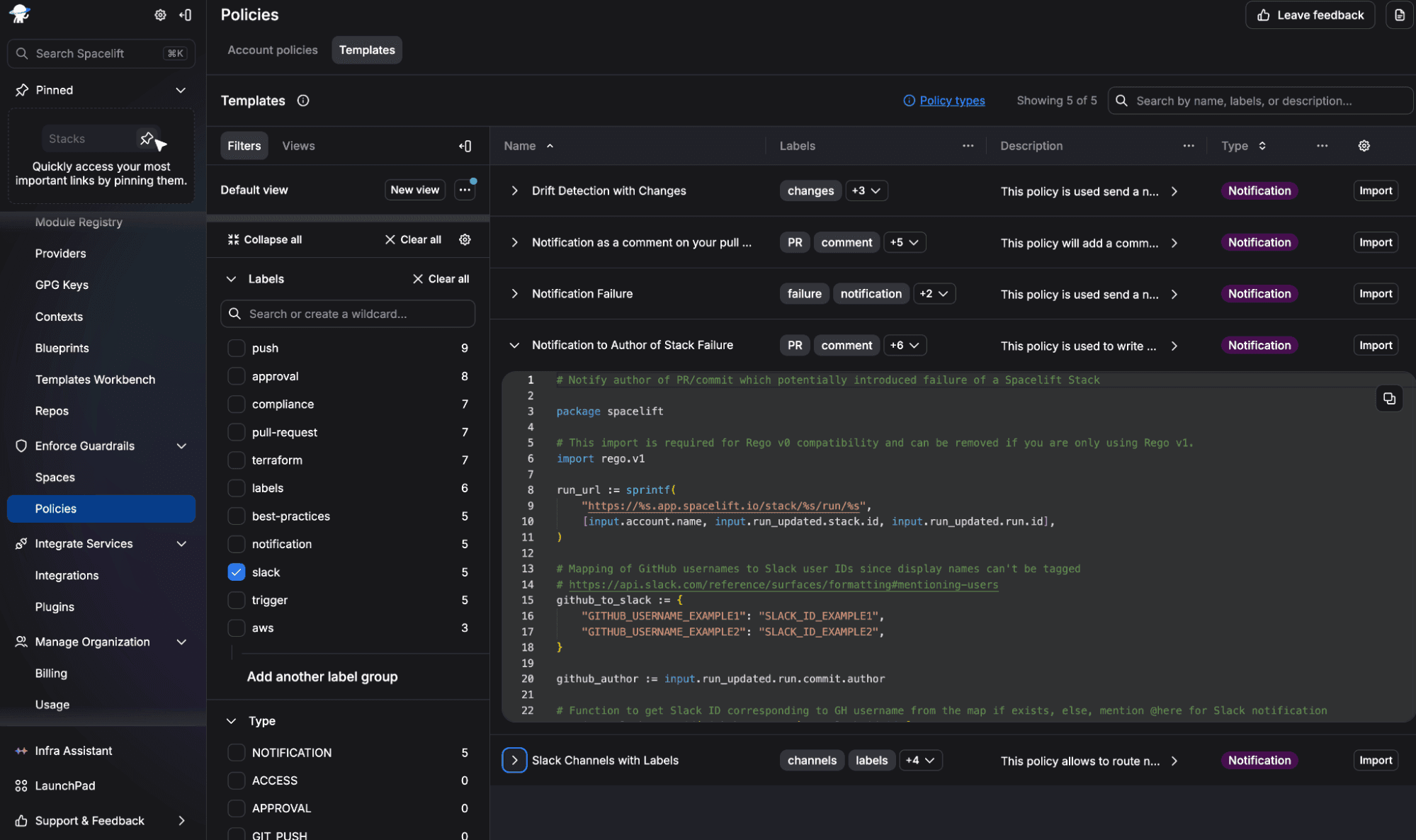
In my account, I will import the “Notification to Author of Stack Failure” policy and make changes to reflect my account. For that, I will change the github_to_slack mapping to add my GitHub username and my Slack member ID, and I will also change the channel_id to add the channel in which I actually want these notifications to be sent, and then I will create this policy.
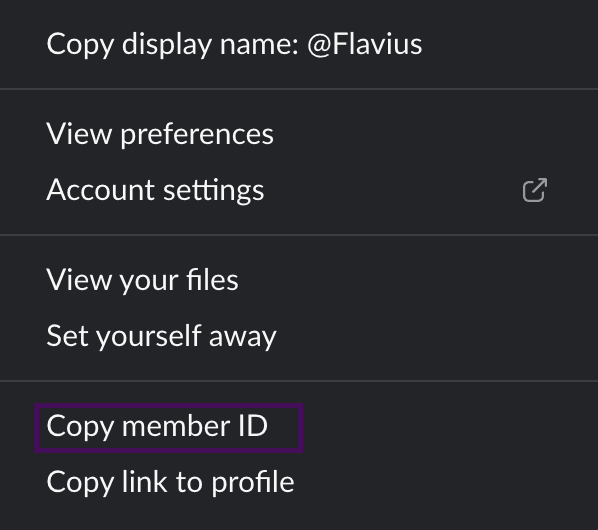
To get your Slack member ID, click on your Profile Icon in the bottom left corner, select Profile, and then click on the more option (three dots), and select Copy Member ID:
Also, to get a channel ID in Slack, go to your channel, click its name at the top, and you will see the channel ID at the bottom of the drawer that opens.
I’ve made a change to one of my stacks (which introduced an error) that is in the same space as my notification policy, and then I received the error message in Slack directly by also being mentioned:
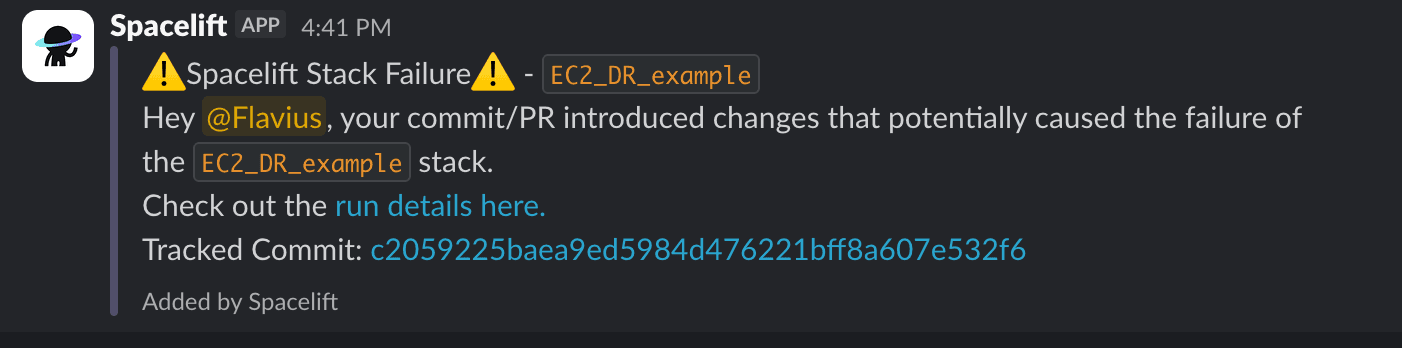
This is just an example to help you quickly identify when your commit introduced an error, so you can jump in and fix it before it affects your users. This integration also allows you to view planned and actual changes and confirm or discard tracked runs. Let’s take a look at how you can approve runs from Slack.
By using the above setup, you already have most of the configuration you need in place. You’ll just need to create a notification policy that sends information about stack runs, and grant Slack write access to allow it to alter stacks in a particular space.
Here’s the notification policy that you can create to send information about your stacks:
package spacelift

slack contains {"channel_id": "channel"} if {
 input.run_updated != null
 run := input.run_updated.run
 run.type == "TRACKED"
}
You’ll need to change the “channel” to reflect the channel ID in which you want to send notifications.
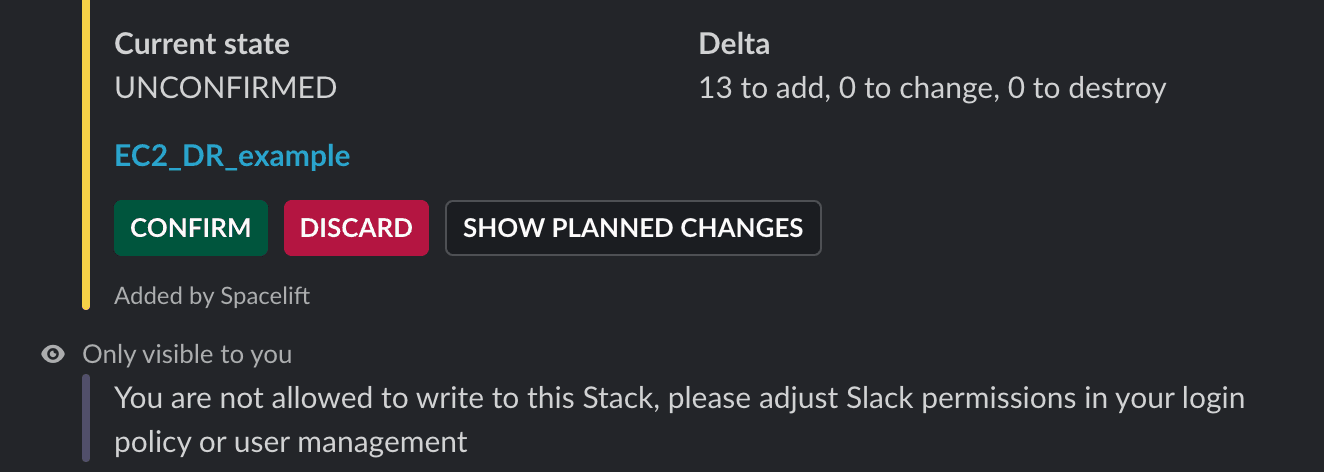
If you don’t grant the write access mentioned before, when a stack reaches an unconfirmed state, you will see that you are not allowed to write to that stack, and a message that you should adjust your Slack permissions in your login policy or user management.
As I’m using the user management strategy, I’ll walk you through it. For the login policy strategy, you can look at the docs to see how to do it.
Go to Integrations, select Slack, and then use the Grant Access button:
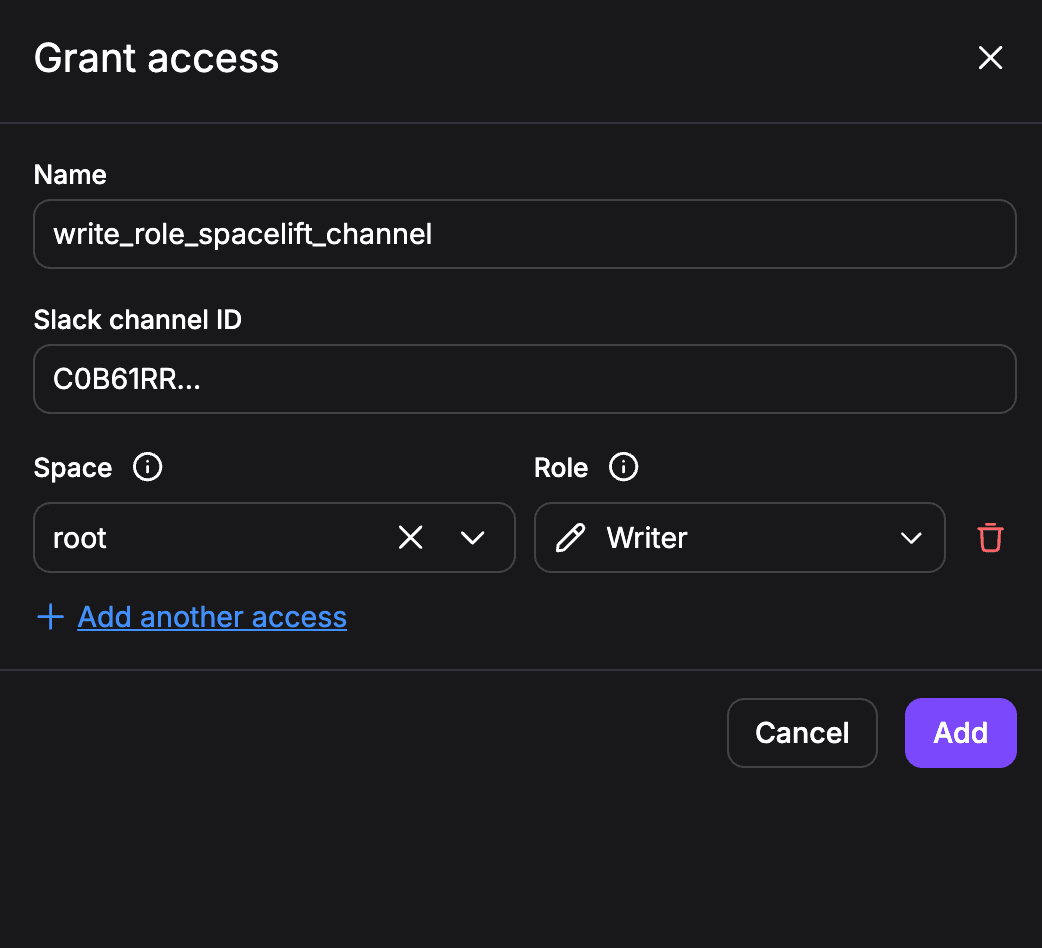
Add a name for your access, your Slack channel ID, select the Space where you have your Stack, and then add a role (you’ll need Writer). If you think that Writer is too much, you can actually create custom roles with more granular permissions.
After you click the Add button, you should now be able to confirm the run, without needing to re-trigger it:
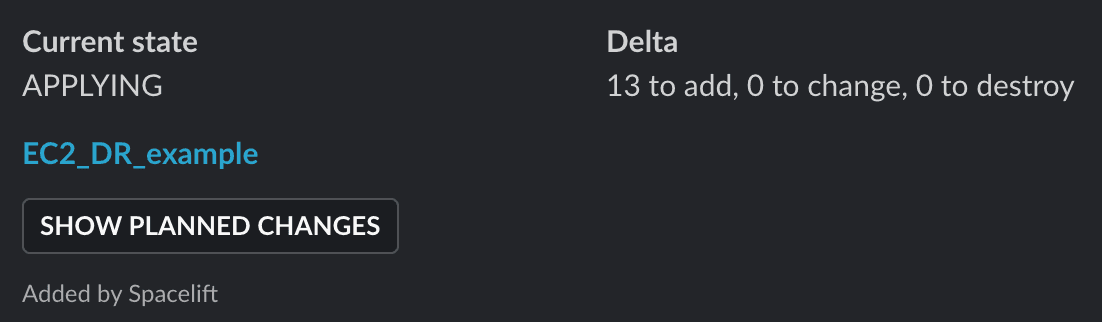
You can now easily manage your Terraform deployments directly from Slack and be notified quickly when something fails.
When you integrate Terraform with Slack, keep in mind that things can get noisy quickly, and alert fatigue can affect your engineering teams. These are some of the best practices you should follow when doing the integration:
Integrating Terraform with Slack is essential, especially when managing Terraform at scale. It’s important to be mindful of which notifications you send and who they are targeted to for the best results.
You can build this integration in your CI pipeline, but the process can be hard to maintain, especially when you need to modify the notification logic. On the other hand, if you are using Spacelift, you can natively integrate with Slack and build a robust notification workflow that also supports ChatOps.
If you want to learn more about how Spacelift can help you with your IaC workflows, book a demo with one of our engineers.
No, there’s no Slack-owned or HashiCorp-verified official provider. Community-maintained options exist, most notably pablovarela/slack on the Terraform Registry (with newer alternatives like tfstack/slack also available), which manage Slack resources like channels and usergroups through the Slack API.
You can’t approve runs from Slack with core Terraform, but platforms like Terraform Cloud or Spacelift offer Slack integrations that post approval prompts you can action without leaving the channel.
Keep webhook URLs out of code entirely. Pass them through environment variables (TF_VAR_) or a secrets manager like Vault or AWS Secrets Manager, mark the variable sensitive = true, and never commit them to version control or hardcode them in .tf files.
Incoming webhooks just post messages to a channel via a single URL, useful for one-way notifications. The community Slack provider authenticates with an API token to create and manage actual Slack resources (channels, usergroups, memberships) as part of your infrastructure state.
Yes. Pipe terraform plan into a script that posts to an incoming webhook, or let your CI/CD or TACOS platform format and send the plan summary automatically after each run.
Run terraform plan on a schedule (cron or CI), detect a non-empty diff via the -detailed-exitcode flag (exit code 2 means changes detected — which signals drift specifically when run against already-applied config or with -refresh-only), then trigger a Slack webhook with the details. Many managed platforms automate this detection and alerting natively.
此内容由惯性聚合(RSS阅读器)自动聚合整理,仅供阅读参考。 原文来自 — 版权归原作者所有。