


惯性聚合 高效追踪和阅读你感兴趣的博客、新闻、科技资讯
阅读原文 在惯性聚合中打开

推荐订阅源

P
Palo Alto Networks Blog
S
Security Affairs
T
Tor Project blog
T
Threatpost
Hacker News - Newest:
Hacker News - Newest: "LLM"
C
Cyber Attacks, Cyber Crime and Cyber Security
The Hacker News
The Hacker News
A
Arctic Wolf
K
Kaspersky official blog
O
OpenAI News
Spread Privacy
Spread Privacy
人人都是产品经理
人人都是产品经理
爱范儿
爱范儿
Simon Willison's Weblog
雷峰网
雷峰网
P
Privacy & Cybersecurity Law Blog
Know Your Adversary
Know Your Adversary
奇客Solidot–传递最新科技情报
奇客Solidot–传递最新科技情报
Last Week in AI
Last Week in AI
Martin Fowler
Martin Fowler
量子位
博客园_首页
Cyberwarzone
Cyberwarzone
博客园 - 三生石上(FineUI控件)
Exploit-DB.com RSS Feed
IT之家
IT之家
N
News and Events Feed by Topic
博客园 - 司徒正美
V2EX - 技术
V2EX - 技术
S
Schneier on Security
博客园 - 叶小钗
Attack and Defense Labs
AI
AI
Application and Cybersecurity Blog
博客园 - 【当耐特】
Jina AI
Jina AI
C
CXSECURITY Database RSS Feed - CXSecurity.com
C
Cybersecurity and Infrastructure Security Agency CISA
D
Darknet – Hacking Tools, Hacker News & Cyber Security
cs.CL updates on arXiv.org
freeCodeCamp Programming Tutorials: Python, JavaScript, Git & More
大猫的无限游戏
大猫的无限游戏
Cloudbric
Cloudbric
H
Hacker News: Front Page
The Last Watchdog
The Last Watchdog
V
V2EX
S
SegmentFault 最新的问题
V
Visual Studio Blog
PCI Perspectives
PCI Perspectives
Microsoft Security Blog

Pierce Freeman

A browser for agents | Pierce Freeman The grey market of podcast appearances The way I travel | Pierce Freeman Fixing slow AWS uploads | Pierce Freeman Local tools should still use vaults We solved scratch content first Starting a podcast in 2025 Being late but still being early Automating our home video imports Adding my parents to tailscale A deep dive on agent sandboxes Language servers for AI | Pierce Freeman My simple home podcast studio We need centralized infrastructure | Pierce Freeman Coercing agents to follow conventions using AST validation My unified theory of social selling My personal backup strategy | Pierce Freeman July updates to the homelab How the KV Cache works httpx is the right way to do web requests in Python Reputation is becoming everything | Pierce Freeman Building a (kind of) invisible mac app Updated knowledge in language models Making an ascii animation | Pierce Freeman How speculative decoding works | Pierce Freeman Under the hood of Claude Code Doing things because they're easy, not hard Speeding up sideeffects with JIT in mountaineer Firehot for hot reloading in Python Misadventures in Python hot reloading How text diffusion works | Pierce Freeman The tenacity of modern LLMs The ergonomics of rails | Pierce Freeman How language servers work | Pierce Freeman Just add eggs | Pierce Freeman Unfortunately SEO still matters | Pierce Freeman The futility of human-only web requirements Setting up Input Leap | Pierce Freeman Checking in on Waymo | Pierce Freeman The react revolution | Pierce Freeman Speeding up many small transfers to a unifi nas AI engineering is a different animal San Francisco | Pierce Freeman Debugging a mountaineer rendering segfault Local network config on macOS Building our home network | Pierce Freeman Introducing Envelope.dev | Pierce Freeman Legacy code and AI copilots Typehinting from day-zero | Pierce Freeman Generating database migrations with acyclic graphs Lofoten | Pierce Freeman Mountaineer v0.1: Webapps in Python and React Constraining LLM Outputs | Pierce Freeman Passthrough above all | Pierce Freeman Accuracy in kudos | Pierce Freeman How quick we are to adapt The curious case of LM repetition Costa Rica | Pierce Freeman Debugging chrome extensions with system-level logging Speeding up runpod | Pierce Freeman Inline footnotes with html templates Parsing Common Crawl in a day for $60 An era of rich CLI All or nothing with remote work The Next 10 Years | Pierce Freeman Adding wheels to flash-attention | Pierce Freeman LLMs as interdisciplinary agents | Pierce Freeman New Zealand | Pierce Freeman Representations in autoregressive models | Pierce Freeman Let's talk about Siri | Pierce Freeman Minimum viable public infrastructure | Pierce Freeman Reasoning vs. Memorization in LLMs Automatically migrate enums in alembic Greater sequence lengths will set us free On learning to ski | Pierce Freeman Dolomites | Pierce Freeman Using grpc with node and typescript Opportunity years | Pierce Freeman Buzzword peaks and valleys | Pierce Freeman Buenos Aires | Pierce Freeman Network routing interaction on MacOS Independent work: November recap | Pierce Freeman Debugging slow pytorch training performance The provenance of copy and paste Debugging tips for neural network training Patagonia | Pierce Freeman Santiago | Pierce Freeman My 2022 digital travel kit AWS vs GCP - GPU Availability V2 Independent work: October recap | Pierce Freeman Planning Patagonia | Pierce Freeman Relationship modeling | Pierce Freeman The power of status updates A new chapter | Pierce Freeman Give my library a coffee shop AWS vs GCP - GPU Availability V1 Switzerland | Pierce Freeman Headfull browsers beat headless | Pierce Freeman Webcrawling tradeoffs | Pierce Freeman Copenhagen | Pierce Freeman
Quick notes on swift libraries
2025-03-20 · via Pierce Freeman

I've been dipping my toe back into the macOS development scene after a long hiatus focusing only on the web. After being spoiled by the package ecosystem of Python+JS1, I was wondering how different the Swift scene looks from the Objective-C scene of yore.

Overall I was pleasantly surprised about the state of the ecosystem:
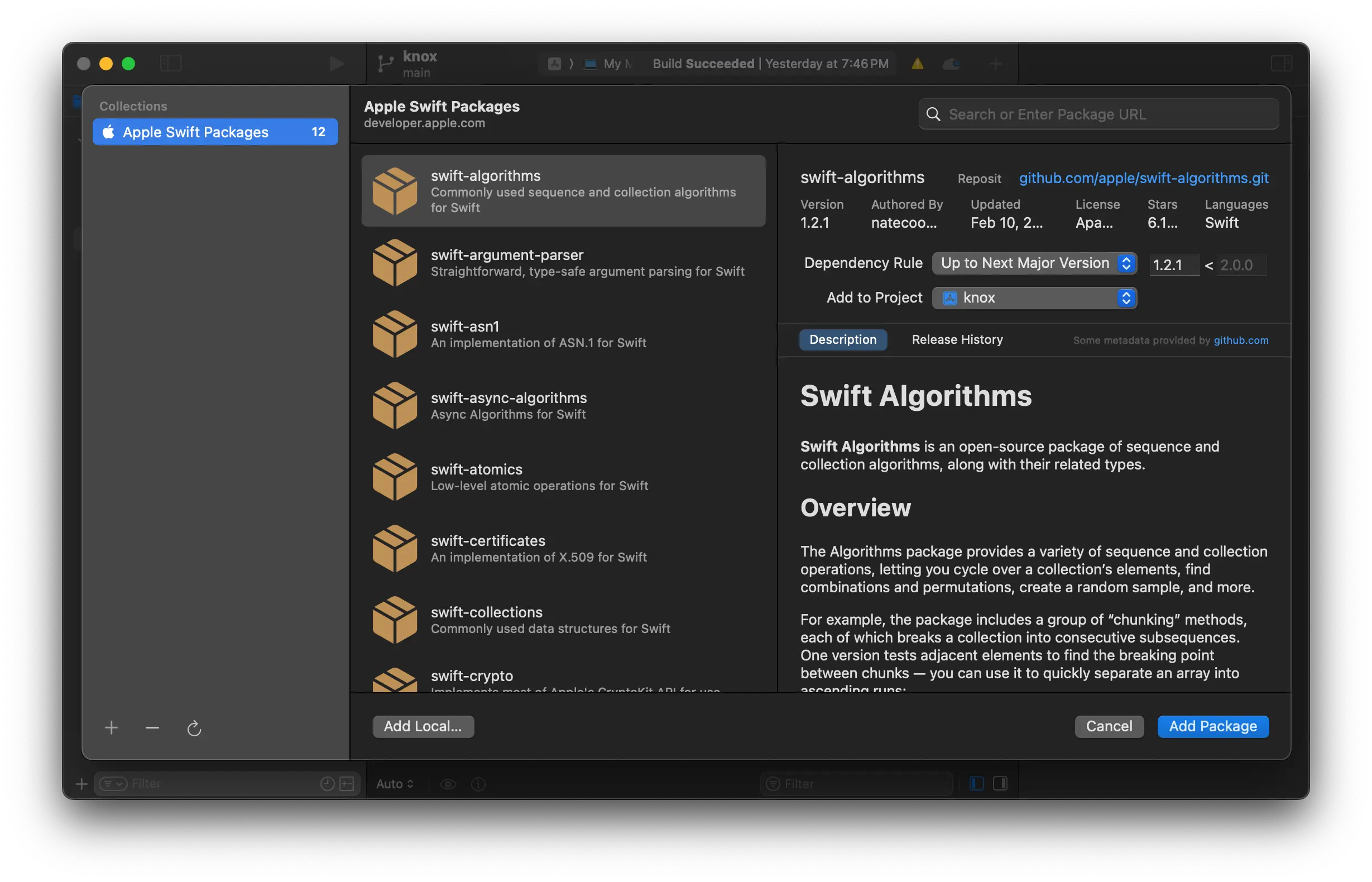
  • Native installation of external packages right in Xcode, without having to manually download tarballs and mess around with import locations.
  • Community supported indexes for finding new packages.
  • Framework templates in Xcode for starting and building a new library.

Swift Package Manager

Screenshot of Xcode Package Search

The Swift Package Manager is bundled into Xcode as a UI and a command line entrypoint.

Apple provides a few hand-selected libraries that are included by default. After that you can add other indexes that host packages.2 Swift supporst a special JSON-based collections format that you need to add to the Manager. There isn't the same equivalent of a single maintainer-blessed index like with Python or JS, but Swift Package Index seems pretty close.

For Swift Package Index in particular, they segment their collection indexes by package author. So you'll have to add each author's packages one-by-one:

https://swiftpackageindex.com/vapor/collection.json

Library types

Within the deployment camp, there are two main outputs: Frameworks and Libraries. Frameworks are more native to macOS, libraries (also just known simply as statics) are the same compressed machine code that you would see on any operating system after a compiler has run.

Framework Target:

  • Bundle: A framework is a self-contained bundle that can include not only the compiled code but also resources (like images, nibs, storyboards, and configuration files). This makes it ideal if your library has associated assets.
  • Module Metadata: Frameworks come with module information (or module maps) that make it straightforward for Swift (and Objective-C) projects to import and use the API without additional configuration.

Static Library:

  • Compiled Code Only: A static library is simply a compiled archive (typically a .a file) containing code. It does not bundle resources, so if you need to distribute assets with your library, you’d have to manage them separately.
  • Manual Module Setup: In Swift projects, using a static library often requires extra steps (like creating module maps or bridging headers) to expose the API cleanly.

You'll almost always want to go with a framework.

Building a new library

You can start building a library in Swift or in Objective-C. And if you build one in Objective-C, Swift code can still read your exported code thanks to its .modulemap and header files. So you're future proofed either way. I'm starting mine in Objective-C.
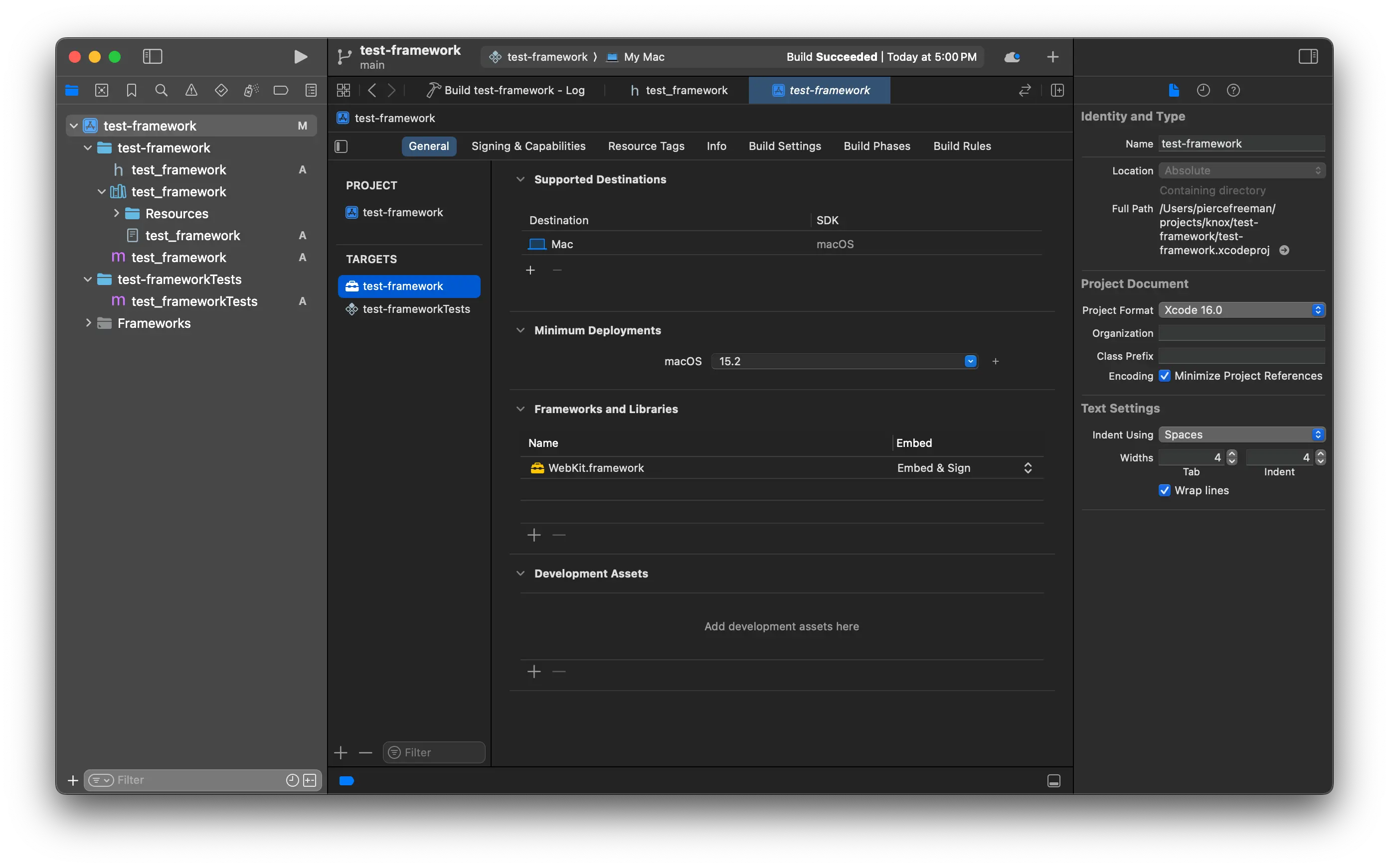
Screenshot of project details

Project config lets you dynamically or statically link to frameworks just like you would in a project. So you can refactor your code to your absolute heart's delight. Private frameworks importing other frameworks importing frameworks? Say that five times fast.
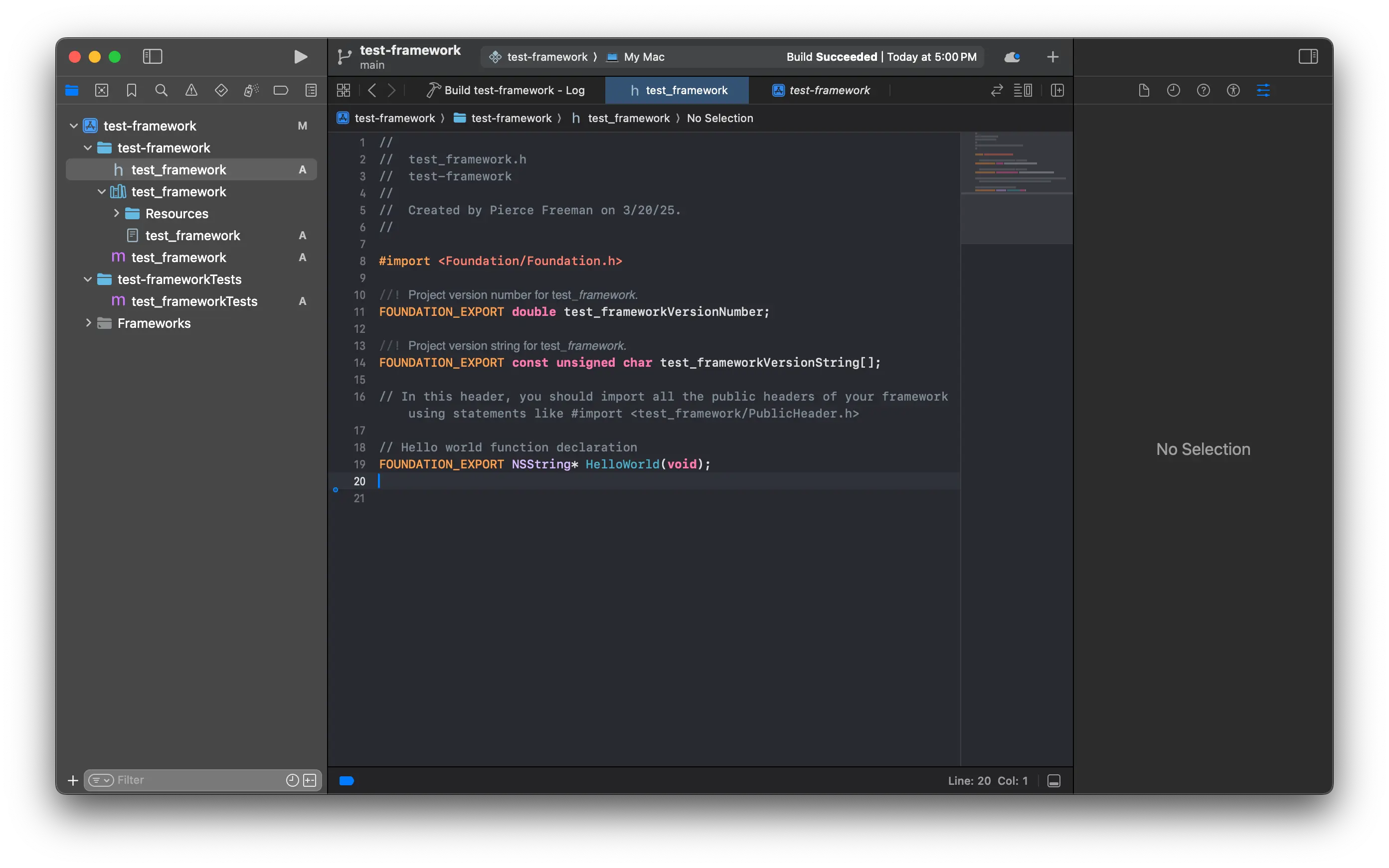
Screenshot of header file

The framework only starts with a single .h header file and no module, but implementing a function for export is basically as easy as adding one to a regular project.

// Hello world function declaration
FOUNDATION_EXPORT NSString* HelloWorld(void);

From there, you can create a matching test_framework.m file and handle the concrete implementation:

#import "test_framework.h"

NSString* HelloWorld(void) {
    return @"Hello, World!";
} 

Once your library is built, Xcode puts it in a conventional place on disk. Not in the same working directory, which I felt a little counter-intuitive.

~/Library/Developer/Xcode/DerivedData/<project>-<random>/Build/Products/Debug/MyFramework.framework

An easier way to locate it:

Product (top bar) -> Show Build Folder in Finder
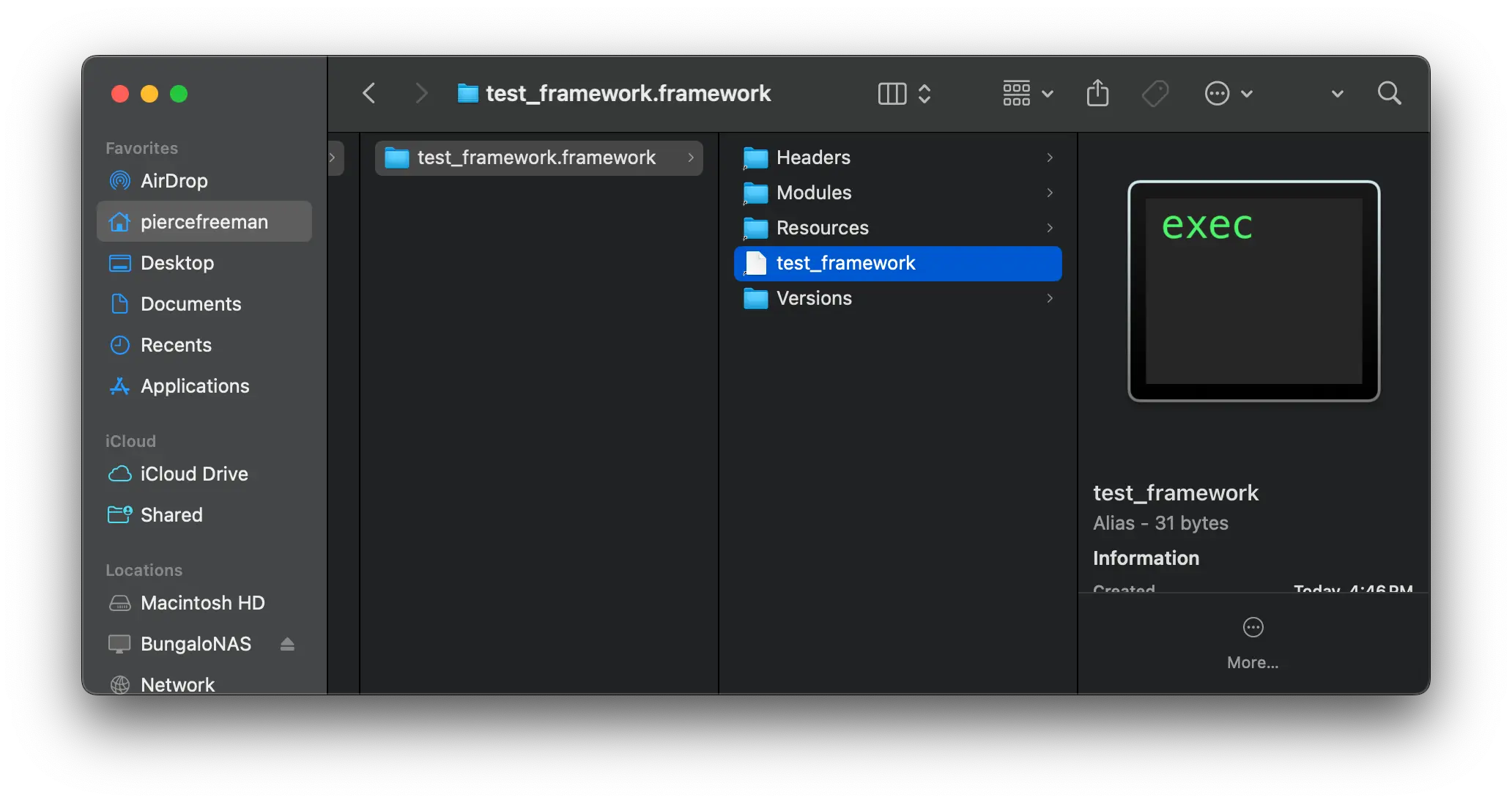
Screenshot of framework files

Compiled frameworks also contain basically what you'd expect. A bunch of support files for module definitions and metadata, then the actual framework logic compressed into an executable file. To use it in a code project, drag the artifact on disk into your project and copy source contents. It seems like you should be able to either link it by reference or copy the source, but when linking by reference it kept failing during the build:

Framework 'test_framework' not found
Linker command failed with exit code 1 (use -v to see invocation)

Only copying ended up succeeding:
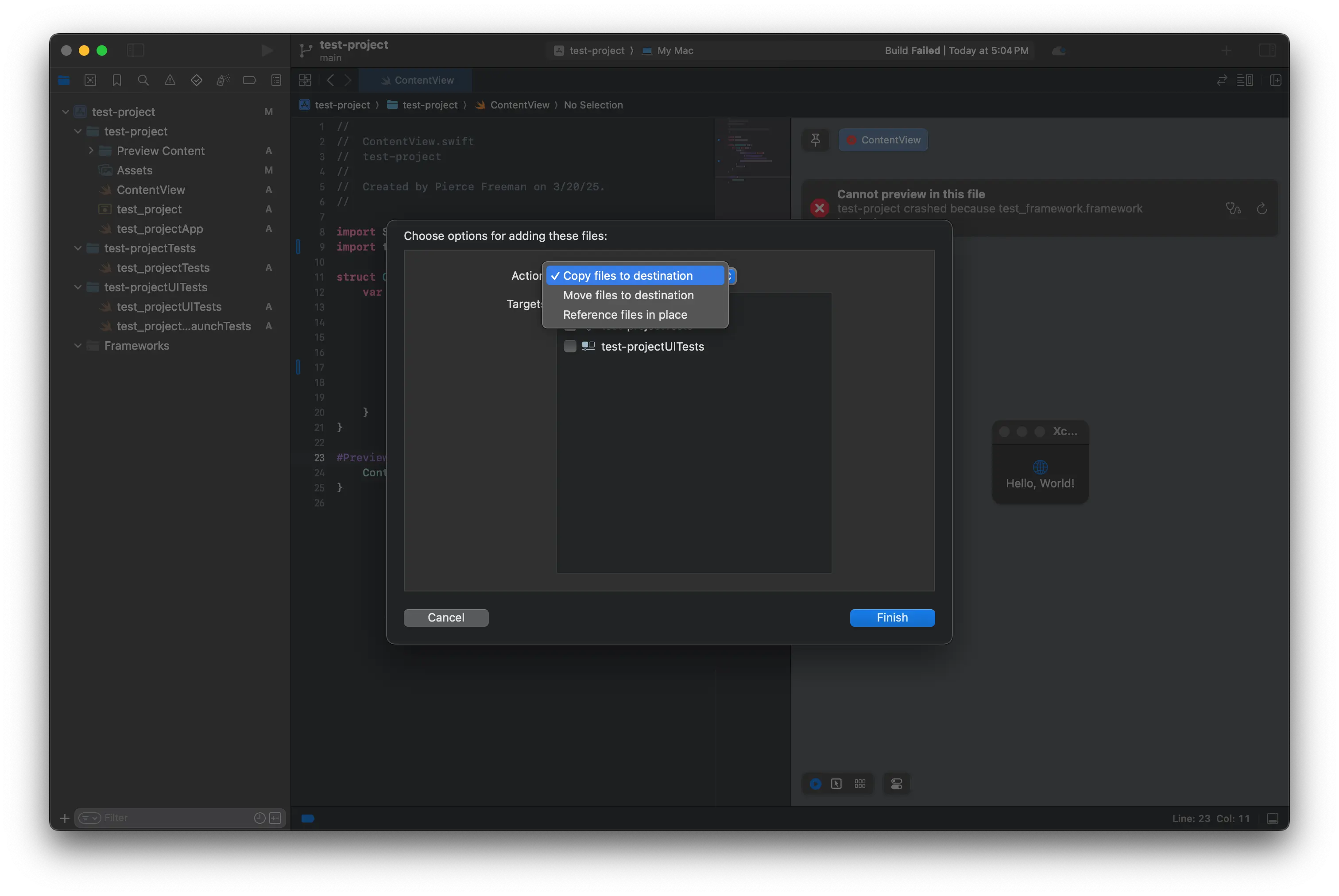
Screenshot of copy

I also had to embed and sign for the executable to run without runtime errors. If you don't, your app may launch successfully but will crash the second you hit code that requires your library. Xcode can see your framework during compile time but during runtime there's no DYLD_FRAMEWORK_PATH pointing to the right path. Embedding custom frameworks is almost always the way to go.

  Reason: tried: '/Users/piercefreeman/Library/Developer/Xcode
  /DerivedData/test-project-avlrkthwcjkzxlfjmffogjxiukgm/Build/Products
  /Debug/test_framework.framework/Versions
  /A/test_framework' (no such file)
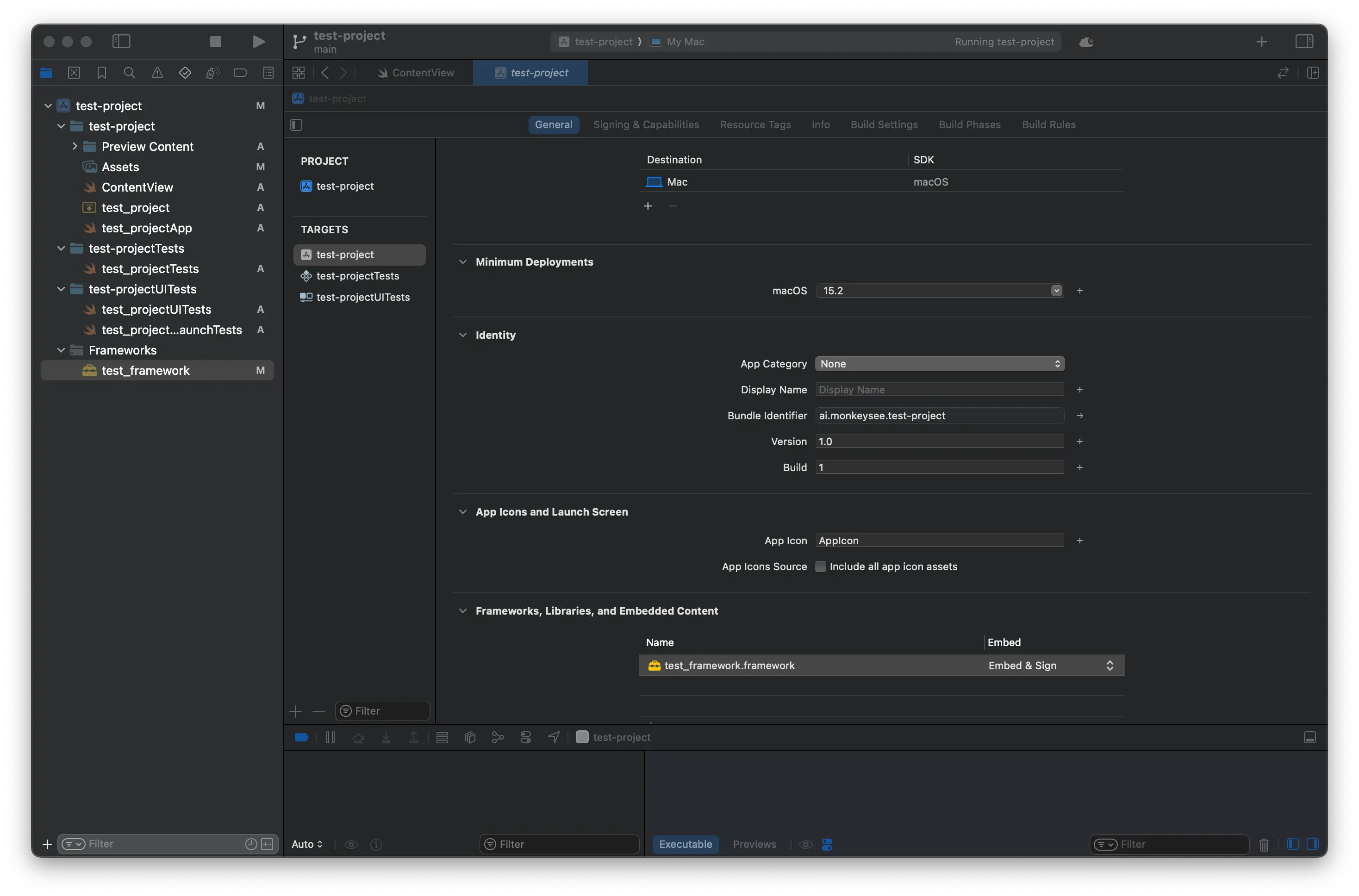
Screenshot of embedding

Once everything's wired up you can access your full Objective-C library from your swift code. In our case - generating the UI text string from the embedded framework:
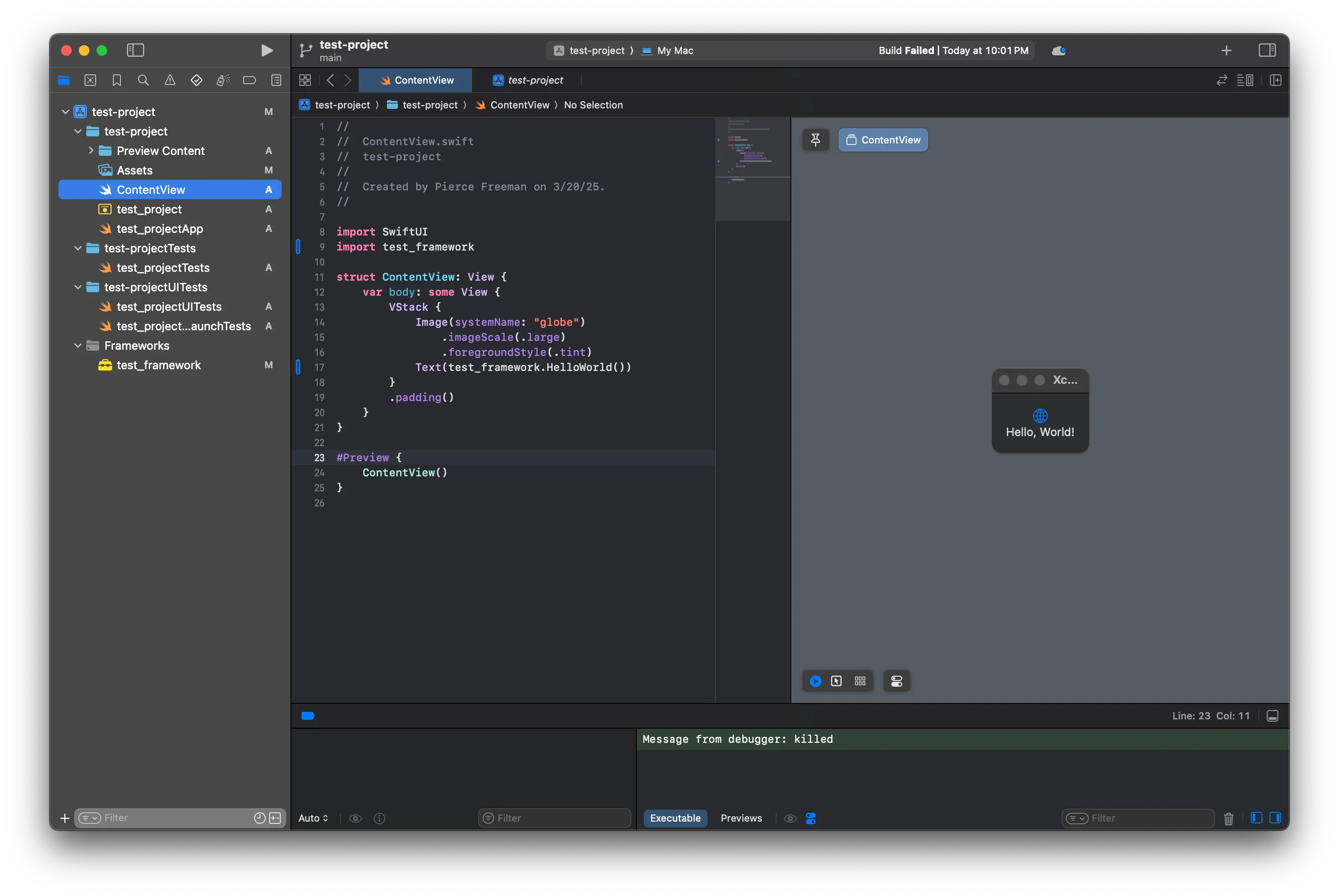
Screenshot of working app

  1. Not just the package availability, but the searchable indexes as part of pypi/npm & the package manager tooling. They feel like communities where everything is open until proven closed. Objective-C packages always felt a bit like the opposite: closed until proven open. ↩

  2. Typically these indexes don't actually host the packages. Package source is hosted on Github and the indexes just host the metadata that communicates version numbers and hashes. ↩