
惯性聚合 高效追踪和阅读你感兴趣的博客、新闻、科技资讯
阅读原文 在惯性聚合中打开

推荐订阅源

Apple Machine Learning Research
AWS News Blog
AWS News Blog
Google DeepMind News
U
Unit 42
博客园 - 叶小钗
博客园 - 聂微东
GbyAI
GbyAI
Stack Overflow Blog
Stack Overflow Blog
有赞技术团队
有赞技术团队
aimingoo的专栏
aimingoo的专栏
D
DataBreaches.Net
CTFtime.org: upcoming CTF events
Jina AI
Jina AI
美团技术团队
The Cloudflare Blog
M
MIT News - Artificial intelligence
Microsoft Azure Blog
I
InfoQ
S
Schneier on Security
C
Check Point Blog
Project Zero
Project Zero
The Hacker News
The Hacker News
Scott Helme
Scott Helme
K
KPMG report finds enterprise disconnect between AI and its ROI | CIO
Cisco Talos Blog
Cisco Talos Blog
P
Privacy International News Feed
SecWiki News
SecWiki News
Latest news
Latest news
MongoDB | Blog
MongoDB | Blog
S
Secure Thoughts
Google Online Security Blog
F
Fortinet All Blogs
博客园 - 三生石上(FineUI控件)
H
Help Net Security
TaoSecurity Blog
TaoSecurity Blog
cs.CL updates on arXiv.org
Last Week in AI
Last Week in AI
P
Privacy & Cybersecurity Law Blog
Forbes - Security
Forbes - Security
G
GRAHAM CLULEY
N
Netflix TechBlog - Medium
L
Lohrmann on Cybersecurity
A
About on SuperTechFans
T
The Exploit Database - CXSecurity.com
C
Cisco Blogs
PCI Perspectives
PCI Perspectives
大猫的无限游戏
大猫的无限游戏
T
Troy Hunt's Blog
H
Hacker News: Front Page
Vercel News
Vercel News

Pierce Freeman

A browser for agents | Pierce Freeman The grey market of podcast appearances The way I travel | Pierce Freeman Fixing slow AWS uploads | Pierce Freeman Local tools should still use vaults We solved scratch content first Starting a podcast in 2025 Being late but still being early Automating our home video imports Adding my parents to tailscale A deep dive on agent sandboxes Language servers for AI | Pierce Freeman My simple home podcast studio We need centralized infrastructure | Pierce Freeman Coercing agents to follow conventions using AST validation My unified theory of social selling My personal backup strategy | Pierce Freeman July updates to the homelab How the KV Cache works httpx is the right way to do web requests in Python Reputation is becoming everything | Pierce Freeman Building a (kind of) invisible mac app Updated knowledge in language models Making an ascii animation | Pierce Freeman How speculative decoding works | Pierce Freeman Under the hood of Claude Code Doing things because they're easy, not hard Speeding up sideeffects with JIT in mountaineer Firehot for hot reloading in Python Misadventures in Python hot reloading How text diffusion works | Pierce Freeman The tenacity of modern LLMs The ergonomics of rails | Pierce Freeman How language servers work | Pierce Freeman Just add eggs | Pierce Freeman Unfortunately SEO still matters | Pierce Freeman The futility of human-only web requirements Checking in on Waymo | Pierce Freeman The react revolution | Pierce Freeman Speeding up many small transfers to a unifi nas Quick notes on swift libraries AI engineering is a different animal San Francisco | Pierce Freeman Debugging a mountaineer rendering segfault Local network config on macOS Building our home network | Pierce Freeman Introducing Envelope.dev | Pierce Freeman Legacy code and AI copilots Typehinting from day-zero | Pierce Freeman Generating database migrations with acyclic graphs Lofoten | Pierce Freeman Mountaineer v0.1: Webapps in Python and React Constraining LLM Outputs | Pierce Freeman Passthrough above all | Pierce Freeman Accuracy in kudos | Pierce Freeman How quick we are to adapt The curious case of LM repetition Costa Rica | Pierce Freeman Debugging chrome extensions with system-level logging Speeding up runpod | Pierce Freeman Inline footnotes with html templates Parsing Common Crawl in a day for $60 An era of rich CLI All or nothing with remote work The Next 10 Years | Pierce Freeman Adding wheels to flash-attention | Pierce Freeman LLMs as interdisciplinary agents | Pierce Freeman New Zealand | Pierce Freeman Representations in autoregressive models | Pierce Freeman Let's talk about Siri | Pierce Freeman Minimum viable public infrastructure | Pierce Freeman Reasoning vs. Memorization in LLMs Automatically migrate enums in alembic Greater sequence lengths will set us free On learning to ski | Pierce Freeman Dolomites | Pierce Freeman Using grpc with node and typescript Opportunity years | Pierce Freeman Buzzword peaks and valleys | Pierce Freeman Buenos Aires | Pierce Freeman Network routing interaction on MacOS Independent work: November recap | Pierce Freeman Debugging slow pytorch training performance The provenance of copy and paste Debugging tips for neural network training Patagonia | Pierce Freeman Santiago | Pierce Freeman My 2022 digital travel kit AWS vs GCP - GPU Availability V2 Independent work: October recap | Pierce Freeman Planning Patagonia | Pierce Freeman Relationship modeling | Pierce Freeman The power of status updates A new chapter | Pierce Freeman Give my library a coffee shop AWS vs GCP - GPU Availability V1 Switzerland | Pierce Freeman Headfull browsers beat headless | Pierce Freeman Webcrawling tradeoffs | Pierce Freeman Copenhagen | Pierce Freeman
Setting up Input Leap | Pierce Freeman
2025-05-29 · via Pierce Freeman

My homelab server is attached to a monitor for dashboard monitoring, but I don't have a dedicated keyboard and mouse permanently connected. This past week Tailscale went on the fritz and I needed physical access. My unideal solution was to dumpster dive through my box of cords until I found a compatible USB-B mouse.

I found input-leap to plug this hole in the future. It's a modern, actively-maintained software-based KVM1. Much like the old physical switches, this lets you share a primary computer's keyboard and mouse with multiple machines over the network.

Alternatives

The KVM software landscape has been pretty bleak for years:

  • Synergy: The original open-source solution that InputLeap forked from, but it went commercial and the free version is severely limited
  • Barrier: Another Synergy fork that was popular for a while, but development has largely stagnated and it has compatibility issues with modern systems
  • Commercial solutions Multiplicity only supports Windows and ShareMouse retails starting at $99
  • Hardware KVM switches: Require physical proximity and cable management, defeating the purpose for rack-mounted servers

InputLeap isn't the prettiest solution of the bunch but it's actively maintained, works across platforms (Mac, Windows, Linux), and defaults to SSL. Seems like a good enough bet.

Installing on Mac

Whichever device has your keyboard and mouse physically attached becomes the server. Everything else becomes the client. It's not yet on an official tap so you'll have to add vancluever's formula:

brew tap vancluever/input-leap
brew install input-leap

Installing on Ubuntu

Grab the latest debian release from github.

This seems to only work on Ubuntu 24.02 or newer. I tried on a machine with an older 22 release and it failed at install time.

cd /tmp
wget https://github.com/input-leap/input-leap/releases/download/v3.0.2/InputLeap_3.0.2_debian12_amd64.deb
apt install ./InputLeap_3.0.2_debian12_amd64.deb

Setting up Mac (Phase 1)

Launch the server first:

a. Find the app bundle Homebrew drops it outside the normal /Applications folder:

  • Apple-silicon Homebrew: /opt/homebrew/opt/input-leap/InputLeap.app
  • Intel Homebrew: /usr/local/opt/input-leap/InputLeap.app
open $(brew --prefix)/opt/input-leap/InputLeap.app

When you open the app you'll see a configuration dialogue. Select server and walk through the steps. Accept the accessibility and local network devices permissions popup when requested.
Screenshot of main settings page

Setting up Ubuntu

The main screen looks exactly like the Mac one does. Select client during setup and it should auto-detect the fingerprint of your server's ssl key.

Take note of the "Screen name" portion of the client popup.

Setting up Mac (Phase 2)

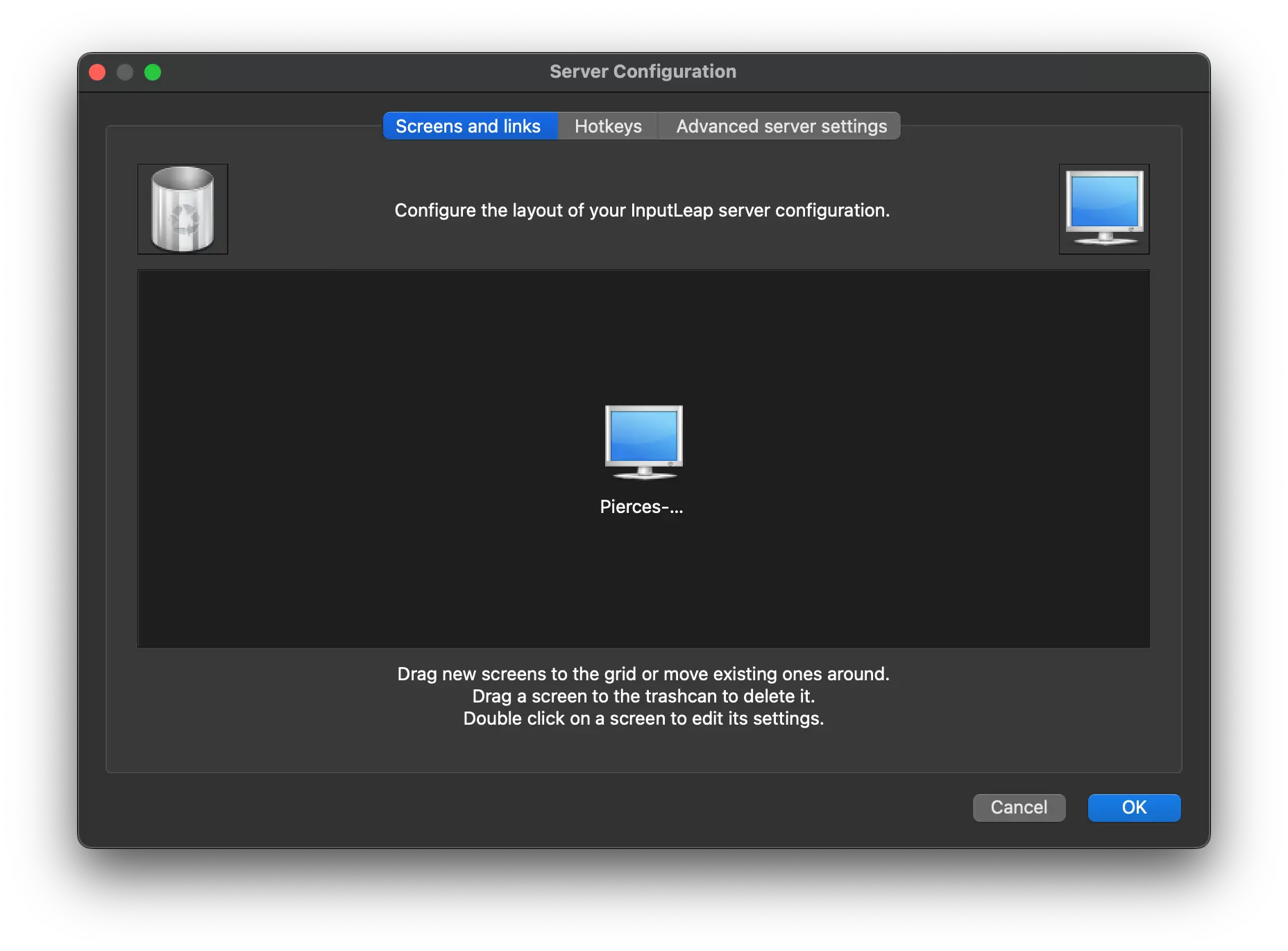
Back on the Mac, click on Configure Server. It will pop up this preference pane.

Screenshot of server config view

You'll have to configure where you want to drag to access your Ubuntu screen. You'll have to do this manually: drag the screen icon to the position that you want it to transition when you move your mouse towards it. It should be right next to the center window so you can transition directly.

Double click on the computer icon and specify its Screen Name as the same value as you recorded on Ubuntu. When fully configured it should look something like this:
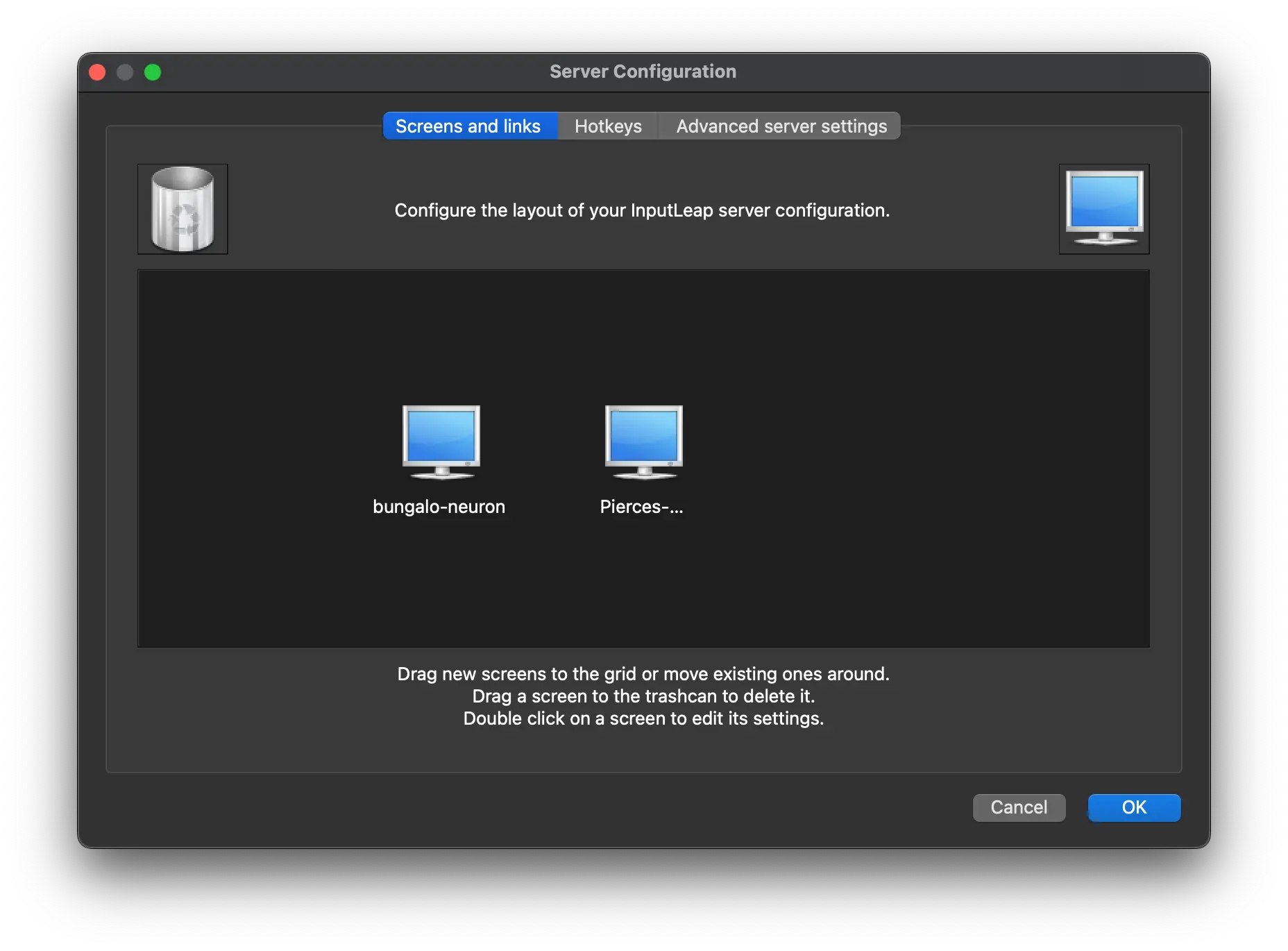
Screenshots of complete server view

Close this window and click "Reload" on the server panel.

Then get the IP - look for the 192.x.x.x private inet:

ifconfig -a | grep inet

Starting at login

Mac: System Preferences -> General -> "Start at login".

Ubuntu is a bit more complex:

mkdir -p ~/.config/systemd/user
vi ~/.config/systemd/user/input-leap-client.service
[Unit]
Description=Input Leap client
# This will make sure it waits until you actually have a display it can share
After=graphical-session.target
Wants=graphical-session.target

[Service]
# Update with your client screen name and server IP (local LAN grant)
ExecStart=/usr/bin/input-leapc \
          -f \
          --name <CLIENT_SCREEN_NAME> \
          --debug INFO \
          <SERVER_IP>
Restart=on-failure

[Install]
WantedBy=default.target

Inputleap comes with auto-detection of the server via bonjour when it's running as a GUI but it doesn't have the same functionality via CLI flag.

Load and check status:

systemctl --user daemon-reload
systemctl --user enable --now input-leap-client.service
systemctl --user status input-leap-client.service
journalctl --user -u input-leap-client.service -f

If all is successful you should see:

$ systemctl --user status input-leap-client.service
● input-leap-client.service - Input Leap client
     Loaded: loaded (/home/pierce/.config/systemd/user/input-leap-client.service; enabled; preset: enabled)
     Active: active (running) since Thu 2025-05-29 09:09:51 PDT; 2s ago
   Main PID: 7637 (input-leapc)
      Tasks: 3 (limit: 18792)
     Memory: 1.9M (peak: 2.4M)
        CPU: 37ms
     CGroup: /user.slice/user-1000.slice/[email protected]/app.slice/input-leap-client.service
             └─7637 /usr/bin/input-leapc -f --name bungalo-neuron --debug INFO 192.168.1.56

May 29 09:09:51 bungalo-neuron input-leapc[7637]: [2025-05-29T09:09:51] NOTE: connecting to '192.168.1.56': 192.168.1.56:2>
May 29 09:09:51 bungalo-neuron input-leapc[7637]: [2025-05-29T09:09:51] INFO: OpenSSL 3.0.13 30 Jan 2024
May 29 09:09:51 bungalo-neuron input-leapc[7637]: [2025-05-29T09:09:51] INFO: peer ssl certificate info: /CN=InputLeap
May 29 09:09:51 bungalo-neuron input-leapc[7637]: [2025-05-29T09:09:51] NOTE: peer fingerprint (SHA1)
May 29 09:09:51 bungalo-neuron input-leapc[7637]: [2025-05-29T09:09:51] NOTE: fingerprint_db_path: /home/pierce/.conf>
May 29 09:09:51 bungalo-neuron input-leapc[7637]: [2025-05-29T09:09:51] NOTE: Read 1 fingerprints from: /home/pierce/.conf>
May 29 09:09:51 bungalo-neuron input-leapc[7637]: [2025-05-29T09:09:51] NOTE: Fingerprint matches trusted fingerprint
May 29 09:09:51 bungalo-neuron input-leapc[7637]: [2025-05-29T09:09:51] INFO: connected to secure socket
May 29 09:09:51 bungalo-neuron input-leapc[7637]: [2025-05-29T09:09:51] INFO: TLS_AES_256_GCM_SHA384         TLSv1.3 Kx=an>
May 29 09:09:51 bungalo-neuron input-leapc[7637]: connected to server

If the mouse isn't working on the Ubuntu machine but you're seeing logs come through, you're probably running on Wayland which doesn't yet have full support for remote mouse movements.

  1. Log out.
  2. On the GDM greeter click the ⚙ gear in the bottom right
  3. Pick "Ubuntu on Xorg" (Ubuntu remembers the last choice)
  4. Log back in
  5. Restart the system daemon: systemctl --user restart --now input-leap-client.service
  1. Only today did I finally learn this stands for keyboard, video, mouse. We love CS acronyms. ↩