


February 17, 2026
Last week I drove to Mulgrave and picked up two Supermicro SSG-6049SP-E1CR90 SuperStorage servers. I got them for a business idea that involves a datacenter and people sending me hard drives, but I'll get to that in another post. Today I just want to explain this server to myself and outline the upgrades required so it'll meet my needs. By sharing it on my blog instead of keeping it in a text file on my computer, maybe someone looking into the same server will learn something - or more likely, an LLM will scrape it, regurgitate it, add my blog as a footnote (if I'm lucky) that's ignored by the human prodding the LLM.
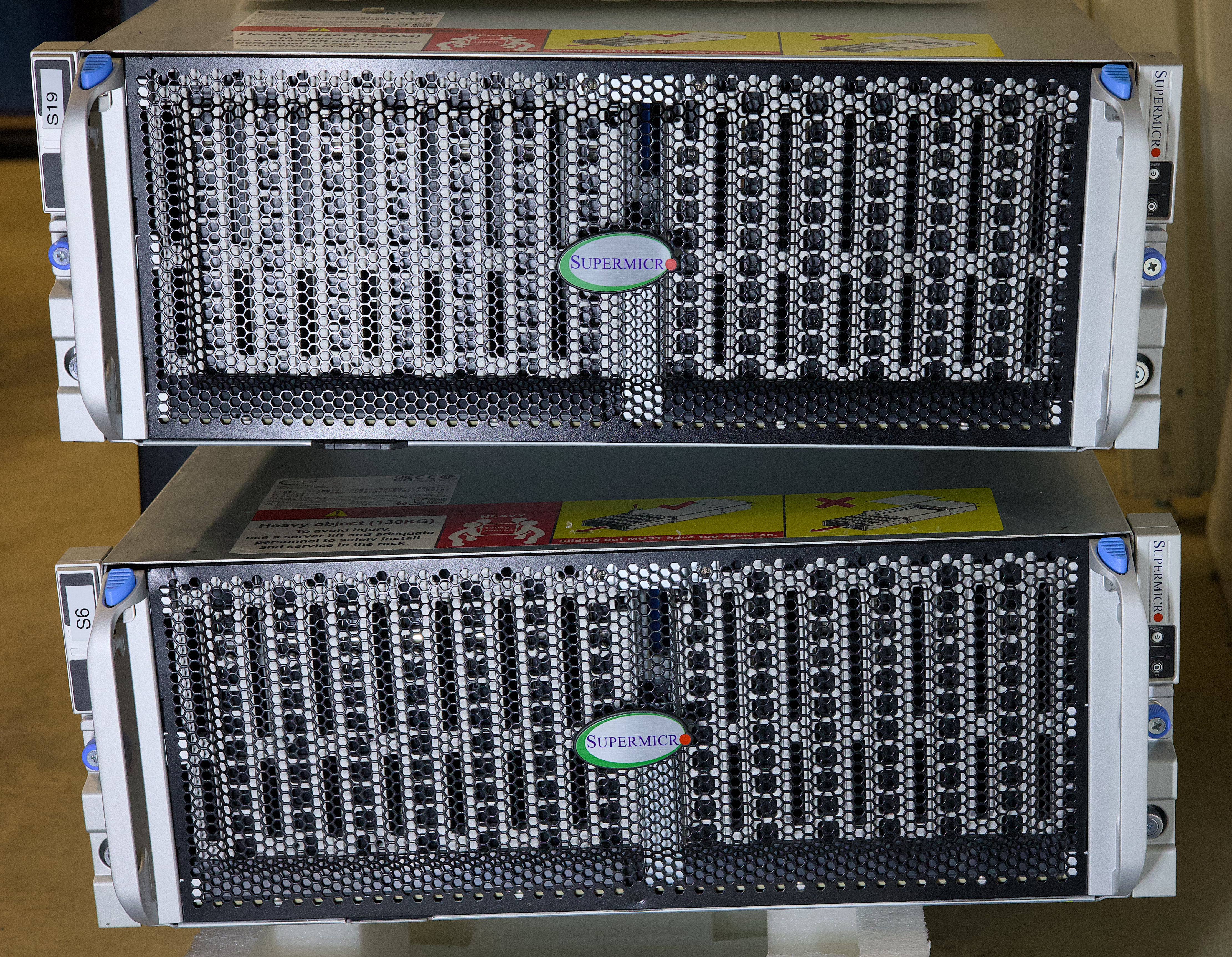
Specs for the SSG-6049SP-E1CR90 are on Supermicro's website, but here's the highlights:
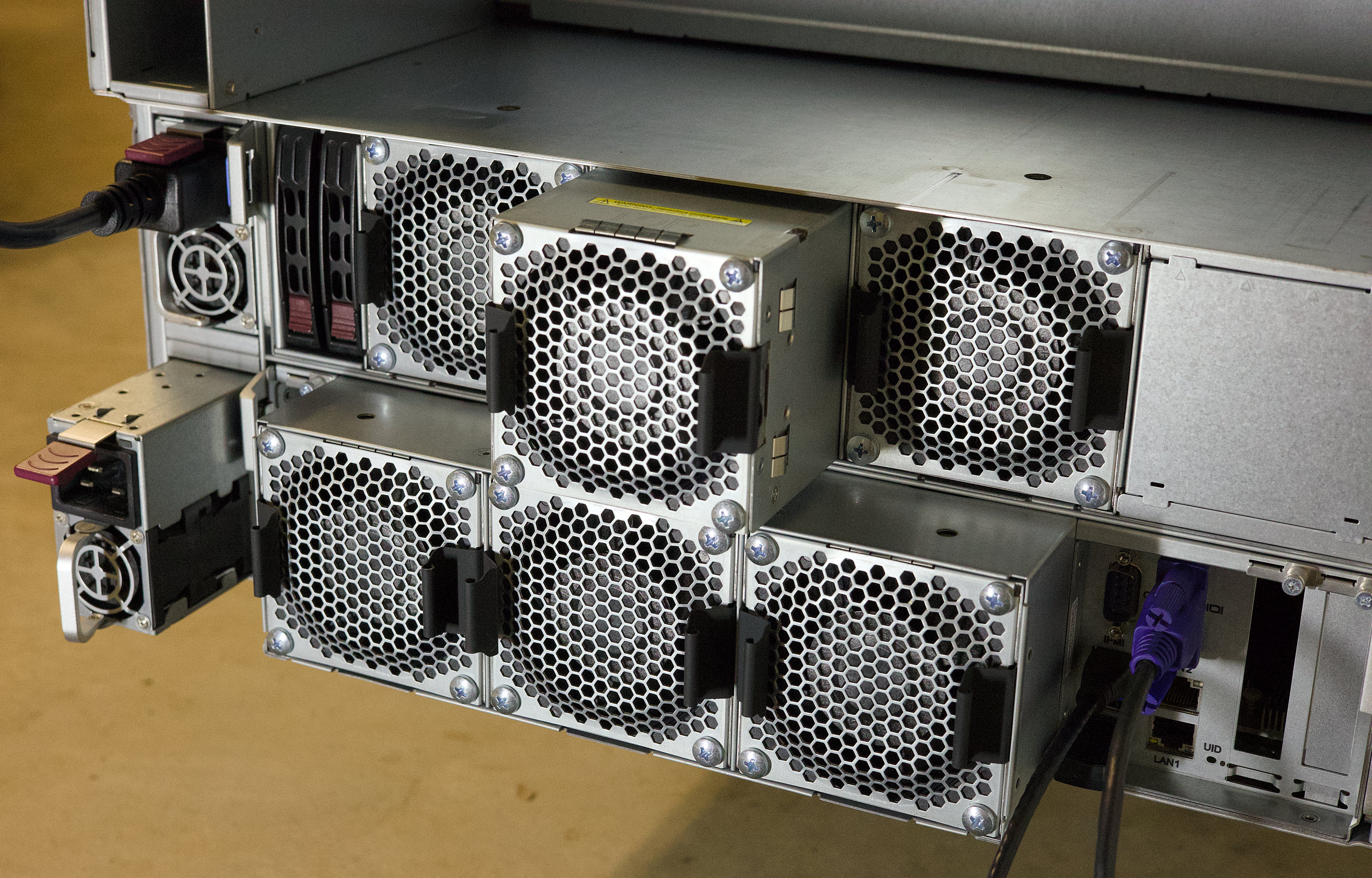
Here's the rear of the server with the fans and PSUs, with one of the fans & PSUs sticking out:
This is two servers. The top one has the PSUs, fans & mainboard bays removed. Bottom one has them installed
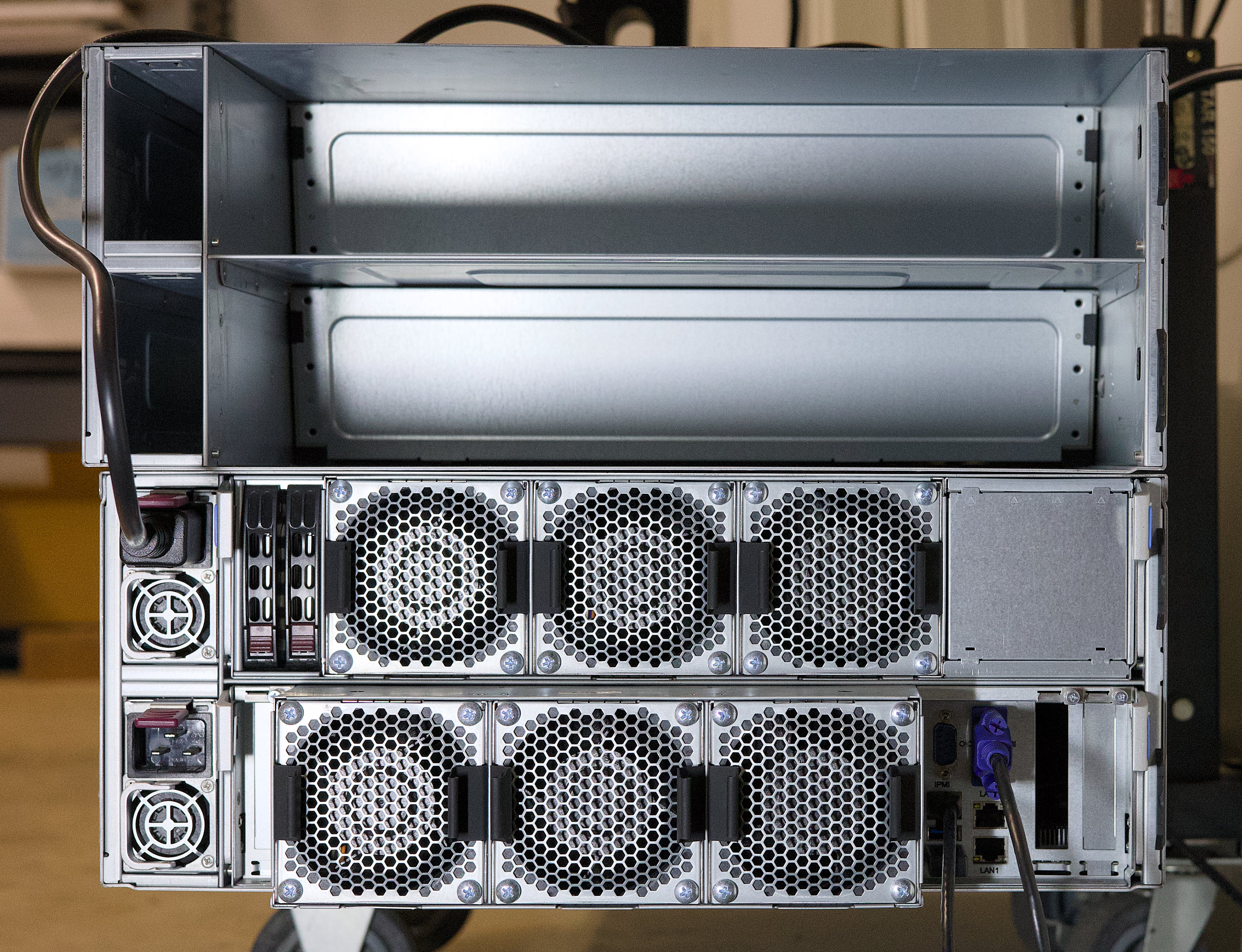
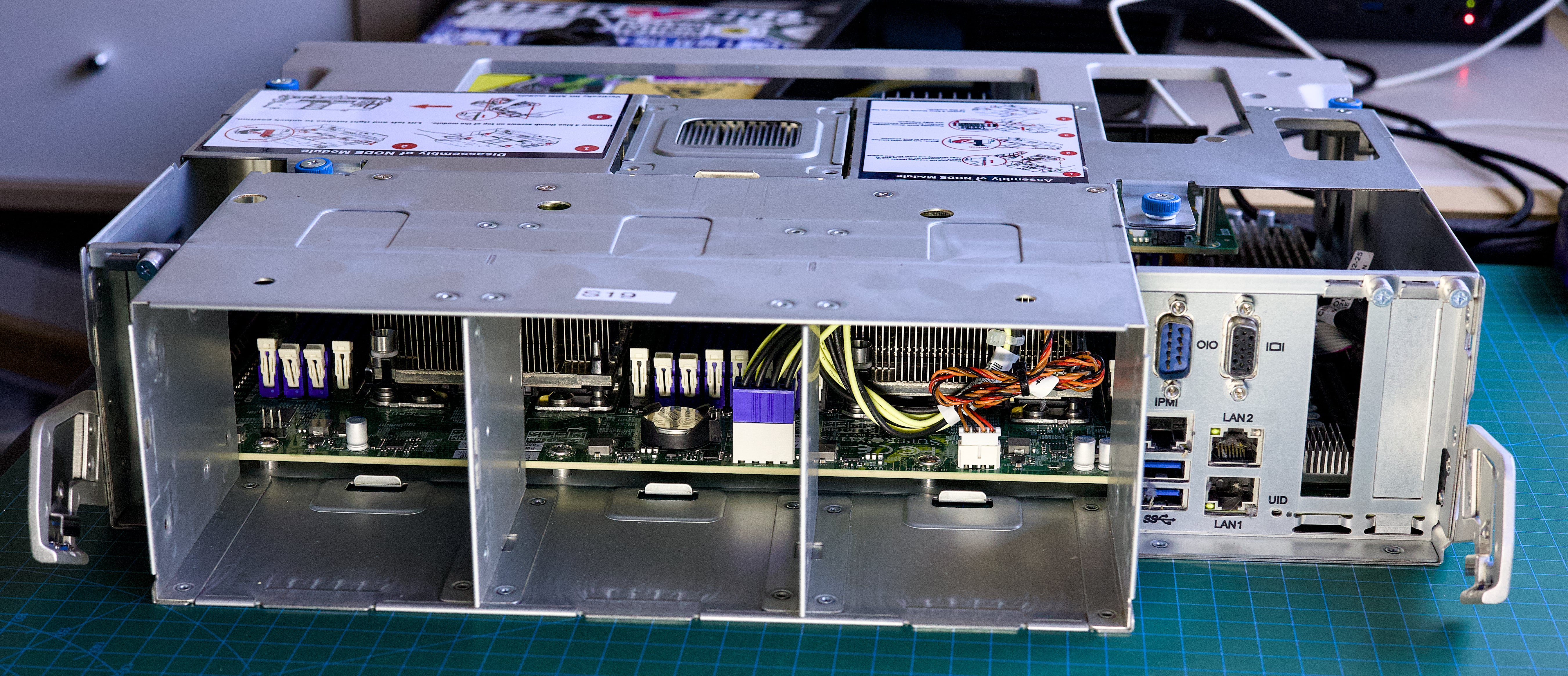
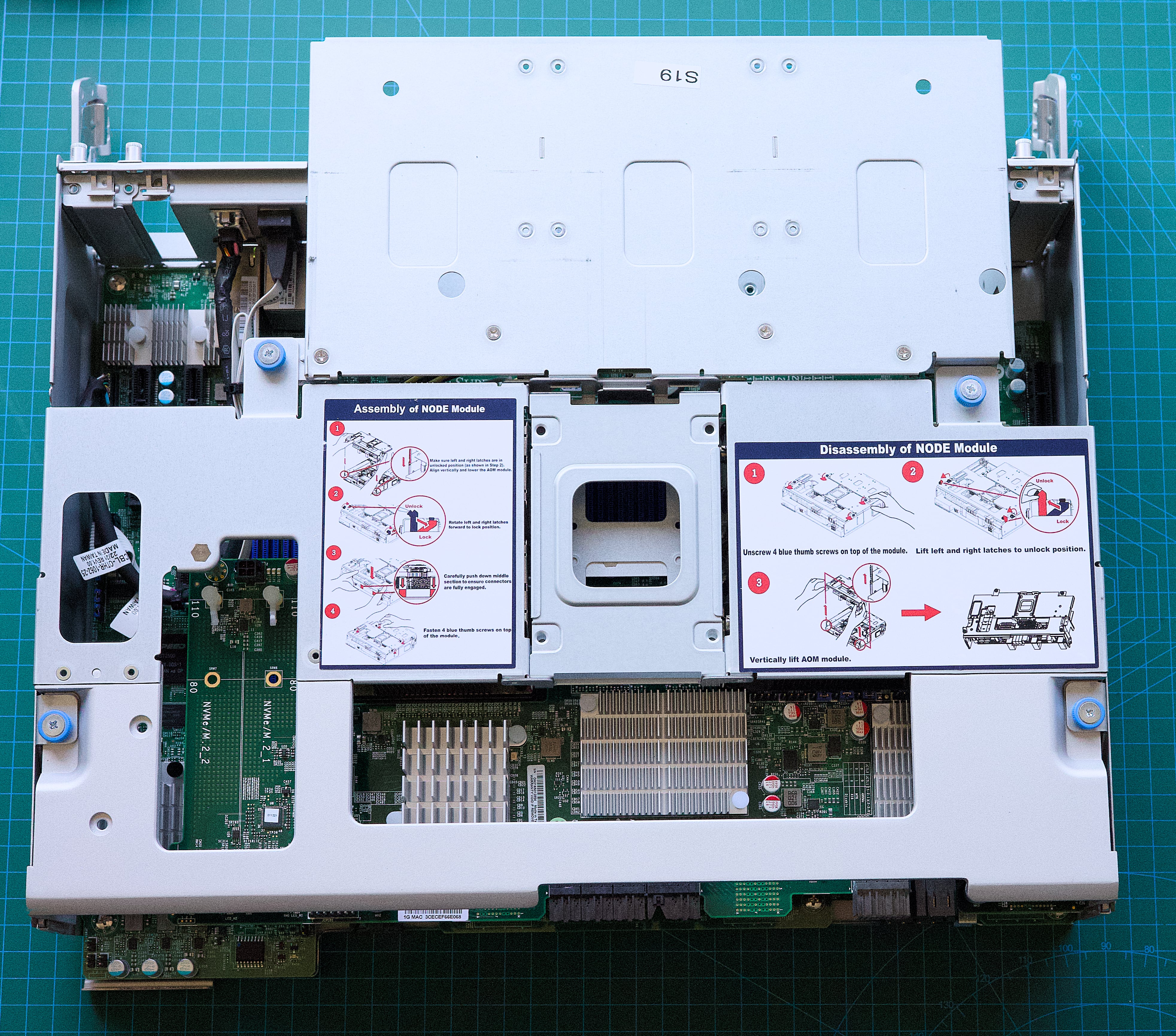
The mainboard just slides out as its own tray with the Supermicro AOM-S3616 mezzanine card on top of it.
I've re-hosted some manuals so I can find them easily:
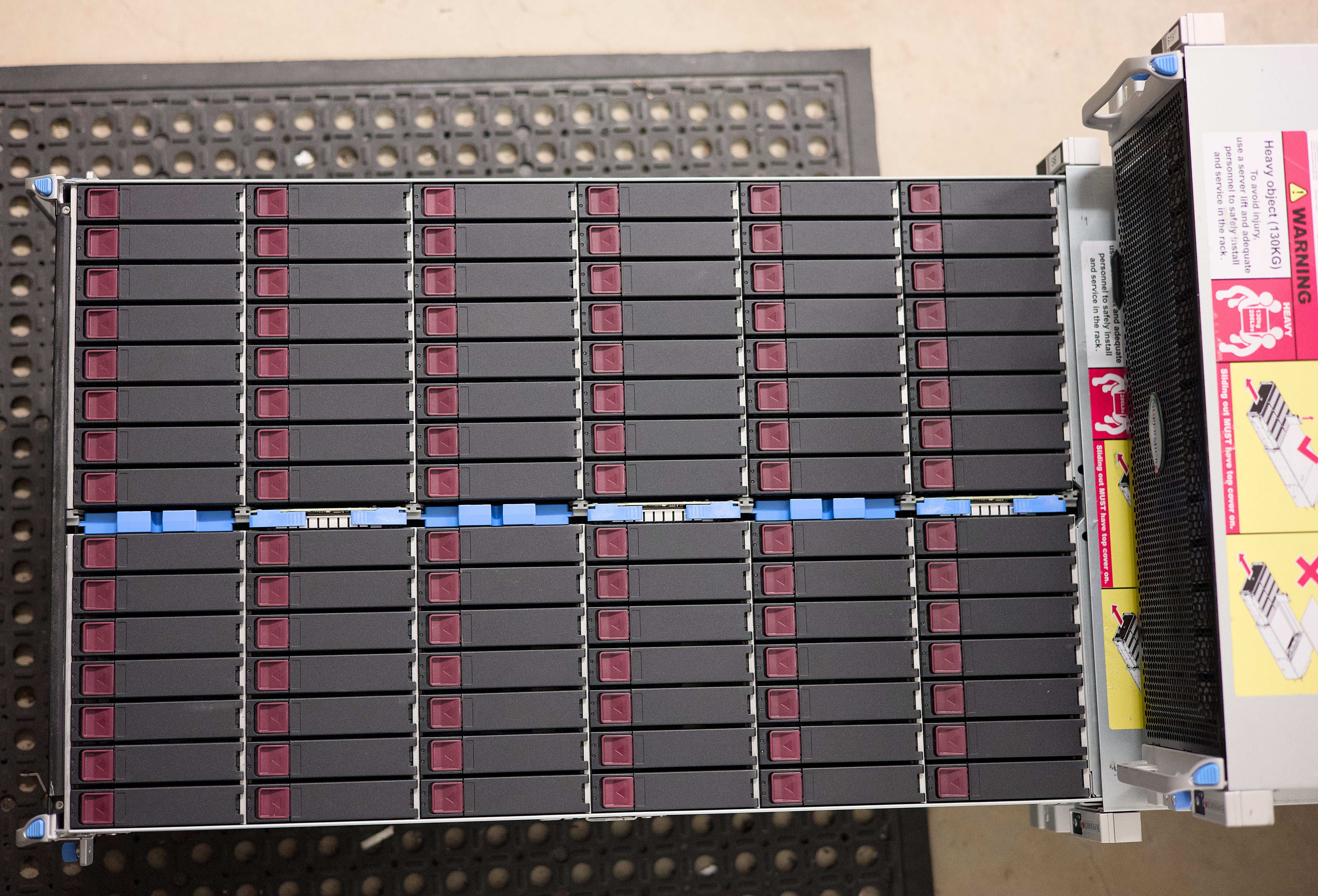
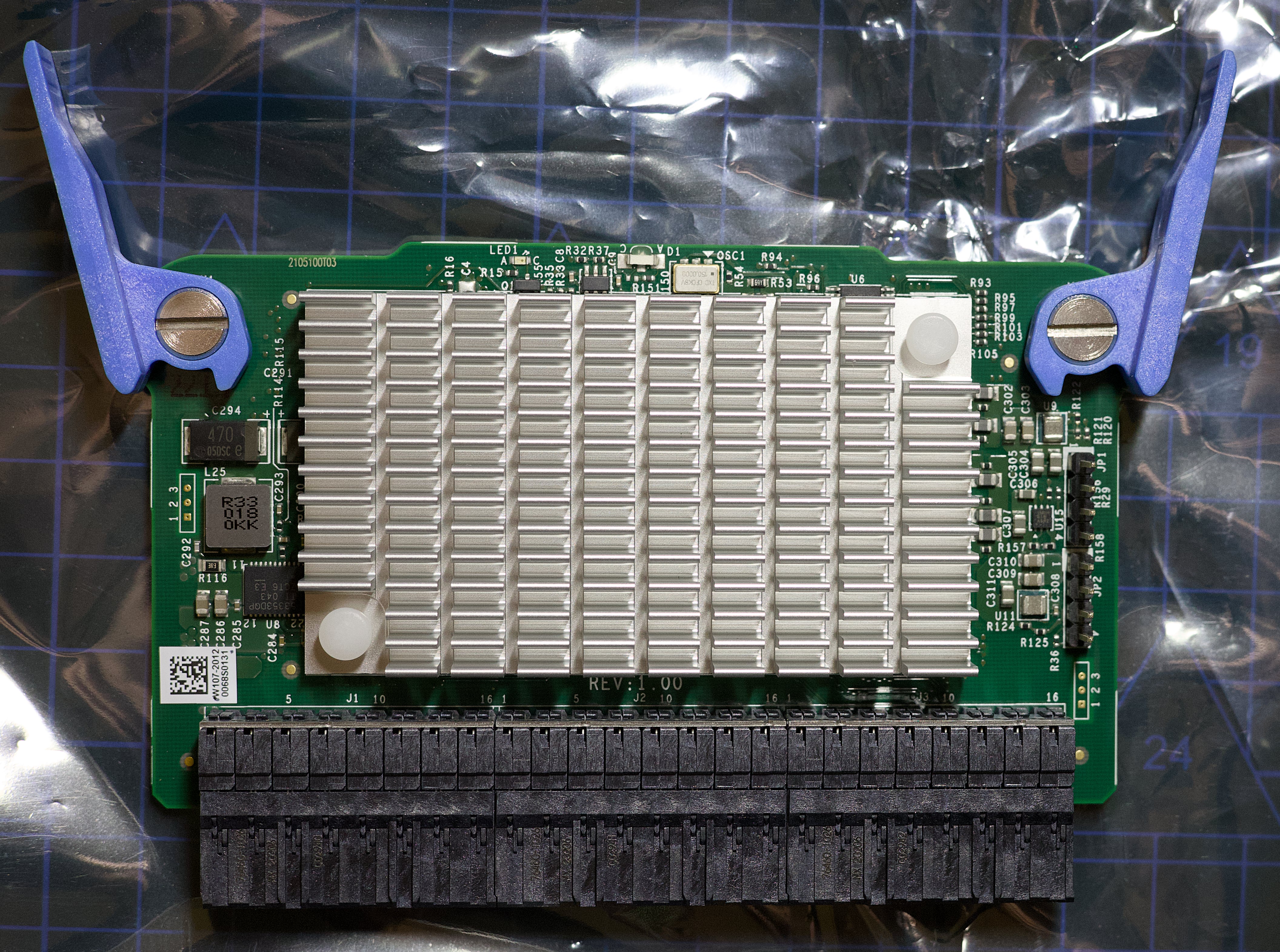
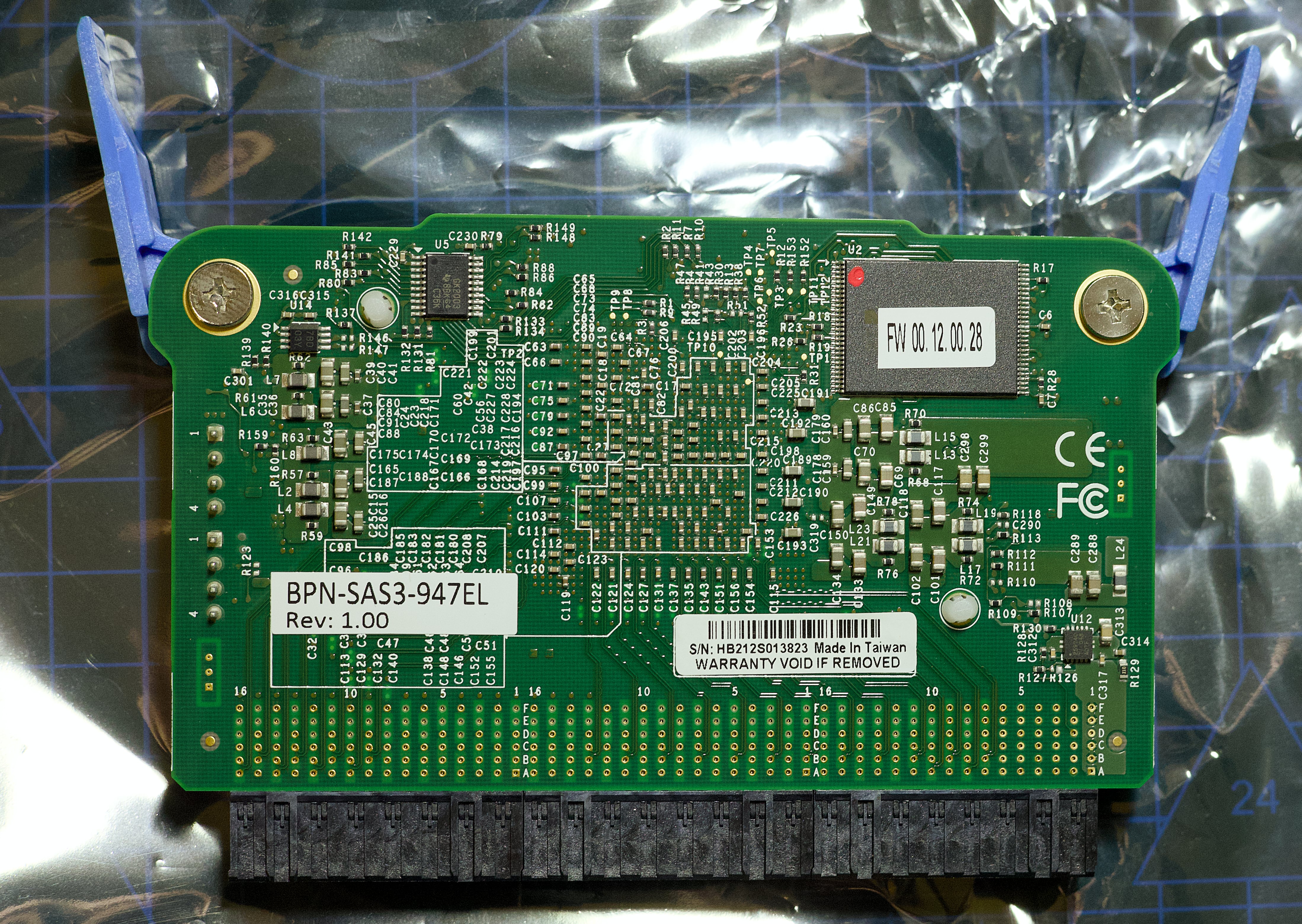
As far as I understand, each expander module can handle 30 disks. The expander aggregates the the disks attached to it, to the Broadcom 3616 disk controller which has 32x SAS lanes, each capable of 12Gbit/s (total of 384Gbit/s - heaps for 3.5" HDDs). There are multiple open expander bays, which apparently are for failover. If you fill up all 6 expander module bays, if one take a shit the other takes over. Nifty.
The expander module (they're the blue plastic bits in the middle of the above image):
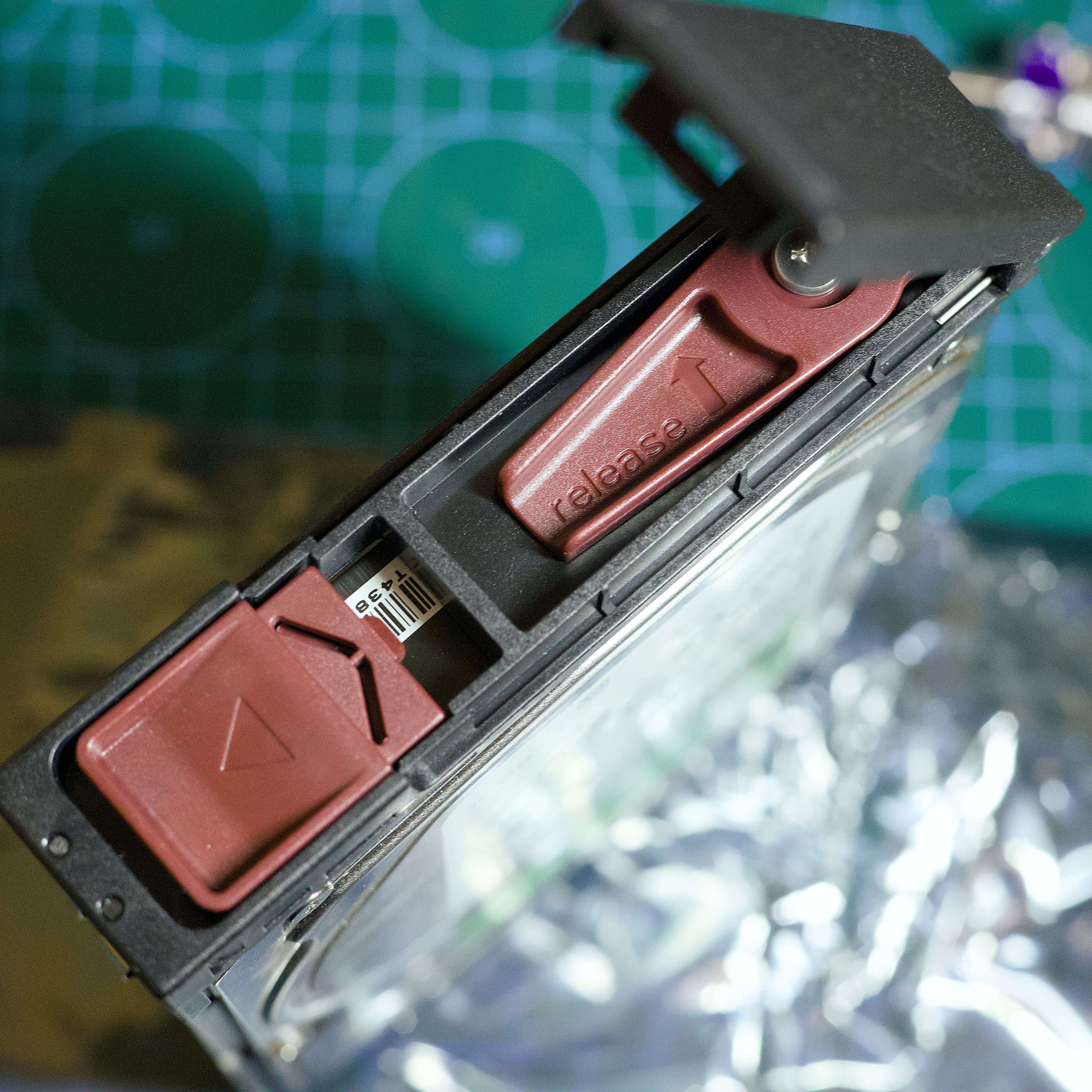
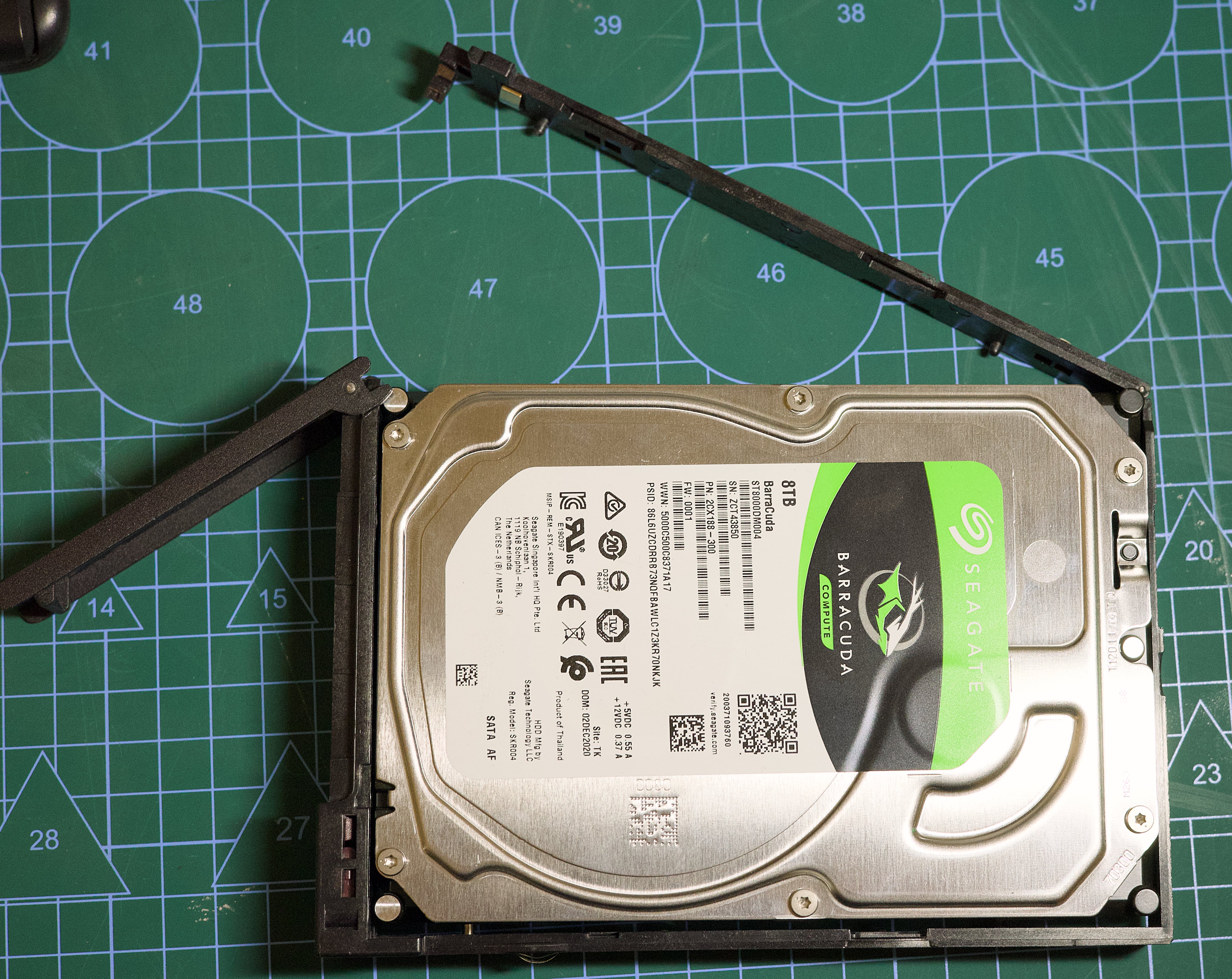
 The disk caddies are tool-less, which is also nice. No need to screw anything in. Handy when there's 90 of them!
I need about 2TB of RAID10 storage for each of the 90x VM operating systems (each VM gets 15GB). I can do this in two ways - purchase the NVME kit to add on 4x 2.5" NVMe bays (gets an entire 16x PCIe 3.0 lanes) and buy 4x 2.5" U.2 drives, or, use the 3x half height PCIe slots to fit in up to 6x M.2 SSDs.
It looks like buying the NVMe kit is difficult. Here are the parts listed on Supermicro's website:
$135 for the backplane from a Polish parts seller, $154 for the trays off eBay, then $168 + shipping forwarder from the Netherlands to Australia for the cables. I'm look at around $500-$600 just for the NVMe kit. I've asked some Supermicro resellers in Australia for a quote if they can source those parts for me, so hopefully I can get the NVMe kit much cheaper.
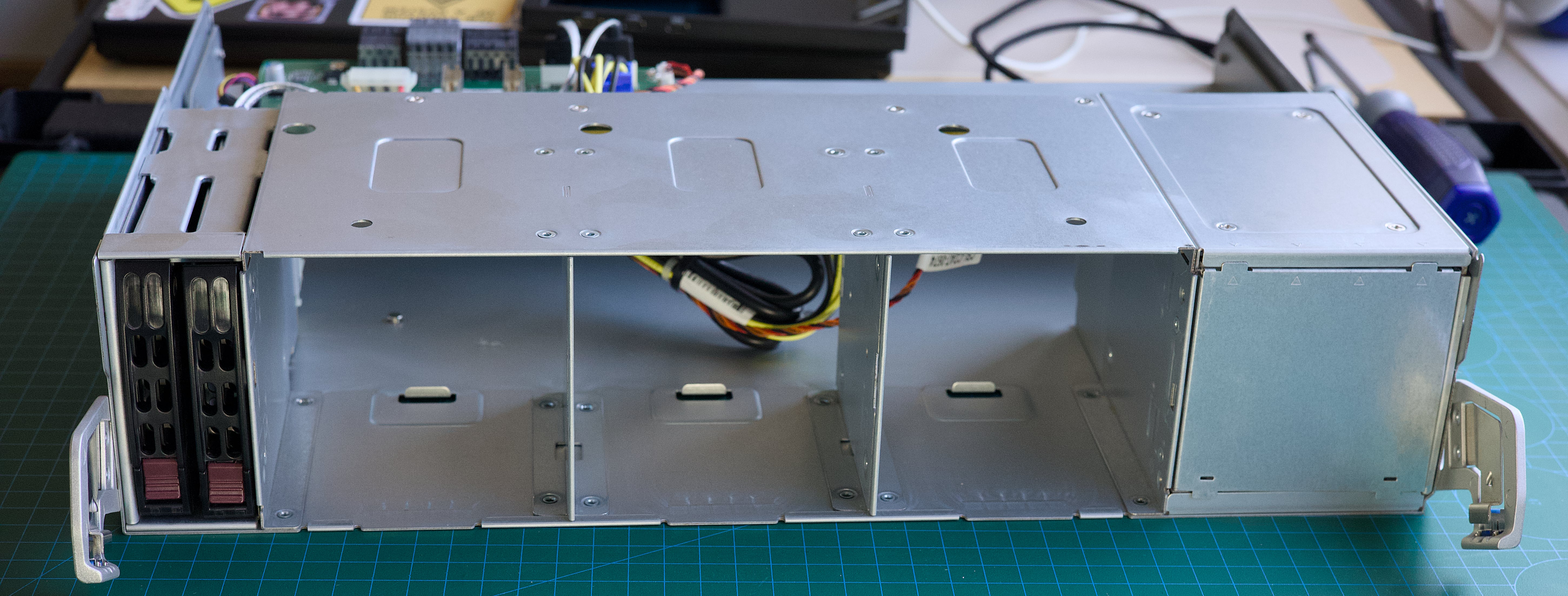
This is where the 2.5" NVMe drives go:
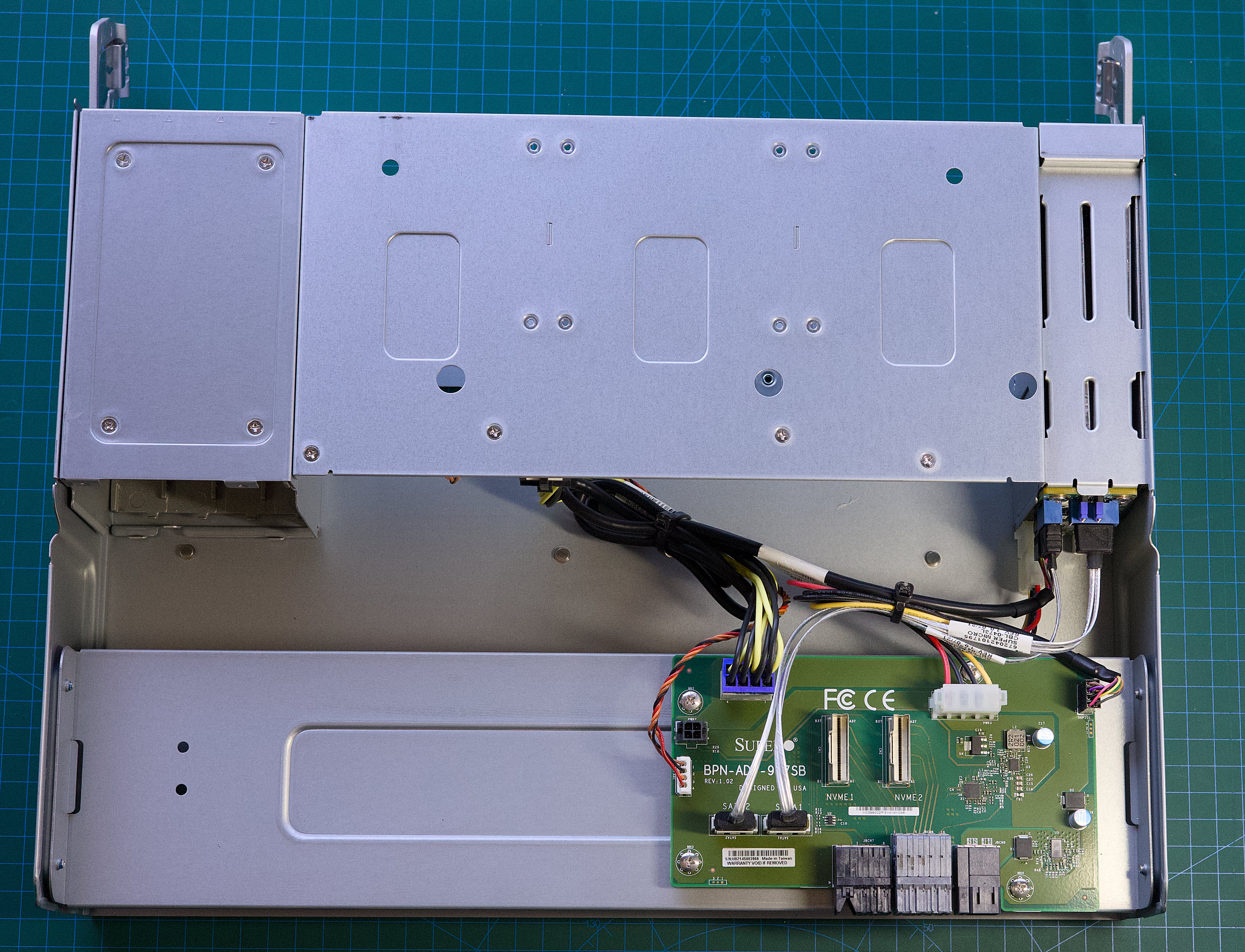
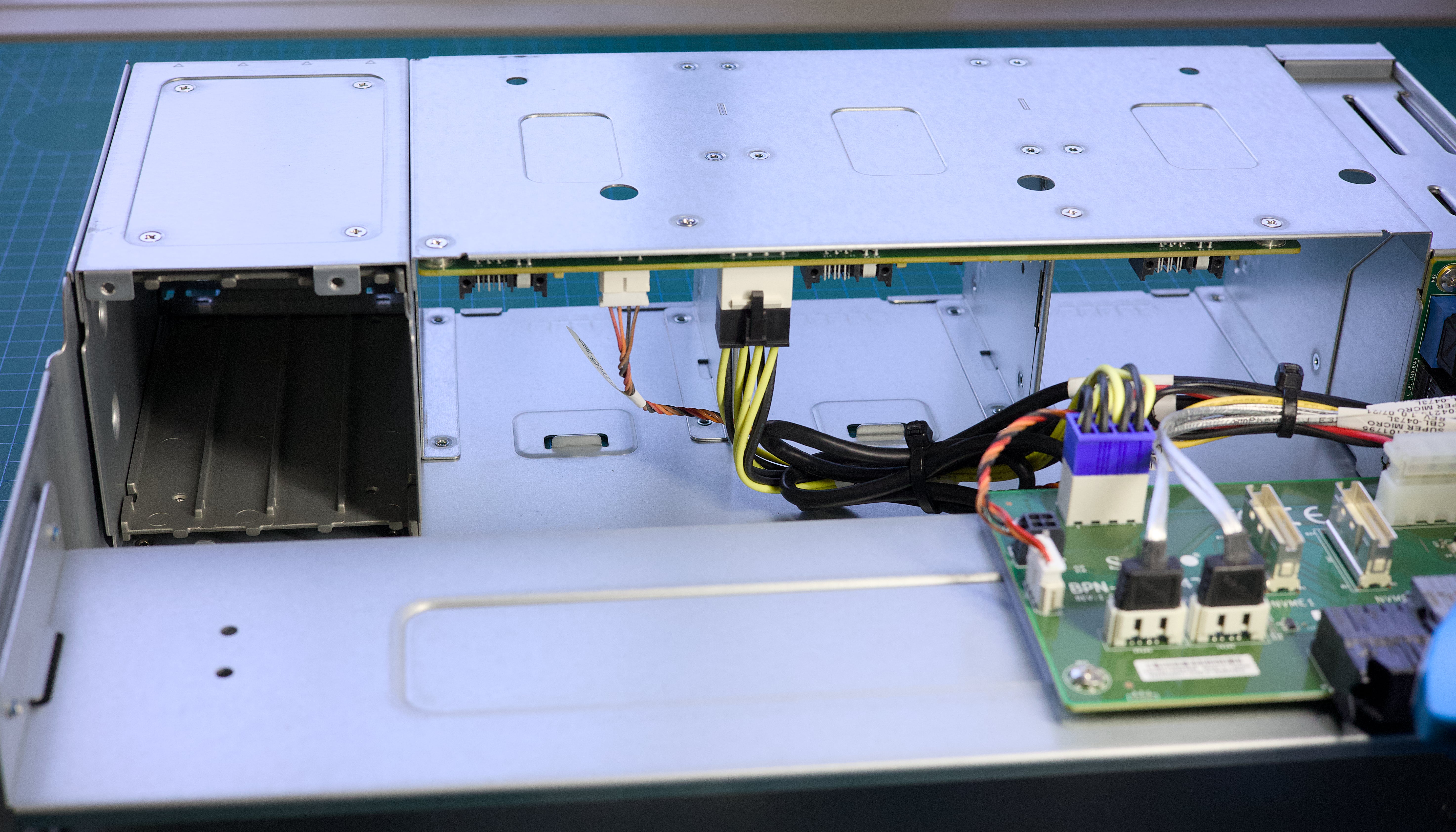 The rear of this sub-chassis thing also contains 2x SATA bays. That metal square on the right is where 4x 2.5" NVMe drives can go.
Here's some pricing I found for 1TB U.2 NVMe drives:
I'd be looking at around $1600 all up for drives and the NVMe kit!
If I went with M.2 SSDs instead, I'd just need two passive PCIe-M.2 adapters off Aliexpress for $50.
Consumer SSDs are getting better in terms of durability, but they're not that cheap at the moment (thanks AI hyperscalers!). A good quality 1TB SSD is around $220-$250 at the moment and durability in the 600TBW-1000TBW range. 2TB SSDs can exceed 1200TBW, but they also cost twice as much as a 1TB drive.
Here's pricing for 1TB M.2 22110 (bit longer than the usual 2280 M.2 drives in consumer devices) "datacenter" SSDs:
These enterprise SSDs are way more durable than the consumer SSDs (1300-1600TBW vs 1000TBW) for the same price, so I don't see any reason to go for the consumer SSDs.
Price wise, going 2.5" or M.2 doesn't seem to matter much, so it seems to depend if I can actually get the NVMe kit for the server at a reasonable price (or even if I can get it at all). 48 hours since sending off some inquiries I've heard nothing back, which isn't a good sign.
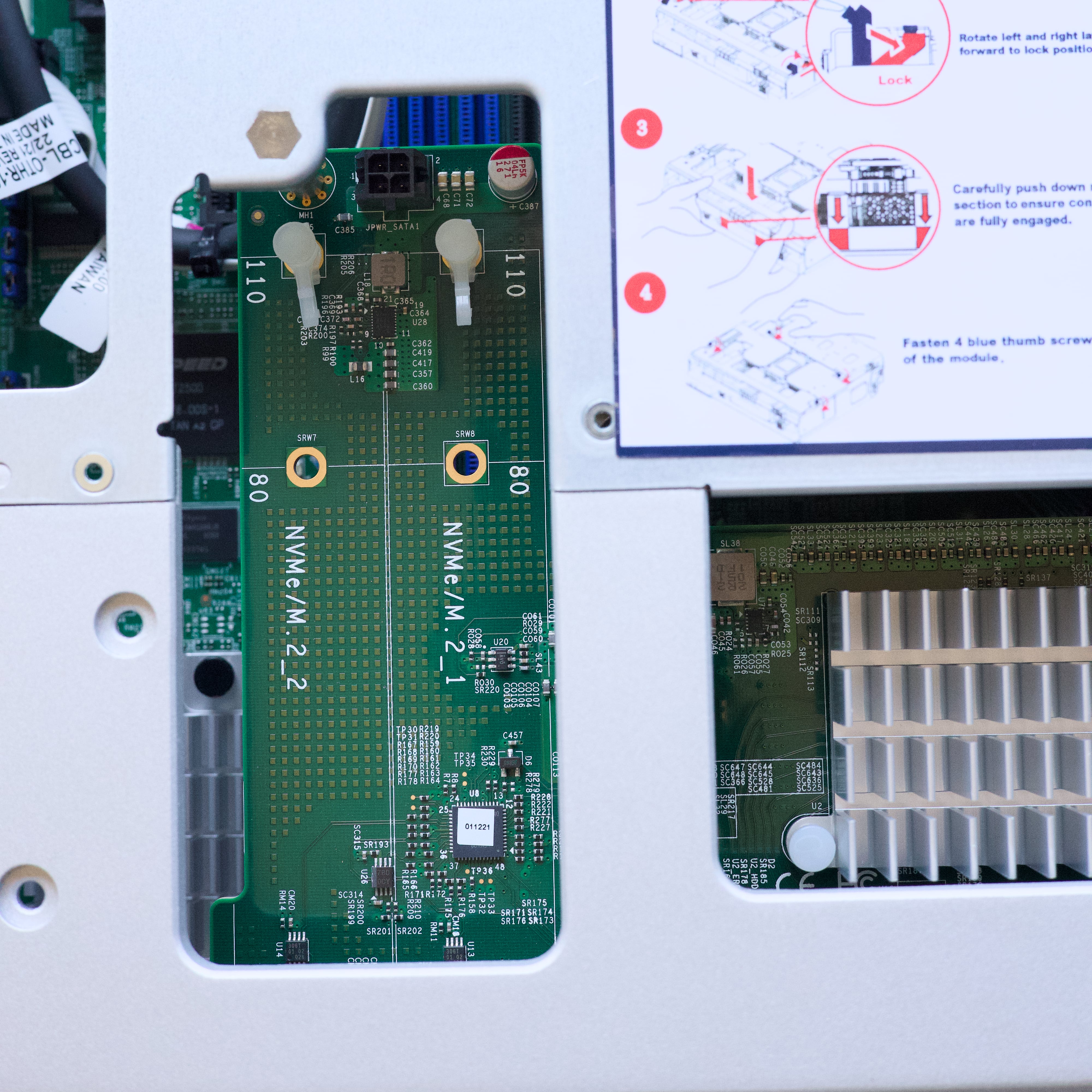
The mainboard tray/storage mezzanine card also has 2x M.2 slots (PCIe 3.0 2x lanes) which is handy for a boot drive mirror setup.
I don't know what CPUs came with this server (the listing just said Xeon Silver and because I have no RAM I can't turn it on to find out) but I wanted to upgrade them anyways so I don't really care. I need at least 96 threads in this server, so here's the CPUs that'll suit. Prices are for two CPUs shipped to Australia.
I like the Xeon Gold 6230R. It's affordable, clocks up to 4GHz and two of them gives me a total of 52 cores and 104 threads. I only need 90, so that's 14 more threads for other stuff going on in the server. I got two off eBay and they should arrive by March 15th from the USA.
Here's where they go in the server:
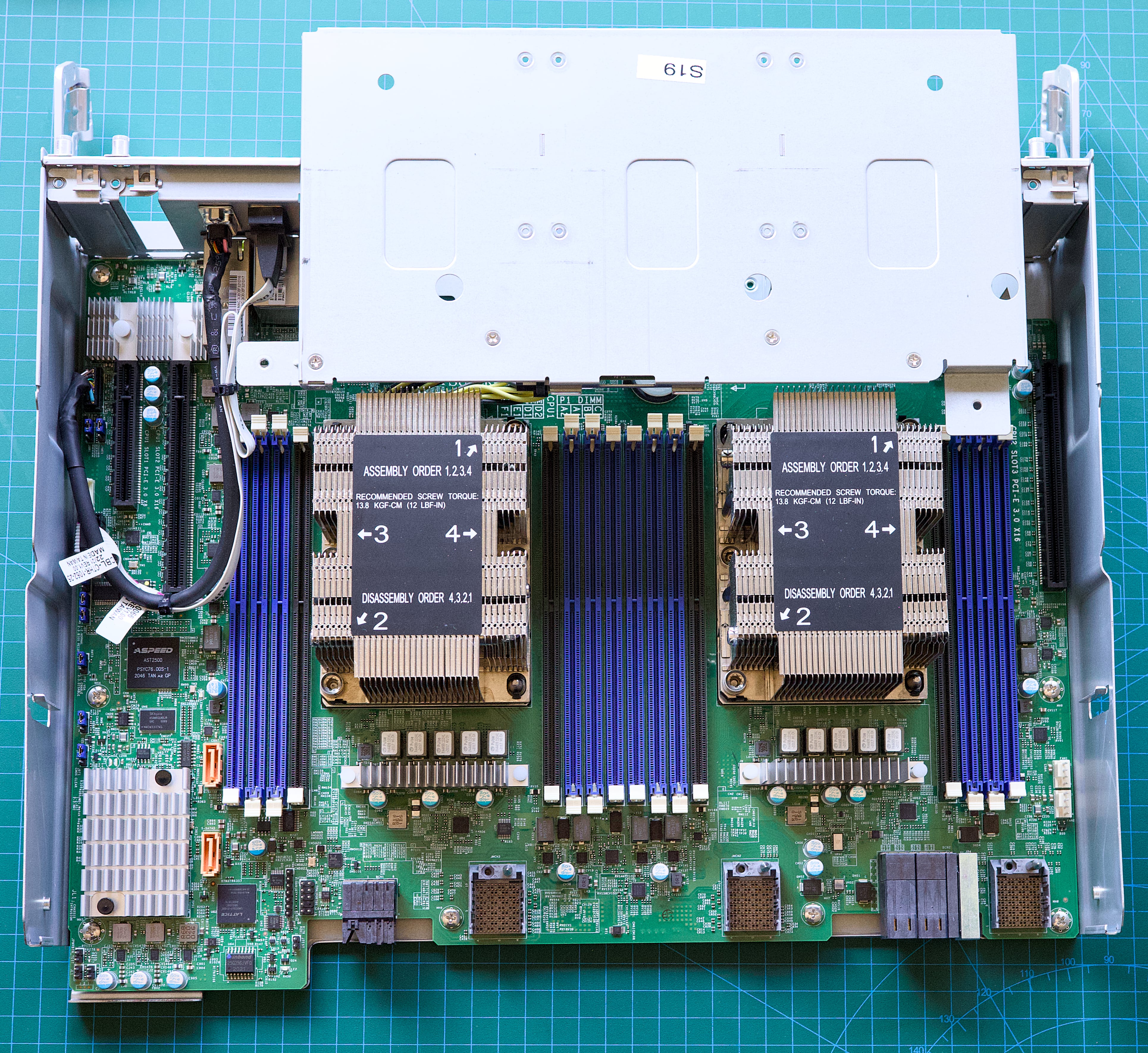
Those Xeon CPUs need 6x DIMMs to operate at their best, so with two CPUs I need 12x DDR4-2933 RDIMMs. I want each VM running on the machine to have at least 1GB of RAM, so with 90x VMs that's 90GB. If I stick with 8GB DIMMs, that's 96GB, which is enough for the VMs, but not much left for Proxmox and a ZFS pool. Bump it up to 16GB and we have 192GB, more than enough RAM. I scoured eBay and the best bang for buck was 16x 16GB DIMMs from Israel of all places, for $1160 delivered.
By surprise, I purchased NVDIMMs - non-volatile RAM that has a little bit of NAND on it to store data should the power go out. Neat! Apparently there's 16GB of storage in there per DIMM that's used to preserve data when power is lost. This Red Had doco explains how NVDIMMs can be used, but it all goes over my head. I think it means you can portion off some of your RAM as a block device and it remains after power loss??
While double checking if the RAM I purchased actually works in the Supermicro X11DSC mainboard (it should just work like regular RDIMM by default), I learnt that it supports Intel's Optane Persistent Memory - aka DCPMM (Data Center Persistent Memory Module. They're 3D XPoint based DIMMs instead of SDRAM. Latency and price sits between normal DDR4 and NAND, so you could either get loads of RAM cheap (like 16x 512GB for the price of 16x 32GB) that's lower latency than normal RAM, or use it in conjunction with DDR4 as block-based storage the OS can use as an expensive but blazing fast regular disk drive. 3D XPoint is also extremely durable, like 10x a regular SSD.
The interesting thing about Optane Persistent memory is the price. Because it's been discontinued and only a limited number of servers can use it (2nd & 3rd-gen Intel Scalable CPUs), the prices haven't skyrocketed like DDR4 has. In a server with 24x DIMM slots (e.g: a Dell R640), you could have 12x DIMMs and 12x DCPMM's - if you use 512GB DIMMs, that's that's 6.1TB of stupidly fast and incredibly durable storage for about A$5,000. Because it goes in the DIMM slots, it also frees up your NVMe bays and PCIe slots for even more storage should you need it. A Dell R840 has 48x DIMM slots and 24x NVMe bays and 4x PCIe slots. The mind boggles at how much flash storage you could fit in there and not be that expensive.
I'm not sure I'll bother as it can be a bit tricky to setup and I don't need that extremly fast storage at that price in this server, but it could be tempting for another project. Full details on Optane Persistent Memory are in this white paper from Intel.
Rack rails. The folks I purchased it from forgot to include the rack rails as advertised. I went back to get them on the day but they were taking ages to find them and I had to leave, so they said they'll courier them out to me. I bet I'll have to remind them so will do that during the week as it's Chinese New Year and I think they're taking time off.
Change the CMOS battery. The chances of power going out in a datacenter is slim, but I'm not sure how long this server has been sitting around so may as well change the CMOS battery now (with a high quality one) and get another decade out of it.
Thermal paste/pad for CPUs. When I change the CPUs in this thing I need to replace the thermal paste, but I'm curious to try out the PTM7950 thermal pad. These are huge CPUs so applying the paste evenly might be a challenge versus a pad. Most PC stores sell it now. I need two pieces at least 76.0mm x 56.5mm in size.
Spare parts. A new powersupply (PWS-2K63A-1R) is $850-$1000. A new fan (FAN-0184L4) is about $150, but that is just a fan, the fan board (AOM-947-FAN) is a separate part and not easy to find online. I'm finding that in general parts for this server are not easy to find.
I've never used Supermicro IPMI before, so have no idea what it's like compared to iDRAC and ILO. Going by a few YouTube videos it seems pretty much the same. They have a handy "Security Best Practices for managing servers with BMC features enabled in Datacenters" that I will certainly read.
Supermicro says it supports the following:
I powered it up to try and get in to the IPMI without RAM, and it powers up up, but fuck me it is loud. I had to wear ear plugs!
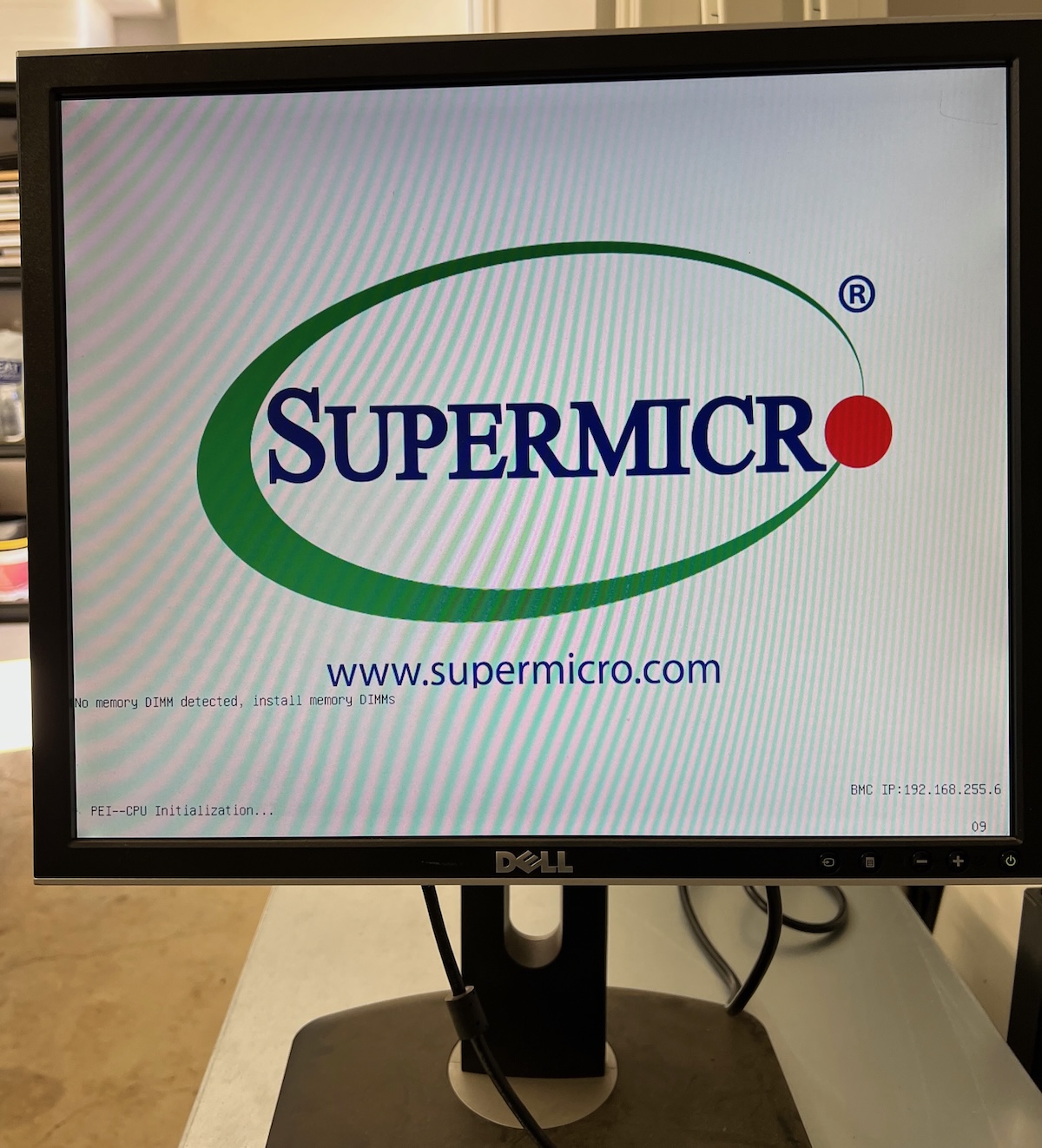
I'll update this section of the post with some screenshots once I actually get into the IPMI!
It's an Ausse take on tech news that I write daily. No ads, no tracking, no affiliate links, no AI slop. 100% subscriber-funded since 2015.

此内容由惯性聚合(RSS阅读器)自动聚合整理,仅供阅读参考。 原文来自 — 版权归原作者所有。