











Two months ago I wrote about Sanctuary, the Kindle jailbreak that ran from the device’s own browser and stopped dead at firmware 5.18.3. I ended that post saying anything on 5.19 was out of reach, and I was wrong within six weeks. The same developers have since shipped two more jailbreaks. The newer one, SpiderCat, covers every firmware from 5.16.3 up to and including 5.19.5, and the entire procedure is opening a book file on the Kindle and waiting.
The usual caveat applies with a shorter fuse. SpiderCat’s developer has already confirmed that Amazon closed the hole in 5.19.6, so a Kindle sitting on 5.19.5 with Wi-Fi on can lose its chance during any idle overnight update.
A disclosure before the steps: my own Paperwhite is a 7th gen that I jailbroke the hard way years ago, and I don’t own a 5.19 device to run SpiderCat on. What follows is from the KindleModding wiki and the release thread, with my Sanctuary experience for context, and I say so wherever it matters.
TL;DR
- SpiderCat (released September 1, 2026): firmware 5.16.3 to 5.19.5, almost any model, registered or not. Sideload one book file or download it in the Kindle browser, open it, wait. Patched in 5.19.6.
- Véra (released August 10, 2026): a different exploit in the font system, still unpatched as of 5.19.6 according to its developer, with more models being ported.
- Sanctuary (June 30, 2026): 5.16.4 to 5.18.3. Still works if you’re in range; the newer tools just reach further.
- Check your firmware first, fill the storage so an update can’t download, then pick the tool from the table below.
- All three end in the same place: update blocking plus a package manager, with KOReader a few taps away.
Three jailbreaks in nine weeks
Sanctuary landed on June 30. Véra followed on August 10, from Ava and sparklerfish. SpiderCat arrived September 1, from sparklerfish alone, with the release note “Yeah, it’s another jailbreak. Why not?” The KindleModding wiki is the canonical home for all three, and its overview page explains the pace: a jailbreak is a process rather than a piece of software you install, so when Amazon patches one exploit the community has to find another one that ends in the same jailbroken state.
The end state is the same as it was in June. The wiki puts it plainly: all jailbreaking does is let you run external code on the device. The store, Kindle Unlimited, your library and sync all keep working. Asked on the release thread whether SpiderCat differs from Véra for someone whose model supports both, sparklerfish’s answer was “they do the exact same thing in the end. Just a different way of getting there.”
They differ in the firmware each one works on.
| Tool | Firmware range | How it gets in | Status (September 2026) |
|---|---|---|---|
| Sanctuary | 5.16.4 to 5.18.3 | Device browser | Works, superseded on newer firmware |
| Véra | 5.17.1 to 5.19.6 on supported models | Font file loaded through the browser | Unpatched as of 5.19.6; more models being ported |
| SpiderCat | 5.16.3 to 5.19.5 | Opening a book (WebKit/JavaScript) | Patched in 5.19.6 |
The developer’s own comparison: Véra is a font exploit, SpiderCat is a WebKit/JavaScript exploit, and the second one is the one Amazon has already fixed. So on 5.19.5 today, SpiderCat is the simpler option and Véra is the fallback. On 5.19.6, Véra is the only option, and only once your model has been ported.
Check your firmware before anything else
On the Kindle: the three-dot menu, then Settings, then Device Options, then Device Info. The number after “Kindle” with the dots in it is your firmware, and it decides which of the three tools you use.
The other prerequisite is the same one I griped about in the Sanctuary post, and it hasn’t got less annoying. The jailbreak needs Wi-Fi, Amazon’s updates also arrive over Wi-Fi, and the SpiderCat guide lists a full device as a prerequisite for that reason: with the storage nearly full, an update file has nowhere to land. Plug in over USB, dump a few gigabytes of anything onto it, and delete the filler once the jailbreak has installed its own update blocking. It felt silly to me in June and it still does, but a bump from 5.19.5 to 5.19.6 is the difference between SpiderCat working and not.
Running SpiderCat, with Véra as the fallback
The whole procedure is shorter than the Sanctuary one, which was already short. The wiki’s guide is a handful of steps, and none of them involve a computer unless you want one.
- Get the book onto the Kindle. Two options. Either download the SpiderCat file on your computer from the wiki page and drop it into the Kindle’s
documentsfolder over USB, or open the Kindle’s web browser and go tohttps://kindlemodding.org/spidercatto download it straight to the device. - Leave Wi-Fi on. The guide is explicit that the connection stays up until the last step.
- Open the book from your library. It may or may not show cover art. Expect a blank page for several seconds, and keep waiting after the page appears.
- Watch the text flow. After a few more seconds, text starts scrolling down from the top of the screen. That’s the exploit running. Any “application error” pop-ups are noise; ignore them.
- Wait for “Restarting GUI”. The screen goes white for a while, possibly several minutes, and then you’re back at the home screen, jailbroken.
One reader on the release thread sat on a “JAILBREAK IN PROGRESS” page for ten to fifteen minutes before realising the Kindle’s Wi-Fi was on but not actually connected to the internet. Fixed that, done. Another tried it in the first hour after release, when a bad upload had gone up, and it worked once the developer replaced the file. If it stalls, check the connection, then check the thread.
After the restart you get the standard post-jailbreak kit the wiki describes: update blocking so Amazon can’t undo your work, the Kindle Package Manager, and the “What’s Next” guide that walks you to homebrew and KOReader. Don’t go deleting .bin files you don’t recognise afterwards; one reader removed part of the freshly installed toolkit that way. The only file you’d ever delete is an Amazon update file sitting in the Kindle’s root, and the wiki tells you when.
Running Véra instead
If SpiderCat isn’t an option for your firmware, or it refuses to run, Véra is the alternative. It’s a little more involved because it’s device-specific.
- Note your exact firmware version, as above.
- Open the Kindle browser and go to
https://kindlemodding.org/vera. - Pick your model, then pick your firmware from the dropdown. If your version isn’t listed but sits above 5.17 and below 5.19.6, the guide says to try the nearest listed version, with the caveat that it isn’t guaranteed.
- Download both books the page offers: a font calibration book and the device-specific Véra book. Confirm each download, then close the browser and wait a couple of seconds before opening anything.
- Open the books as the Véra guide directs and let it run. Same rule about Wi-Fi staying on.
Véra’s page notes that ports for the Scribe 3 (the wiki lists the no-front-light version specifically) and the Scribe Colorsoft on firmware up to 5.19.6 are still coming, so if you own one of those, keep an eye on the wiki rather than trying a version that isn’t listed. The regular Colorsoft is already on Véra’s supported list.
Is a new Kindle worth buying to jailbreak?
I got asked this more than anything else after the Sanctuary post, and the answer moved in both directions over the summer. SpiderCat’s ceiling of 5.19.5 takes in a lot of current hardware. A unit leaving the warehouse today, though, may arrive on 5.19.6 or later, which SpiderCat can’t touch and Véra only reaches on ported models. The box doesn’t tell you which.
If you’re buying anyway, the cheapest way to find out is the base Kindle 16 GB at $149.99, and the one I’d actually read on is the Kindle Paperwhite 16 GB at $199.99. Whichever arrives, the first job is finding the firmware number in Device Info before the device joins a network, if the setup screen lets you get there (the one out-of-box case in the release thread got stuck at that screen, so no promises). If it’s 5.19.5 or under, fill it up and run SpiderCat. If it’s 5.19.6, check Véra’s model list before you decide anything.

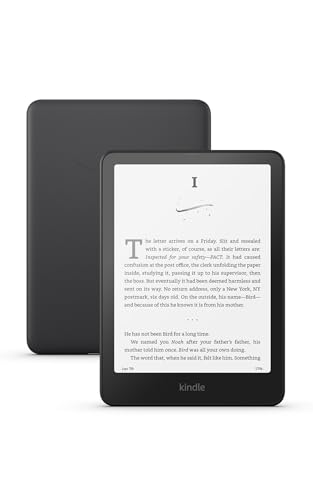
The better bet, as always on this site, is the Kindle already in your drawer. My Paperwhite 7th gen from 2015 is still going, and an older device is far more likely to be sitting on an exploitable firmware than a new one.
What you actually get afterwards
Nothing about the reading experience changes until you install something. The reason I bother is KOReader. EPUBs open without conversion, the typography controls are real, and an OPDS connection to Calibre means books arrive over Wi-Fi from my own server instead of Amazon’s.
The tooling has grown up since I first did this. One reader on the SpiderCat thread laid out a setup that I’d copy wholesale for a first install: the Storefront plugin so KOReader can fetch other plugins without a USB round trip, SimpleUI for a home screen that isn’t the default file browser, and Bookends for the page-number and toolbar layout. Then Calibre over OPDS for the library.
If you’d rather point the screen at something other than books, the Kindle dashboard post covers turning a jailbroken Kindle into a wall-mounted homelab display.
Where it goes wrong
- “Wi-Fi on” and “connected” are different states. The ten-to-fifteen-minute stall above. Open the browser and load any page first.
- A jailbreak can’t be updated. If you’re already jailbroken with Sanctuary, you have nothing to do. The new tools are new ways in; an existing jailbreak keeps working.
- Removal is a three-step job, per the wiki: run the removal scriptlet, factory reset, then push a firmware update file from the Kindle’s root. Only then is every trace gone. Don’t factory reset a jailbroken device on a whim.
- Blacklisted or stuck-at-setup devices are a special case that comes up in every release thread. Sanctuary handled some of them, and the SpiderCat thread had at least one Colorsoft stuck on the out-of-box screen. Ask on the KindleModding Discord first.
FAQ
Does SpiderCat work on an unregistered Kindle? Yes. Liliputing’s coverage singles that out, and it matters for secondhand devices you’d rather never tie to an Amazon account.
My Kindle is on 5.19.6. Am I out of luck? For SpiderCat, yes. Véra’s exploit is still unpatched in 5.19.6 according to its developer, but it has to be ported per model, so check the Véra page for yours.
Which is safer, SpiderCat or Véra? They run the same post-jailbreak payload once they’re in. SpiderCat has fewer steps and no model dropdown to get wrong, and its developer describes it as possibly the easiest process yet.
Will Amazon’s store, sync, and Kindle Unlimited keep working? Yes. The wiki is clear that jailbreaking only adds the ability to run outside code. Everything else stays as it was.
Can I skip the “fill up the storage” step if I’m quick? People do skip it, and some of them post in the release threads afterwards asking why the device is suddenly on 5.19.6. The USB cable takes five minutes.
Resources
- The KindleModding wiki, home of all three guides and the jailbreak wizard
- Liliputing’s roundup covering SpiderCat
- KOReader for what to install once you’re in
- On this site: Sanctuary, reviving a Paperwhite 7th gen, and the Kindle homelab dashboard
Some links above are Amazon affiliate links. If you buy through them, this site earns a small commission at no extra cost to you.
Mine is still on the old jailbreak, so this one is for you. If SpiderCat works on your Kindle, KOReader is the next stop, and the Sanctuary post covers that part.
Last updated: September 2026