


I was reading this excellent article about the Mini PC revolution when something clicked. The author was right - mini PCs have quietly revolutionized self-hosting. Not in a flashy, headline-grabbing way, but in the practical, “oh, this actually works” way that real change happens.
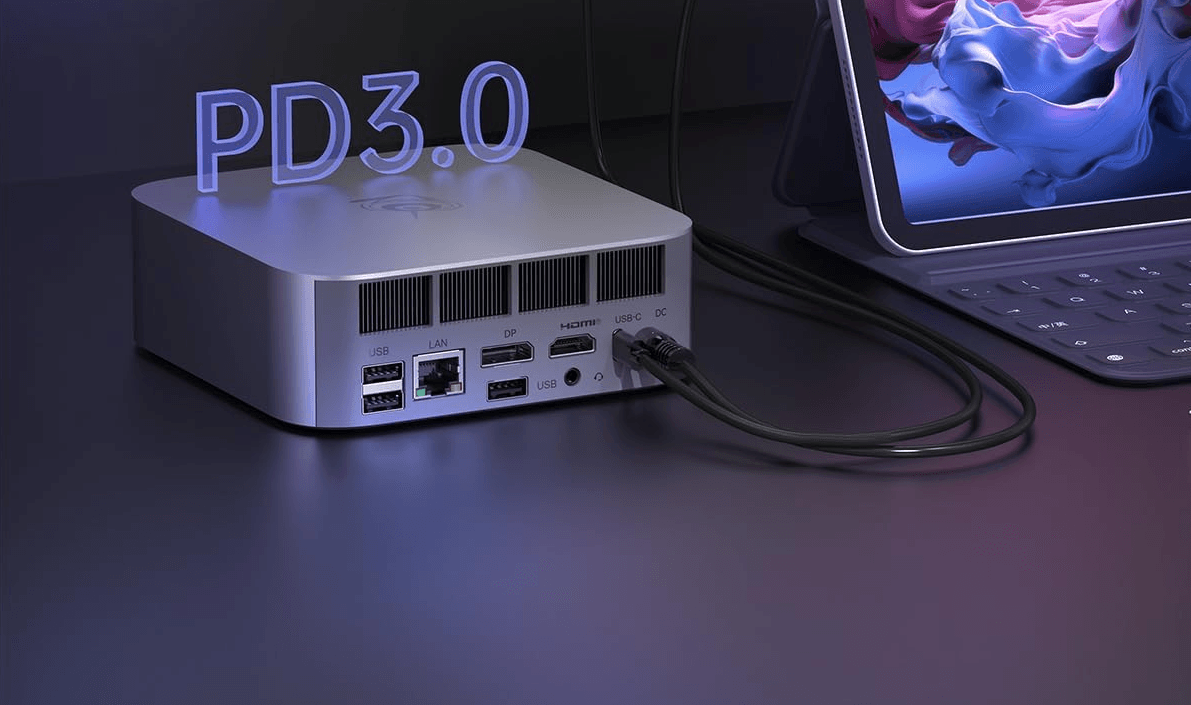 A modern mini PC like the Beelink SER8 - capable of handling enterprise workloads in a tiny form factor
Look around any tech meetup or browse r/homelab, and you’ll spot a pattern. The guy running three mini PCs stacked behind his TV. The developer with a cluster of them on her desk. My neighbor who ditched his $150/month streaming subscriptions for a single Beelink running Jellyfin. It’s not mainstream yet, but among techies? Mini PCs are becoming the default choice for self-hosting.
Why Now? The Perfect Storm
Three things happened simultaneously:
- Streaming services got greedy - $15 here, $20 there, content disappearing without warning. And don’t get me started on paying for 4K but getting 720p in your browser “for DRM reasons”
- Mini PCs became incredibly powerful - Modern units like the Beelink SER8 rival desktop performance at a fraction of the power consumption
- Software got easier - Docker made deploying services trivial, and projects like CasaOS made it accessible to non-developers
I’ll admit it - there’s something deeply satisfying about seeing these cute little boxes scattered across my office, each quietly humming away at their specific tasks. My wife calls it “digital hoarding,” but I prefer “distributed computing architecture.” Each one plugged into its own power socket, blinking their little LEDs like a constellation of self-hosted services.
The Economics Are Undeniable
Let’s do the math that convinced me:
Traditional Setup:
- Used Dell tower server: $400
- Power consumption: 180W average
- Annual electricity cost: ~$236 (at $0.15/kWh)
- 3-year total: $1,108
Modern Minilab Setup:
- Beelink SER8 or similar: $600-800
- Power consumption: 35W average (under load)
- Annual electricity cost: ~$46
- 3-year total: $738
But here’s the kicker - one powerful mini PC can often replace 2-3 traditional servers. Need more capacity? Just add another node for $200-300 (used) or $600-800 (new high-performance).
What I’m Actually Running
Here’s my current minilab setup - though honestly, the SER8 could handle most of this alone:
Primary Node: Beelink SER8 (AMD Ryzen 7 8745HS, 24GB RAM)
- Production website - Serving 30k+ users monthly
- Jellyfin - 4K streaming with hardware transcoding
- Local LLMs - Ollama with various models
- Development environments - Multiple isolated containers
- Monitoring stack - Prometheus, Grafana, Uptime Kuma
Media Node: Lenovo M720q (i5-8500T, 16GB RAM)
- Audiobookshelf - Audiobook server (my wife uses my SoundLeaf app daily)
- Navidrome - Music streaming
- *Arr - Media management
- Calibre-Web - eBook library
Services Node: HP EliteDesk 800 G5 (i5-9500T, 32GB RAM)
- Nextcloud - File sync and photos backup
- Vaultwarden - Password manager
- Actual Budget - Finance tracking
- Home Assistant - Smart home control
- Pi-hole - Network-wide ad blocking
The beauty? This started as a single box experiment and evolved into a distributed system. Each node handles its specialty - media, services, or production workloads.
The Minilab Philosophy: Scale Like Kubernetes Pods
Think of mini PCs like Kubernetes pods - you scale horizontally, not vertically. Start with one powerful node, then add specialized workers as needed. It’s infrastructure as code, but with actual hardware.
This approach brings unexpected benefits:
- Fault isolation - One node failing doesn’t take down everything
- Purpose-built nodes - Dedicate hardware to specific workloads
- Security boundaries - Physical separation between services
- Wife-approval factor - Critical services (like audiobooks) stay running
- No vendor lock-in - Your hardware, your rules, forever
Power Resilience on the Cheap
Power outages used to mean everything died instantly. Now, a basic UPS keeps all three boxes running for 4+ hours. For longer outages, I learned from my iPhone solar server experiment - an EcoFlow River Pro can run a mini PC for days.
The Software Stack That Makes It Work
Gone are the days of complex Linux administration. Modern self-hosting is surprisingly approachable:
Essential Services:
- Docker + Portainer - Container management made visual
- Nginx Proxy Manager - Reverse proxy without the headaches
- WireGuard - VPN access from anywhere
Media & Entertainment:
- Immich - Google Photos replacement with face recognition
- Calibre-Web - eBook library
- FreshRSS - RSS feeds (yes, they’re back)
Monitoring:
- Uptime Kuma - Service monitoring
- Netdata - System metrics
- Grafana + InfluxDB - Beautiful dashboards (check my temperature monitoring setup)
Building Your Minilab: Where to Start
The beauty of a minilab is you can start with one powerful unit and scale as needed:
For Most Users (Single Node):
- Beelink SER8 or SER7 - AMD Ryzen powerhouses that can handle 20+ Docker containers
- Intel NUC 12/13 - Great for those preferring Intel with Quick Sync
- ASUS PN series - Solid middle ground with good expansion options
Budget Scaling Options:
- Refurbished Lenovo: M720q, M920q (8th-9th gen Intel) - $150-250
- HP EliteDesk 800 G4/G5 Mini - Often available in bulk - $200-300
- Dell OptiPlex Micro series - Corporate leftovers perfect for single services - $150-200
The strategy is simple: begin with quality hardware that can grow with you. Most users never need a second node, but when you do, refurbished units make perfect specialized workers.
Getting Started: The 30-Minute Minilab
If you want to build your own minilab:
- Start with one mini PC (Beelink SER8 for power users, or a $200-300 refurb to test the waters)
- Install Ubuntu Server or Debian (or Proxmox if you want VMs)
- Run the one-liner Docker install script
- Deploy Portainer for a web UI
- Install your first service (I recommend Jellyfin or Nextcloud)
Within 30 minutes, you’ll have your first self-hosted service running. The difference from cloud? Your costs are front-loaded - pay once, run forever.
Common Objections Addressed
“But what about storage?” Most mini PCs have M.2 and 2.5” SATA slots. I run 2TB NVMe + 4TB SSD in each. For bulk storage, a NAS or external drives work fine.
“Can they handle transcoding?” Intel Quick Sync handles 4K transcoding easily. My i5-8500T transcodes 4K HDR to 1080p without breaking a sweat.
“What about noise?” They’re virtually silent. My wife didn’t notice I’d added two more until I told her.
“Isn’t this complex to maintain?” Docker Compose files + automated backups = set and forget. I spend maybe an hour a month on maintenance.
The Bigger Picture
We’re witnessing a shift. Not everyone will self-host, but for those who do, mini PCs have removed the barriers. No more choosing between a jet-engine server in your closet or trusting Big Tech with your data.
My Kubernetes cluster experiment taught me that complexity isn’t always better. Sometimes, three simple boxes running Docker Compose is exactly right.
Real-World Use Cases
Forget my setup - here’s what others are building:
- The Media Hoarder: Single Beelink running Jellyfin + *arr stack, replacing Netflix/Hulu/Disney+
- The Privacy Advocate: Intel NUC with Nextcloud, Vaultwarden, and Pi-hole - complete Google detox
- The Small Business: Two mini PCs handling email, CRM, and inventory - no monthly SaaS fees
- The Developer: Kubernetes cluster of 5 refurb units for $1000 total - personal CI/CD pipeline
Pick your poison, solve your specific problem.
Resources
- Best Mini PCs for Home Lab 2025 - My detailed buyer’s guide
- Ultimate Guide: Running Minecraft Server on Mini PC - Practical gaming server setup
- ServeTheHome - Excellent mini PC reviews
- r/minilab - Community focused on mini PC labs
Why I Chose the Beelink SER8
My latest addition is the Beelink SER8 with AMD Ryzen 7 8745HS (affiliate link). The specs are overkill - 24GB DDR5, 1TB PCIe 4.0, AMD Radeon 780M - but that’s the point.
I needed to self-host a production website serving 30,000 monthly users while simultaneously running local LLMs and handling 4K transcoding. The SER8 does all this at 35W. That’s less power than my old desktop’s idle consumption.
The USB4 ports future-proof it for high-speed storage expansion, and the triple display support means it doubles as a development workstation. Is it necessary? No. Is it glorious? Absolutely.
The Future Is Distributed
The mini PC revolution isn’t about the hardware - it’s about what they enable. Affordable, practical self-hosting that doesn’t require a computer science degree or a dedicated server room.
Every mini PC running Jellyfin is a small vote against subscription fatigue. Every Nextcloud instance is a step toward data sovereignty. Every self-hosted service is proof that we don’t need to accept the enshittification of the internet.
Is it for everyone? No. But for those willing to spend a weekend setting things up, the payoff is immediate and lasting. You own your data, your services keep working when companies pivot or shut down, and your monthly subscriptions shrink to near zero.
The revolution won’t be televised. It’ll be running on a mini PC behind your TV, quietly serving your media library while using less power than a light bulb.