






My iPhone 8 Refuses to Die: Now It’s a Solar-Powered Vision OCR Server
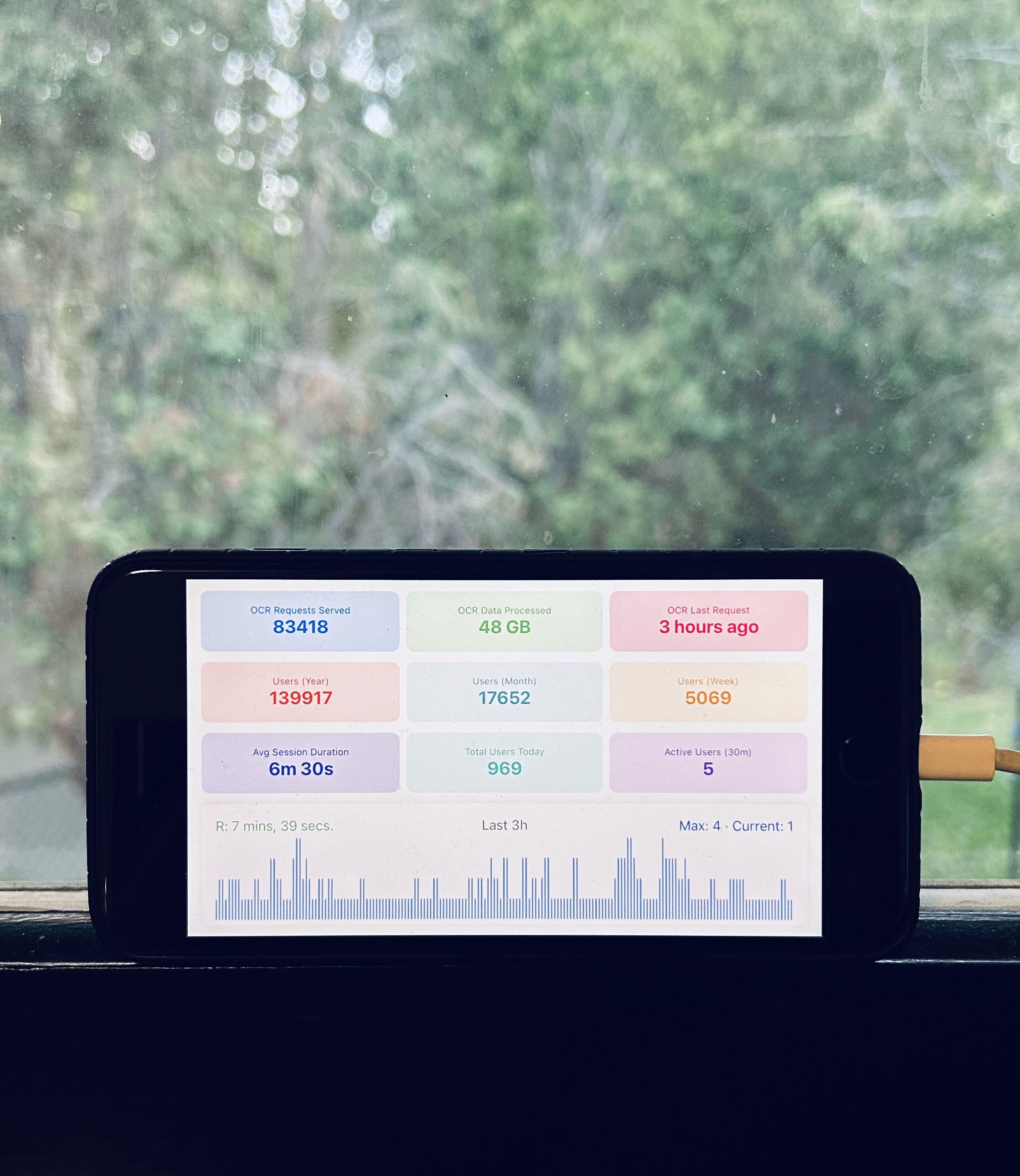
After running for over a year, my solar-powered setup has processed 83,418 OCR requests and 48GB of images using nothing but Apple’s Vision framework and renewable energy. Most people toss their old iPhones in a drawer when they upgrade. Me? I turned mine into a server that saves me money while running completely off-grid.
Note: The OCR processing serves a separate side project unrelated to this blog, maybe I’ll write about it later.
Could I have just run this on my Mac like a normal person? Absolutely. But where’s the fun in that?
TL;DR - Technical Summary
The Setup:
- iPhone 8 running SwiftUI app with Apple Vision OCR
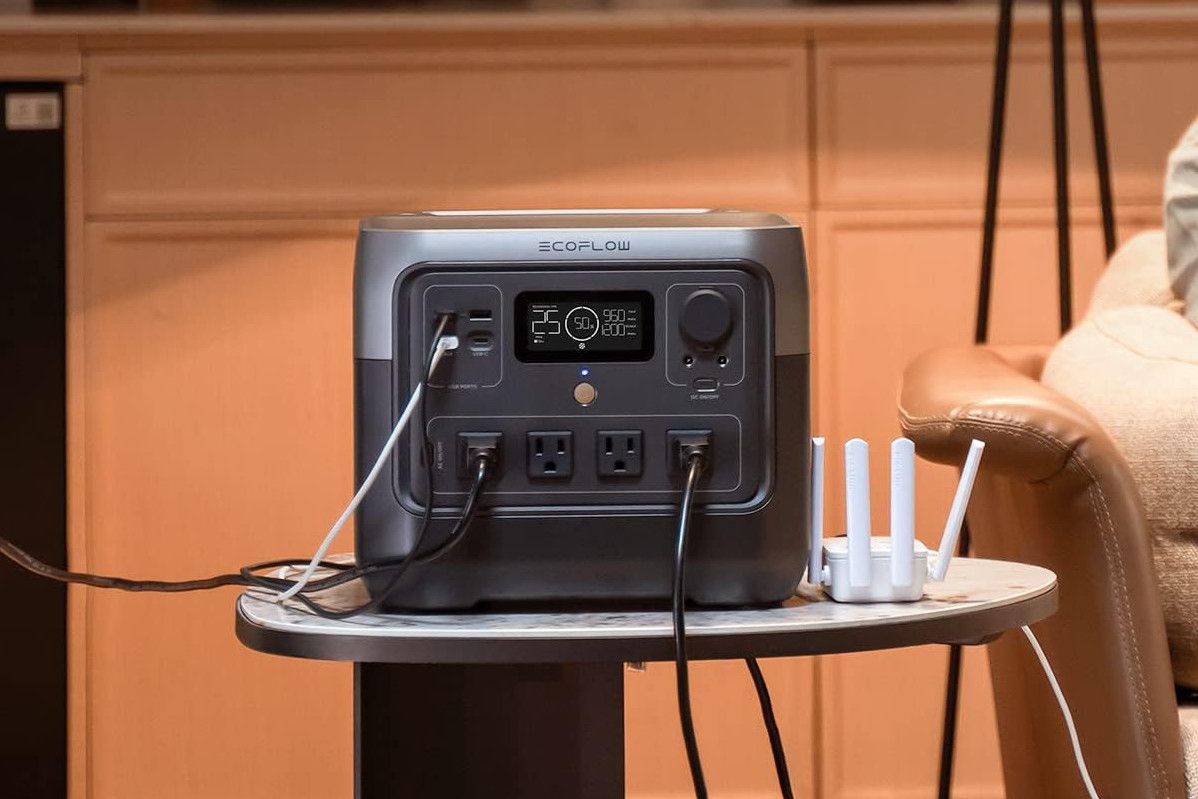
- EcoFlow River 2 Pro (768Wh) + 220W solar panel (GearScouts)
- Mini PC handling web services and API routing
- Tailscale network connecting everything
Performance After 1+ Year:
- 83,418 total OCR requests processed
- 48GB of image data handled
- 1000+ requests on busy days
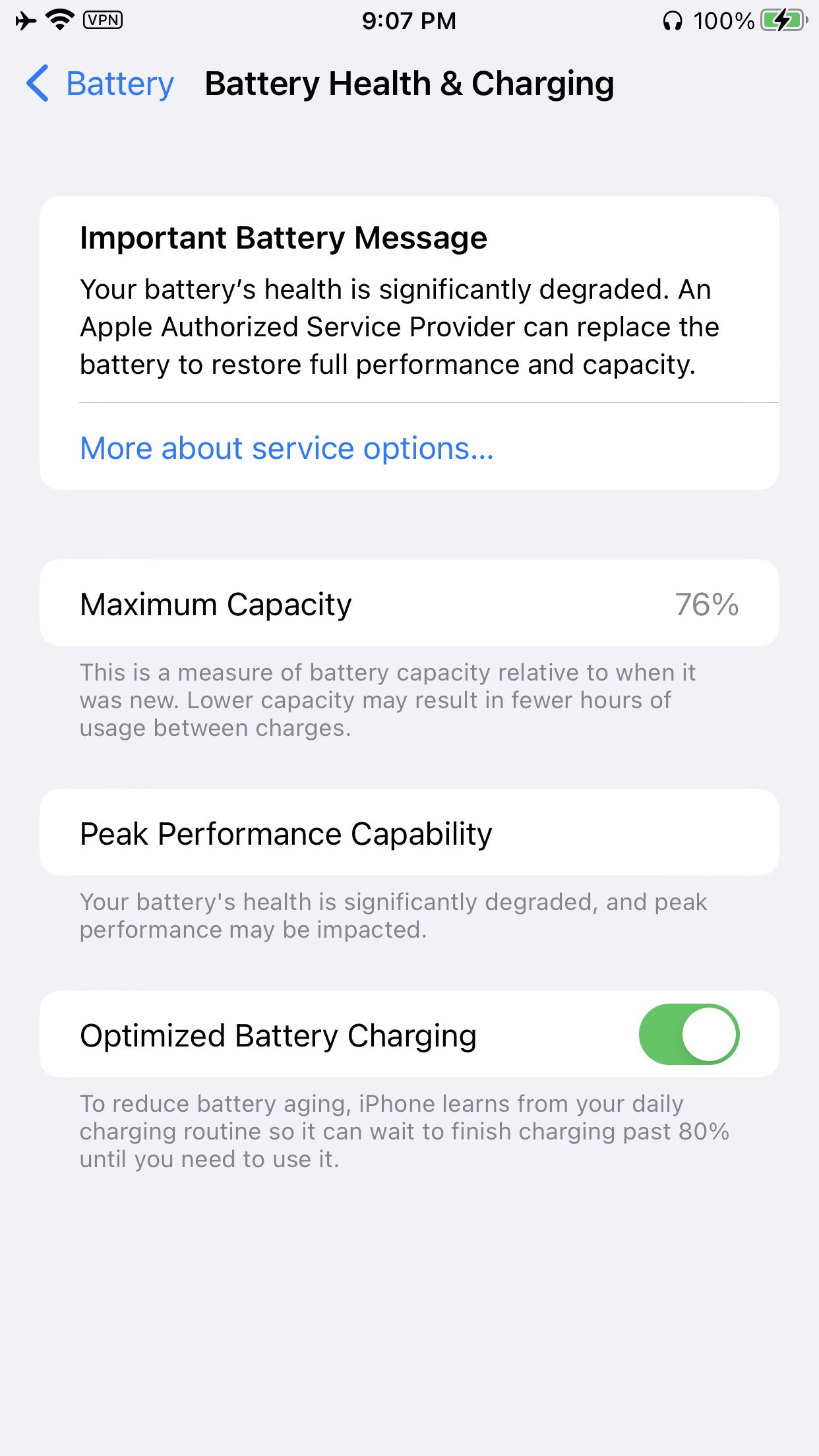
- 76% battery health after continuous operation
- $84-120 CAD annual electricity savings
Key Learnings:
- Apple Vision framework rivals cloud services for accuracy
- Old hardware is surprisingly reliable for server workloads
- Solar power works well with proper battery management
- Local processing beats cloud services for privacy and cost at scale
Why Would You Even Do This?
The Logical Approach
I have an image-heavy personal project that chews through hundreds of images daily, categorizing them automatically. Any reasonable person would run the OCR processing on their Mac - Apple’s Vision framework works great on macOS.
The “Me” Approach
But I’m not reasonable. I see a perfectly good iPhone 8 and think: “You know what this needs? A second career as a solar-powered image processing servant.” My EcoFlow River 2 Pro was sitting idle between camping trips, so switching my existing OCR server to solar felt like the natural evolution.
The Unexpected Benefits
- Real-time dashboard on my window sill while bird watching
- Grid independence for personal projects
- Actual cost savings that add up over time
- Amazing conversation starter when people visit
The financial benefits are modest but real. Looking at my actual power consumption data: 37.4 kWh in May ($7.21) and 45.8 kWh in April ($8.82). Over a year, that’s meaningful savings.
“Is it practical? Debatable. Is it cool? Absolutely.”
What Exactly Is This Thing?
Here’s my delightfully over-engineered setup:
- Mini PC running my web server, image processing service, Plex server, and various other services
- iPhone 8 perched on my window sill, running a SwiftUI app that serves as both OCR processor and real-time dashboard
- EcoFlow power station keeping both devices running off-grid
- Tailscale network connecting everything seamlessly
The workflow is beautifully simple: My image processing service sends images to the phone for OCR processing using Apple’s Vision framework. The phone processes the text, sends it back, and updates its dashboard with processing stats. All while I watch birds outside my window and feel smug about my setup.
The Hardware Setup: Solar Meets Computing
Power Station Choice and Reality Check
I didn’t buy the EcoFlow River 2 Pro specifically for this project. I bought it because I convinced myself I was going to become one of those outdoorsy people who camps and needs portable power. Well, turns out I’m still more of an “indoor cat with outdoor aspirations” kind of person. But my impulse purchase isn’t gathering dust!
Pro tip: When researching portable power stations, GearScouts.com is an excellent price comparison site that could save you some time.
Power Consumption and Solar Performance
| Component | Idle Power | Processing Load | Notes |
|---|---|---|---|
| iPhone 8 OCR Server | 0.5-1W | 2-5W | Surprisingly efficient |
| Mini PC (multiple services) | 15W | 25-30W | Includes Plex, Archive Warriors |
| Total Daily Consumption | ~1.2kWh | Variable | Based on actual TP-Link data |
Solar Performance by Season:
- Summer: 150-220W peak input, infinite runtime with battery charging
- Fall/Spring: 20-60W average, hybrid solar/battery operation
- Winter: 5-20W if lucky, mostly battery power (15-20 hours runtime)
The River 2 Pro’s 768Wh capacity provides excellent buffer for Canada’s unpredictable weather. Its battery management system deserves credit - it’s not just dumping power into devices; it’s managing charging curves properly.
Building the iOS OCR Server App
Creating a server on iOS sounds complicated, but Apple’s done most of the heavy lifting. The real challenge was making it run continuously without iOS deciding my app wasn’t important enough to keep running.
Apple’s Vision Framework: The Unsung Hero
Apple’s Vision framework is genuinely impressive and criminally underused. While everyone obsesses over ChatGPT and cloud-based OCR services, Apple quietly shipped a local OCR solution that’s fast, accurate, and runs entirely on-device.
Here’s the core processing code:
import Vision
import UIKit

func processImage(_ image: UIImage, completion: @escaping (String?) -> Void) {
    guard let cgImage = image.cgImage else {
        completion(nil)
        return
    }

    let request = VNRecognizeTextRequest { request, error in
        guard let observations = request.results as? [VNRecognizedTextObservation] else {
            completion(nil)
            return
        }

        let recognizedText = observations.compactMap { observation in
            observation.topCandidates(1).first?.string
        }.joined(separator: "\n")

        completion(recognizedText)
    }

    request.recognitionLevel = .accurate
    request.usesLanguageCorrection = true

    let handler = VNImageRequestHandler(cgImage: cgImage, options: [:])
    try? handler.perform([request])
}
The accuracy rivals some cloud services I’ve tested, and it’s processing everything locally. No API calls, no usage limits, no privacy concerns.
SwiftUI Dashboard and Analytics
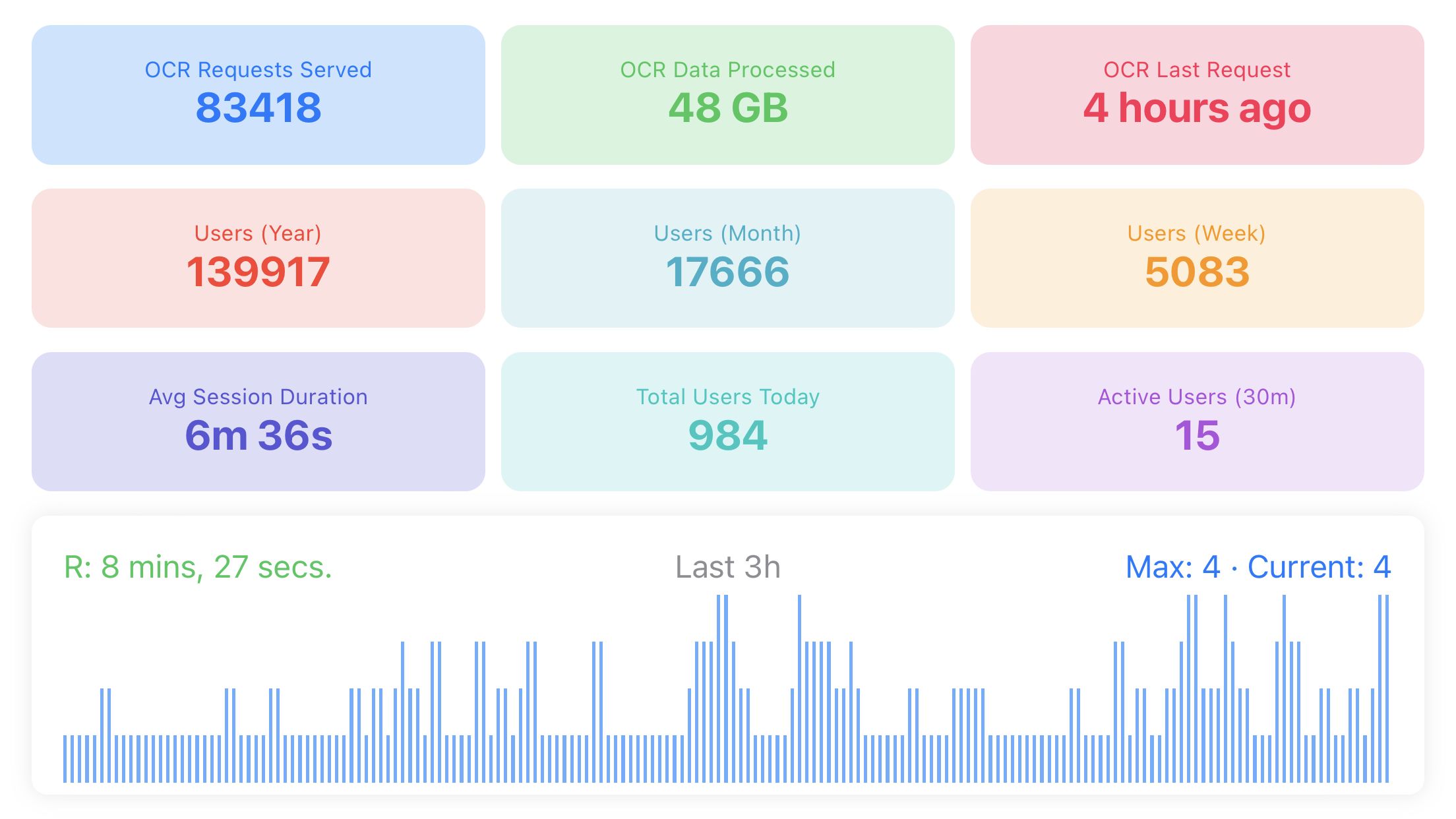
The dashboard was the fun part - something that would look cool on my window sill and provide real-time stats:
struct DashboardView: View {
    @StateObject private var server = OCRServer()
    @State private var stats = ProcessingStats()

    var body: some View {
        VStack(spacing: 20) {
            Text("OCR Server Status")
                .font(.title)
                .fontWeight(.bold)

            HStack {
                StatCard(title: "Requests Today", value: "\(stats.requestsToday)")
                StatCard(title: "Total Processed", value: "\(stats.totalProcessed)")
            }

            HStack {
                StatCard(title: "Avg Processing Time", value: "\(stats.avgProcessingTime)ms")
                StatCard(title: "Success Rate", value: "\(stats.successRate)%")
            }

            BatteryView(percentage: UIDevice.current.batteryLevel)

            Text("Server running on port 8080")
                .font(.caption)
                .foregroundColor(.secondary)
        }
        .padding()
    }
}
I integrated Google Analytics 4 because I’m a data nerd. The dashboard shows 139,917 total users with 17,643 this month, 6:28 average session duration, and 11 currently active users. It’s like having a tiny data center dashboard on your window sill.
The Solar Power Challenge
Running electronics on solar power sounds simple until you face Canada’s weather reality. We get everything from blazing summer days (all 3 of them) to months of overcast skies that make solar panels about as useful as a chocolate teapot.
Seasonal Strategy and Battery Management
I’ve developed a weather-dependent approach:
- Summer: Solar handles everything plus charges other devices
- Fall/Spring: Hybrid solar/battery with careful monitoring
- Winter: Mostly battery power with occasional solar boosts
The phone’s battery health held up reasonably well. After over a year of constant operation, it’s at 76% capacity. The power station’s battery management deserves credit here.
One unexpected discovery: the phone performs OCR faster when slightly warm (but not hot). Cold Canadian mornings mean slower processing times - something I never would have noticed with wall power.
Cost Analysis: Solar vs Grid Power
Investment and Operating Costs
Initial Investment:
- EcoFlow River 2 Pro: $599 CAD (bought for camping anyway)
- 220W Solar Panel: $180 CAD
- Cables, mounting hardware: ~$50 CAD
- Additional solar investment: ~$230 CAD
Monthly Savings: Based on actual EcoFlow data showing 37.4-45.8 kWh monthly consumption, I’m saving approximately $84-120 CAD annually. The payback period is about 2-3 years.
Comparison with Cloud OCR Services
Cloud OCR services typically charge $1.00-1.50 per 1,000 requests. With over 83,000 requests processed, cloud services would have cost me $83-125 CAD, plus privacy concerns about sending images to external servers.
My solar setup? Zero per-request costs and complete privacy.
What I Learned After a Year
Reliability Surprises
The hardware is incredibly reliable. This phone has been running continuously for over a year, and it just keeps going. Performance hasn’t degraded noticeably despite the constant workload.
iOS background processing works better than expected - once you figure out the right approach. The key is using background app refresh properly and keeping the HTTP server active with regular requests.
Apple’s Vision framework improves over time. Text recognition that used to fail now works perfectly, especially with handwritten text and unusual fonts.
Common Problems and Solutions
Solar Power Intermittency: I configured the power station to prioritize the phone (lower power draw) and gracefully shut down the Mini PC when battery gets low. The phone can handle basic OCR requests solo for several hours if needed.
Heat Management: Direct sunlight plus continuous processing equals thermal throttling. I added shade, improved airflow, and implemented smart processing that reduces requests when the phone reports high temperature.
iOS Background Limitations: iOS really doesn’t want apps running forever. I use background app refresh, minimal location services, and keep the HTTP server responding to requests. It’s a delicate balance between staying alive and preserving battery.
Why This Actually Matters
Beyond the obvious coolness factor, this project demonstrates several important principles:
Privacy First: Every image stays on my devices. No cloud uploads, no third-party access. In an era where everything gets sent to someone else’s computer, truly local processing feels revolutionary.
Energy Independence: While the savings aren’t life-changing, the principle matters. This proves meaningful computing workloads can run entirely on renewable energy, even in challenging climates.
E-Waste Reduction: That phone was destined for a drawer. Now it’s a productive member of my tech ecosystem. How many old devices could be repurposed instead of becoming electronic waste?
Local-First Computing: Not everything needs to be in the cloud. Sometimes the best solution is sitting right in front of you, powered by the sun, processing your data locally and privately.
The setup has become my go-to demonstration for visitors interested in renewable energy or local computing. Plus, I genuinely love glancing at my window sill and seeing real-time processing stats while watching birds at my feeders.
Resources and Next Steps
If you’re interested in building something similar:
Hardware
- EcoFlow River 2 Pro (768Wh) - The power station I use. There’s also a bundle with the 220W solar panel which is the exact setup I run.
- 200W foldable portable solar panel (standalone) - If you already have a power station and just need a comparable panel.
- Any iPhone 8 or newer with iOS 13+ for Vision framework support
Software Resources
- Apple Vision Framework Documentation - Official OCR implementation docs
- Background App Refresh Guide - Keeping iOS apps alive
- SwiftUI HTTP Server Examples - HTTP server implementation
Power Management Tools
- TP-Link Kasa Smart Plugs - For monitoring actual power consumption
- EcoFlow app - Built-in monitoring for the River 2 Pro
- GearScouts.com - Price comparison for power stations and outdoor gear
This article was last updated while watching my solar-powered setup process its 83,418th OCR request, powered entirely by Canadian sunshine.