









There are quite a few cases where you can benefit from importing an arbitrary file directly: in universal apps, tests, or simply to avoid boilerplate. Good news: you don't need Babel, Webpack, or anything else for it.
For this tutorial, we'll make a server that will render a static HTML page with CSS styles, loaded as modules.
Create a CSS file:
echo 'html{background:teal;color:white;}' >> styles.css
An HTML template:
echo '<!DOCTYPE html>
<html lang="en">
  <head>
    <meta charset="UTF-8" />
    <meta http-equiv="X-UA-Compatible" content="IE=edge" />
    <meta name="viewport" content="width=device-width, initial-scale=1.0" />
    <title>Example</title>
  </head>
  <body>
    Is background teal?
  </body>
</html>' >> template.html
And a server to render the result:
// index.js
const http = require("http");
const template = require("./template.html");
const css = require("./styles.css");
const html = template.replace("</head>", "<style>" + css + "</style></head>");

const server = new http.Server((_req, res) => {
  res.setHeader("content-type", "text/html");
  res.end(html);
});

server.listen(0, () => {
  console.info(
    `Server is listening on http://localhost:${server.address().port}`
  );
});
If you try running this file now you'll get an error:
node index
template.html:1
<!DOCTYPE html>
^

SyntaxError: Unexpected token '<'
To fix it we are going to tell NodeJS how to handle these extensions. Prepare to be amazed because all the code we need is:
// hook.js
const Module = require("module");
const fs = require("fs");

const resolveTextFile = function (module, path) {
  const content = fs.readFileSync(path).toString();
  module.exports = content;
};

Module._extensions[".html"] = resolveTextFile;
Module._extensions[".css"] = resolveTextFile;
Now we can start the server like this:
node -r ./hook index
# Server is listening on http://localhost:<random_port>
Follow the link and you should see the HTML page with proper styles:
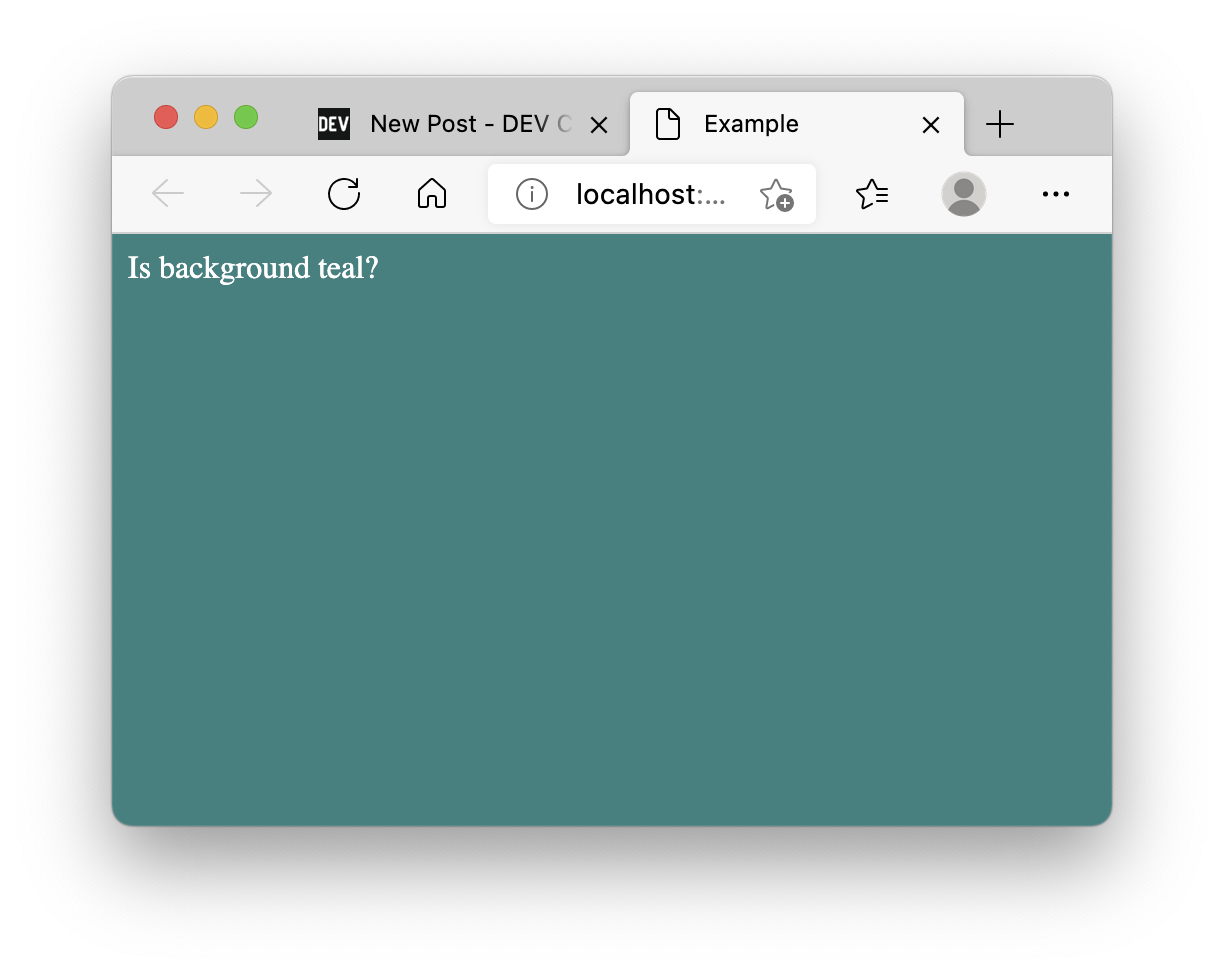
Note: If you have any troubles running this example, try using NodeJS v14.5.0.
By the way, you can add require('./hook') directly at the beginning of index.js instead of using -r or --require command-line argument.
Great question! ECMAScript modules support in NodeJS is still unstable, meaning that it might drastically change in the future, but as for February 2021 we can load custom modules with node --experimental-loader <filename>.
My ECMAScript server module looks like this:
// index.mjs
import http from "http";
import template from "./template.html";
import css from "./styles.css";

const html = template.replace("</head>", "<style>" + css + "</style></head>");

const server = new http.Server((_req, res) => {
  res.setHeader("content-type", "text/html");
  res.end(html);
});

server.listen(0, () => {
  console.info(
    `Server module is listening on http://localhost:${server.address().port}`
  );
});
And the experimental loader is as follows:
// loader.mjs
import { URL, pathToFileURL } from "url";

const baseURL = pathToFileURL(`${process.cwd()}/`).href;

// css styles or html files
const extensionsRegex = /\.(html|css)$/;

export function resolve(specifier, context, defaultResolve) {
  const { parentURL = baseURL } = context;

  // Node.js normally errors on unknown file extensions, so return a URL for
  // specifiers ending in the specified file extensions.
  if (extensionsRegex.test(specifier)) {
    return {
      url: new URL(specifier, parentURL).href,
    };
  }
  // Let Node.js handle all other specifiers.
  return defaultResolve(specifier, context, defaultResolve);
}

export function getFormat(url, context, defaultGetFormat) {
  // Now that we patched resolve to let new file types through, we need to
  // tell Node.js what format such URLs should be interpreted as.
  if (extensionsRegex.test(url)) {
    return {
      format: "module",
    };
  }
  // Let Node.js handle all other URLs.
  return defaultGetFormat(url, context, defaultGetFormat);
}

export function transformSource(source, context, defaultTransformSource) {
  const { url } = context;
  if (extensionsRegex.test(url)) {
    return {
      source: `export default ${JSON.stringify(source.toString())}`,
    };
  }

  // Let Node.js handle all other sources.
  return defaultTransformSource(source, context, defaultTransformSource);
}
Don't forget to use .mjs extension for ES modules or otherwise enable them (e.g. set "type":"module" in package.json).
And run it with:
node --experimental-loader ./loader.mjs index.mjs
# (node:14706) ExperimentalWarning: --experimental-loader is an experimental feature. This feature could change at any time
# (Use `node --trace-warnings ...` to show where the warning was created)
# ESM Server is listening on http://localhost:<random_port>
Yet another great question! It's actually easy: we can use CommonJS approach.
Let's prepare TypeScript project:
npm init -y &&
npm install typescript @types/node ts-node --save-dev &&
echo '{
  "compilerOptions": {
    "target": "ES2020",
    "module": "CommonJS",
    "moduleResolution": "node",
    "esModuleInterop": true,
    "typeRoots": ["node_modules/@types", "typings"]
  },
  "exclude": ["node_modules"]
}
'>>tsconfig.json
I've set esModuleInterop to true to keep hook.js intact, otherwise, we'd need to change module.exports=content to module.exports.default=content.
My typed version of the infamous server:
// index.ts
import { Server } from "http";
import template from "./template.html";
import css from "./styles.css";
import { AddressInfo } from "net";

const html = template.replace("</head>", "<style>" + css + "</style></head>");

const server = new Server((_req, res) => {
  res.setHeader("content-type", "text/html");
  res.end(html);
});

server.listen(0, () => {
  console.info(
    `TS Server is listening on http://localhost:${
      (server.address() as AddressInfo).port
    }`
  );
});
Once again, if we try running it now, it'll fail:
./node_modules/.bin/ts-node -r ./hook index.ts

# TSError: ⨯ Unable to compile TypeScript:
# index.ts:2:22 - error TS2307: Cannot find module './template.html' or its corresponding type declarations.
To fix it we, of course, need to provide typings for our modules. Since we'll be using ts-node the easiest way is to create a folder with the following structure:
mkdir -p "typings/*.css" &&
mkdir "typings/*.html" &&
echo 'declare module "*.css" {
  const content: string;
  export default content;
}' >> "typings/*.css/index.d.ts" &&
echo 'declare module "*.html" {
  const content: string;
  export default content;
}' >> "typings/*.html/index.d.ts"
We've already included typings folder in tsconfig.json, but you can call it anything you want as long as it's referenced:
{
  "compilerOptions": {
    // ...
    "typeRoots": ["node_modules/@types", "typings"]
  }
  // ...
}
Run again and enjoy refreshing teal background:
./node_modules/.bin/ts-node -r ./hook index.ts
# TS Server is listening on http://localhost:<random_port>
You could:
sass,less or postcss) or some template engine for HTML (e.g. liquid, haml or pug..graphql files directly.此内容由惯性聚合(RSS阅读器)自动聚合整理,仅供阅读参考。 原文来自 — 版权归原作者所有。