





 По самому Hermes Agent і його можливостям буду писати окремо, сьогодні – як запустити його на FreeBSD.
Вчора погрався на своєму Arch Linux – тепер хочеться вже більш production setup.
Крутити буду на моєму NAS з FreeBSD, запускати там, звісно, вже тільки у FreeBSD Jail, бо NAS – це доступ до важливих даних і бекапів.
На Linux налаштування агента всі ті самі – тільки простіший сетап, тому окремо описувати не буду.
А от по можливостям Hermes Agent і більш детальний конфіг – зроблю окремий пост, бо там є, що потрогати.
Для роботи з Jails використовую Bastille – про неї теж якось окремо напишу, є чорнетка.
Власне, що будемо робити:
Поїхали.
Але спочатку трохи оффтопік 🙂
Зміст
Тут коротко – чи вірно казати “контейнер” про FreeBSD Jail – бо мене можуть заплювати 🙂
Як людина, яка зазвичай працює з Linux, то для мене “контейнер” це і FreeBSD Jail – і Linux Docker, тому в цьому пості буду все ж про Jails казати “контейнери”.
Ба більше – навіть в офіційній документації Bastille говориться:
While reading the documentation and using Bastille, you will find that sometimes “container” is used, and sometimes “jail” is used. These are completely interchangeable, but there is some debate as to which one is more correct. Be that as it may, anytime you read “container” or “jail”, it means a FreeBSD jail.
Крім того, читачі мого блогу в основному теж Linux users – тому нехай вже буде “контейнери”. А в окремому пості по Bastille трохи детальніше поговоримо про Jails у FreeBSD vs Linux containers.
Все – тепер погнали робити установку.
Перевіряємо версію FreeBSD, готуємо контейнер:
root@setevoy-nas:~ # freebsd-version
14.4-RELEASE-p1

root@setevoy-nas:~ # bastille bootstrap 14.4-RELEASE
...
Створюємо сам контейнер – звичайний FreeBSD (Bastille підтримує і Linux, в мене є Jail з Opeb WebUI, якось про нього допишу, теж чорнетка є).
Мережа – Bastille VNET, тобто контейнер буде доступний із моєї загальної мережі по IP 192.168.0.210:
root@setevoy-nas:~ # bastille create --vnet hermesagent1 14.4-RELEASE 192.168.0.210/24 em0

Attempting to create jail: hermesagent1

Valid IP: 192.168.0.210/24

Creating a thinjail...

...
Перевіряємо статус Jail:
root@setevoy-nas:~ # bastille list hermesagent1
 JID  Name          Boot  Prio  State  Type   IP Address     Published Ports  Release               Tags
 3    hermesagent1  on    99    Up     thin   192.168.0.210  -                14.4-RELEASE          -
Підключаємось всередину:
root@setevoy-nas:~ # bastille console hermesagent1

[hermesagent1]:
root@hermesagent1:~ #
Встановлюємо апдейти:
root@hermesagent1:~ # pkg update
Встановлюємо пакети для установки Hermes Agent:
root@hermesagent1:~ # pkg install curl bash uv sudo
Перевіряємо де у нас bash – бо на FreeBSD він в /usr/local/bin/, а не /usr/bin:
root@hermesagent1:~ # which bash
/usr/local/bin/bash
Створюємо юзера для Hermes Agent, задаємо йому пароль:
root@hermesagent1:~ # pw useradd hermes -m -s /usr/local/bin/bash -c "Hermes Agent"
root@hermesagent1:~ # passwd hermes
Включаємо SSH:
root@hermesagent1:~ # sysrc sshd_enable="YES"
sshd_enable: NO -> YES

root@hermesagent1:~ # service sshd start
Перевіряємо підключення з робочого ноутбука:
[setevoy@setevoy-work ~]  $ ssh [email protected]
([email protected]) Password for hermes@hermesagent1:
...
[hermes@hermesagent1 ~]$
Запускаємо visudo, додаємо юзера туди – із запитом пароля:
hermes ALL=(ALL:ALL) ALL
Аби запускати Hermes CLI від рута – додаємо до /root/.profile:
...
# Hermes Agent — ensure ~/.local/bin is on PATH
export PATH="$HOME/.local/bin:$PATH"
Тут все – можна встановлювати сам агент.
Встановлюємо необхідні бібліотеки – бо автоматичний інсталер самого Hermes Agent не дуже дружить з FreeBSD, тому руками:
root@hermesagent1:~ # pkg install -y python3 py311-pip py311-sqlite3 sqlite3 git curl rust pkgconf openssl libffi node22 npm-node22 ripgrep ffmpeg
Запускаємо установку – зайняло хвилин 5:
[hermes@hermesagent1 ~]$ curl -fsSL https://hermes-agent.nousresearch.com/install.sh | bash
По завершенню інсталятор запропонує налаштувати агента.
На Arch Linux я робив швидку установку, тут запустив повну – подивитись, що там є.
Всі опції можна потім змінити, так що не критично.
Документація – Configuration.
Запускаємо налаштування агенту:

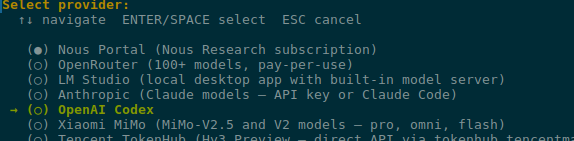
Токенів він жре багато, тому Claude в прольоті – взяв OpenAI та GPT 5.5, працює чудово:
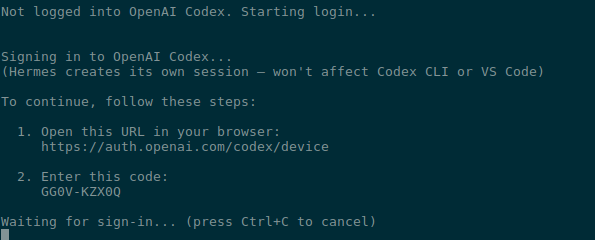
Просить провести аутентифікацію – відкриває посилання на ноутбуці з браузером, вводимо код:
Задаємо модель 5.5 – пізніше можна змінити з /model (див. Slash Commands):
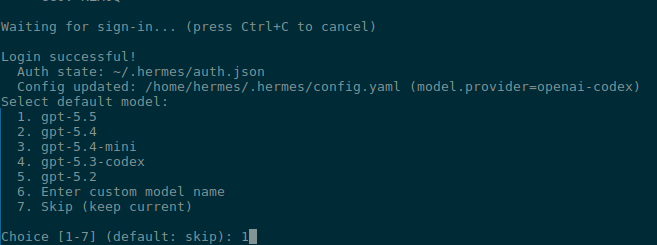
І далі вже все можна залишити по дефолту, поки не дійдемо до Messaging.
Документація – Telegram Setup.
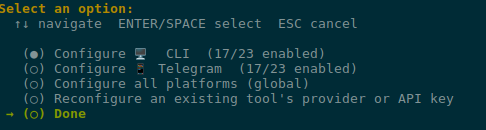
Вибір тут, звісно, великий – я поки буду користуватись Telegram:
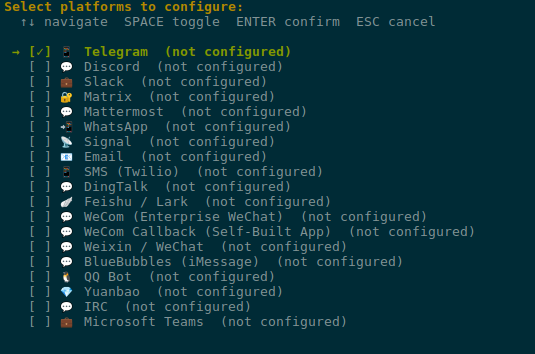
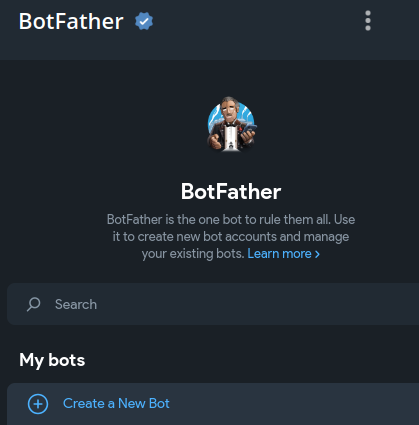
Переходимо до @BotFather, створюємо нового бота:
Налаштовуємо його:
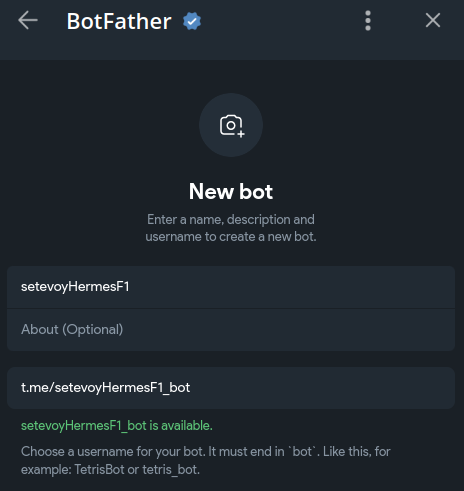
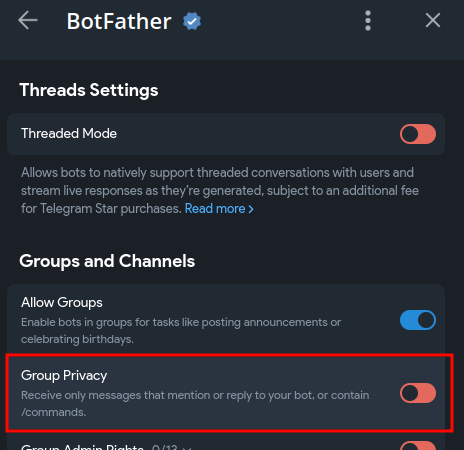
Важливо – див. Step 3: Privacy Mode (Critical for Groups).
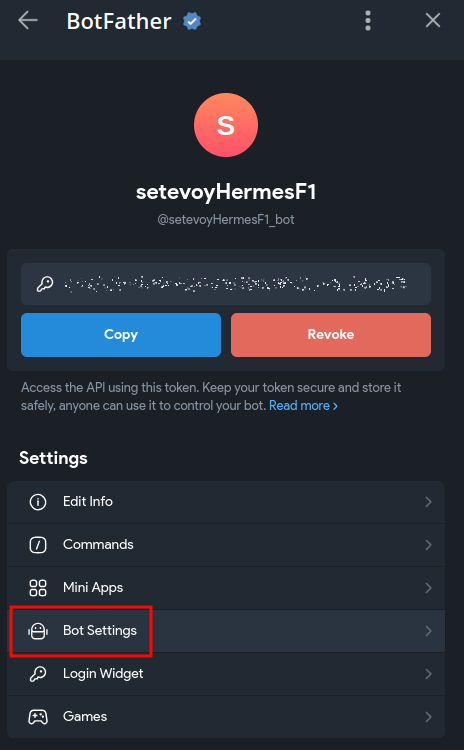
Переходимо в його Settings:
Відключаємо Group Privacy:
Отримуємо API-токен бота:
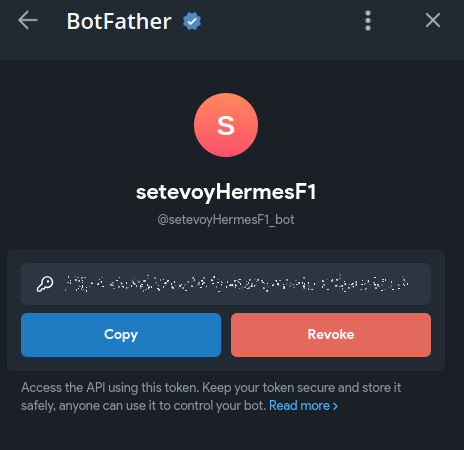
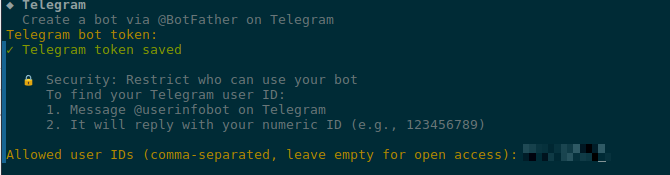
Аби ми могли писати боту – знаходимо свій User ID з @userinfobot.
Якщо бот буде в групі чи каналі – в тому ж боті жеж можна знайти їх ID.
Я цього бота роблю для тесту, тому залишаю мого юзера:
І в “home channel” теж:

Готово:
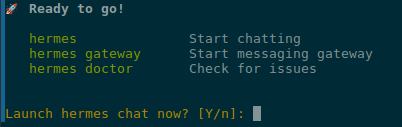
Далі ще налаштування браузера та Tools – там залишаємо все дефолтними, і готово:
На Linux Hermes Gateway включається просто через systemd – на FreeBSD трохи “ручками” (в лапках – бо зробив це самим агентом 🙂 ).
Перевіряємо статус зараз:
[hermes@hermesagent1 ~]$ hermes gateway status
✗ Gateway is not running

To start:
  hermes gateway run      # Run in foreground
  hermes gateway install  # Install as user service
  sudo hermes gateway install --system  # Install as boot-time system service
Команда hermes gateway install на FreeBSD очікувано повернула “not supported on this platform“:
[root@hermesagent1 /usr/home/hermes]# /home/hermes/.hermes/hermes-agent/venv/bin/hermes gateway install --system
Service installation not supported on this platform.
Run manually: hermes gateway run
Перевіряємо де саме лежить Hermes:
[hermes@hermesagent1 ~]$ head -1 "$(command -v hermes)"
#!/home/hermes/.hermes/hermes-agent/venv/bin/python3
Встановлюємо Python-модуль python-telegram-bot:
[hermes@hermesagent1 ~]$ /home/hermes/.hermes/hermes-agent/venv/bin/python3 -m pip install python-telegram-bot
Collecting python-telegram-bot
  Downloading python_telegram_bot-22.7-py3-none-any.whl.metadata (17 kB)
...
Пробуємо запустити руками:
hermes@hermesagent1 ~]$ hermes gateway run
┌─────────────────────────────────────────────────────────┐
│           ⚕ Hermes Gateway Starting...                 │
├─────────────────────────────────────────────────────────┤
│  Messaging platforms + cron scheduler                    │
│  Press Ctrl+C to stop                                   │
└─────────────────────────────────────────────────────────┘

...
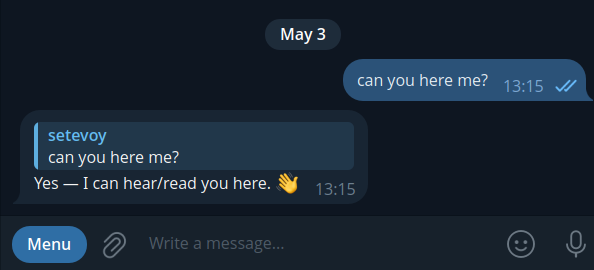
І пишемо боту в Telegram:
Ну і давайте спробуємо – чи справиться агент з задачею “я лінивий інженер, сдєлай мені харашо” – нехай сам скаже, як його гейтвей додати в автостарт на FreeBSD:
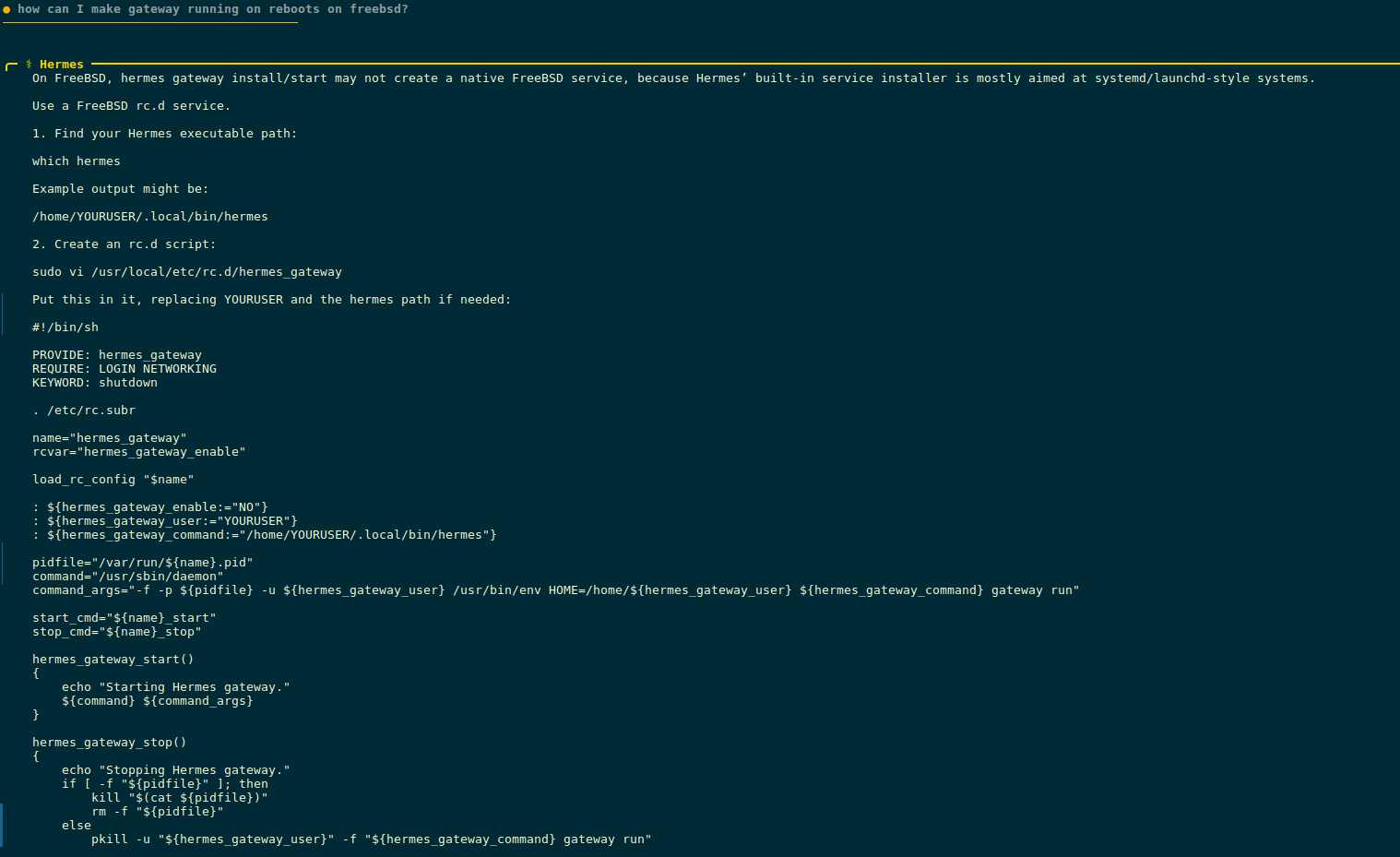
Окей.
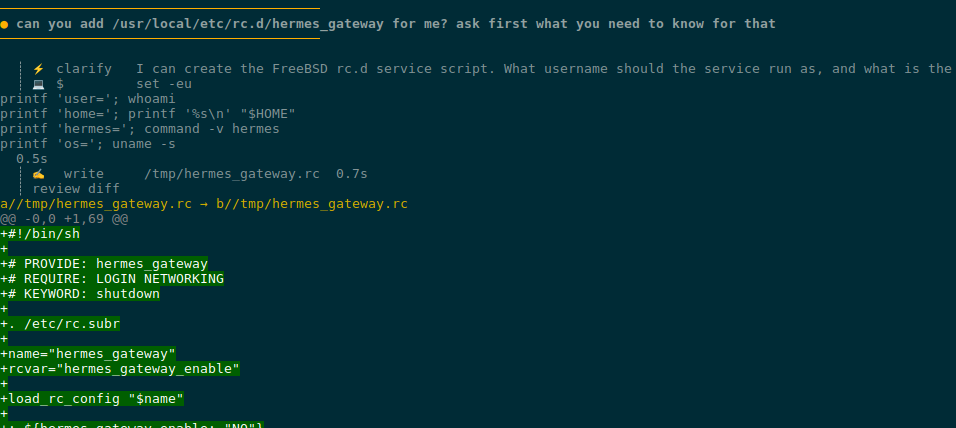
Але я настільки лінивий, що не хочу займатись copy-paste – нехай робить все сам.
Ми в Jail – тому це безпечно:
Для створення rc.d скрипта йому потрібен root – питає пароль, бо sudo у нас тут парольний:
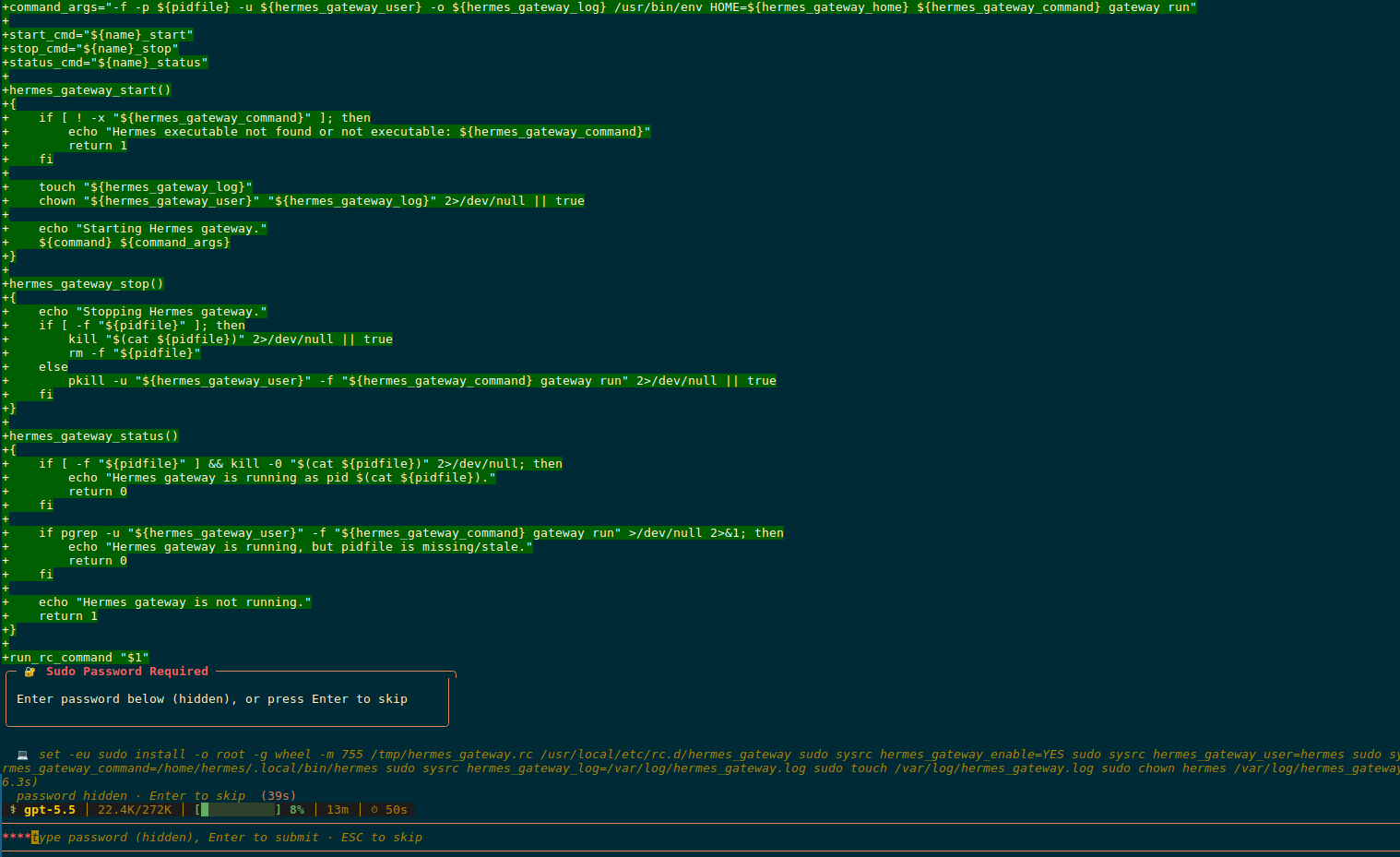
Скрипт готовий:
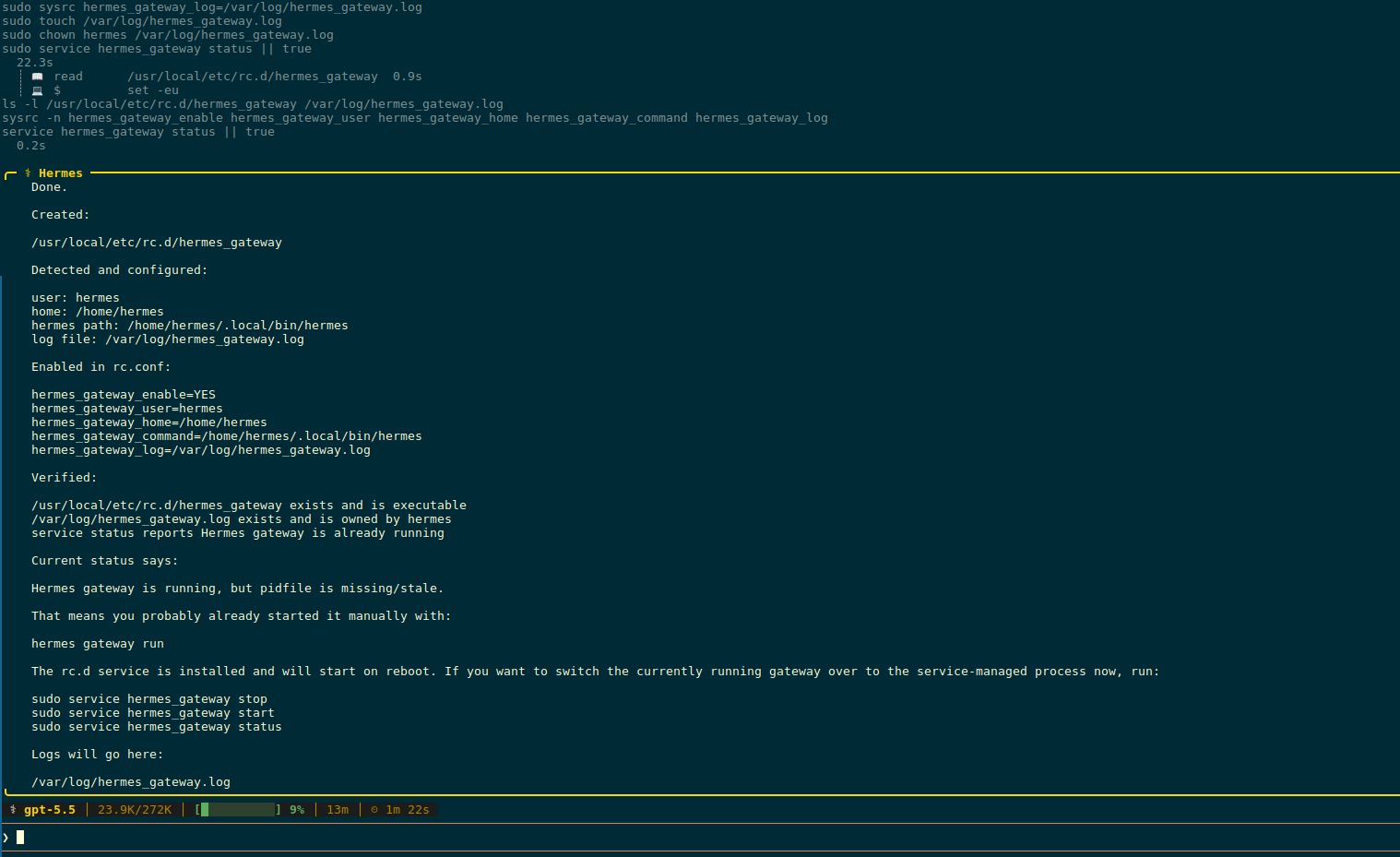
Сам скрипт, який він написав – /usr/local/etc/rc.d/hermes_gateway:
#!/bin/sh

# PROVIDE: hermes_gateway
# REQUIRE: LOGIN NETWORKING
# KEYWORD: shutdown

. /etc/rc.subr

name="hermes_gateway"
rcvar="hermes_gateway_enable"

load_rc_config "$name"

: ${hermes_gateway_enable:="NO"}
: ${hermes_gateway_user:="hermes"}
: ${hermes_gateway_home:="/home/hermes"}
: ${hermes_gateway_command:="/home/hermes/.local/bin/hermes"}
: ${hermes_gateway_log:="/var/log/hermes_gateway.log"}

pidfile="/var/run/${name}.pid"
command="/usr/sbin/daemon"
command_args="-f -p ${pidfile} -u ${hermes_gateway_user} -o ${hermes_gateway_log} /usr/bin/env HOME=${hermes_gateway_home} ${hermes_gateway_command} gateway run"

start_cmd="${name}_start"
stop_cmd="${name}_stop"
status_cmd="${name}_status"

hermes_gateway_start()
{
    if [ ! -x "${hermes_gateway_command}" ]; then
        echo "Hermes executable not found or not executable: ${hermes_gateway_command}"
        return 1
    fi

    touch "${hermes_gateway_log}"
    chown "${hermes_gateway_user}" "${hermes_gateway_log}" 2>/dev/null || true

    echo "Starting Hermes gateway."
    ${command} ${command_args}
}

hermes_gateway_stop()
{
    echo "Stopping Hermes gateway."
    if [ -f "${pidfile}" ]; then
        kill "$(cat ${pidfile})" 2>/dev/null || true
        rm -f "${pidfile}"
    else
        pkill -u "${hermes_gateway_user}" -f "${hermes_gateway_command} gateway run" 2>/dev/null || true
    fi
}

hermes_gateway_status()
{
    if [ -f "${pidfile}" ] && kill -0 "$(cat ${pidfile})" 2>/dev/null; then
        echo "Hermes gateway is running as pid $(cat ${pidfile})."
        return 0
    fi

    if pgrep -u "${hermes_gateway_user}" -f "${hermes_gateway_command} gateway run" >/dev/null 2>&1; then
        echo "Hermes gateway is running, but pidfile is missing/stale."
        return 0
    fi

    echo "Hermes gateway is not running."
    return 1
}

run_rc_command "$1"
Перевіряємо, що в /etc/rc.conf все додано:
root@hermesagent1:~ # cat /etc/rc.conf | grep hermes
hermes_gateway_enable="YES"
hermes_gateway_user="hermes"
hermes_gateway_home="/home/hermes"
hermes_gateway_command="/home/hermes/.local/bin/hermes"
hermes_gateway_log="/var/log/hermes_gateway.log"
Зупиняємо “hermes gateway run“, яку запускали руками вище, і пробуємо запустити вже через сервіс:
[hermes@hermesagent1 ~]$ sudo service hermes_gateway start
Starting Hermes gateway.
[hermes@hermesagent1 ~]$ sudo service hermes_gateway status
Hermes gateway is running as pid 60901.
Нагуглив кілька рішень, собі поки взяв nesquena/hermes-webui, але ще можна глянути на EKKOLearnAI/hermes-web-ui.
Клонуємо репозиторій:
[hermes@hermesagent1 ~]$ git clone https://github.com/nesquena/hermes-webui.git hermes-webui
[hermes@hermesagent1 ~]$ cd hermes-webui/
Аби мати доступ до WebUI з мережі – задаємо $HERMES_WEBUI_HOST:
[hermes@hermesagent1 ~/hermes-webui]$ export HERMES_WEBUI_HOST=0.0.0.0
Запускаємо сервіс:
[hermes@hermesagent1 ~/hermes-webui]$ python3 bootstrap.py
[bootstrap] Starting Hermes Web UI on http://0.0.0.0:8787
[bootstrap] Web UI is ready: http://0.0.0.0:8787
[bootstrap] Log file: /home/hermes/.hermes/webui/bootstrap-8787.log
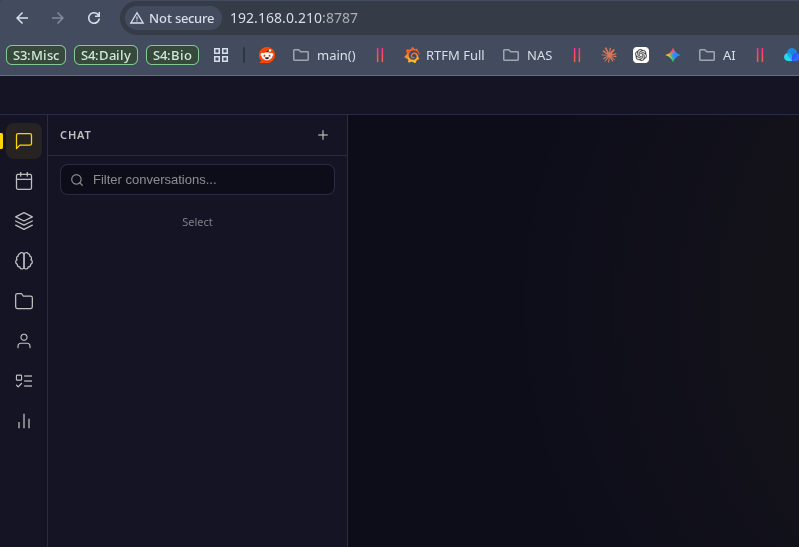
Пробуємо в браузері:
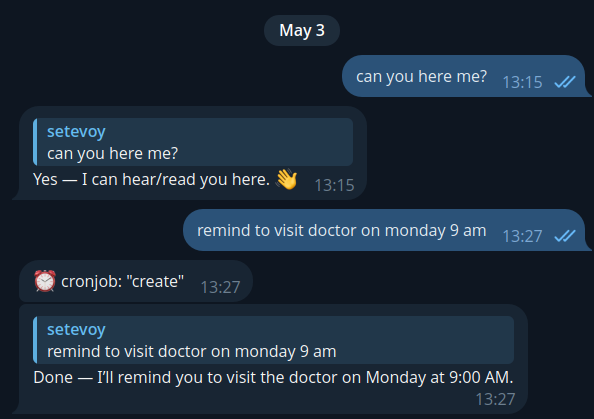
В Telegram просимо створити якесь нагадування:
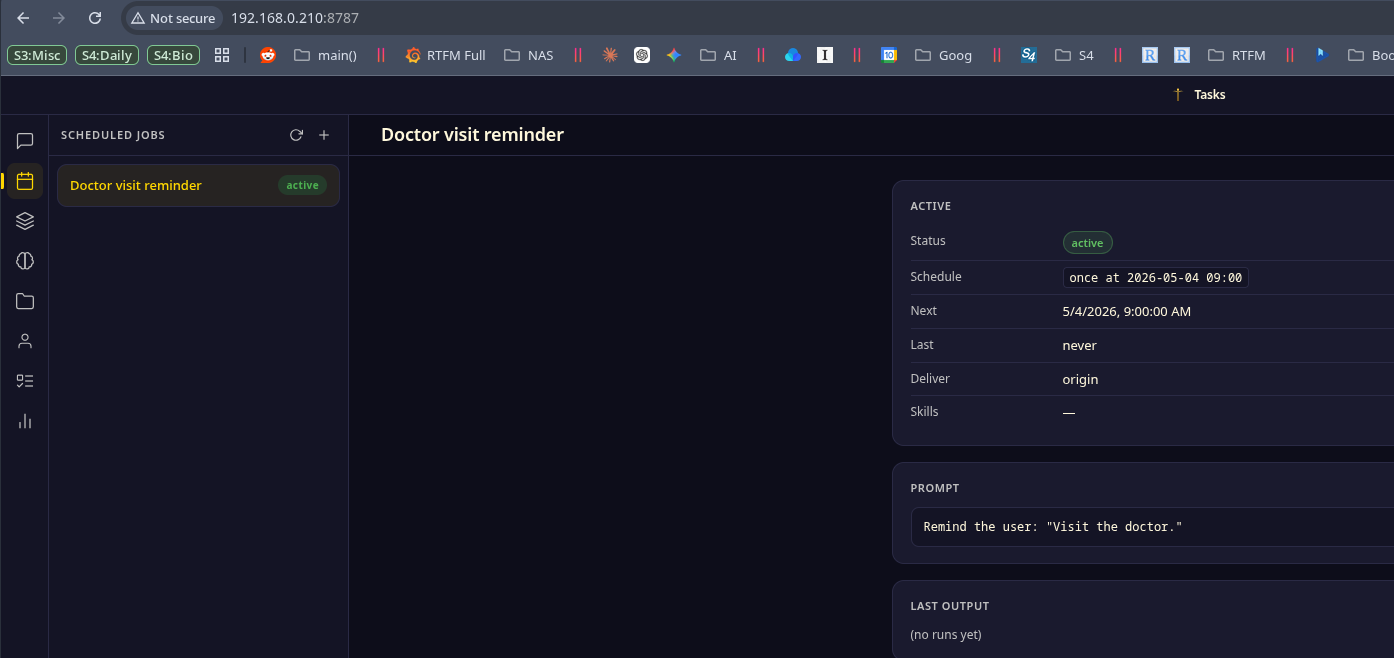
І бачимо його в Tasks:
Власне – на цьому і все.
Але ще приклад того, що можна робити з агентом.
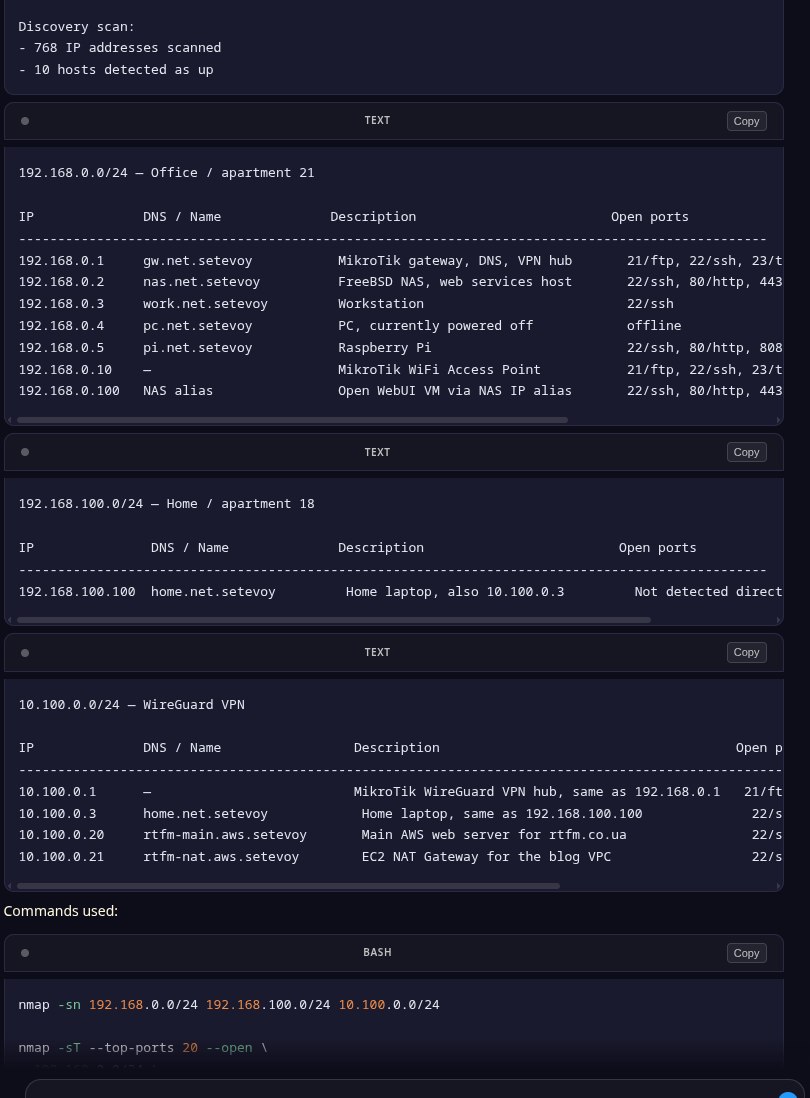
Попросив пройтись по всім моїм мережам і знайти хости – запустив nmap, все просканував, зібрав в табличку:
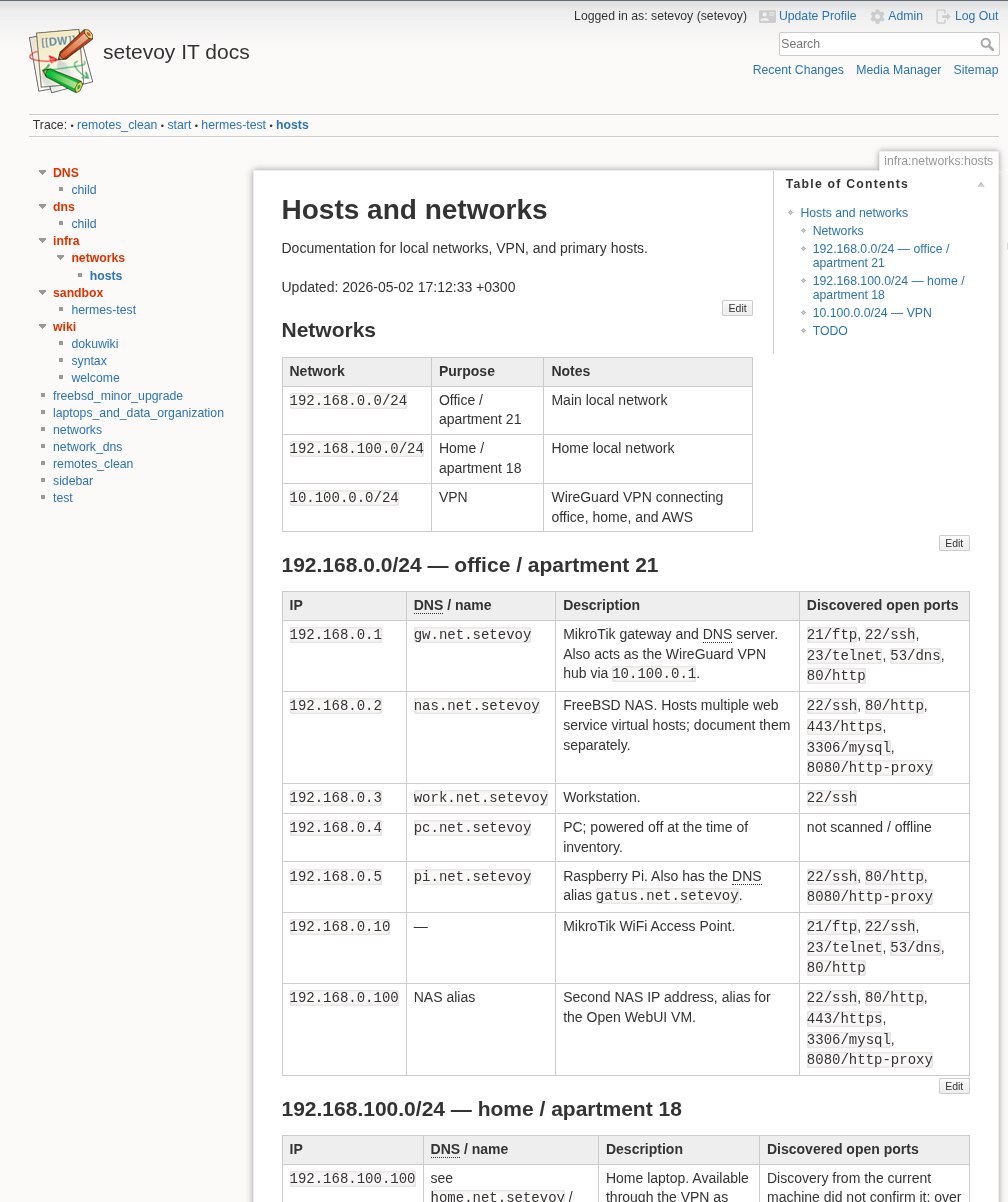
Потім я створив для агента окремого юзера в моєму локальному DokuWiki, включив XML-RPC у файлі /usr/local/www/dokuwiki/conf/local.php:
$conf['remote'] = 1;
$conf['remoteuser'] = 'hermes-agent';
Попросив агента – і Hermes створив мені сторінку з документацією по всім моїм хостам:
Перевіряв роботу з VictoriaMetrics – чудово додає метрики навіть без VictoriaMetrics Skills (див. Claude Code: створення Kubernetes debugging AI Agent для VictoriaMetrics), тому можна буде зробити автоматизацію типу “Alermanger webhook > Hermes > investigate > send result to Telegram”.
Короче – система цікава, класна – можна буде робити цікаві штуки.

此内容由惯性聚合(RSS阅读器)自动聚合整理,仅供阅读参考。 原文来自 — 版权归原作者所有。