





Here's what happens every time. Your AI coding agent spits out a React dashboard in a few minutes, and then you spend the next two hours wiring up a database, auth, and API routes yourself. The frontend writes itself. The backend doesn't.
This tutorial fixes that. You'll deploy InsForge on Sealos, hook it up to Claude Code through MCP, and build a working Expense Tracker from start to finish. Everything happens in your terminal, through prompts. You won't write any backend code.
AI coding agents are genuinely good at generating UI code now. Tell Claude Code to build you a dashboard with a sidebar, charts, and a data table, and you'll have something working in minutes.
But the moment you need a real backend, things slow down. Database schemas, authentication, row-level security, file storage, API endpoints. You're back to writing migrations by hand, configuring auth providers, setting environment variables, and wondering why CORS is rejecting everything.
The frontend is automated. The backend still isn't. That's the gap.
Platforms like Supabase and Firebase help, but they were built for humans to operate. Your agent can call their APIs, sure, but it can't actually understand what your backend does, look at its current state, or figure out how to set things up from scratch. It's making API calls blind.
InsForge was built to fix that.
InsForge is an open-source backend platform designed for AI coding agents. Think "Supabase, but your agent actually understands the backend instead of just calling endpoints."
The idea: the platform puts a semantic layer between your agent and the backend. Instead of handing agents a pile of REST endpoints and hoping for the best, it gives them structured context. Documentation, schemas, state inspection, available operations. The agent can look at what exists, reason about what to do, and then do it.
What's included:
The thing that actually matters: it ships with an MCP (Model Context Protocol) server. Claude Code, Cursor, VS Code, or any MCP-compatible client can connect to your backend and operate it through natural language. Your agent doesn't just call APIs. It reads the docs, inspects the schema, and makes changes directly.
No Docker. No Kubernetes. No SSH.
Sealos runs it as a managed template. The whole deployment looks like this:
Go to the template on the Sealos App Store and click "Deploy on Sealos".

The deploy dialog has a few fields:
admin_password (required). This is your dashboard login.For this tutorial, just set the password. Everything else you can configure later.
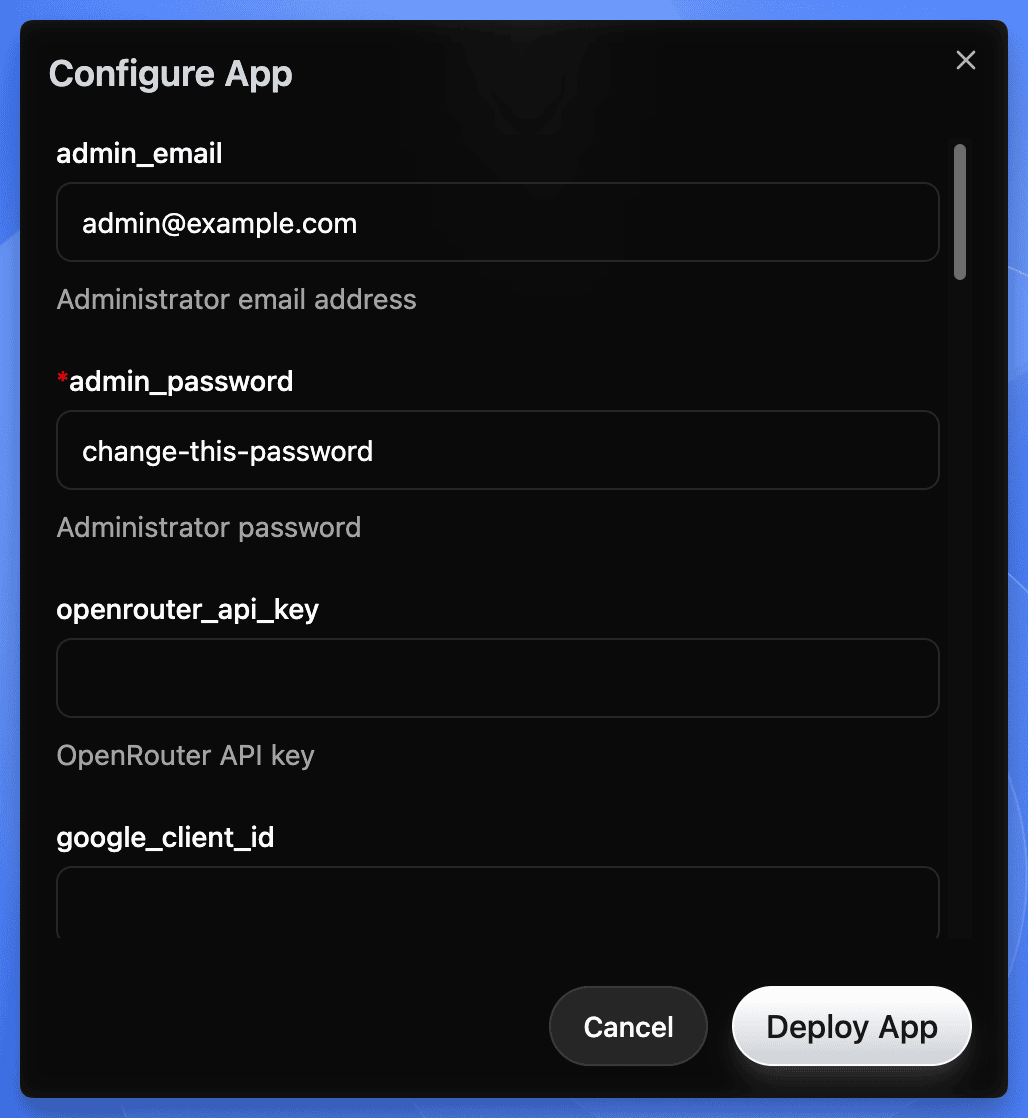 Sealos deploy dialog for InsForge showing admin_email, admin_password, and API key configuration fields
Click Deploy. Sealos spins up:
Give it 2-3 minutes.
Heads up on first deploy:
- If deployment seems stuck past 3 minutes, the PostgreSQL extension init job is probably still running. Give it up to 5 minutes before troubleshooting.
- Default resource limits are conservative: Postgres gets 500m CPU / 512Mi RAM, other services get 200m / 256Mi each. Fine for this tutorial, but bump these up for anything beyond demos.
- Default storage is small: Postgres gets 1Gi, other PVCs ~103Mi each. Resize through the Sealos Canvas if you're storing real data.
- The Sealos template currently pins InsForge v1.5.0. Upstream is at v2.0.1 (March 2026). Check the template for updates if you need newer features.
Sealos gives you an HTTPS URL for your instance. Click it, log in with your admin password.
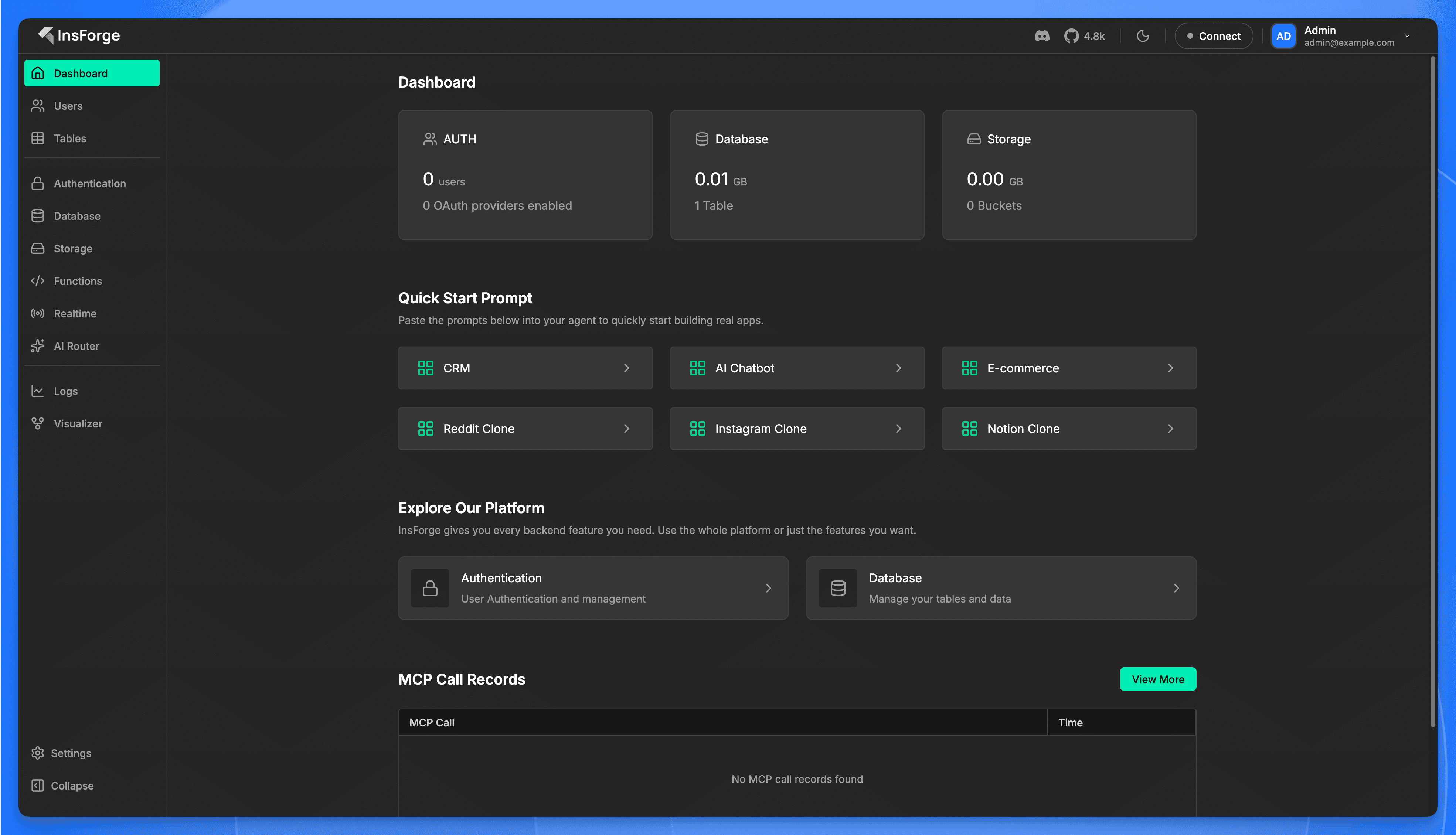 InsForge dashboard after first login showing sidebar navigation, metric cards, quick start prompts, and MCP call records
Done. You've got a self-hosted backend with a database, auth, storage, and serverless functions. Sealos handles scaling, backups, SSL, and failover. You pay for what you use.
What you just got: A full backend stack on Sealos' Kubernetes infrastructure. Postgres for data, PostgREST for instant APIs, Deno for serverless functions, S3-compatible storage for files. Everything behind one HTTPS endpoint with automatic SSL.
Now you're going to give Claude Code direct access to your backend.
From your terminal:
This registers InsForge's hosted MCP endpoint with your local configuration. It creates (or updates) a .mcp.json file:
Start Claude Code and run the MCP auth command:
This opens a browser window for OAuth authentication. Sign in with your InsForge account (the one tied to your Sealos deployment), and the MCP connection binds to your project.
In Claude Code, send this:
If it comes back with a summary of what the backend can do, you're connected. The agent now has full context about your backend and the tools to work with it.
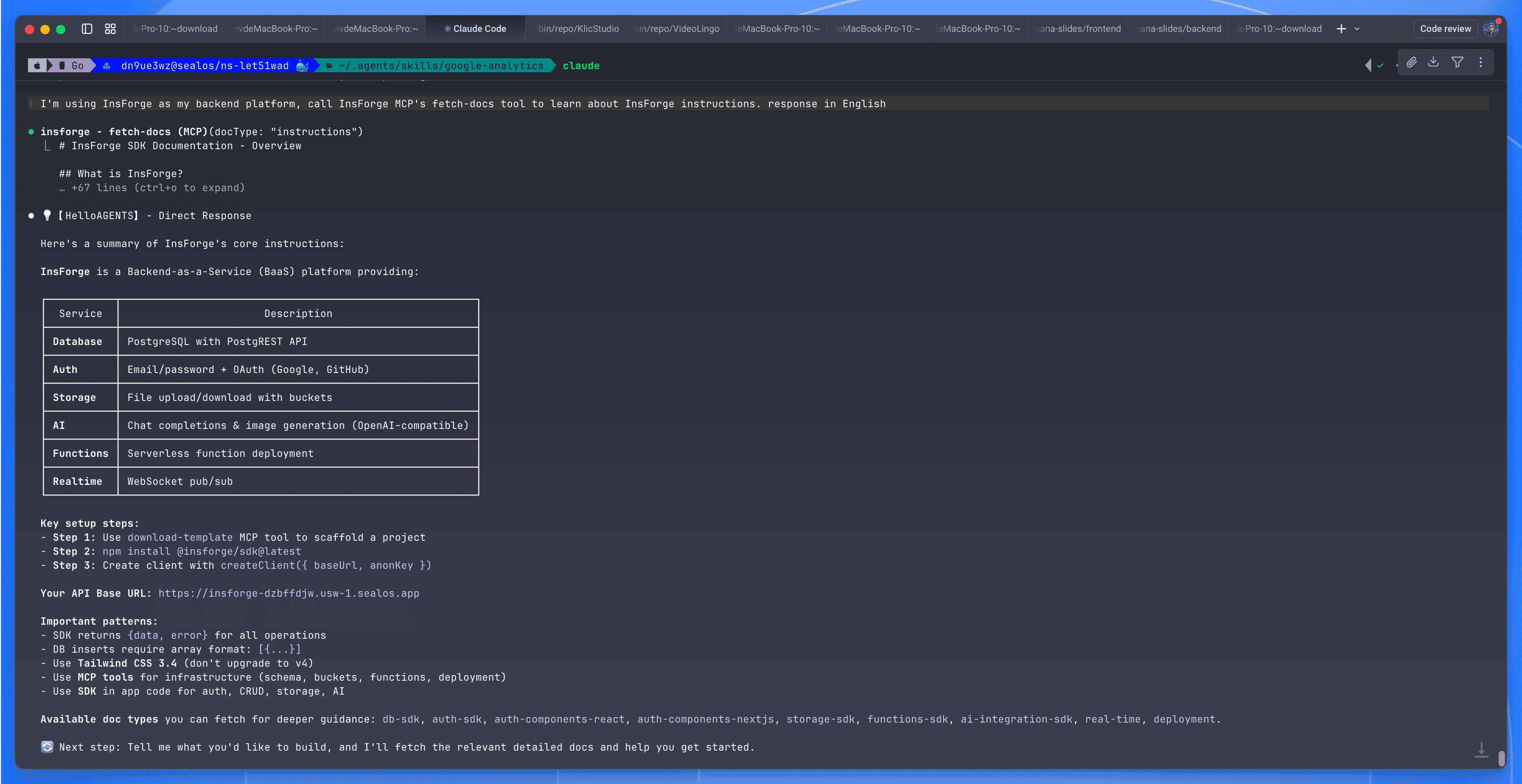 InsForge MCP connection showing backend documentation with service overview for Database, Auth, Storage, AI, Functions, and Realtime
Self-hosted MCP note: The URL above (
mcp.insforge.dev) is InsForge's hosted endpoint. If you're running a self-hosted instance on Sealos, check your InsForge dashboard's Connect tab for the MCP configuration specific to your deployment. The hosted MCP authenticates via browser OAuth and binds to your InsForge project.
Using Cursor or Codex? The MCP server works with any MCP-compatible client. For Cursor, put the config in
.cursor/mcp.json. For Codex, use the MCP integration in the desktop app. The prompts below work the same way regardless of which tool you use.
We're building an Expense Tracker. Simple enough to follow along, but it covers the important stuff: database, auth, row-level security, file storage, and a frontend that ties everything together.
Set up a project directory however you like (npm create vite@latest expense-tracker -- --template react-ts works). Then start Claude Code:
Everything from here is prompts.
Claude Code calls the MCP tools, creates both tables, configures RLS on expenses only, grants the right permissions, seeds categories with icons and colors, and reloads the PostgREST schema cache. No migration file. No SQL editor.
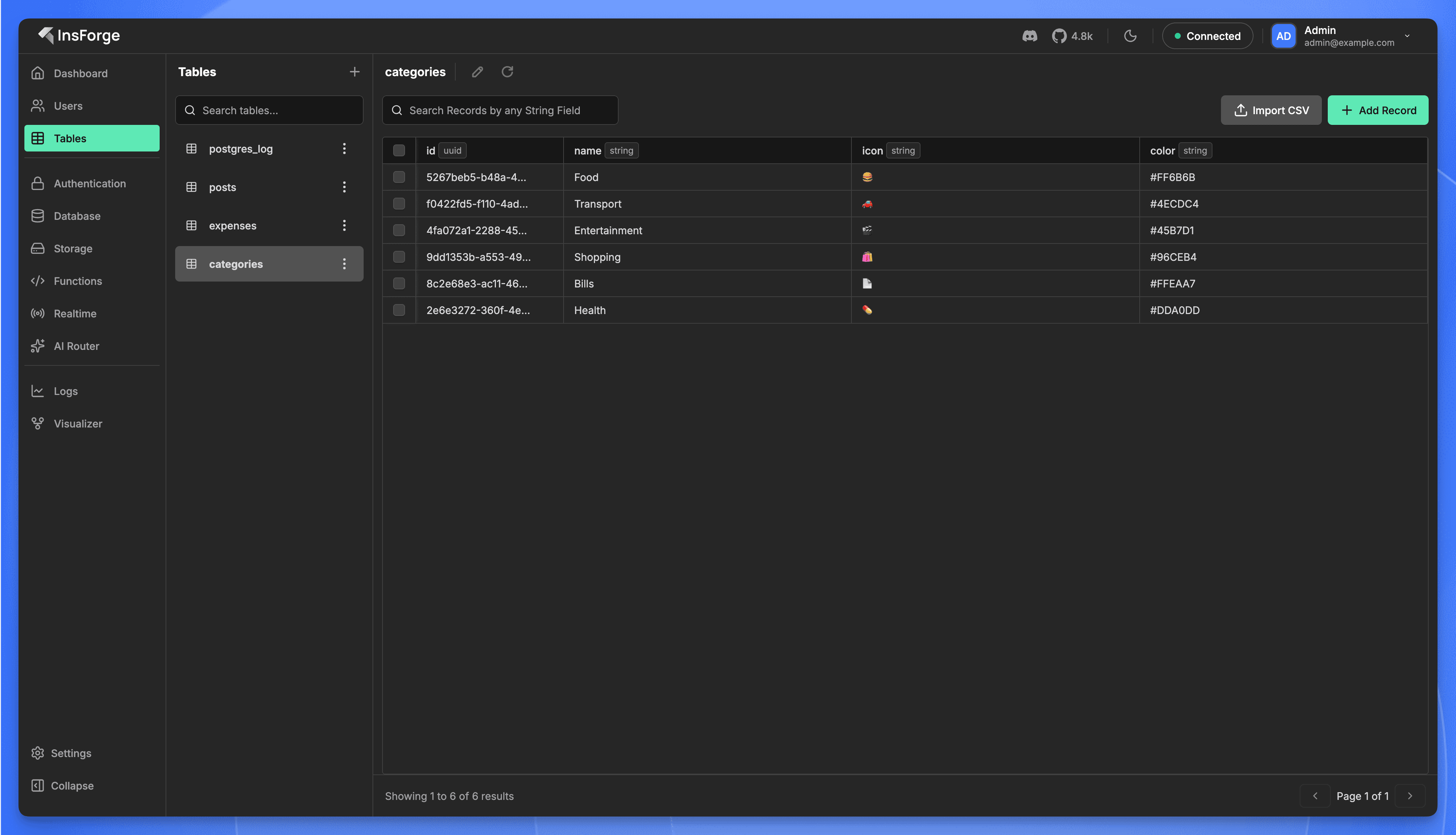 InsForge dashboard showing the categories table with 6 seeded records: Food, Transport, Entertainment, Shopping, Bills, Health
Auth is live. Email/password signup, JWT sessions, 7-day duration. One prompt.
Claude Code generates the full React app: components, routing, state management, API calls. Because it just created the database schema, it already knows the types and table structure. The API integration code is correct from the start.
Under the hood, the generated code uses the InsForge SDK. Here's what a typical query looks like:
You don't have to write this yourself. The agent generates it. But it's worth seeing what the integration actually looks like.
The agent creates the storage bucket through MCP, configures access policies, and generates the upload/display components. What would normally be an afternoon of S3 configuration takes one prompt.
Run npm run dev, open localhost:5173:
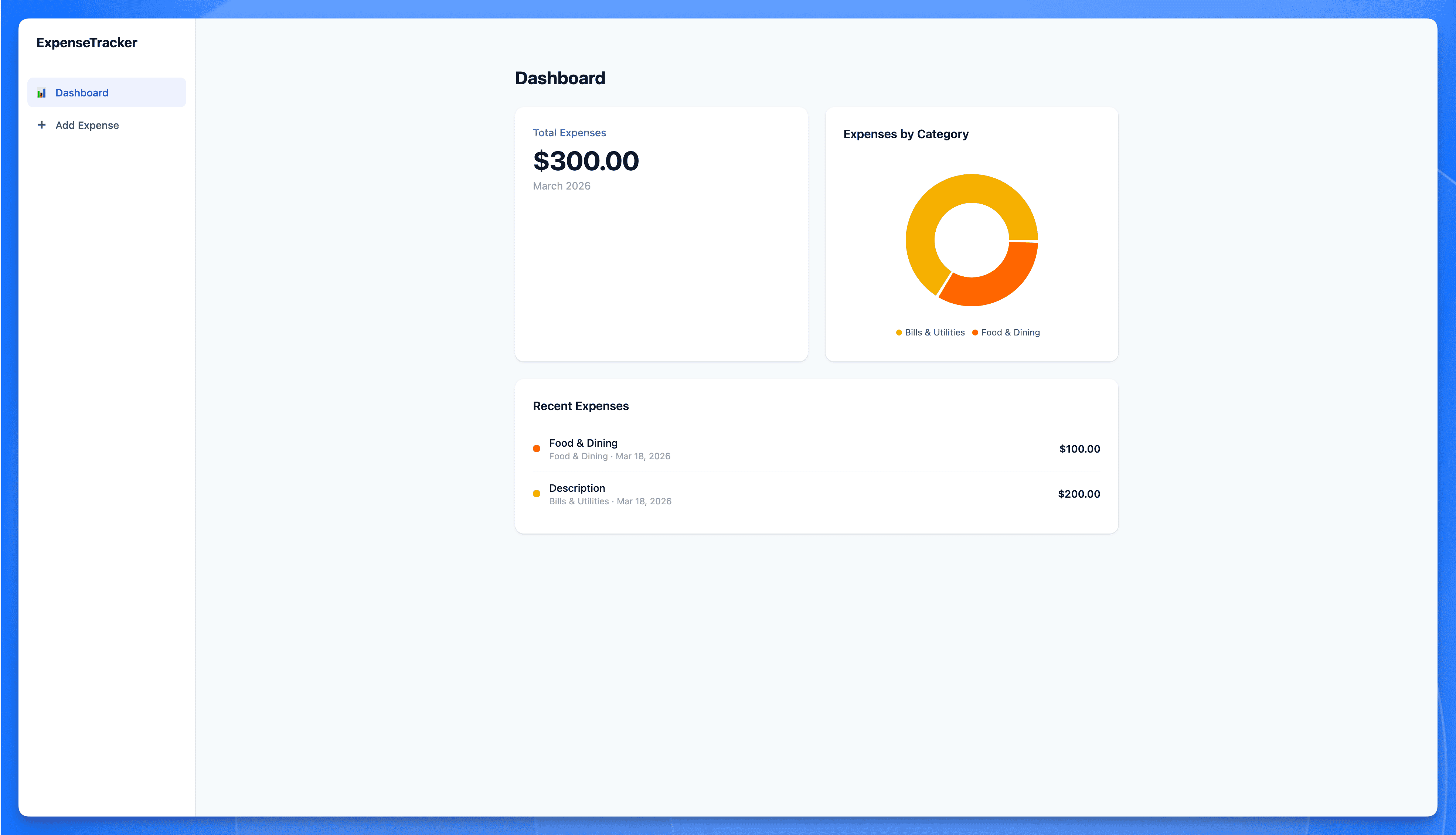 Expense Tracker app built with Claude Code and InsForge showing total expenses, category donut chart, and recent transactions
Sign up, add some expenses, upload a receipt. Everything persists. Auth works. Files are stored.
Five prompts, no backend code, and you've got a working app with auth, a database, and file storage.
If you've used Supabase, InsForge will feel familiar. Same primitives: Postgres, Auth, Storage, Edge Functions. The difference is how your agent works with the backend.
Supabase gives your agent APIs. Your agent can call them, but it doesn't have context about what's configured, what the schema looks like, or what state things are in. It's making calls without seeing the full picture.
InsForge gives your agent context. Through the MCP server, the agent can read documentation, inspect schemas, check service state, and configure things directly. It operates the backend rather than just calling it.
A few other things worth noting:
Honest caveat: it's newer than Supabase. Smaller community, fewer integrations. If you need a battle-tested ecosystem with thousands of tutorials, Supabase is still the safer pick. But if your workflow is "describe what I want, let the agent build it," this is specifically built for that.
You've got a running app. Some places to go from here:
Coming soon on this blog: a deep-dive comparison of InsForge and Supabase for AI-agent workflows, plus a series on building real projects (SaaS MVPs, internal tools, AI-powered apps) with this stack.
此内容由惯性聚合(RSS阅读器)自动聚合整理,仅供阅读参考。 原文来自 — 版权归原作者所有。