





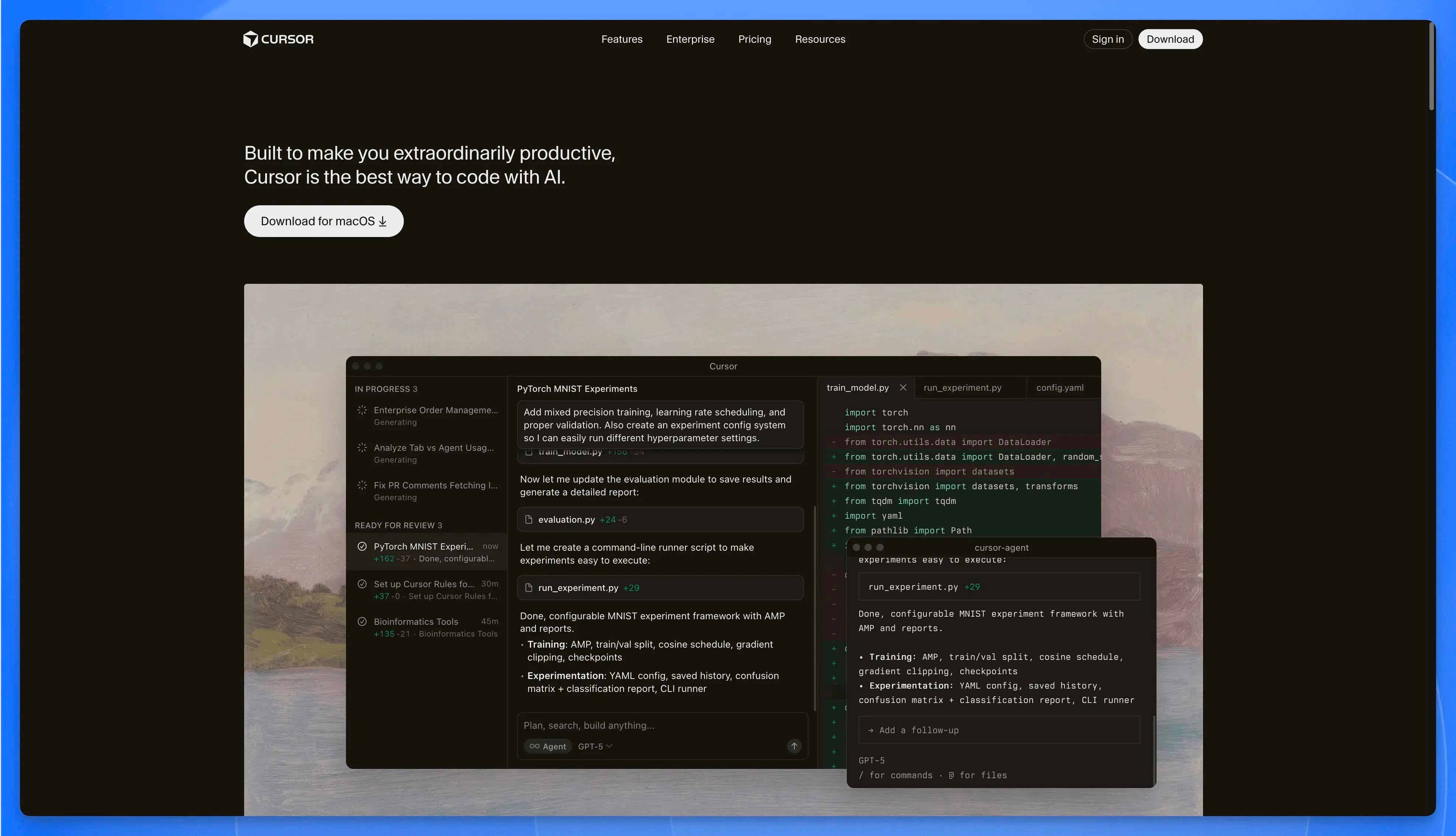
 Cursor
Looking for the current Cursor student offer? Based on Cursor's official student page checked on March 13, 2026, eligible university students can get one year of Cursor Pro at no charge. Before you rely on that offer, verify four things: who qualifies, what is included, how verification works, and when regular paid billing starts.
Last verified: March 13, 2026
| Item | Status | What to do |
|---|---|---|
| Eligible university students can apply for a one-year Cursor Pro offer | Confirmed on Cursor's official student page | Verify your current eligibility before subscribing |
| The offer renews at the regular price unless canceled | Confirmed in the official FAQ | Set a cancellation reminder before the renewal date |
| Existing paid users may receive an automatic refund for the remaining billing cycle | Confirmed in the official FAQ | Check your current subscription state before switching |
| Exact verification paths, accepted documents, and included quotas | Subject to change | Read the current student FAQ before submitting payment details |
If your only question is whether the offer exists right now, the short answer is yes as of March 13, 2026. If your real question is whether you should trust every screenshot or social post about the offer, the answer is no. Use the official student page as the source of truth.
| Question | Short answer |
|---|---|
| Who qualifies? | Cursor currently frames the offer around eligible students; verify your exact category on the official student page |
| What do you get? | One year of Cursor Pro access, with exact benefits defined by Cursor's current student FAQ |
| How do you apply? | Go to cursor.com/en-US/students, follow the verification flow, and review the current billing terms before you submit |
| When does billing start? | The official FAQ says the subscription renews at the regular price unless you cancel |
| If you want to... | Go here |
|---|---|
| Check whether you're eligible | How to Claim Your Free Cursor Student Plan |
| See what the student offer actually includes | Cursor Student Plan: What's Included |
| Decide whether Cursor is better than Copilot for school work | Cursor vs GitHub Copilot: Student Comparison |
| Use Cursor on heavier class or team projects | Going Remote: Cursor Meets Cloud Development |
If you only want the practical decision, read the next two sections first. The broader product context is below, but the real student questions are eligibility, included benefits, verification friction, and renewal risk.
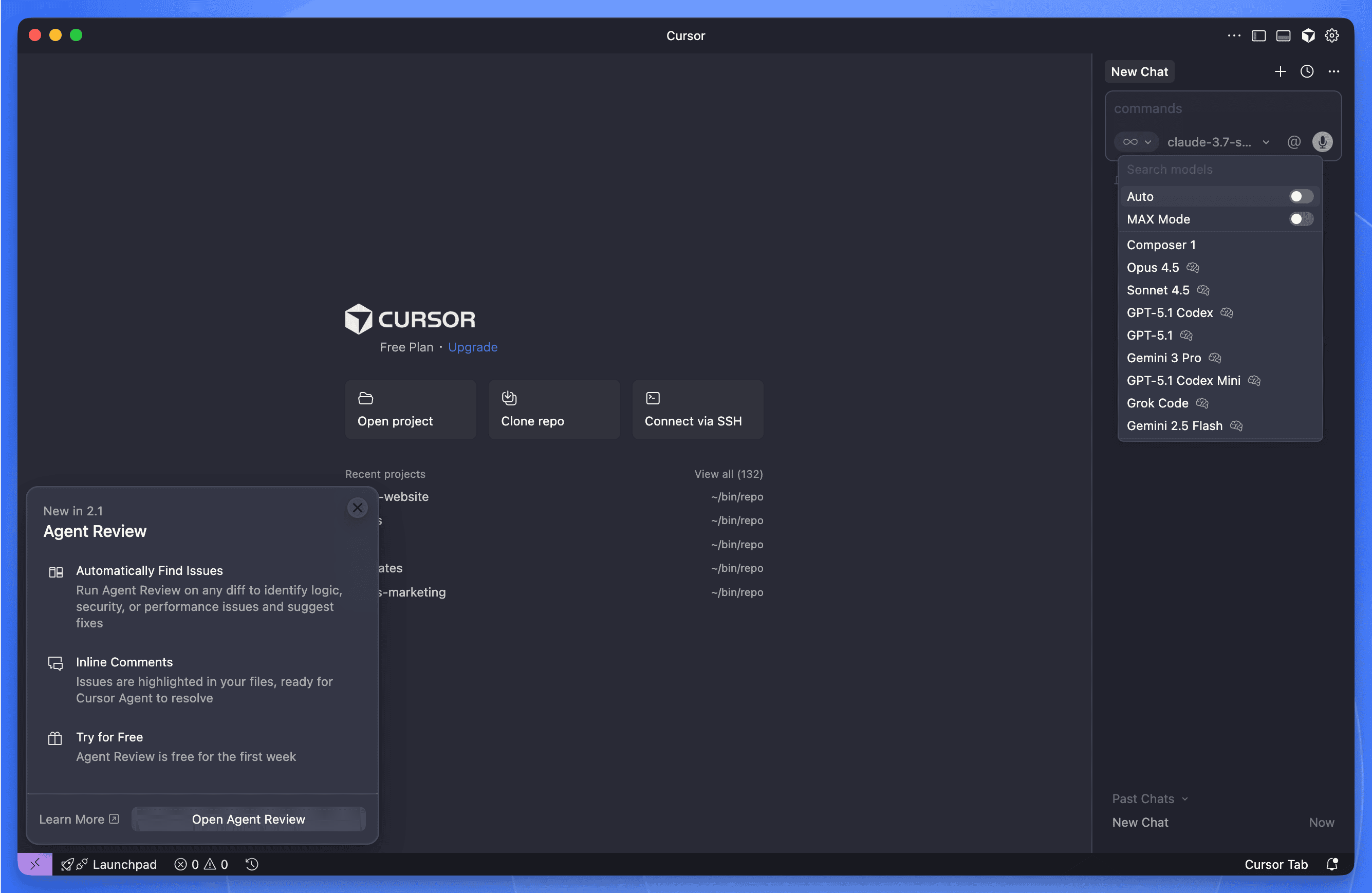 Cursor AI Code Editor
Cursor is a VS Code fork with AI built into its core. It connects to large language models and helps with editing, explaining, and navigating codebases in ways a traditional autocomplete plugin usually does not.
Tab AI (Next Action Prediction) Press Tab, and Cursor doesn't just finish a line—it predicts your next edit. Switch files, and it often knows which one you meant to open.
Shadow Workspace Cursor can test risky changes in a hidden copy of your project before touching the real files. It runs your tests, catches errors, and only surfaces suggestions that actually work.
Agent Mode Describe what you want in plain English. Cursor's agent will plan the changes, edit multiple files, create new ones if needed, and explain its reasoning as it goes. GitHub Copilot suggests code inline; Cursor orchestrates entire features.
rm -rf anything important.Cursor's student page is the best source for what is actually included right now. The important editorial point is this: treat the offer as a current program with terms, not as a timeless promise that every blog summary will capture correctly.
Here's the practical picture this article is using:
| Feature | Free Student Pro Plan (1 Year) | Basic Free Plan |
|---|---|---|
| Premium Model Access | ✅ | ❌ |
| Fast Premium Requests | 500 per month | None |
| Slow Premium Requests | Unlimited | None |
| AI Chat Interactions | Unlimited | Limited to 300/month |
| GPT-4 Powered Functions | ✅ | ❌ |
| o1-mini Model Uses | 10 per day | ❌ |
| Custom AI Commands | ✅ | ❌ |
| Fast Context Awareness | ✅ | Limited |
| Priority Support | ✅ | ❌ |
| Multi-Language Support | 20+ Languages | Limited |
One thing to know: included quotas and model access are exactly the kind of details that can change over time. If a specific request limit, model tier, or benefit matters to you, confirm it on Cursor's own student FAQ before making workflow decisions around it.
Skip the fine print. Here's the short version.
Who should verify carefully:
Step-by-Step Signup Process:
A few things worth knowing:
| Question | Why it matters |
|---|---|
| Am I clearly inside Cursor's current eligibility wording? | Avoid relying on outdated blog summaries |
| Do I understand what the student plan currently includes? | Prevent surprise limits or missing features |
| Do I know when regular billing starts? | Prevent accidental paid renewal |
| Do I need Cursor mainly for local classwork or for heavier remote projects too? | This affects whether you also need cloud infrastructure |
It's 2 AM. You're stuck on a binary search tree implementation, the assignment is due tomorrow, and office hours don't start until Thursday.
Sound familiar?
With Cursor, you just type:
And you get an answer. Not a Stack Overflow link buried under five outdated solutions—an actual explanation, right there in your editor, walking you through the logic.
This isn't about getting answers handed to you. It's about having someone to talk to when you're learning alone.
Here's a dirty secret about learning to code: most of the frustration isn't conceptual. It's syntactical. You understand what you need to do—read a file, filter some data, calculate an average—but you're stuck Googling whether Python uses readlines() or read().split().
Cursor flips that equation. Type what you want in plain English:
The AI handles the syntax. You focus on the thinking.
Programming courses should teach you to solve problems, not memorize API documentation. When the boilerplate disappears, what's left is the actual skill: breaking down a problem, structuring a solution, understanding why it works.
There's a gap that textbooks don't prepare you for. In class, you write 200-line programs. In internships, you inherit 200,000-line codebases. The jump is brutal.
Cursor makes it less so. Point at a component and ask:
Suddenly, a sprawling codebase becomes navigable. You stop staring at files wondering where to start. You start asking questions and getting answers.
Here's what actually slows students down: not the hard problems, but the tedious ones. Renaming a variable across 12 files. Wiring up boilerplate for the hundredth time. Debugging a test that fails for reasons unrelated to your actual code.
Cursor's Tab AI, Agent Mode, and Shadow Workspaces handle these. The IDE anticipates your next edit, proposes changes across multiple files, and validates them before anything breaks.
The result? You work faster—not because you're cutting corners, but because you're spending time on decisions that matter. Architecture. Logic. Design.
Senior engineers have always had this advantage: they've internalized the boilerplate, so they focus on the interesting parts. Cursor gives you that advantage on day one.
There's a term floating around the Cursor community: vibe coding. It sounds fluffy. It's not.
Vibe coding is what happens when friction disappears. You have an idea. You type it. It works. You iterate. Ideas flow into code without the usual interruptions—syntax errors, forgotten imports, mysterious type mismatches.
For students, this changes the emotional texture of programming:
This isn't laziness. It's removing the parts of coding that aren't teaching you anything. And when those are gone, the real learning begins.
Here's the real difference: Cursor isn't a plugin bolted onto an existing editor—it's a full IDE built with AI at its core. GitHub Copilot, by contrast, runs as an add-on inside VS Code or JetBrains. Why should you care? Because Cursor can do things a plugin simply can't: coordinate changes across multiple files, test risky edits in a hidden workspace before they touch your code, and keep track of your entire project without extra configuration.
The table below breaks it down:
| Feature | Cursor | GitHub Copilot | Traditional IDEs | Online Tutorials |
|---|---|---|---|---|
| Architecture | AI-native IDE (VS Code fork + built-in agents) | Plugin layered onto VS Code/JetBrains | Desktop-first, manual setup | N/A |
| Cost for Students | Free (1 year) | Discounted | Varies | Often Free |
| AI Integration | Deep (Tab AI, Shadow Workspace, Agent Mode) | Inline code completion + chat | Minimal/None | None |
| Learning Resources | Built-in | Separate | Separate | Primary Focus |
| Codebase Understanding | Advanced | Basic | Manual | N/A |
| Setup Complexity | Low | Medium | High | N/A |
Around 70,000 people hang out on r/Cursor, and a surprising number of them are students. On any given day, you'll find threads about prompt tricks, agent configurations, and the occasional rant about a confusing error message. It's messier than official documentation—and often more useful.
Beyond Reddit, there's an official forum, walk-throughs on LinkedIn Learning, and independent courses like Nat Eliason's "Build Your Own Apps with Cursor." None of these feel corporate-polished. They're made by people who use the tool and want to share what they've figured out.
What does this mean when you're stuck at 2 AM? You can post your problem and get a response—not from a support ticket queue, but from another student who hit the same wall last week. Bootcamps and hackathons have started recommending Cursor as their go-to AI IDE, so the person sitting next to you at a coding event probably knows their way around it too.
These aren't hidden in settings menus. They're the things you'll reach for daily once you know they exist.
@Codebase and @Web Tools
Search your entire project—or the internet—without switching windows.
Useful when you inherit someone else's code. Which, in group projects, is constantly.
Input Images and Documentation
Upload a screenshot or a PDF. Cursor can work with it.
Handy when your professor's lecture slides make more sense to a machine than to you.
Plain-English Code Editing
Describe what you want changed. Cursor rewrites it.
These aren't gimmicks. They're patterns students have figured out through actual use.
1. Code Explanation Mode
Paste confusing code from your textbook. Ask what it does.
Most textbooks assume too much. Cursor doesn't.
2. Concept Implementation Practice
Ask for multiple solutions to the same problem.
Seeing variations side by side is often more instructive than reading about "the right way."
3. Interactive Debugging
When something breaks, ask why.
The explanation often matters more than the fix.
4. The Sandbox Method
Try solving a problem yourself first. Then ask Cursor for its version. Compare.
This isn't cheating. It's how you learn to recognize better patterns.
5. Learning from AI Mistakes
Cursor isn't always right. Treat it like a study partner who sometimes gets things wrong. Finding its errors is a surprisingly effective way to test your own understanding.
Different classes, different uses:
Two perspectives from students who've used Cursor through full semesters:
"As a first-generation computer science student, I often felt behind my peers who had been coding since childhood. Cursor's AI assistant helped me catch up by explaining concepts in ways I could understand and showing me how to implement them correctly." — Jamie, Computer Science Junior
"My senior project seemed overwhelming until I started using Cursor. Being able to ask questions about the codebase and get intelligent refactoring suggestions made managing a large project possible for the first time." — Miguel, Software Engineering Senior
A pattern shows up in both stories: Cursor tends to help most when you feel behind, or when you're tackling something bigger than you've attempted before.
Your laptop has limits. This is where remote development starts making practical sense for students: run the heavy work elsewhere, keep Cursor locally, and stop treating your personal machine as the only place where your projects can live.
Cursor inherits VS Code's Remote SSH workflow, which means you can keep the editor on your machine while the code runs on a remote environment. For Docker-heavy assignments, full-stack team projects, and ML workloads, this is often the cleanest path.
| Student situation | Why a cloud workspace helps |
|---|---|
| Your laptop struggles with Docker, databases, or ML dependencies | Compute runs remotely instead of on your machine |
| Your group project keeps breaking on different local setups | Everyone can work against the same shared environment |
| You need to code from dorm, lab, or borrowed devices | Your workspace stays online and accessible anywhere |
Your Hardware Stops Being the Bottleneck Fine-tuning an LLM for a class project? Running integration tests on a large codebase? That work runs on cloud CPUs (or GPUs), not your overheating laptop.
"Works on My Machine" Becomes Irrelevant Group projects often die on configuration mismatches. A shared remote environment means everyone codes against the same setup. No more debugging someone else's local Python version at 2 AM.
Work From Anywhere, On Anything Library computer. Friend's laptop. A tablet with a keyboard. If it can run Cursor—or even a browser-based SSH client—you're in.
Share Your Exact Setup When Asking for Help Instead of describing your environment to a TA, give them access. They see exactly what you see.
Skip the Setup Nightmare Installing PostgreSQL, configuring Node versions—these tasks eat hours. Pre-configured cloud templates let you start coding in minutes.
Sealos DevBox is relevant when the question stops being "Can I get Cursor Pro?" and becomes "Where should the real work run?" If you are still only checking student eligibility, stay on Cursor's official page. If you already know the offer works for you and your projects are pushing beyond your laptop, this is the practical bridge:
Here's what using Cursor with Sealos actually looks like:
The result: you get Cursor's AI-powered editing without your laptop becoming a space heater. For students working on anything heavier than a simple script, this is a workflow upgrade, not a requirement for claiming the student plan.
You've got the Pro plan. Now what?
Run the interactive tutorial first. It's short, and it'll show you features you'd otherwise discover by accident three months later.
Connect your GitHub repos. Pull and push without leaving the editor—no more juggling terminal windows.
Install extensions for your stack. Python, Java, web frameworks—whatever your courses throw at you. Cursor inherits VS Code's entire extension library.
Set up a few custom AI commands. If you keep asking Cursor to "explain this error" or "add type hints," save it as a shortcut. Small automation, big time savings.
Understand the fast vs. slow request system. Cursor uses a limited pool of prioritized requests before falling back to a slower queue. Use the faster capacity for time-sensitive work, and verify the current quota in Cursor's own pricing or student FAQ instead of assuming an older limit still applies.
Here's the thing: Cursor can write code faster than you can. That's the point. But if you copy-paste whatever it generates without reading it, you'll pass the assignment and learn nothing.
A few guardrails that actually help:
Read the code before you run it. Line by line. If you can't explain what a line does, you're not ready to submit.
Ask "why," not just "how." Don't stop at working code. Ask Cursor to explain why it chose that approach over alternatives.
Try first, then compare. Write your own solution—even a broken one. Then ask Cursor for its version. The gap between the two is where real learning happens.
Treat AI output like a peer's code review. Often right, sometimes wrong, occasionally brilliant. Your job is to know which is which.
The shift is already underway. Programming courses are spending less time on syntax drills and more time on design thinking, debugging strategies, and understanding why code works—not just how to type it. AI handles the repetitive parts; students get to focus on the interesting ones.
Free access matters here. A student at a well-funded university and a self-taught learner in a small-town library should have the same shot at these tools. Cursor's student plan is one step in that direction.
As of March 13, 2026, Cursor's official student page says eligible university students can get one year of Cursor Pro at no charge. Treat the official page as the source of truth, because eligibility wording and included benefits can change.
Cursor's official FAQ says the subscription renews at the regular price unless you cancel. The safe move is to set a reminder well before the end of the year and confirm the renewal date in your account settings.
Possibly, but do not assume every alternative document path is always available. Follow the current verification flow on Cursor's site and submit the proof they explicitly ask for.
Cursor supports 20+ programming languages including Python, JavaScript, TypeScript, Java, C++, Go, Rust, and more. The AI features work across all supported languages, though performance may vary slightly depending on the language's representation in the training data.
Yes. The student Pro plan includes the same features and permissions as the regular Pro plan. You can use it for freelance work, startup projects, or any other commercial purposes during your free year.
Fast requests are processed immediately with priority server access—you get 500 of these per month. Once depleted, your requests join the slow queue, which processes during off-peak times or after paying users. Slow requests still work fine for everyday coding; you'll just notice a brief delay during busy hours.
Do not assume that older summaries still reflect the current eligibility language. Cursor's official page is the only reliable source for whether high school, bootcamp, or other non-university categories are included right now.
Cursor's official FAQ says existing paid users may receive an automatic refund for the remaining billing cycle and have the discount applied automatically. Check the latest billing language in your account before you switch.
Cursor requires an internet connection for its AI features (Tab AI, Agent Mode, chat). However, basic code editing functions work offline—you just won't have access to AI assistance until you reconnect.
Both offer student discounts, but they work differently. GitHub Copilot is a plugin that adds AI suggestions to existing editors like VS Code. Cursor is a complete IDE with AI built into its core—enabling features like Shadow Workspace (testing changes before applying them) and multi-file Agent Mode that plugins can't replicate. For a detailed comparison, see the Cursor vs GitHub Copilot section above.
The practical takeaway is simple. Cursor does have a live student offer as of March 13, 2026, but this page is most useful when it helps you verify the offer correctly and avoid billing surprises. Treat the official student page as the authority for eligibility and current benefits, then decide whether Cursor alone is enough or whether your projects also need remote infrastructure.
Note: Features, eligibility rules, and renewal terms described in this article were last checked on March 13, 2026 and may change. Use Cursor's official student page and your account billing settings as the final source of truth.
此内容由惯性聚合(RSS阅读器)自动聚合整理,仅供阅读参考。 原文来自 — 版权归原作者所有。