











Search functionality has become an indispensable part of almost every application today. Whether it's an e-commerce platform, a content management system (CMS), or an internal corporate knowledge base, users expect to find the information they need quickly and accurately. However, traditional search solutions often face numerous challenges: slow response times, poor relevance, difficulty scaling with large datasets, and lack of flexibility. These issues not only negatively impact the user experience but can also lead to user churn and ultimately hinder business growth.
To tackle these problems, let's introduce you to a powerful and flexible open-source search engine: Meilisearch. Built with Rust, Meilisearch stands out for its simple deployment process, blazing-fast query responses, and rich feature set. You can run the Meilisearch server and start querying with just a single command-line binary, significantly lowering the barrier to entry for using a search engine. It supports advanced features like typo tolerance and schemaless indexing, and even provides a web frontend interface for demonstration purposes.
In this tutorial, we'll dive deep into Meilisearch's core advantages and practical applications. We will cover:
Before we begin, please ensure you have the following:
Meilisearch is a powerful, open-source search engine written in Rust. It delivers lightning-fast full-text search capabilities and is designed to be easy to use and integrate. Meilisearch's philosophy revolves around these core principles:
Since its initial release in 2018, Meilisearch has quickly gained traction in the open-source community thanks to its ease of use and exceptional performance. It currently boasts over 40,000 stars on GitHub.
 Star history chart for the Meilisearch open-source project on GitHub
Meilisearch offers a wide array of search functionalities suitable for everything from personal projects to large-scale enterprise applications. Here are its core features:
To better illustrate Meilisearch's advantages, let's compare it with other popular search solutions on the market:
| Feature | Meilisearch | Elasticsearch | Algolia |
|---|---|---|---|
| Response Speed | <50ms | Varies (often >100ms) | <100ms |
| Ease of Use | High | Medium | High |
| Typo Tolerance | Built-in | Requires Configuration | Built-in |
| Language Support | Excellent | Good | Excellent |
| Geosearch | Supported | Supported | Supported |
| Open Source | Yes (MIT) | Yes (Core, some features paid) | No (SaaS) |
| Pricing | Free (Self-hosted) | Free (Self-hosted), Paid Cloud | Paid SaaS |
While Elasticsearch might offer broader functionality and a larger ecosystem, and Algolia excels in its cloud offering and out-of-the-box experience, Meilisearch uniquely shines in speed, ease of use, and open-source friendliness. It strikes a perfect balance, especially for small to medium-sized projects and teams wanting full control over their search infrastructure.
Meilisearch is relatively simple to install and use, offering various installation methods to suit different environments and needs.
Even if you don't have a technical background, you don't need to worry about installation. The Sealos App Store provides a one-click deployment template – just click your mouse, and you're done. It's incredibly smooth.
If you want to quickly deploy Meilisearch without getting bogged down in tedious installation and configuration, give Sealos a try.
Open the Meilisearch application template directly:

Then, click "Deploy on Sealos" in the top right corner.
If this is your first time using Sealos, you'll need to register and log in to your Sealos public cloud account. After logging in, you'll be immediately redirected to the template deployment page.
There are two crucial environment variables to pay special attention to here. Configuring these correctly ensures the security and performance of your Meilisearch instance.
MEILI_ENV: Sets the instance environment. It can only be production or development.
production mode: Disables the search preview interface for security.development mode: Enables the search preview interface.MEILI_MASTER_KEY: Sets the master key for Meilisearch, which automatically protects all routes except GET /health. Other endpoints, including the search preview interface, can only be accessed using an API key derived from this master key.
production mode:
development mode:
Regardless of the mode, if you don't provide a master key or if the provided key is less than 16 bytes, Meilisearch will suggest using an automatically generated one.
In summary: A master key is required for production mode; it's optional for development mode.
Generating a key is very simple. Just execute the following command in a Linux or macOS terminal to generate a random key:
After filling in the parameters, click "Deploy App" in the top right corner to start the deployment.
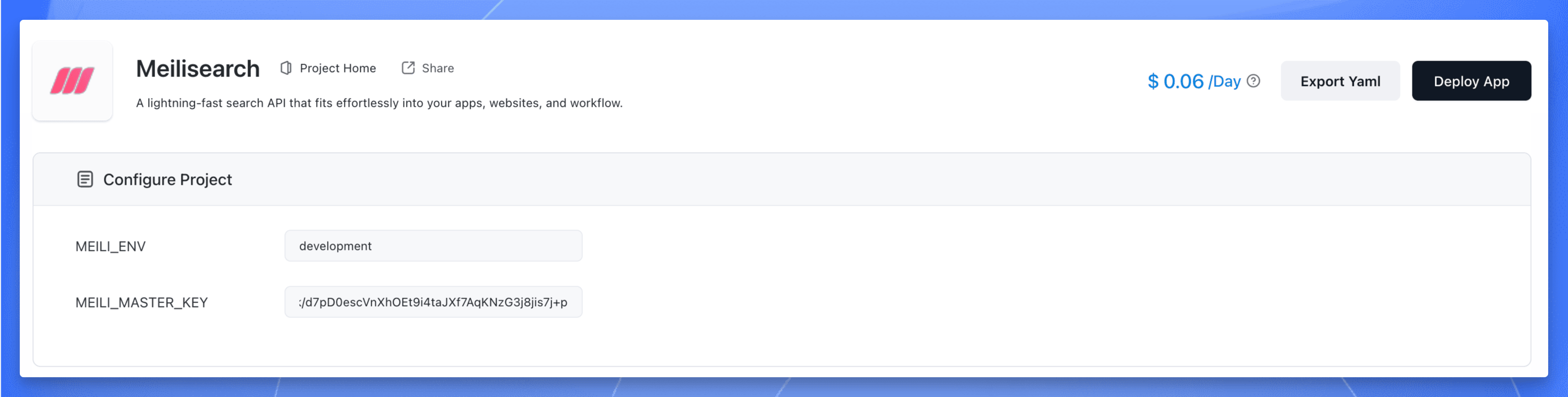 Deploying Meilisearch application on Sealos
Once deployment is complete, click the application's "Details" to go to its details page.
 Meilisearch application details page on Sealos
Wait for the application status to become running, then click the "Public Address" to open the Meilisearch search preview dashboard.
When you open it, it looks like this. Enter the master key you set to gain access.
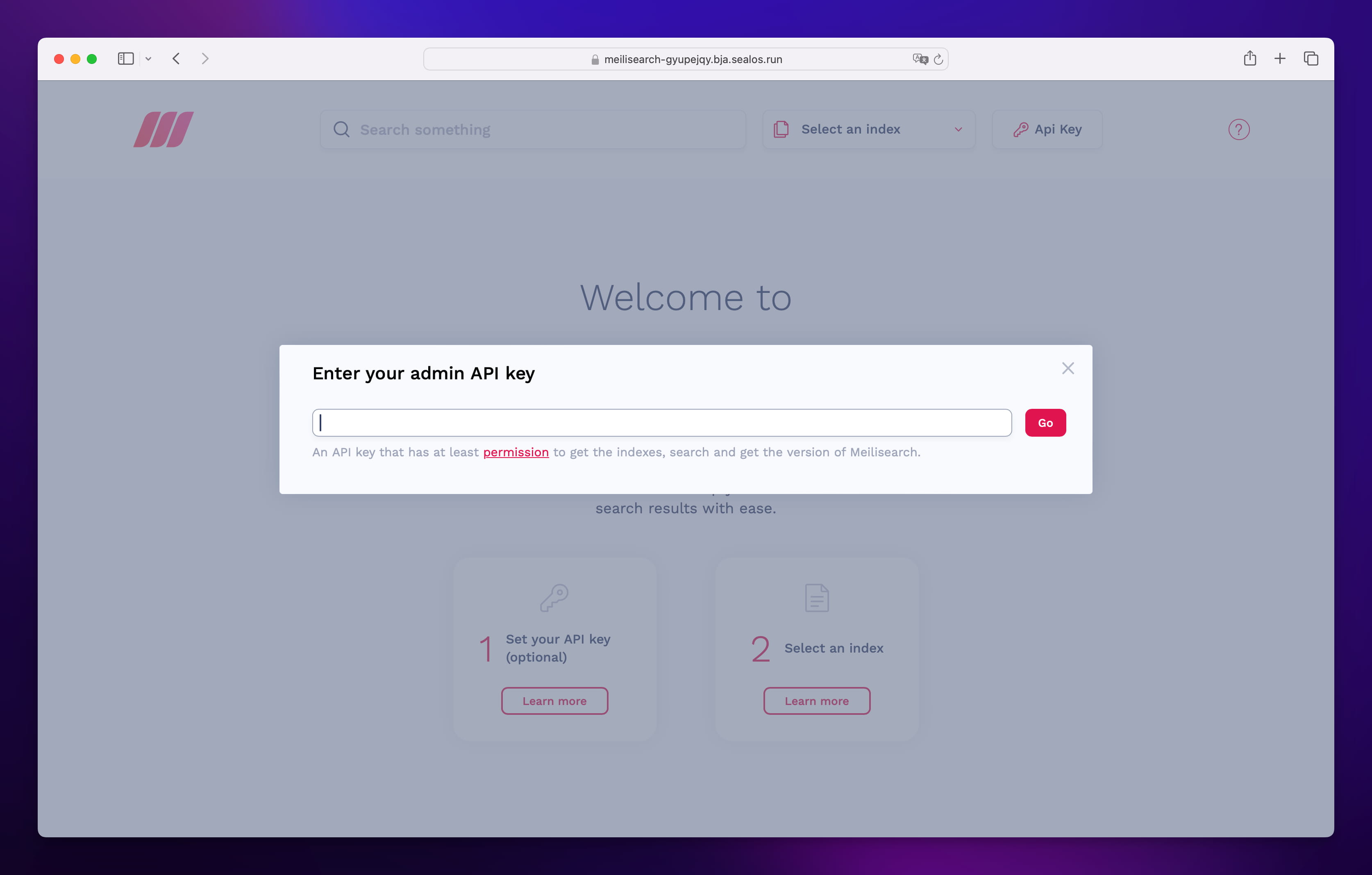 Meilisearch login screen prompting for the master key
Meilisearch provides an intuitive RESTful API, making integration with various programming languages and frameworks straightforward. Here are some basic operation examples using curl:
An index is where your documents (data records) are stored.
(Replace YOUR_MASTER_KEY with your actual key, or an appropriate API key)
Add some data to your newly created index.
Perform a search query on your indexed data.
(This will likely return the "Wonder Woman" document)
To showcase Meilisearch's power in a real-world application, we'll use the Flarum forum software as an example, demonstrating how to integrate Meilisearch to enhance its search capabilities.
For instructions on installing and using Flarum, refer to our previous article: Flarum Installation and Usage Tutorial
In the Flarum application details interface on Sealos, click the terminal button in the bottom right corner:
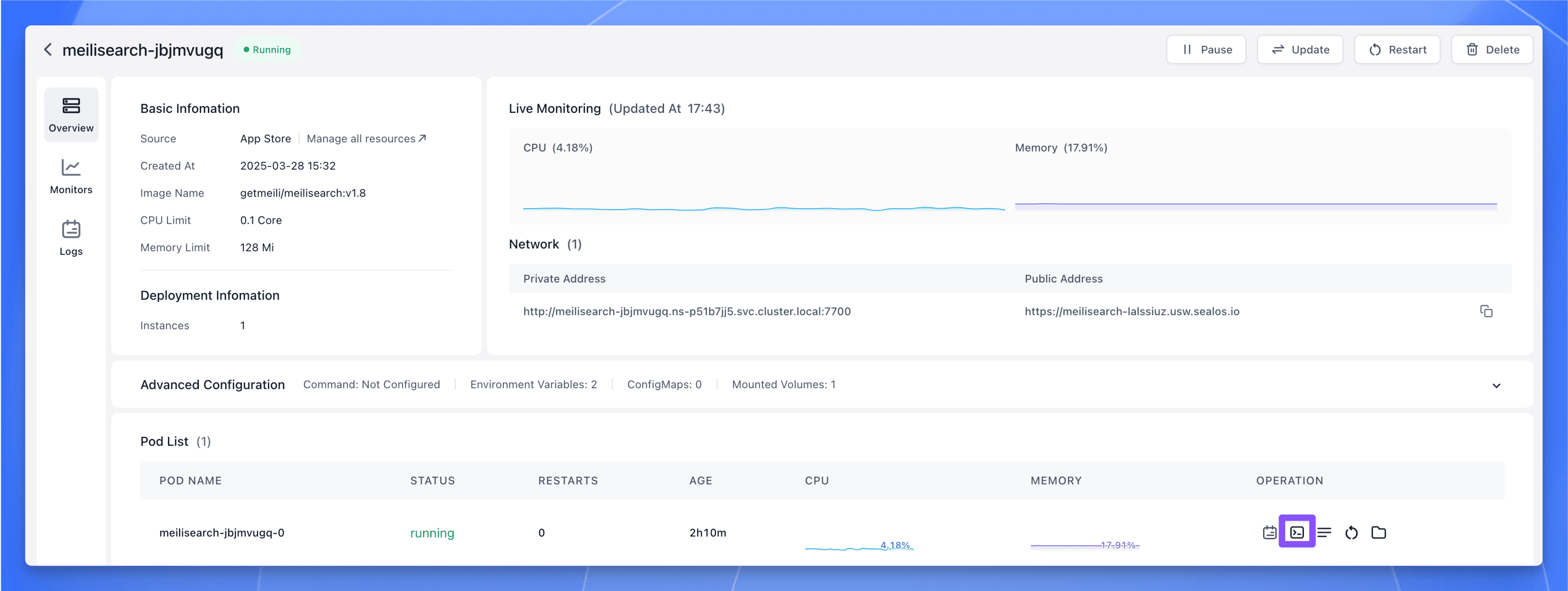 Opening the terminal for the Flarum application within the Sealos
In the opened terminal, execute the following command to install the Meilisearch PHP SDK (assuming Flarum uses Composer and extensions are managed this way):
Similarly, in the Flarum container terminal, execute the following command to install the Scout Search extension (which bridges Laravel Scout functionality, often used for search integration, into Flarum):
In the Flarum administration panel, enable the Scout extension. Then, configure it to use "Meilisearch" as the search engine. You can optionally specify an index name (e.g., flarum_posts); if left blank, it might use a default.
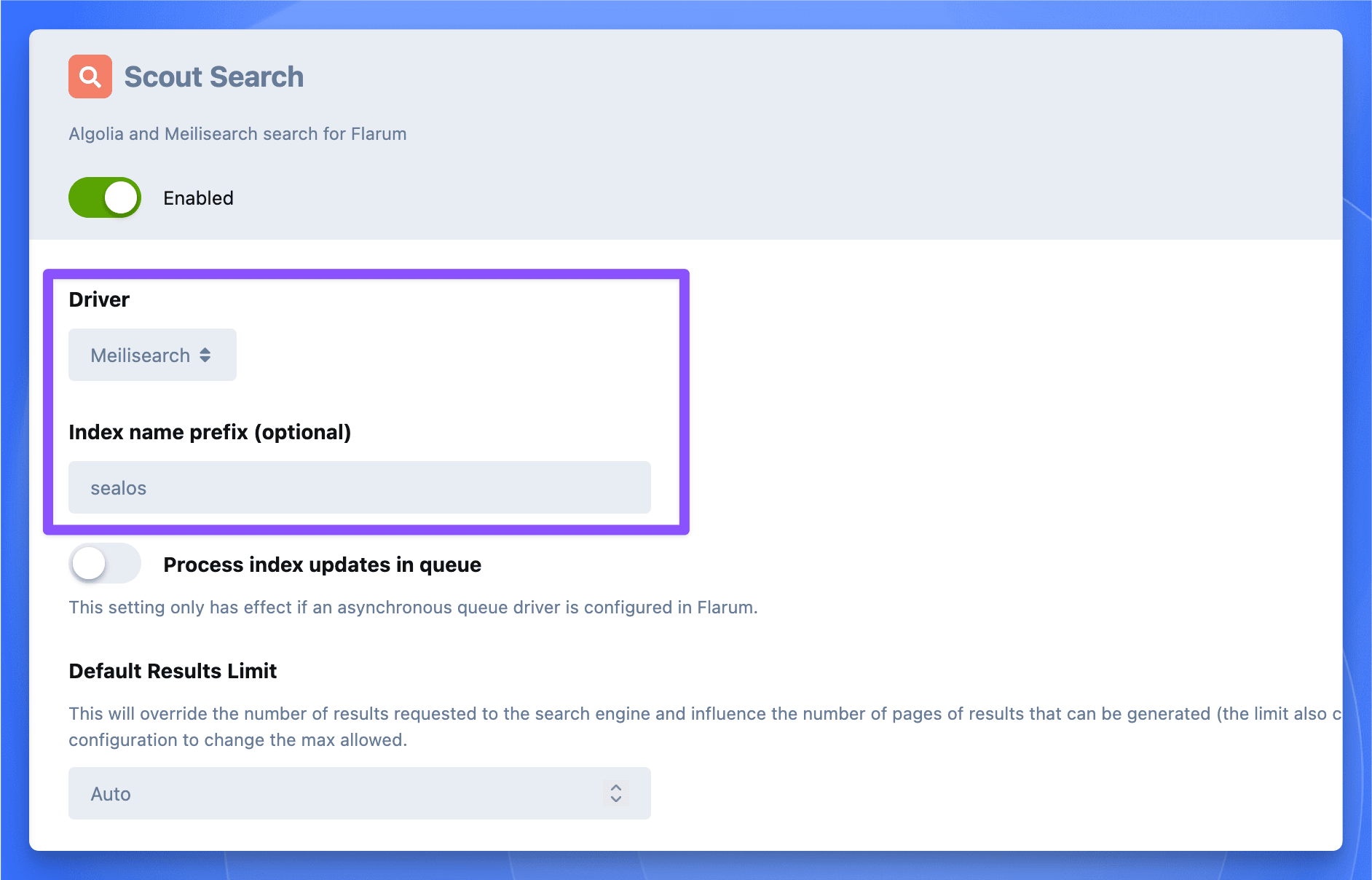 Flarum admin panel showing the extensions list, highlighting the Scout extension
Next, you need to configure the Meilisearch URL (Host) and API Key.
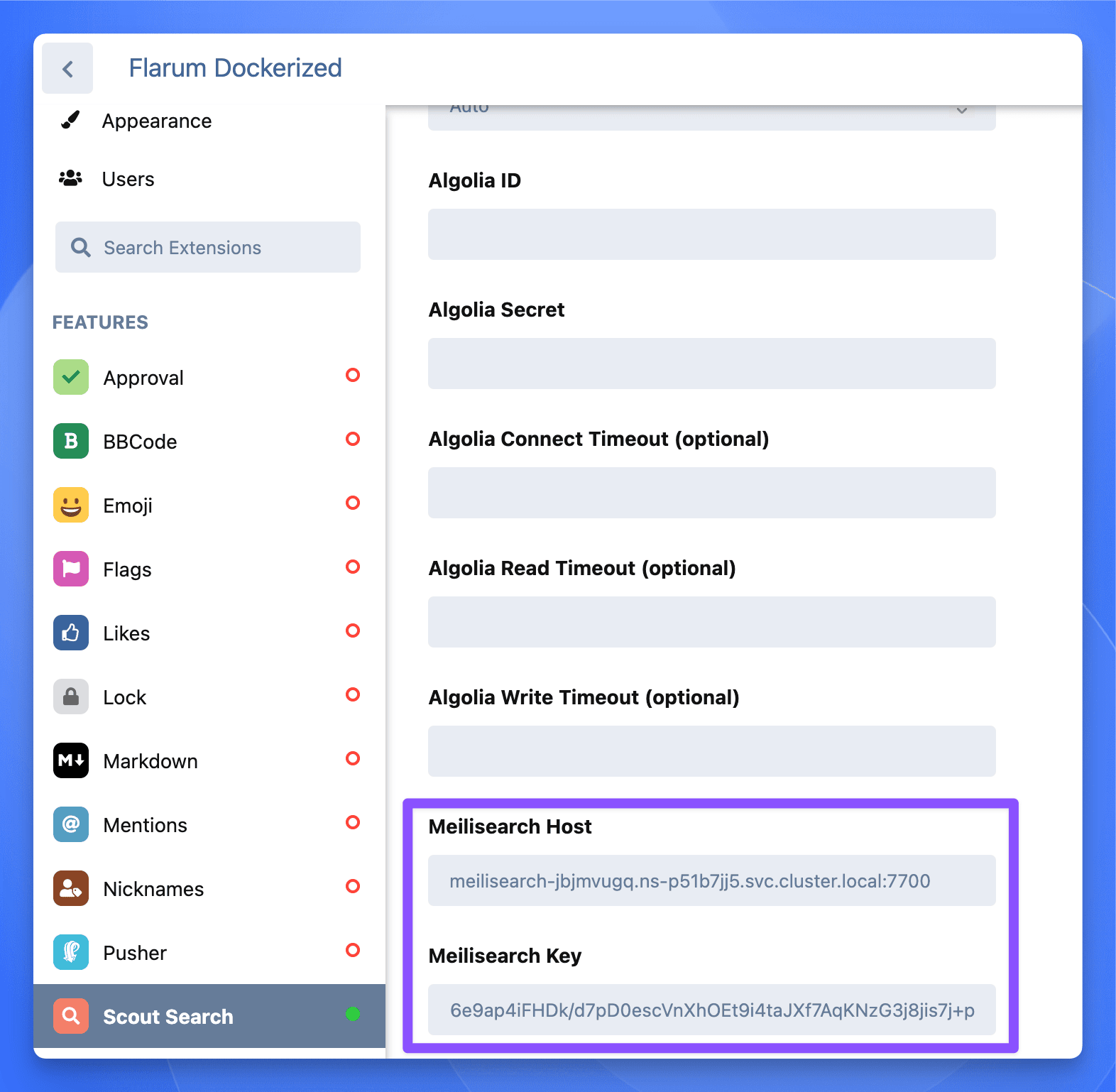 Scout extension settings within Flarum admin, showing fields for Meilisearch Host and Key
If your Meilisearch and Flarum instances are deployed in the same Sealos availability zone (or namespace), you can use Meilisearch's internal network address. Go to the Meilisearch application details page on Sealos, click the "Private Address" to copy it, and paste this value into the "Meilisearch Host" field in the Scout plugin settings. Use the MEILI_MASTER_KEY you set during deployment for the API Key field.
Meilisearch deployed via the default Sealos template might only have 128MB of memory allocated. This is often insufficient when integrating with an application like Flarum. It's recommended to increase this to at least 1GB. Here's how:
Go to the Meilisearch application details page on Sealos and click "Update" in the top right corner:
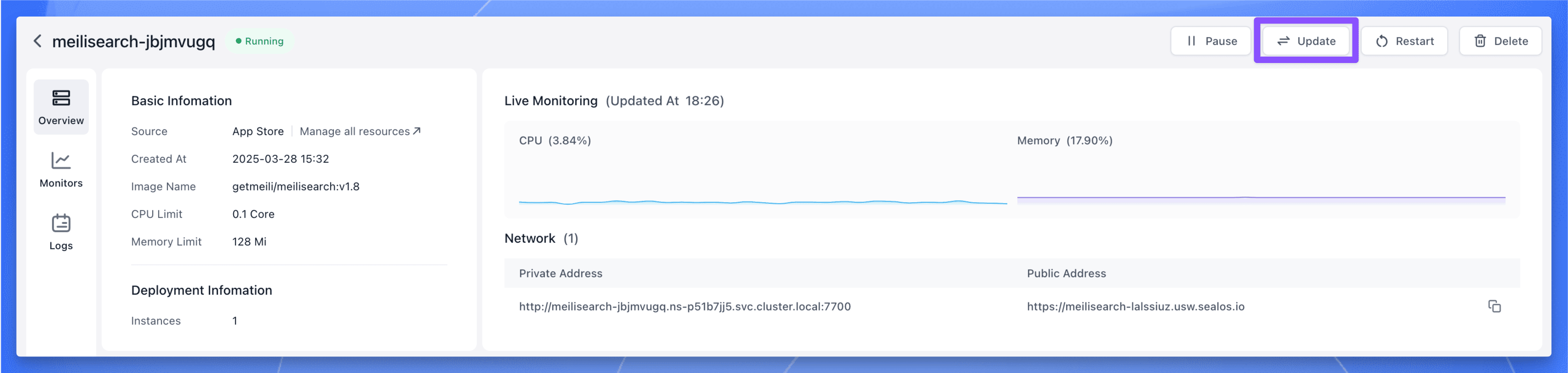 Meilisearch application details page on Sealos
Adjust the memory allocation to 1G (1 Gigabyte), then click "Update" to apply the changes.
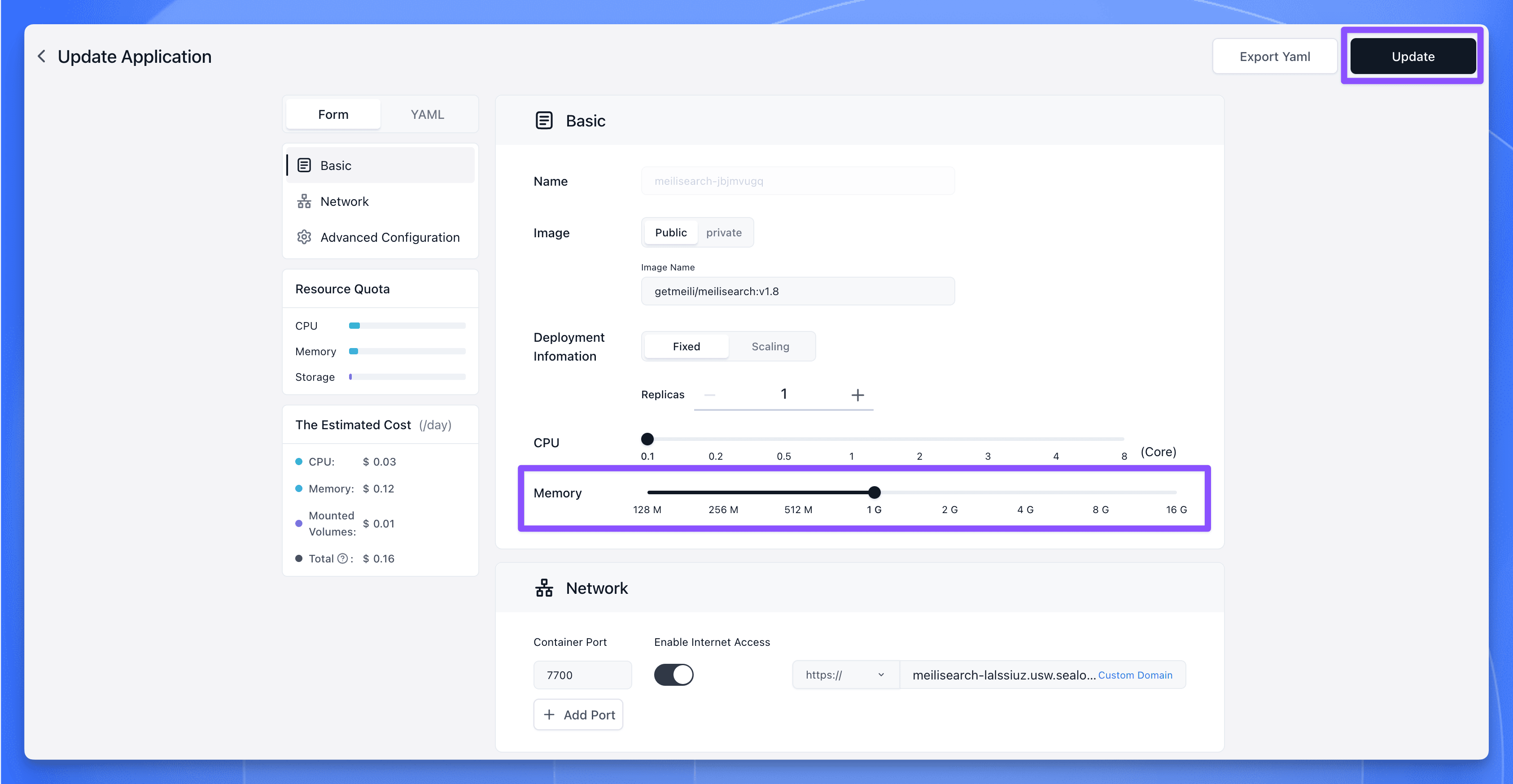 Sealos Dashboard for changing resource allocations, setting Meilisearch memory to 1G
Use the following command within the Flarum terminal to import your existing forum data (posts, discussions, users, etc.) into the Meilisearch index managed by Scout:
A successful import will look something like this in the terminal output:
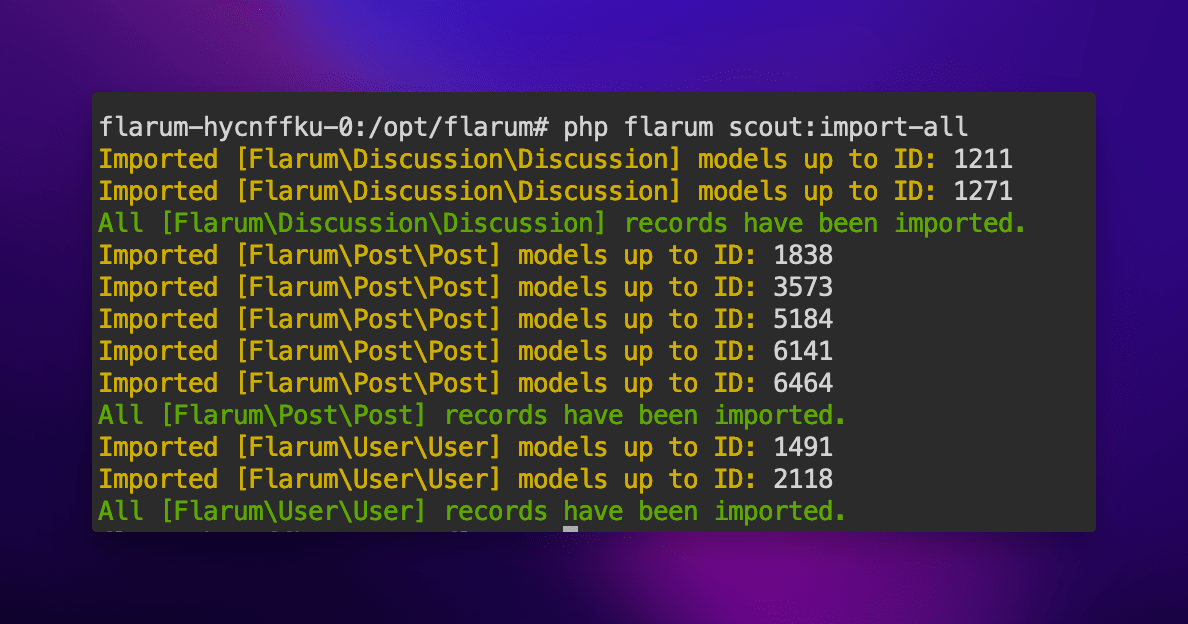 Terminal output showing the successful completion of the 'php flarum scout:import-all' command
Finally, let's test the search functionality (the screenshot shows a Chinese search, demonstrating multi-language capability):
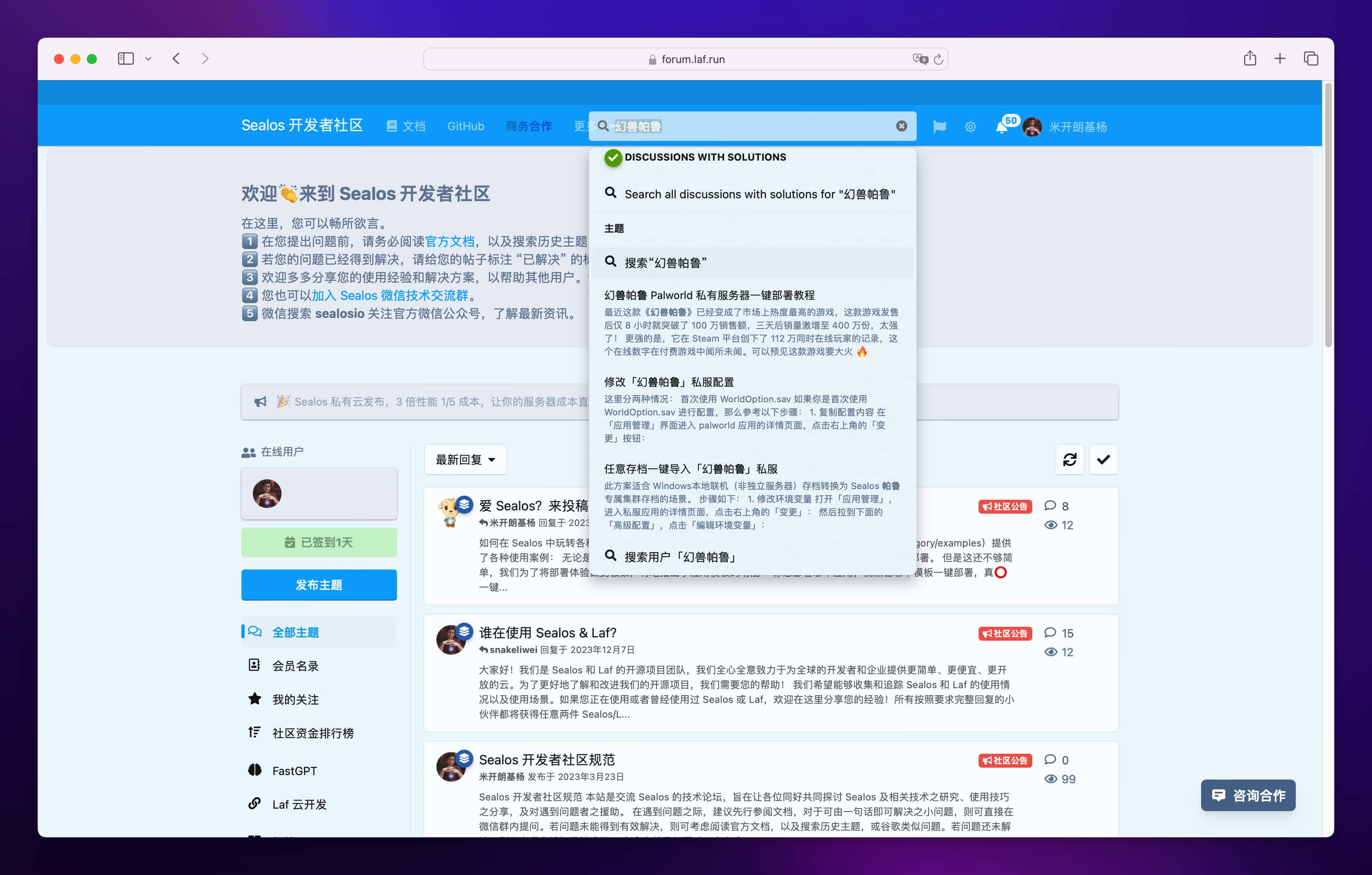 Flarum forum dashboard showing search results powered by Meilisearch
Meilisearch provides developers with a powerful yet flexible search solution, particularly well-suited for applications needing fast, relevant, and easy-to-implement search functionality. Through this tutorial, we've explored Meilisearch's core features, its installation and configuration process (including a convenient one-click Sealos deployment), and how to integrate it into a real-world application like Flarum.
We encourage you to further explore Meilisearch's advanced features, such as custom ranking rules, synonym configurations, and filtering options, to fully leverage its potential. Keep an eye on the official Meilisearch documentation and community updates for the latest features and best practices. Happy searching!
此内容由惯性聚合(RSS阅读器)自动聚合整理,仅供阅读参考。 原文来自 — 版权归原作者所有。