









HTTP headers are a list of key-value pairs which are sent along with HTTP requests and responses.
Let us take an example with below request(left) and response(right):
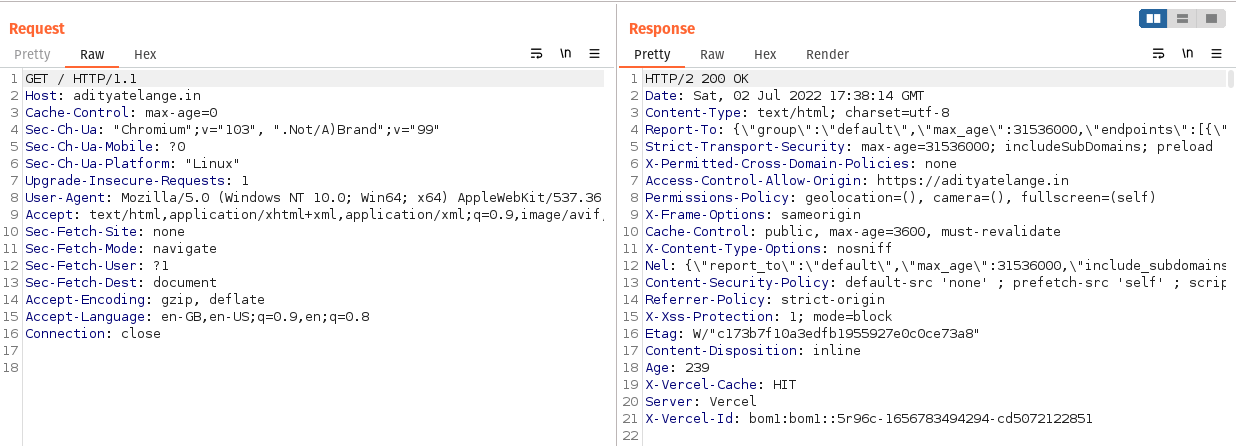
In the above snapshot, we can see that we have an HTTP request being sent to Host.
Along with that request/response, we see Key:Value pairs, these are HTTP Headers.
These look similar to YAML format.
HTTP headers let the client and the server pass additional information with an HTTP request or response. 1
Security Headers are HTTP headers that can be used to enhance the security of an application.
Having these can stop common attacks such as code injection, cross-site scripting attacks, and clickjacking.
Below is a list of commonly used HTTP Security Headers:
X-Frame-OptionsAccess-Control-Allow-OriginStrict-Transport-SecurityContent-Type and X-Content-Type-OptionsReferer and Referrer-PolicySet-CookieCache-ControlContent-Security-PolicyX-Frame-Options is a response header.<iframe>, <embed>, <frame> & <object>.CSP frame-ancestors is used more recently.CSP frame-ancestors is present X-Frame-Options will be ignored.Example:
| Attribute | Usage |
|---|---|
DENY | Page should not be displayed in a frame. |
SAMEORIGIN | Page can be displayed only if the origin is the same as the page itself. For example, siteA.com can have siteA.com’s frames embedded but siteB.com cannot display a frame of siteA.com within itself. |
ALLOW-FROM _uri_ |
Access-Control-Allow-Origin is a response headersiteX.com tries to fetch content from siteY.com, the browser sends an Origin header which contains the site which is requesting the resource, in this case, siteX.com. This is a normal Cross-Origin request.siteX.com cannot access siteY.com’s resources unless siteY.com opens it by using the Access-Control-Allow-Origin header.siteY.com permits siteX.com to access it should include a reponse header:Access-Control-Allow-Origin: https://siteX.com
siteX.com access resources from siteY.com| Value | Usage | Example |
|---|---|---|
* | Allows accessing the resouce from any origin | Access-Control-Allow-Origin: * |
<origin> | Allows accessing the resouce from specified origin. | Access-Control-Allow-Origin: https://adityatelange.in |
null | Allows accessing the resources from any origin | Access-Control-Allow-Origin: null |
Note: When specifying an origin, only one origin can be set in the value. For example:
Access-Control-Allow-Origin: https://adityatelange.in https://www.adityatelange.in
Access-Control-Allow-Origin: *.adityatelange.in
are invalid values!
Access-Control-Allow-Origin has to be set to * for requests not containing any Origin header.origin header, the origin header should be checked against an allow-list of origins stored which can access the resource and then added back to the response as a value to Access-Control-Allow-Origin. Along with this, a Vary response header has to be sent with a value as OriginAccess-Control-Allow-Origin: https://adityatelange.in
Vary: Origin
HSTS: HTTP Strict Transport Security.max-age is set to 63072000 or 2 years.Strict-Transport-Security: max-age=<expire-time-in-seconds>; includeSubDomains, preload
X-Content-Type-Options is a response header.Content-Type header should only be used and not changed by using MIME type sniffing 4 (guessing MIME type by parsing the bytes of the resource, sometimes called magic-bytes)Content-Type header will have the value set as image/png, thus even after uploading a non-PNG file (suppose PHP) will only be processed as image/png by the browser.X-Content-Type-Options: nosniff
Referer is a request header. Referrer-Policy is a response header.Referer header indicates the origin/URL from which the request was made.Referrer-Policy indicates what part or URL should be made available in the Referer header.Referrer-Policy to same-origin, it means that the Referer field will only be included in requests made to the same origin as the current page.Referrer-Policy will be set by the web-app developer while the Referer header will be set by the browser following the policy stated in Referrer-Policy.Basic Syntax:
Referrer-Policy: {policy-directive};
Policy Directives for Referrer-Policy:
| Attribute | Value | Description |
|---|---|---|
no-referrer | - | This instructs the browser to not set Referer header on any request. |
no-referrer-when-downgrade | - | This instructs the browser to set the Referer header on all requests unless the request is made from a secure HTTPS page to an insecure HTTP page. |
same-origin | - | This instructs the browser to set the Referer header on requests made to the same origin as the current page. |
origin | - | This instructs the browser to replace the Referer header with the origin of the current page, and should only be included in requests made to the same origin as the current page. |
strict-origin | - | This instructs the browser to replace the Referer header with the origin of the current page, and should only be included in requests made to the same origin as the current page unless the request is made from a secure HTTPS page to an insecure HTTP page. |
Referer vs Origin:
Refereris similar to theOriginheader we saw in earlier parts of this blog, but it also includes a path along with the origin.Refereris typically used to identify the webpage that is linked to the resource being requested whileOriginis used to identify the source of the request itself.- That means
Referertells you which page the user was on before they made the request, while theOrigintells you which website or application made the request.
Set-Cookie is a response header.Cookie header.Basic Syntax:
Set-Cookie: {cookie-name}={cookie-value}
Attributes:
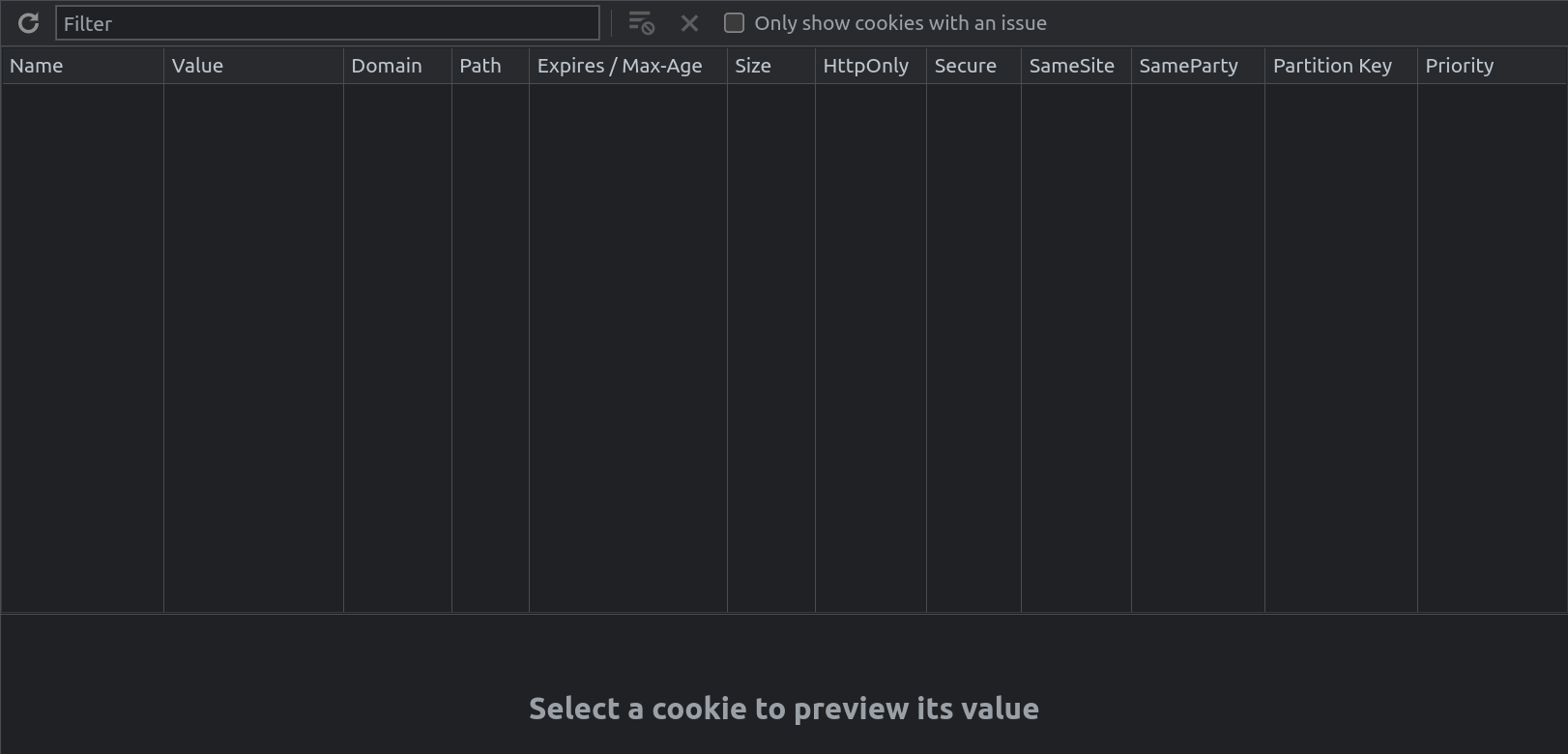
Of these Secure, SameSite, Domain, Path, and HttpOnly are considered important when it comes to securing an application.
Set-Cookie: {cookie-name}={cookie-value}; Domain={domain-value}; Path={path-value}; Secure; HttpOnly; SameSite={samesite-value}
Note: Remember setting multiple cookies separately (not comma
,separated) for example:Set-Cookie: c_one=val_one; Domain=abc.xyz; Secure; HttpOnly; SameSite=Strict Set-Cookie: c_two=val_two; Domain=abc.xyz; Secure; HttpOnly; SameSite=Lax
Let’s look into what each of the attributes does.
| Attribute | Value | Description |
|---|---|---|
Secure | - | This instructs the browser to send the cookie over a secure channel only, that is over an HTTPS connection. |
SameSite | Strict | When operating in Strict mode the browser will not send the cookie on any cross-origin request & will only be sent in a first-party context. |
| 〃 | Lax | When operating in Lax mode the browser will not send the cookie on normal cross-site subrequests but will send the cookie when a user is navigating to the origin site (when the reader follows the link) |
| 〃 | None | When operating in None mode the browser will send the cookie in all contexts, in responses to both first-party and cross-origin requests |
HttpOnly | - | This instructs the browser not to share the cookie with JavaScript. This will ensure cookies are sent only with HTTP requests. |
Domain | (Domain value ex. siteA.com) | This instructs the browser, for which all hosts the cookie should be sent. |
Path | (Path Value ex. /admin) | This instructs the browser to send the cookie only if the mentioned URL path exists in the requested URL. |
Cache-Control is both request and response header.Basic Syntax:
Cache-Control: {attribute}={value}; {attribute}={value}
Policy Directives:
| Attribute | Value | Description |
|---|---|---|
max-age | (N, in seconds ex. 604800) | This instructs the browser that it can reuse the response for N seconds. Ex. Cache-Control: max-age=604800 |
no-cache | - | This instructs the browser that it can store responses in caches, but the response must be validated with the origin server before each reuse. Ex. Cache-Control: no-cache |
no-store | - | This instructs the browser that any cache (private or shared) should not be stored. Ex. Cache-Control: no-store |
public | - | This instructs the browser that cached response can be stored in the public cache. Ex. Cache-Control: public. As a result, responses containing authorization and authentication tokens should not use this attribute. |
private | - | This instructs the browser that cached response can be stored in the private cache that is the browser cache. Ex. Cache-Control: private. |
Content-Security-Policy or CSP is a response header.;.Basic Syntax:
Content-Security-Policy: {policy-directive}; {policy-directive}
Policy Directives: 6
| Attribute | Value | Description |
|---|---|---|
default-src | (N, in seconds ex. 604800) | - This defines the default policy for fetching any resource. - This is often a fallback for other directives. - That means if we specify default-src but do not specify other directives the values set for default-src will be used as a fallback.- Few directives that do not fall back to default-src are base-uri, frame-ancestors, form-action, block-all-mixed-content, upgrade-insecure-requests. |
script-src | script-src {source}script-src 'unsafe-inline'script-src 'unsafe-eval' | It is used to specify the allowed sources of JavaScript for a page. |
style-src | style-src {source}style-src 'unsafe-inline' | It is used to specify the allowed sources of CSS for a page. |
img-src | img-src {source} {source} | It is used to specify the allowed sources of images for a page. |
font-src | font-src {source} {source} | It is used to specify the allowed sources of fonts for a page. |
connect-src | connect-src {source} {source} | It is used to specify the allowed sources for network connections, such as WebSockets and XMLHttpRequests. |
media-src | media-src {source} {source} | It is used to specify the allowed sources of audio and video for a page. |
object-src | object-src {source} {source} | It is used to specify the allowed sources of plugins, such as Flash and Java. |
Note:
{source}can hold values:
-'self': Used as it is, denotes the origin from which the document is being served.
-scheme-type: Includes schemes such ashttp:,https:,data:,blob:.
-host: Includes hostnames or IP addresses with ports, like*.adityatelange.in,http://*.adityatelange.in:8080.
How do we define a good starter CSP Policy?
default-src directive.unsafe-inline and unsafe-eval which are under script-src.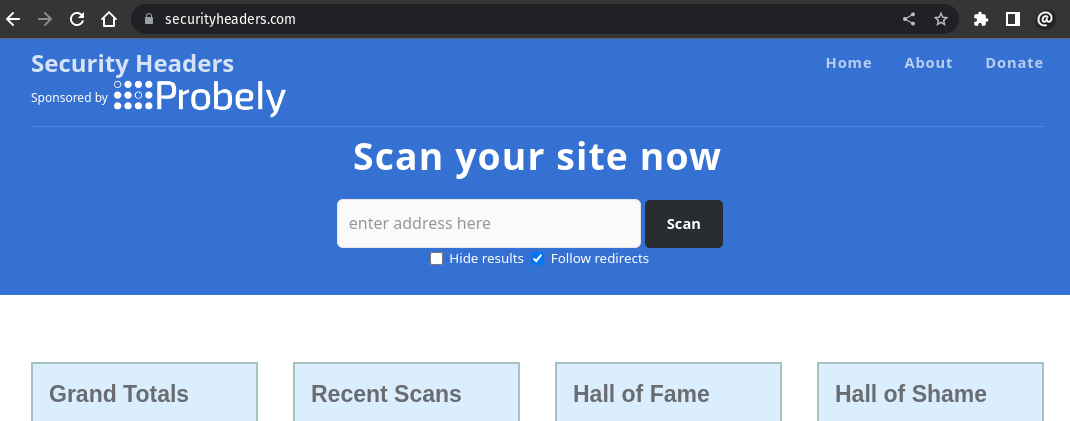
此内容由惯性聚合(RSS阅读器)自动聚合整理,仅供阅读参考。 原文来自 — 版权归原作者所有。