








背景
在Manifest V3中,谷歌对CSP策略的限制变得更加严格。例如,不允许使用unsafe-inline指令,这避免扩展执行远程代码,然而,这也意味着注入到页面中隔离环境的Content Scripts受到了扩展CSP策略的约束。因此,当页面中的链接包含内联的事件处理器/javascript:伪协议时,如果尝试在Content Scripts中点击链接,将发生错误,如下图所示:
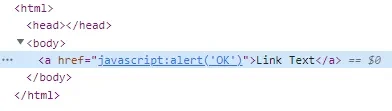

在Content Scripts中,操纵页面元素是一个非常常见的需求,如何在保证扩展合法的情况下,正常进行按钮的点击,便变得十分重要。
解决方案
chrome.scripting介绍
为了达成这一目的,Chrome在ManifestV3扩展中提供了动态注入脚本的能力(chrome.scripting)。该接口允许我们将扩展中存在的js文件或文件中的特定函数注入到指定页面中。
// background.js

function someFunc() {
  // 将被注入页面的函数,函数能够与页面交互,例如 document.querySelector("a").remove()
}

// 通过某种方式获取 tabId
let tabId = getTabId();

chrome.scripting.executeScript({
    target: { tabId },
    function: someFunc,
    world: "MAIN",
});以上是一段示例代码,executeScript方法提供了向指定页面注入脚本的能力(类似于通过Manifest文件注入Content Scripts),该方法包含了名为world的参数,可以设置为ISOLATED和MAIN。通过这个参数,开发者可以自由选择将脚本注入到isolated环境还是main环境中。
isolated环境就是Content Scripts默认注入的环境,在此环境下,Content Scripts能够操作页面、访问页面顶层变量,但原始页面无法读取Content Scripts的内容,并且Content Scripts受到扩展CSP策略的限制。
相反地,被注入到main环境的脚本受到原始页面CSP策略的限制。此外,原始页面可以访问Content Scripts中的变量。
实现方式
有了executeScript方法,我们就可以尝试通过在main环境中执行click来绕过扩展的CSP策略限制。
大概的实现方式如下:
- 在isolated环境下的Content Stript中向background发起点击链接的请求,并传递元素选择器
- background收到点击链接的请求后,向页面注入一个main环境的脚本用于点击对应的链接
示例代码
// background.js

function clickElement(elementSelector) {
  let el = document.querySelector(elementSelector);
  if (el) {
    el.click();
  }
}

chrome.runtime.onMessage.addListener(function (request, sender) {
  if (request.type === "click") {
    chrome.scripting.executeScript({
      target: { tabId: sender.tab.id },
      function: clickElement,
      args: [request.element],
      world: "MAIN",
    });
  }
});
// content.js (isolated world)
const el = document.querySelector('a[href^="javascript:"]');
const getCssPath = function (el) {
if (!(el instanceof Element)) return;
const path = [];
while (el.nodeType === Node.ELEMENT_NODE) {
var selector = el.nodeName.toLowerCase();
if (el.id) {
selector += "#" + el.id;
path.unshift(selector);
break;
} else {
let sib = el,
nth = 1;
while ((sib = sib.previousElementSibling)) {
if (sib.nodeName.toLowerCase() == selector) nth++;
}
if (nth != 1) selector += ":nth-of-type(" + nth + ")";
}
path.unshift(selector);
el = el.parentNode;
}
return path.join(" > ");
};
chrome.runtime.sendMessage({ type: "click", element: getCssPath(el) });