








Download 3DMark Basic Edition for Windows. UL has released 3DMark Windows 2.32.8871, a minor update that mainly focuses on improving Windows-on-Arm support across the benchmark suite. According to the release notes, benchmark scores are not affected by this update, so users should not see score changes purely because of the new version. The update adds Windows-on-Arm support for two major 3DMark benchmarks: Speed Way and Port Royal. This is relevant as more Windows devices based on Arm processors enter the market, especially systems that need proper graphics, ray tracing, and API feature validation. With this release, 3DMark becomes more useful for comparing how these platforms handle modern DirectX workloads.
Several DirectX 12 feature tests have also gained Windows-on-Arm support. These include the Mesh Shader feature test, Sampler Feedback feature test, DirectX Raytracing feature test, PCI Express feature test, and VRS feature test. These workloads are designed to isolate specific graphics API capabilities, making them useful for driver validation, hardware testing, and platform analysis.
The Windows interface now includes an indicator on Arm devices that shows whether a benchmark is running natively or through x64 emulation. This is a practical addition, as native execution and emulated execution can produce different behavior and performance characteristics. Users with 3DMark Enterprise or 3DMark Reviewers’ licenses also gain the option to choose between native Windows-on-Arm and x64-emulated custom runs on Arm systems.
The update includes several fixes as well. Polish language localization has been improved, and PDF export on Arm devices has been corrected for Enterprise and Reviewers’ license users. Solar Bay Extreme version 1.0.4.1 fixes an issue that could cause stress test runs to crash on Arm devices. Port Royal version 1.4.3.1 addresses a graphical issue in the demo section and resolves an issue that could occasionally cause benchmark failures on Windows-on-Arm systems.

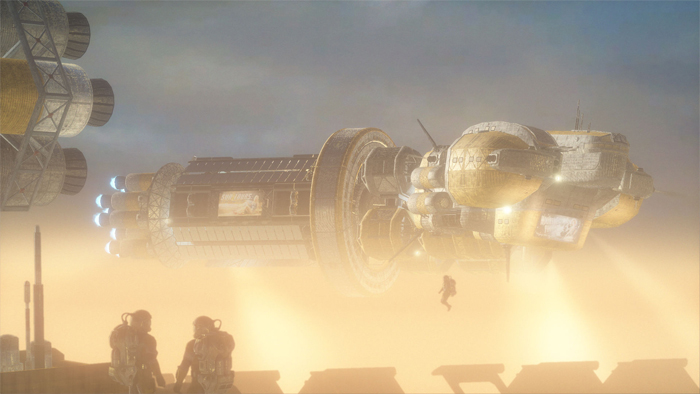
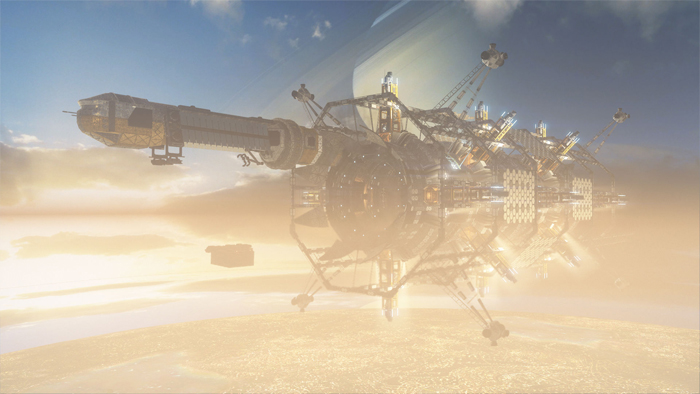
On the visual side, the benchmark has also been expanded. A new assembly bay scene has been added, where two rival teams are shown competing to build their solar arrays as quickly as possible. This extra detail makes the benchmark not just heavier in terms of GPU load, but also more dynamic and interesting to watch compared to the original.
Both Solar Bay and Solar Bay Extreme are now part of the demo and not just for users of the paid version of 3DMark
| Feature / Aspect | Solar Bay (Standard) | Solar Bay Extreme |
|---|---|---|
| Ray Tracing | Basic real-time ray tracing | Advanced ray tracing: specular reflections, glass reflections, soft shadows |
| Scene Complexity | Single solar array build environment | Expanded with additional assembly bay, rival team competing |
| Performance Load | Moderate, designed for current-gen mobile & lightweight PCs | Significantly heavier workload, targeting next-gen hardware |
| Stress Test | Available (continuous load to measure sustained performance) | Available (continuous load to measure sustained performance) |
| Visual Effects | Standard lighting and shadows | Enhanced realism with refined reflections & dynamic soft shadows |
| Use Case | Baseline measurement of ray tracing performance | Extreme stress for GPU & CPU under advanced rendering |
| Bug Fixes | Stable in recent builds | Includes bug fixes (dxcompiler.dll, minor fixes across benchmarks) |
| Known Issues | No major issues reported | May not run on some Windows on Arm devices (driver-related) |
| Benchmark Scores | Comparable across versions | Heavier workloads, not directly comparable with standard Solar Bay |
Steel Nomad
Steel Nomad utilizes advanced graphics technology similar to what's found in the latest video games. It builds on the widely used 3DMark Time Spy benchmark and operates at 4K resolution, incorporating new features like volumetric skies and procedural grass. Additional graphic enhancements, including volume illumination, ambient occlusion, and depth-of-field, enhance its sun-scorched, desert setting, especially when viewed with HDR. To your right side, Steel Nomad, and to the right the output render of Steel Nomad Light. For systems with less power, Steel Nomad Light offers an alternative. Set during a moonlit night by a vast lake, this version scales down to 1440p resolution and simplifies or omits the most intensive graphics technologies for better performance on portable devices.

Real-time ray tracing promises to bring new levels of realism to in-game graphics. Port Royal uses DirectX Raytracing to enhance reflections, shadows, and other effects that are difficult to achieve with traditional rendering techniques. As well as benchmarking performance, 3DMark Port Royal is a realistic and practical example of what to expect from ray tracing in upcoming games—ray tracing effects running in real-time at reasonable frame rates at 2560 × 1440 resolution. 3DMark Port Royal was developed with input from AMD, Intel, NVIDIA, and other leading technology companies. We worked especially closely with Microsoft to create a first-class implementation of the DirectX Raytracing API. Port Royal will run on any graphics card with drivers that support DirectX Raytracing. As with any new technology, there are limited options for early adopters, but more cards are expected to get DirectX Raytracing support in 2019.
3DMark Time Spy
Developed with input from AMD, Intel, Microsoft, NVIDIA, and the other members of our Benchmark Development Program, 3DMark Time Spy is one of the first DirectX 12 apps to be built "the right way" from the ground up to fully realize the performance gains that the new API offers. DirectX 12, introduced with Windows 10, is a low-level graphics API that reduces processor overhead. With less overhead and better utilization of modern GPU hardware, a DirectX 12 game engine can draw more objects, textures and effects to the screen. How much more? Take a look at the table below that compares Time Spy with Fire Strike, a high-end DirectX 11 test. 3DMark works by running intensive graphical and computational tests on your hardware. The more powerful your hardware, the smoother the tests will run. Don't be surprised if your frame rates are low as 3DMark tests are very demanding. Each test gives a score, which you can use to compare similar devices and systems. With its pure DirectX 12 engine, which supports new API features like asynchronous compute, explicit multi-adapter, and multi-threading, 3DMark Time Spy is the ideal benchmark for testing the DirectX 12 performance of the latest graphics cards.
3DMark - The Gamer's Benchmark
3DMark is a popular benchmarking application used by millions of gamers, hundreds of hardware review sites and many leading technology companies. With its wide range of benchmarks, you can benchmark everything from tablets and laptops to the latest high-end 4K gaming PCs. Time Spy is available as a free update for all Windows editions of 3DMark, including 3DMark Basic Edition and the Steam demo.
3DMark Basic Edition / Steam demo - FREE
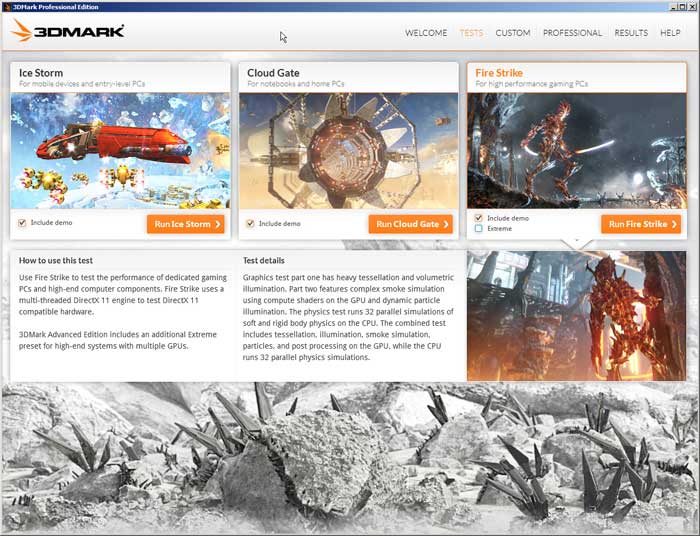
Benchmark your PC with a range of tests including Time Spy and Fire Strike.
This is a minor update to fix problems reported by some users. Benchmark scores are not affected with one exception - see the section about Fire Strike Custom runs below for details.
We’ve just released a major update for 3DMark for Windows that adds Night Raid, a new DirectX 12 benchmark test for notebooks, laptops and tablets with integrated graphics. Night Raid also has native ARM support for the latest Always Connected PCs powered by Windows 10 on ARM. Night Raid is available as a free update for all 3DMark users. But please note that custom benchmark settings and the Night Raid Stress Test are only available in 3DMark Advanced Edition and 3DMark Professional Edition.
What are the system requirements?
On Windows, this version of 3DMark is the first to include tests for DirectX 12, 11, DirectX 10, and DirectX 9 level hardware within one application.
Change Info:
This is a minor update. Benchmark scores are not affected.
Fixed
Fixed an issue with the installer showing an unintended .NET framework prompt during install.
SystemInfo scan timeout has been extended to 90 seconds (was 60 seconds). This helps on systems with an unusually large number of hard disks, or with specific very old hardware configurations where the scan could end up taking slightly over 60 seconds without anything failing.
此内容由惯性聚合(RSS阅读器)自动聚合整理,仅供阅读参考。 原文来自 — 版权归原作者所有。