


The FreeNAS Mini E is a recent addition to the FreeNAS Mini series. As the entry to the product line, it’s designed to be our most compact, cost-effective, and power-efficient NAS system. Powered by FreeNAS, the world’s #1 Open Source storage operating system, and protected by the self-healing ZFS filesystem, the Mini E is an excellent storage system for small and home offices. Its big brother, the FreeNAS Mini XL+, was released at the same time and has since received rave reviews from ServeTheHome.
The Mini E is ideal for file sharing and media streaming. Built-in ZFS-based RAID keeps data safe and available, error-protection keeps it free from corruption, and unlimited snapshots and replication protect it from ransomware attacks and human error.
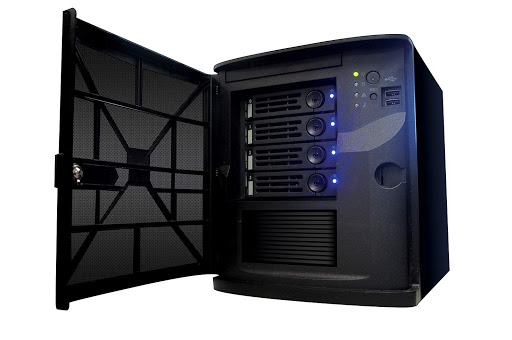 Complete with server-grade hardware, including ECC RAM and IPMI, the Mini E minimizes the chances of data loss and simplifies remote administration.
Base Configuration:
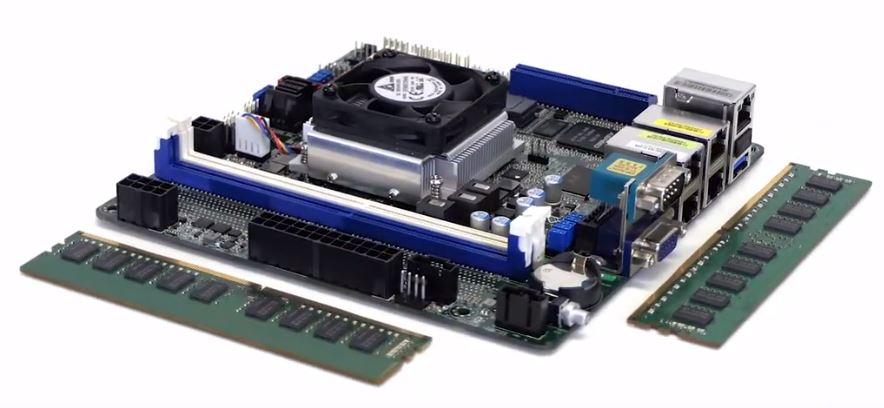 Despite the entry-level price, the sub-components are all server-grade
Motherboard & Processor
The FreeNAS Mini E is based on a specially-built motherboard from ASRock which uses Intel’s Atom Denverton C3000 Series technology. It includes an integrated two core Intel® Atom CPU with a base frequency of 1.50 GHz and a maximum frequency of 2.20 GHz. This highly-efficient processor can still perform a 1080p transcode in applications like Plex.
The ASRock motherboard includes four gigabit RJ45 data ports (with full LACP support), a USB 3.0 port, two front-side USB 2.0 ports, a gigabit IPMI remote management port, UID switch, an RS232 serial port, and a VGA port. Although the motherboard has a PCIe slot, it is disabled by the CPU/chipset to maximize SATA device connectivity.
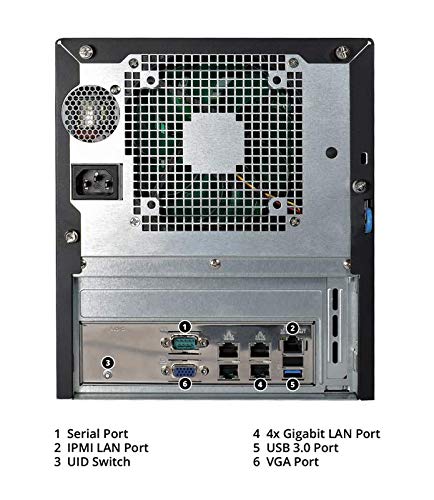 Rear-view highlights: Quad gigabit ethernet ports, whisper-quiet fans, and dedicated management port
Power Efficiency
The new C3338 Atom processors are powerful and highly efficient with a thermal design power (TDP) of only 8.5W. This allows the Mini E to achieve a baseline idle power consumption of less than 18W!
Hard drives play a significant role in overall power consumption. We build our Minis with NAS-grade hard drives to get the highest power efficiency, best acoustic performance, and best reliability. For a system fully populated with four 2TB NAS drives and two cache devices, idle power consumption is less than 36W, and under load less than 50W. With four 12TB NAS drives and two cache devices, idle power consumption is less than 38W and full-throttle power consumption is less than 56W.
Memory & Caching
Error Correcting Code (ECC) memory is the front line defense against data corruption and is one of the major features that sets the FreeNAS Mini apart from lower cost consumer-grade NAS systems. With ECC memory, single bit errors are corrected on the fly before they are written to disk, and if multiple bit errors are detected, the memory will halt the system before any data corruption is committed to disk.
The FreeNAS Mini E comes standard with 8GB DDR4 ECC memory. The motherboard has two DIMM slots and can be upgraded to 16GB RAM by adding another 8GB DIMM. Other configurable upgrades to improve performance include Read (L2ARC) and Write Cache (SLOG) SATA SSDs.
Shhhhhhhh
The FreeNAS Mini E is whisper quiet! We constantly gather customer feedback, and we found that low fan noise was a major need in many deployments where users were producing audio and video content. In designing this new product, we tested many fans to find the quietest 120mm fan on the market. If you have a sensitive work environment that requires near-silence, the FreeNAS Mini E will be a perfect match!
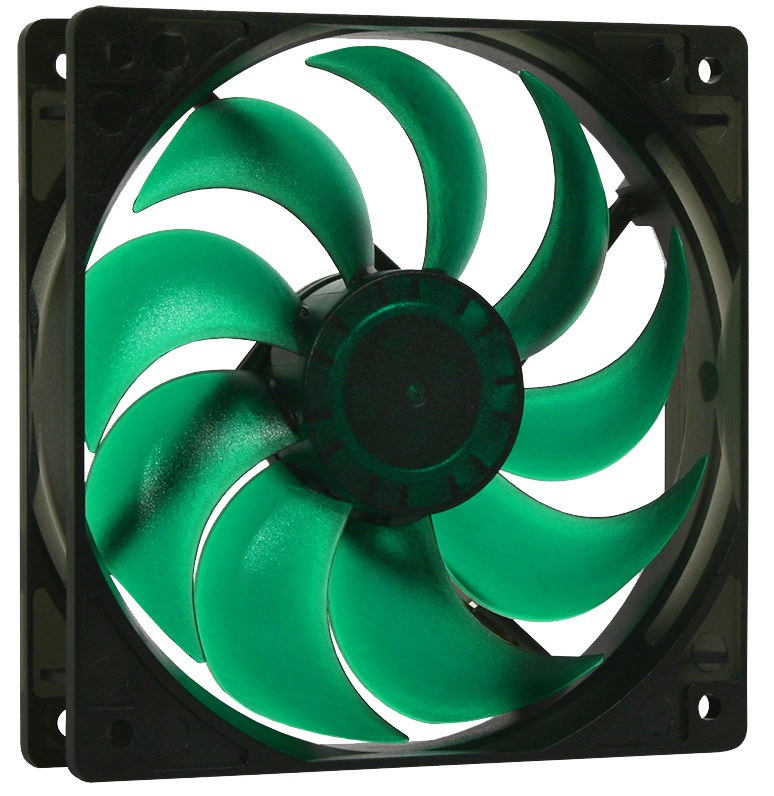
Drive selection matters for maintaining low noise in a NAS system! If users buy a Mini E without hard drives, pay attention to the acoustic specifications of the hard drives you select. For reference, the NAS-grade hard drives that come with our pre-built systems idle around 20-21 dBA, and Seek from 24-29 dBA, which is quiet by most spinning disk standards.
Remote Management & Administration
Another feature unique to systems in its class is the ability to manage and administer the FreeNAS Mini E’s hardware from a remote location, via the Intelligent Platform Management Interface (IPMI) console. This is especially ideal when managing FreeNAS Mini E systems at remote offices or sites. Additionally, the iKVM now uses HTML5, providing remote console access without the Java maintenance headaches (version compatibility, security, etc) or the need for a physical monitor or keyboard.
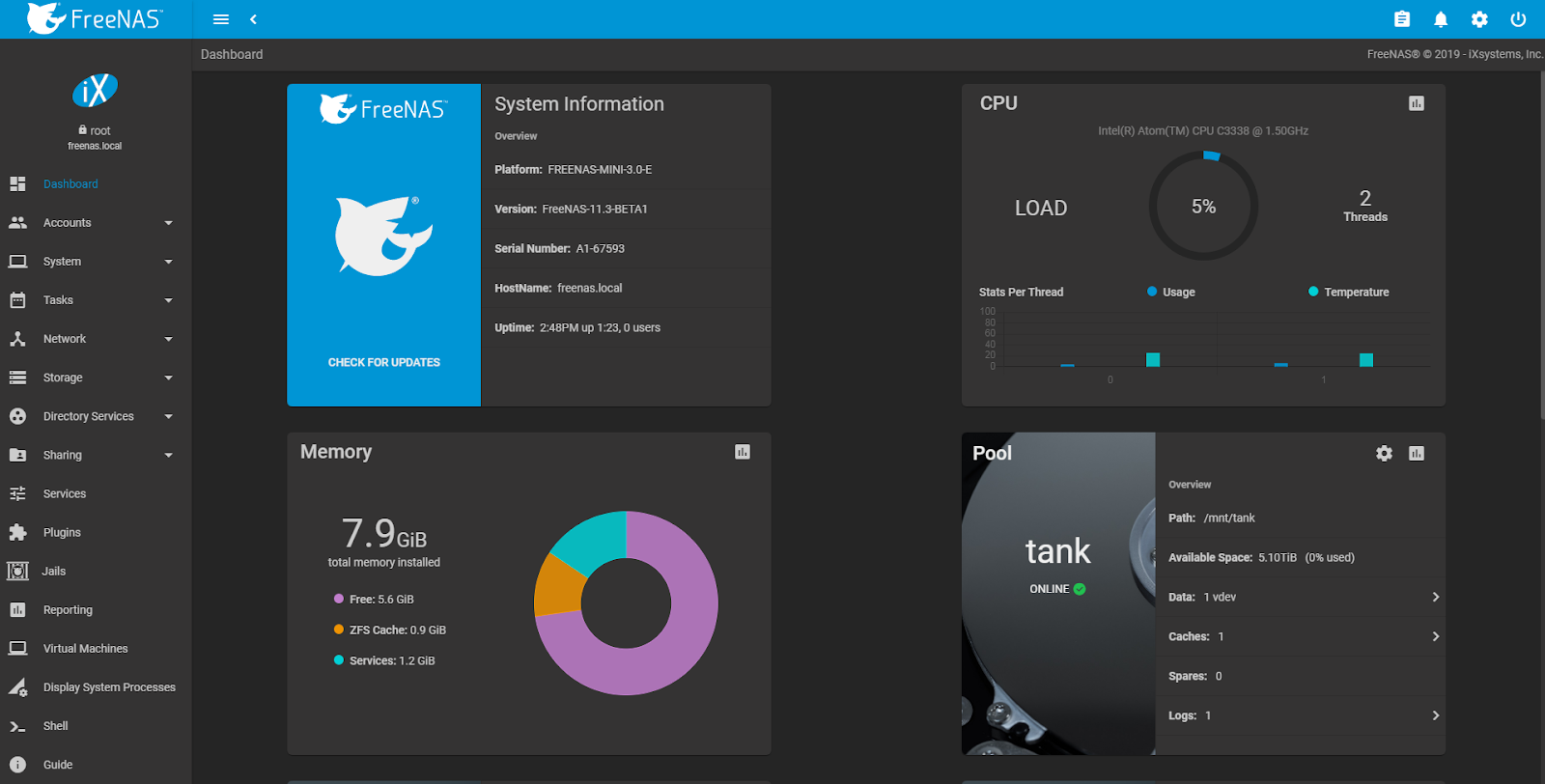 The FreeNAS Mini E always ships with the latest version of FreeNAS software.
Software
And, of course, the FreeNAS Mini E comes installed with the latest version of FreeNAS and all software features enabled. The new FreeNAS 11.2 web interface offers improved usability, easier system management, and better responsiveness. FreeNAS 11.2 also supports the new TrueCommand management interface. TrueCommand provides a “single pane of glass” for managing and monitoring groups of FreeNAS and TrueNAS systems with automated alerts and customized reports. FreeNAS also provides several options to back up your data to another FreeNAS or TrueNAS system, or to a public cloud provider like AWS S3 or Backblaze B2. The upcoming FreeNAS 11.3 will provide many wizards to simplify the setup of ZFS pools, iSCSI extents, and SMB shares.
Get yours today!
The FreeNAS Mini E is available through Amazon, starting at $749 without hard drives, or $999 for a ready-to-deploy 8TB configuration. Any FreeNAS Mini can be custom-configured to your specifications and ordered through the online Mini configurator. To learn more about the FreeNAS Mini product line, visit www.ixsystems.com/freenas-mini/.
此内容由惯性聚合(RSS阅读器)自动聚合整理,仅供阅读参考。 原文来自 — 版权归原作者所有。