



TerraMaster D1 SSD Pro is a high-performance M.2 NVMe SSD enclosure that can turn a standard internal SSD into a rugged and high-performance portable SSD. The idea behind this enclosure is to provide the performance of today's 80 Gbps-class SSD enclosures without the need for a tiny fan-based active cooling. The enclosure instead uses its chunky, ridged body to passively cool even the fastest SSDs. The enclosure supports 80 Gbps Thunderbolt 5 and USB4 V2 interfaces, and is backwards-compatible with 40 Gbps USB4 and Thunderbolt 3/4, and older USB generations going all the way to USB 2.0. The enclosure has a LED that tells you whether you're using an 80 Gbps-capable interface by glowing white. This LED turns amber when using an interface slower than 80 Gbps.
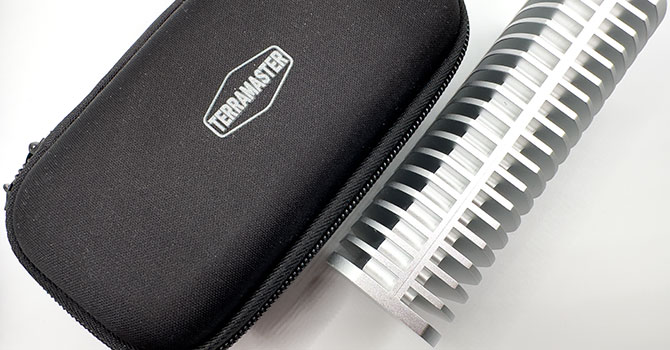
SSD enclosures tend to be made by companies either specializing in consumer flash devices, such as SSD manufacturers themselves, or those specializing in storage solutions, such as NAS, DAS, or drive enclosures. TerraMaster is the latter kind. Why this matters is that the latter kind tends to see storage as a solution rather than a product. NAS devices tend to come with comprehensive browser-based user interfaces and tools for organizing, securing, and backing up your data. The TerraMaster D1 SSD Pro is such a product. TerraMaster includes TPC Backupper, a powerful utility that lets you synchronize your whole-PC, choose what you want to back up, and even clone your local disks, including their partition tables and volumes, regardless of what filesystems they're on.
The TerraMaster D1 SSD Pro can enclose one M.2-2280 SSD with PCIe (NVMe) interface. It wires the SSD with a PCI-Express 4.0 x4 host interface (64 Gbps per direction), which it connects upstream using an Intel JHL9480 "Barlow Ridge" bridge chip. Since the upstream bandwidth is 80 Gbps, the enclosure is able to theoretically max out the performance of any M.2 Gen 4 SSD. It also supports Gen 5 SSDs, which will perform as if they're connected to a Gen 4 M.2 slot.
The JHL9480 chip physically only puts out PCIe Gen 4 x4, so there's no possibility of higher performance for Gen 5 SSDs leveraging the 120 Gbps asymmetric bandwidth mode of Thunderbolt 5. You still get 80 Gbps, which is double that of Thunderbolt 4 and USB4 (V1). To test the drive, we used an ASUS ThunderboltEX 5 add-on card that's been properly installed and configured on a supported ASUS Intel Z890 chipset motherboard, with a Core Ultra 7 "Arrow Lake-S" CPU. For now, this is the only way you get 80 Gbps out of a Type-C port running Windows. The only other platforms with Thunderbolt 5 are Apple's M4 (or later) based Macs and MacBooks, that have been out since 2024. For our testing, we used a Samsung 990 PRO 1 TB, one of the fastest Gen 4 NVMe SSDs when it launched.
TerraMaster is selling the D1 SSD Pro enclosure at an introductory price of US$199.
| TerraMaster D1 SSD Pro Enclosure | |
|---|---|
| Brand: | TerraMaster |
| Model: | D1 SSD Pro Enclosure |
| Capacity: | No drive included (up to 8 TB supported) |
| Controllers: | Intel JHL9480 "Barlow Ridge" JMicron JMS583 Analogix ANX7415 Analogix ANX7406 |
| Dimensions: | 121 mm × 58 mm × 37 mm (H×W×D) |
| Weight: | 300 g, 10.6 oz |
| Interface: | Thunderbolt 5 and USB4 V2, 80 Gbps |
| Internal SSD Interface: | M.2-2280 with PCI-Express 4.0 x4 |
| Warranty: | Two years |
| Price at Time of Review: | $199 |
此内容由惯性聚合(RSS阅读器)自动聚合整理,仅供阅读参考。 原文来自 — 版权归原作者所有。