








Last week iXsystems released a vCenter Server plug-in to provide ease of management from a single-user interface for the virtual infrastructure. The plug-in is available at no additional cost, and is available for TrueNAS software version 9.3.1 and later.
Installing the vCenter plug-in is as simple as logging in to the TrueNAS storage array, clicking on the vCenter ICON, and registering the plug-in with vCenter using the appropriate vCenter credentials. Once installed the vCenter plug-in can be launched from vCenter and can be used to discover and manage the TrueNAS storage arrays in your environment. The TrueNAS vCenter plug-in provides the following operational management functions:
The vCenter plug-in GUI allows customers to utilize workflows that are VM-centric instead of workflows that are share specific. It allows the VMware administrator to interact with a TrueNAS storage array without having to leave the confines of the vCenter environment.
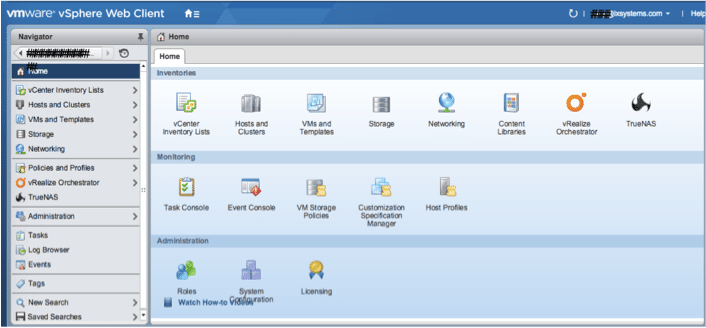
iXsystems is moving forward to continue enhancing the VMware experience with TrueNAS and make the vCenter plug-in more robust. Download the TrueNAS for VMware white paper or visit the TrueNAS virtualization page on our site to learn more about using TrueNAS for VMware. Expect to see more changes coming, as we are hard at work continuing to enhance the plug-in and developing more TrueNAS integrations with VMware.
Go here to see a video on the vCenter plug-in.
Please contact us at sales@ixsystems.com or call 1-855-473-7449 to learn more about using TrueNAS for VMware environments or to hear more about our roadmap of future enhancements.
TrueNAS Team
此内容由惯性聚合(RSS阅读器)自动聚合整理,仅供阅读参考。 原文来自 — 版权归原作者所有。