









Migrating from TrueNAS CORE to TrueNAS SCALE on a TrueNAS Mini
There are two main methods of Migration to TrueNAS SCALE:
The ISO File Method can be performed by burning the TrueNAS SCALE ISO file to a USB drive using your favorite tool such as Rufus or other tools to create a bootable USB Drive. We made a video guide for TrueNAS CORE that can be applied to creating the installation media for TrueNAS SCALE too! Insert the USB Drive with the installation media that you just created into the system that you are sidegrading, then reboot the system. Another method of Sidegrading to TrueNAS SCALE is to select the latest Release Train for TrueNAS SCALE on the TrueNAS WebGUI while on the latest version of TrueNAS CORE.
Once the system reboots, use the hotkey that is defined by your motherboard manufacturer to select the USB device with the TrueNAS Image. In this case, we will select the USB drive with the SCALE ISO loaded on it.
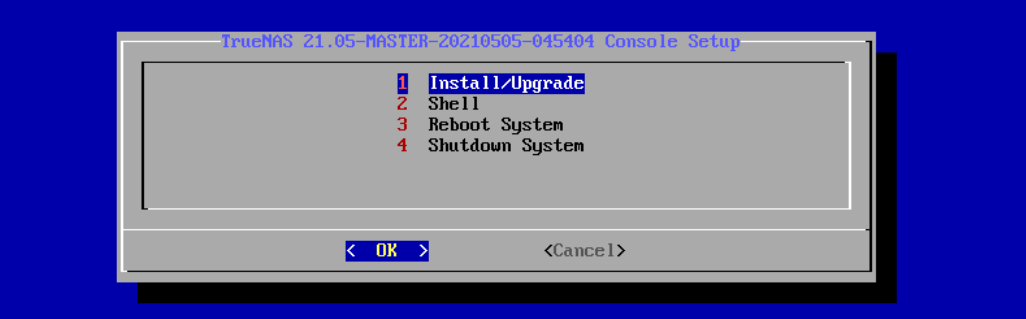
Follow the SCALE console setup screen and select Install/Upgrade.
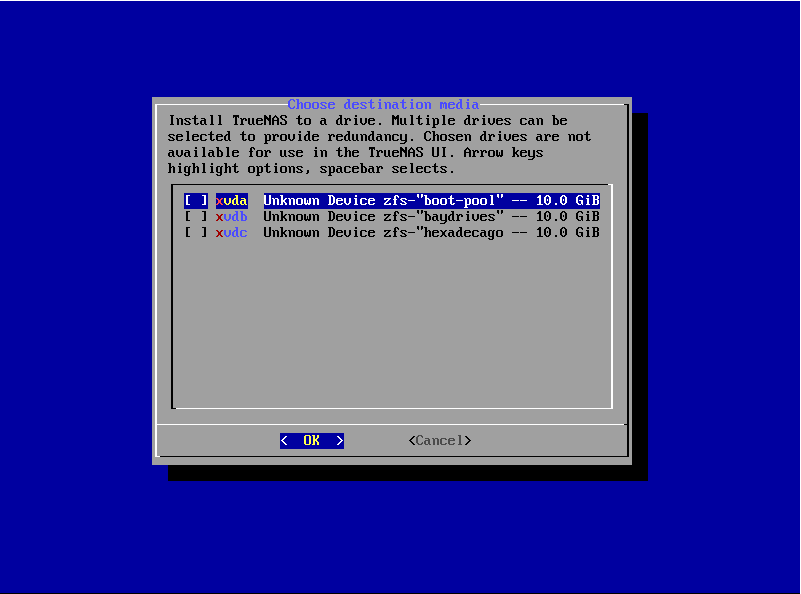
Next, select the drive you are using as your boot disk. It should be ZFS labeled as ‘boot-pool’ or ‘freenas-boot’.
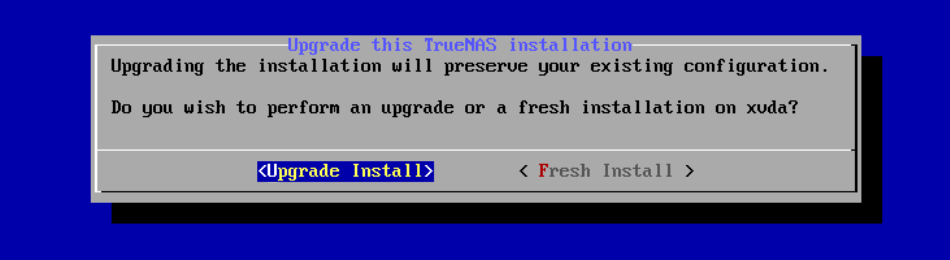
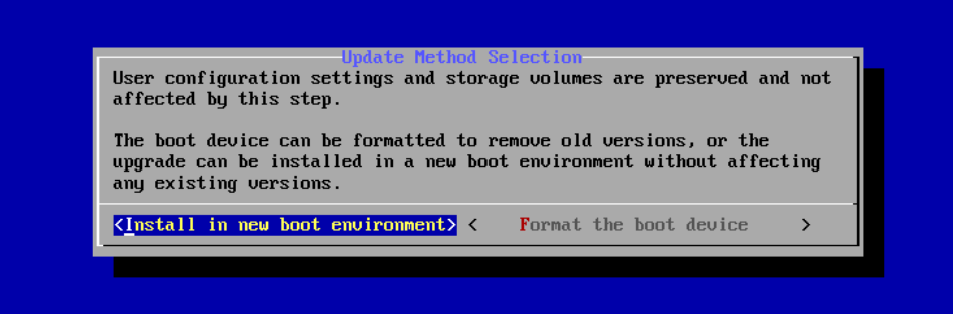
The installer will ask if you would like to preserve your existing configuration or begin with a fresh install. We recommend that you select Upgrade Install when attempting to migrate to preserve your configuration data. Next, select install in new boot environment.
Warning: Although TrueNAS attempts to keep most of your CORE configuration data when upgrading to SCALE, some CORE-specific items do not transfer. GELI encrypted pools, NIS data, jails, tunables, and boot environments do not migrate from CORE to SCALE. VM storage and its basic configuration are transferred over during migration. You need to double-check the VM configuration and the network interface settings specifically before starting the VM. AFP shares are migrated automatically. Init/shutdown scripts transfer, but can break. Review them before use. The CORE netcli utility is also swapped for a new CLI utility to use for the Console Setup Menu and other commands issued in a CLI.
Migrating GELI-encrypted Pools to SCALE
TrueNAS SCALE is Linux based, so it does not support FreeBSD GELI encryption. If you have GELI-encrypted pools on your system that you plan to import into SCALE, you must migrate your data from the GELI pool to a non-GELI encrypted pool before migrating to SCALE.
After choosing the option to Install in new boot environment, the installer will warn you that SCALE installs into the boot pool that was previously used for TrueNAS CORE. Select Yes for this step.
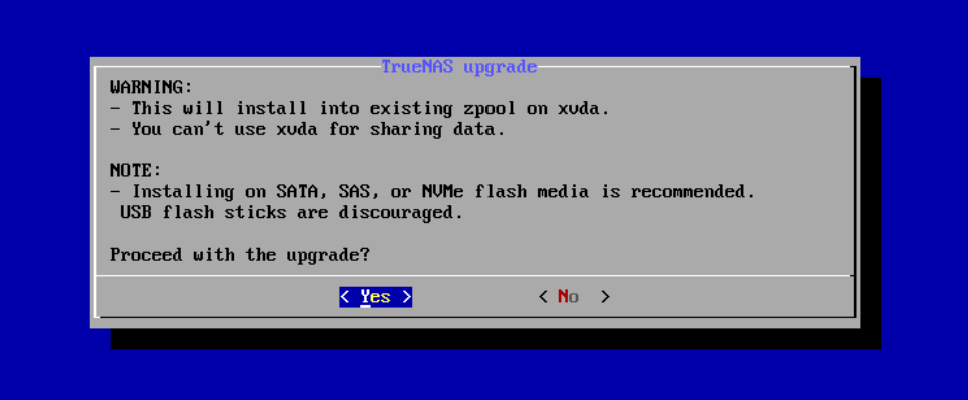
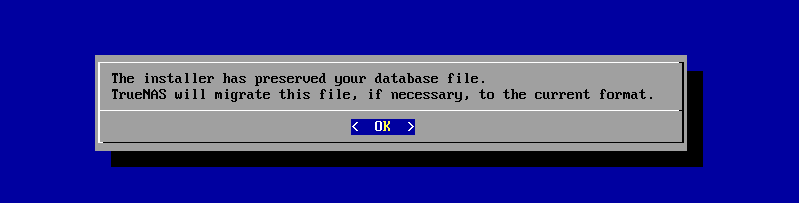
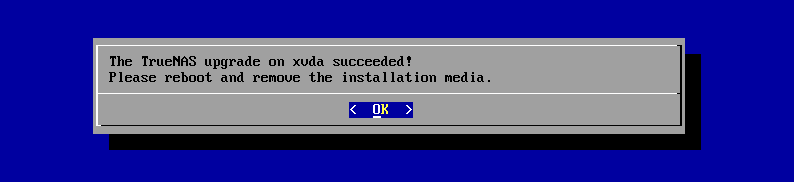
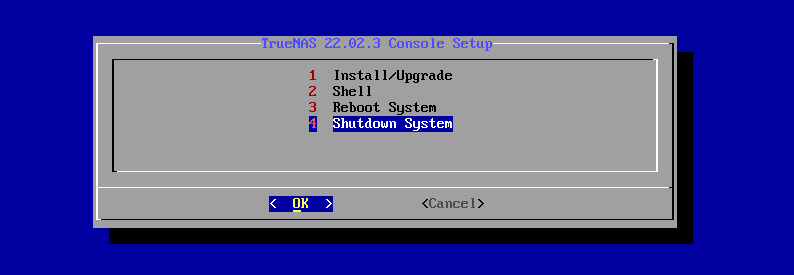
After the installation completes, reboot your TrueNAS system and remove the USB Drive with the SCALE ISO File. When TrueNAS SCALE boots for the first time, you may need to use the shell to configure your network interfaces.
If you want to learn how to manually upgrade to TrueNAS SCALE, head on over to our Official Documentation for more info.
此内容由惯性聚合(RSS阅读器)自动聚合整理,仅供阅读参考。 原文来自 — 版权归原作者所有。