




Over the last two years, my team at Work & Co and I have been testing out and gradually integrating AI coding tools like Copilot, Cursor, Claude, and ChatGPT to help us ship web experiences that are used by the masses. Admittedly, after some initial skepticism and a few aha moments, various AI tools have found their way into my daily use. Over time, the list of applications where we found it made sense to let AI take over started to grow, so I decided to share some practical use cases for AI tools for what I call the “responsible developer”.
What do I mean by a responsible developer?
We have to make sure that we deliver quality code as expected by our stakeholders and clients. Our contributions (i.e., pull requests) should not become a burden on our colleagues who will have to review and test our work. Also, in case you work for a company: The tools we use need to be approved by our employer. Sensitive aspects like security and privacy need to be handled properly: Don’t paste secrets, customer data (PII), or proprietary code into tools without policy approval. Treat it like code from a stranger on the internet. Always test and verify.
Note: This article assumes some very basic familiarity with AI coding tools like Copilot inside VSCode or Cursor. If all of this sounds totally new and unfamiliar to you, the Github Copilot video tutorials can be a fantastic starting point for you.
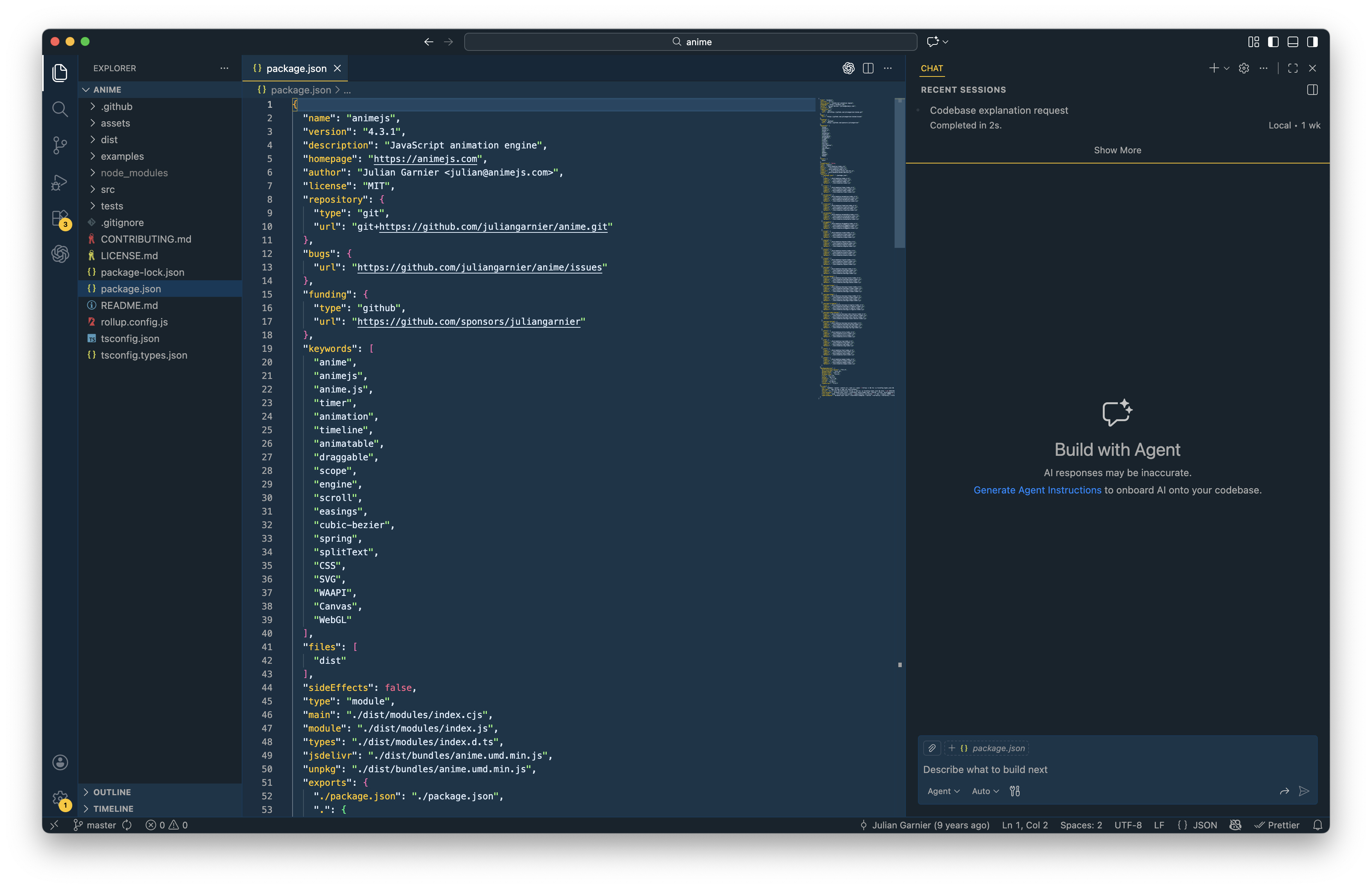
Note: The following examples will mainly focus on working in JavaScript-based web applications like React, Vue, Svelte, or Angular.
Getting An Understanding Of An Unfamiliar Codebase
It’s not uncommon to work on established codebases, and joining a large legacy codebase can be intimidating. Simply open your project and your AI agent (in my case, Copilot Chat in VSCode) and start asking questions just like you would ask a colleague. In general, I like to talk to any AI agent just as I would to a fellow human.
Here is a more refined example prompt:
“Give me a high-level architecture overview: entrypoints, routing, auth, data layer, build tooling. Then list 5 files to read in order. Treat explanations as hypotheses and confirm by jumping to referenced files.”
You can keep asking follow-up questions like “How does the routing work in detail?” or “Talk me through the authentication process and methods” and it will lead you to helpful directions to shine some light into the dark of an unfamiliar codebase.
Triaging Breaking Changes When Upgrading Dependencies
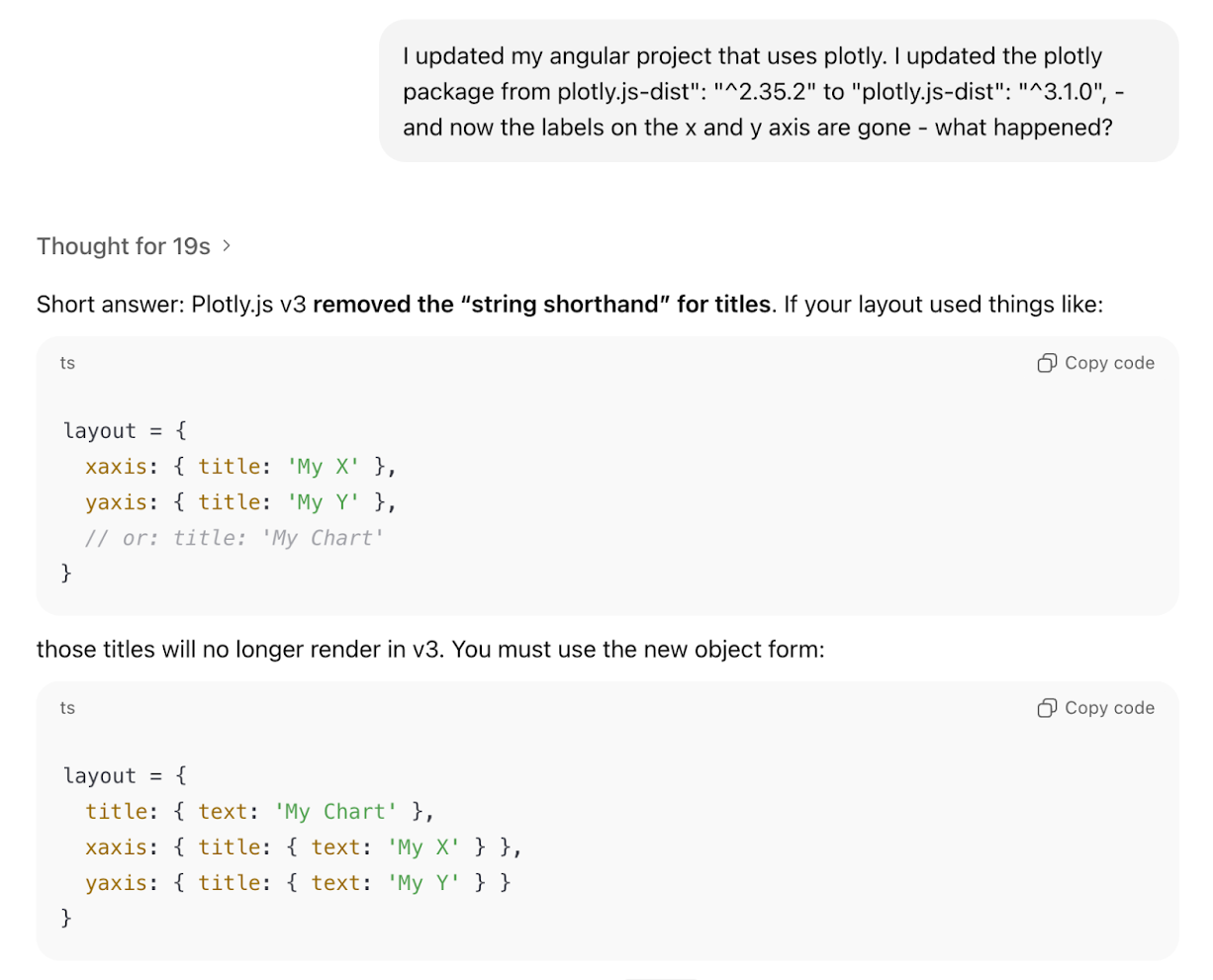
Updating npm packages, especially when they come with breaking changes, can be tedious and time-consuming work, and make you debug a fair amount of regressions. I recently had to upgrade the data visualization library plotly.js up one major release version from version 2 to 3, and as a result of that, the axis labeling in some of the graphs stopped working.
I went on to ask ChatGPT:
“I updated my Angular project that uses Plotly. I updated the plotly.js — dist package from version 2.35.2 to 3.1.0 — and now the labels on the x and y axis are gone. What happened?”
The agent came back with a solution promptly (see for yourself below).
Note: I still verified the explanation against the official migration guide before shipping the fix.
Replicating Refactors Safely Across Files
Growing codebases most certainly unveil opportunities for code consolidation. For example, you notice code duplication across files that can be extracted into a single function or component. As a result, you decide to create a shared component that can be included instead and perform that refactor in one file. Now, instead of manually carrying out those changes to your remaining files, you ask your agent to roll out the refactor for you.
Agents let you select multiple files as context. Once the refactor for one file is done, I can add both the refactored and untouched files into context and prompt the agent to roll out the changes to other files like this: “Replicate the changes I made in file A to file B as well”.
Implementing Features In Unfamiliar Technologies
One of my favorite aha-moments using AI coding tools was when it helped me create a quite complex animated gradient animation in GLSL, a language I have been fairly unfamiliar with. On a recent project, our designers came up with an animated gradient as a loading state on a 3D object. I really liked the concept and wanted to deliver something unique and exciting to our clients. The problem: I only had two days to implement it, and GLSL has quite the steep learning curve.
Again, an AI tool (in this case, ChatGPT) came in handy, and I started quite simply prompting it to create a standalone HTML file for me that renders a canvas and a very simple animated color gradient. Step after step, I prompted the AI to add more finesse to it until I arrived at a decent result so I could start integrating the shader into my actual codebase.
The end result: Our clients were super happy, and we delivered a complex feature in a small amount of time thanks to AI.
Writing Tests
In my experience, there’s rarely enough time on projects to continuously write and maintain a proper suite of unit and integration tests, and on top of that, many developers don’t really enjoy the task of writing tests. Prompting your AI helper to set up and write tests for you is entirely possible and can be done in a small amount of time. Of course, you, as a developer, should still make sure that your tests actually take a look at the critical parts of your application and follow sensible testing principles, but you can “outsource” the writing of the tests to our AI helper.
Example prompt:
“Write unit tests for this function using Jest. Cover happy path, edge cases, and failure modes. Explain why each test exists.”
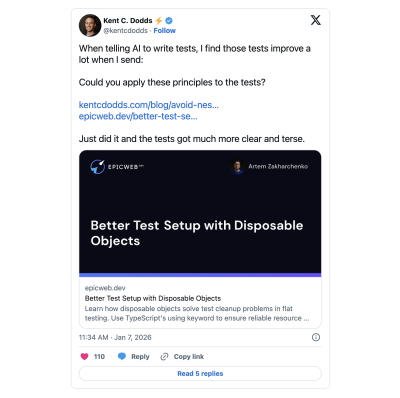
You can even pass along testing guru Kent C. Dodds’ testing best practices as guidelines to your agent, like below:
Internal Tooling
Somewhat similar to the shader example mentioned earlier, I was recently tasked to analyze code duplication in a codebase and compare before and after a refactor. Certainly not a trivial task if you don’t want to go the time-consuming route of comparing files manually. With the help of Copilot, I created a script that analyzed code duplication for me, arranged and ordered the output in a table, and exported it to Excel. Then I took it a step further. When our code refactor was done, I prompted the agent to take my existing Excel sheet as the baseline, add in the current state of duplication in separate columns, and calculate the delta.
Updating Code Written A Long Time Ago
Recently, an old client of mine hit me up, as over time, a few features weren’t working properly on his website anymore.
The catch: The website was built almost ten years ago, and the JavaScript and SCSS were using rather old compile tools like requireJS, and the setup required an older version of Node.js that wouldn’t even run on my 2025 MacBook.
Updating the whole build process by hand would have taken me days, so I decided to prompt the AI agent, “Can you update the JS and SCSS build process to a lean 2025 stack like Vite?” It sure did, and after around an hour of refining with the agent, I had my SCSS and JS build switched to Vite, and I was able to focus on actual bugfixing. Just make sure to properly validate the output and compiled files when doing such integral changes to your build process.
Summarizing And Drafting
Would you like to summarize all your recent code changes in one sentence for a commit message, or have a long list of commits and would like to sum them up in three bullet points? No problem, let the AI take care of it, but please make sure to proofread it.
An example prompt is as simple as messaging a fellow human: “Please sum up my recent changes in concise bullet points”.
My advice here would be to use GPT for writing with caution, and as with code, please check the output before sending or submitting.
Recommendations And Best Practices
Prompting
One of the not-so-obvious benefits of using AI is that the more specific and tailored your prompts are, the better the output. The process of prompting an AI agent forces us to formulate our requirements as specifically as possible before we write and code. This is why, as a general rule, I highly recommend being as specific as possible with your prompting.
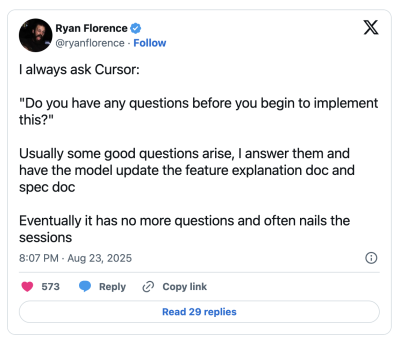
Ryan Florence, co-author of Remix, suggests a simple yet powerful way to improve this process by finishing your initial prompt with the sentence:
“Before we start, do you have any questions for me?”
At this point, the AI usually comes back with helpful questions where you can clarify your specific intent, guiding the agent to provide you with a more tailored approach for your task.
Use Version Control And Work In Digestible Chunks
Using version control like git not only comes in handy when collaborating as a team on a single codebase but also to provide you as an individual contributor with stable points to roll back to in case of an emergency. Due to its non-deterministic nature, AI can sometimes go rogue and make changes that are simply not helpful for what you are trying to achieve and eventually break things irreparably.
Splitting up your work into multiple commits will help you create stable points that you can revert to in case things go sideways. And your teammates will thank you as well, as they will have an easier time reviewing your code when it is split up into semantically well-structured chunks.
Review Thoroughly
This is more of a general best practice, but in my opinion, it becomes even more important when using AI tools for development work: Be the first critical reviewer of your code. Make sure to take some time to go over your changes line by line, just like you would review someone else’s code, and only submit your work once it passes your own self-review.
“Two things are both true to me right now: AI agents are amazing and a huge productivity boost. They are also massive slop machines if you turn off your brain and let go completely.”— Armin Ronacher in his blog post Agent Psychosis: Are We Going Insane?
Conclusion And Critical Thoughts
In my opinion, AI coding tools can improve our productivity as developers on a daily basis and free up mental capacity for more planning and high-level thinking. They force us to articulate our desired outcome with meticulous detail.
Any AI can, at times, hallucinate, which basically means it lies in a confident tone. So please make sure to check and test, especially when you are in doubt. AI is not a silver bullet, and I believe, excellence and the ability to solve problems as a developer will never go out of fashion.
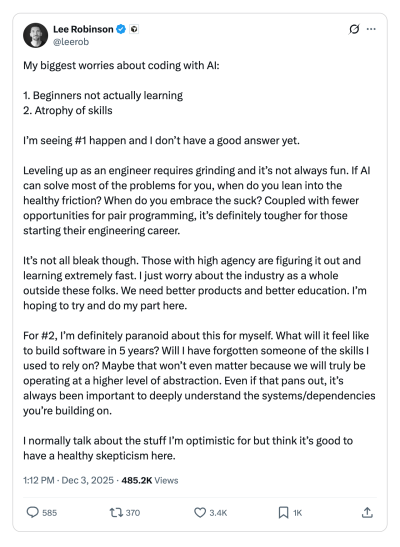
For developers who are just starting out in their career these tools can be highly tempting to do the majority of the work for them. What may get lost here is the often draining and painful work through bugs and issues that are tricky to debug and solve, aka “the grind”. Even Cursor AI’s very own Lee Robinson questions this in one of his posts:
AI coding tools are evolving at a fast pace, and I am excited for what will come next. I hope you found this article and its tips helpful and are excited to try out some of these for yourself.
 (yk)
(yk)