惯性聚合 高效追踪和阅读你感兴趣的博客、新闻、科技资讯
阅读原文 在惯性聚合中打开

推荐订阅源

P
Proofpoint News Feed
博客园 - 聂微东
Application and Cybersecurity Blog
MyScale Blog
MyScale Blog
罗磊的独立博客
H
Help Net Security
L
LangChain Blog
T
Threat Research - Cisco Blogs
量子位
S
Securelist
Last Week in AI
Last Week in AI
L
Lohrmann on Cybersecurity
T
The Exploit Database - CXSecurity.com
P
Privacy International News Feed
The Hacker News
The Hacker News
Vercel News
Vercel News
D
Darknet – Hacking Tools, Hacker News & Cyber Security
C
Cybersecurity and Infrastructure Security Agency CISA
T
The Blog of Author Tim Ferriss
T
Threatpost
Security Latest
Security Latest
P
Palo Alto Networks Blog
Microsoft Security Blog
NISL@THU
NISL@THU
F
Full Disclosure
WordPress大学
WordPress大学
cs.AI updates on arXiv.org
Stack Overflow Blog
Stack Overflow Blog
C
Check Point Blog
Hacker News - Newest:
Hacker News - Newest: "LLM"
酷 壳 – CoolShell
酷 壳 – CoolShell
H
Heimdal Security Blog
J
Java Code Geeks
Recorded Future
Recorded Future
Hugging Face - Blog
Hugging Face - Blog
G
GRAHAM CLULEY
Know Your Adversary
Know Your Adversary
K
KPMG report finds enterprise disconnect between AI and its ROI | CIO
阮一峰的网络日志
阮一峰的网络日志
U
Unit 42
B
Blog RSS Feed
月光博客
月光博客
C
Cisco Blogs
V
Visual Studio Blog
D
DataBreaches.Net
H
Hacker News: Front Page
博客园 - 叶小钗
N
News and Events Feed by Topic
爱范儿
爱范儿
A
Arctic Wolf

思有云 - IOIOX - CentOS

CentOS 7 挂载腾讯云COS对象存储教程 - 思有云 CentOS 7 从Python2.7.5升级到Python2.7.16版本教程 - 思有云 支持本地,腾讯,阿里,七牛,又拍云对象存储的Lsky Pro图床安装教程 - 思有云 - IOIOX LNMP环境中使用Docker安装配置GitLab教程 - 思有云 - IOIOX OLAINDEX另一个OneDrive目录索引应用部署教程 - 思有云 - IOIOX CentOS使用OneIndex部署OneDrive免费网盘教程 - 思有云 - IOIOX 服务器安装ServerStatus监控探针教程 - 思有云 - IOIOX 群晖Virtual Machine Manager套件安装CentOS虚拟机 - 思有云
一键安装脚本为CentOS 7 添加Swap交换分区 - 思有云
博主: Stille · 2019-04-09 · via 思有云 - IOIOX - CentOS
  • 发布时间:
  • 12432 次浏览
  • 3 条评论
  • 1219字数
  • 分类: 运维部署
  1. 首页
  2. 正文  

前言

由于阿里云,腾讯云等云服务器默认系统镜像不带Swap分区,本文将介绍使用简单的一键安装脚本为CentOS7添加Swap交换分区.

本文为 Stille 原创文章.经实践,测试,整理发布.如需转载请联系作者获得授权,并注明转载地址.


配置流程

一、检查Swap分区

登录服务器
输入

free -m

Swap分区为0则表示无Swap分区
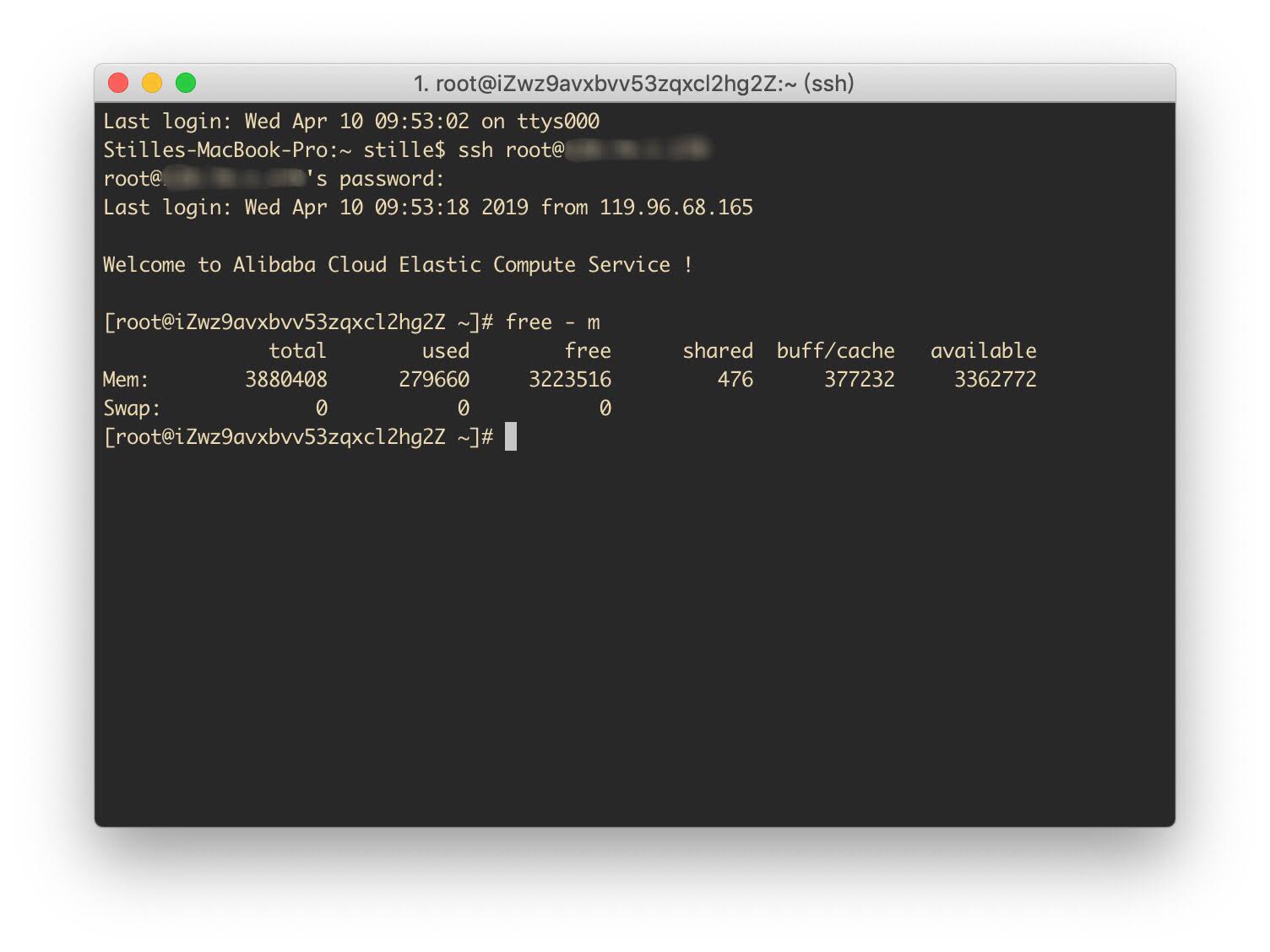
1.jpg

二、下载一键安装脚本

输入

curl -O https://raw.githubusercontent.com/stilleshan/code/main/shell/swap.sh && chmod +x swap.sh && ./swap.sh
# 以下为国内镜像
curl -O https://github.ioiox.com/stilleshan/code/raw/branch/main/shell/swap.sh && chmod +x swap.sh && ./swap.sh
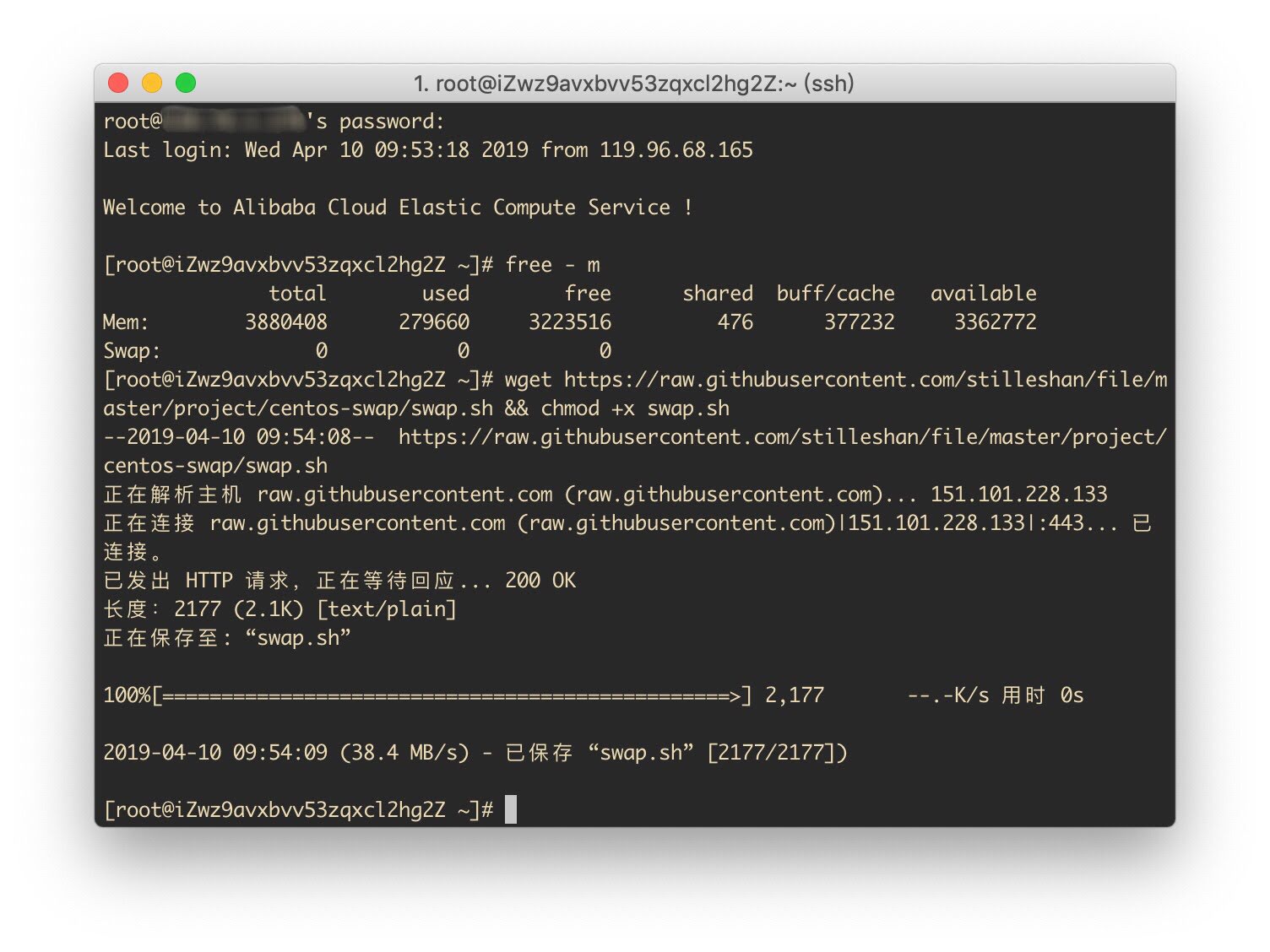
2.jpg

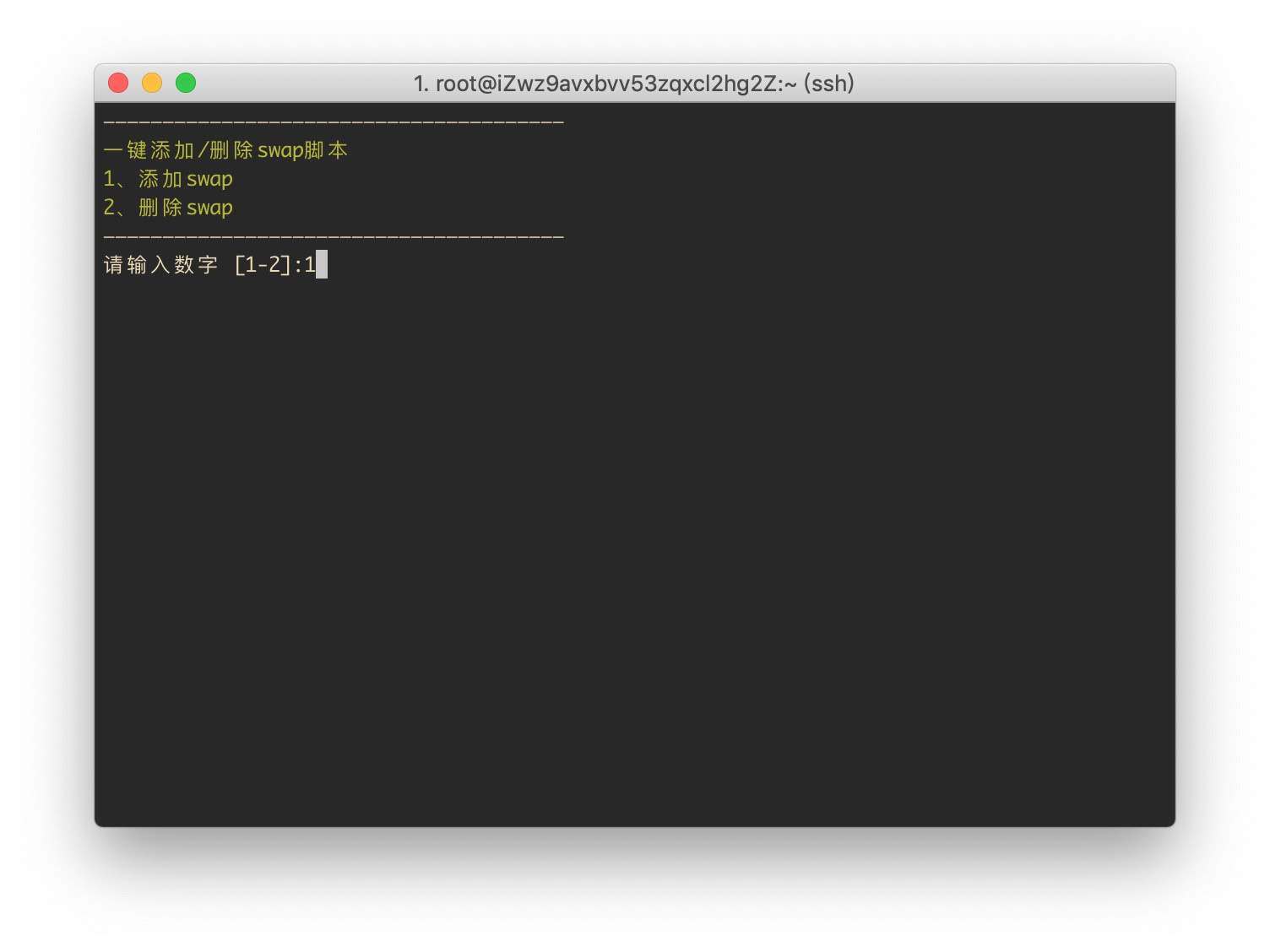
三、运行脚本添加Swap分区

输入

./swap.sh

选1添加Swap分区
3.jpg
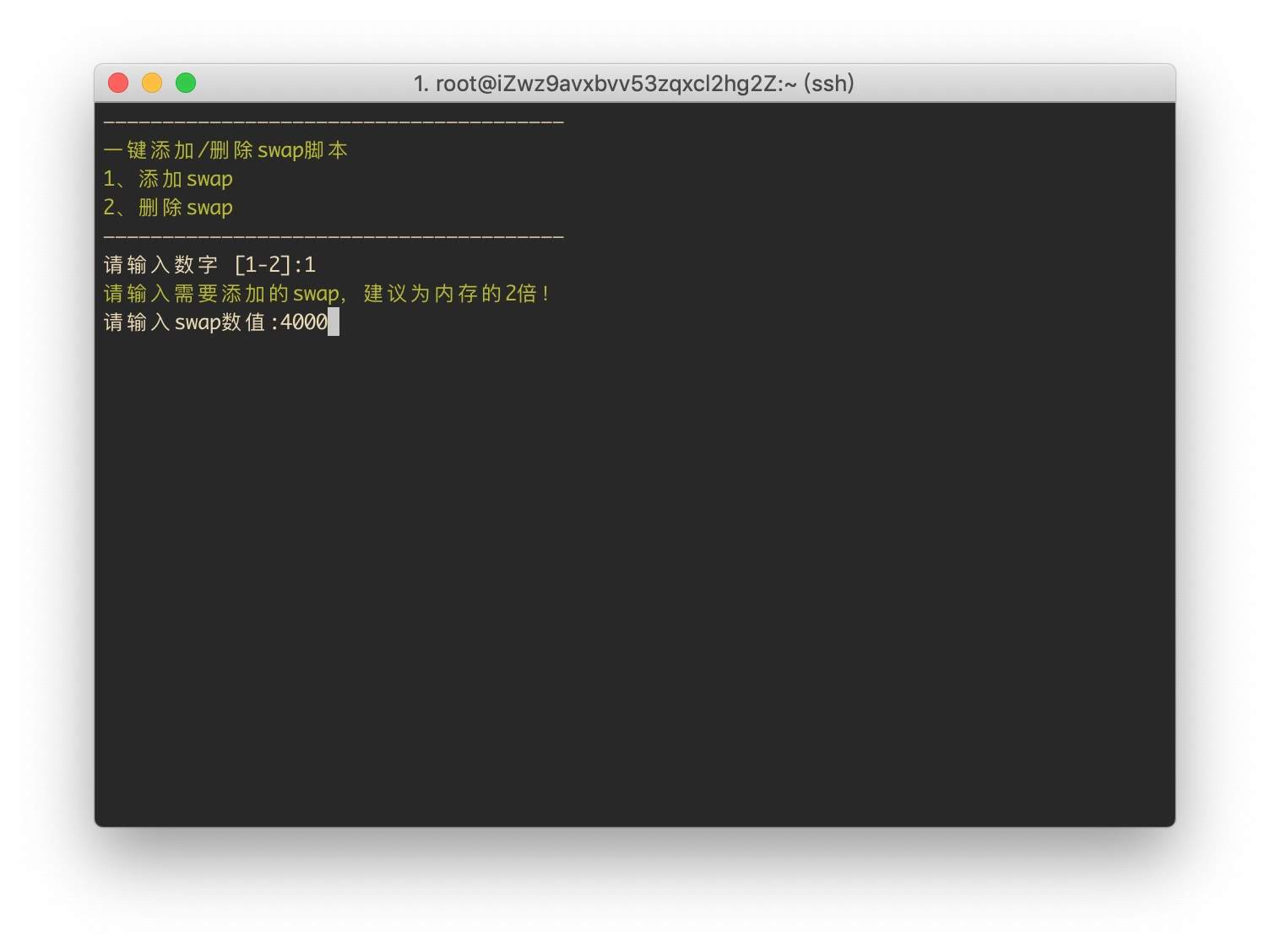
输入分区大小,单位为M,无需乘以1024计算.例如需要4G,则输入4000.
4.jpg
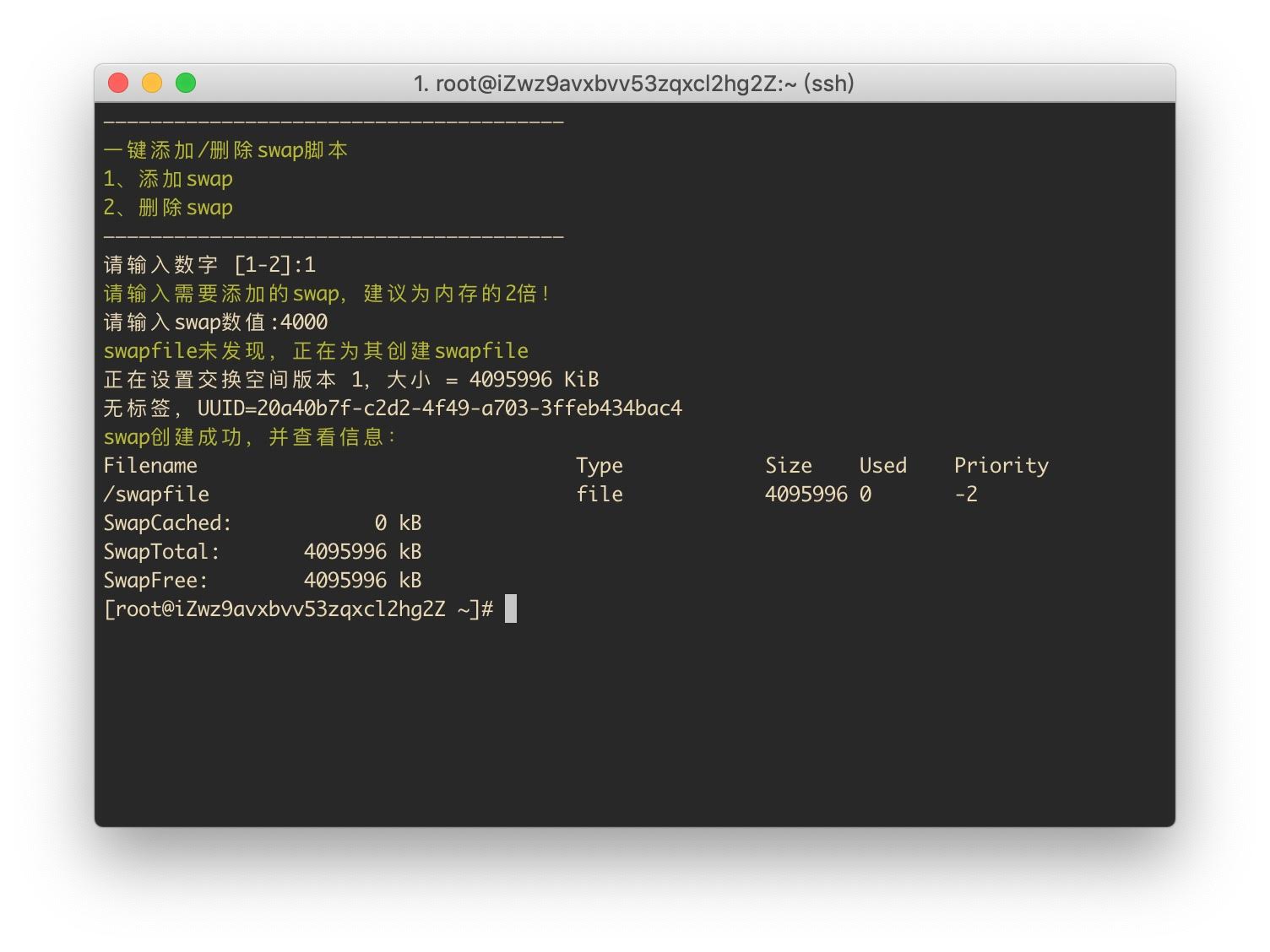
添加完成
5.jpg
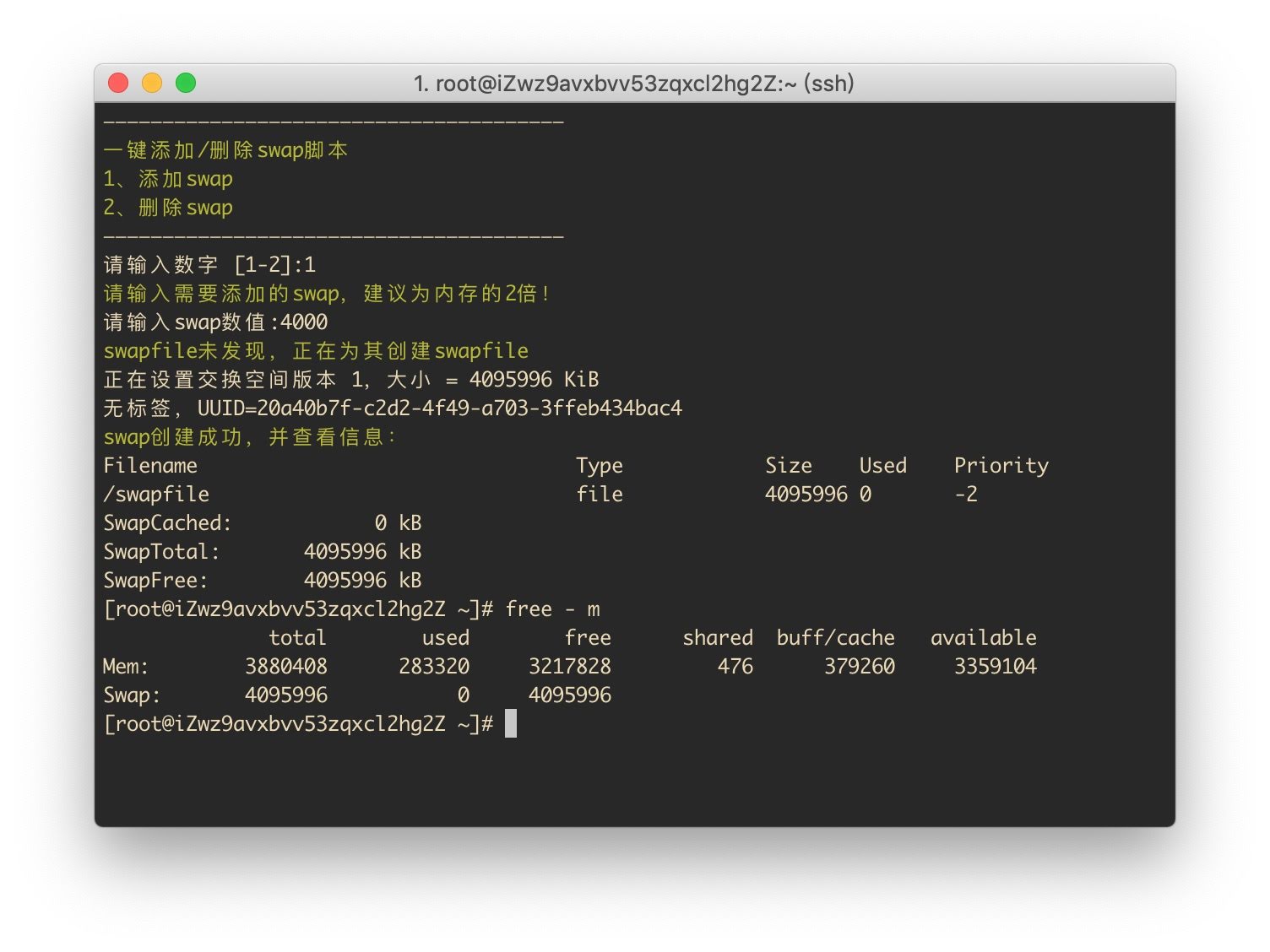
再次检查Swap分区

free -m

6.jpg


结语

感谢以下文章提供的技术支持:

VPS添加SWAP虚拟内存

晚高峰稳定 4K 的 IPLC 机场 解锁各流媒体 支持 ChatGPT. 晚高峰稳定 4K 的 IPLC 机场 解锁各流媒体 支持 ChatGPT. RedteaGO - 最划算的大陆漫游 eSim 流量卡,原生境外 IP,注册就送 3 刀。

RedteaGO - 最划算的大陆漫游 eSim 流量卡,原生境外 IP,注册就送 3 刀。

赞赏作者

如果喜欢我的文章,觉得对你有帮助,请随意赞赏!

一键安装脚本为CentOS 7 添加Swap交换分区

 •