


前言
本站之前介绍过在LNMP环境下的 nginx 和 frps 共存配置教程,不过也有小伙伴咨询宝塔面板上配置的方法.鉴于大部分小伙伴只一台服务器,并且已经部署过网站,想同时使用 frps 服务,本文将介绍在宝塔面板的 LNMP 环境来配置 nginx 和 frps 共存 80/443 端口及泛域名支持的方法.
本文为 Stille 原创文章.经实践,测试,整理发布.如需转载请联系作者获得授权,并注明转载地址.

配置流程
宝塔面板 nginx 配置
按照常规方法安装宝塔面板,并在宝塔面板上安装LNMP环境.尝试添加一个网站确保服务能正常运行.如果已有网站正常运行,可以忽略此步.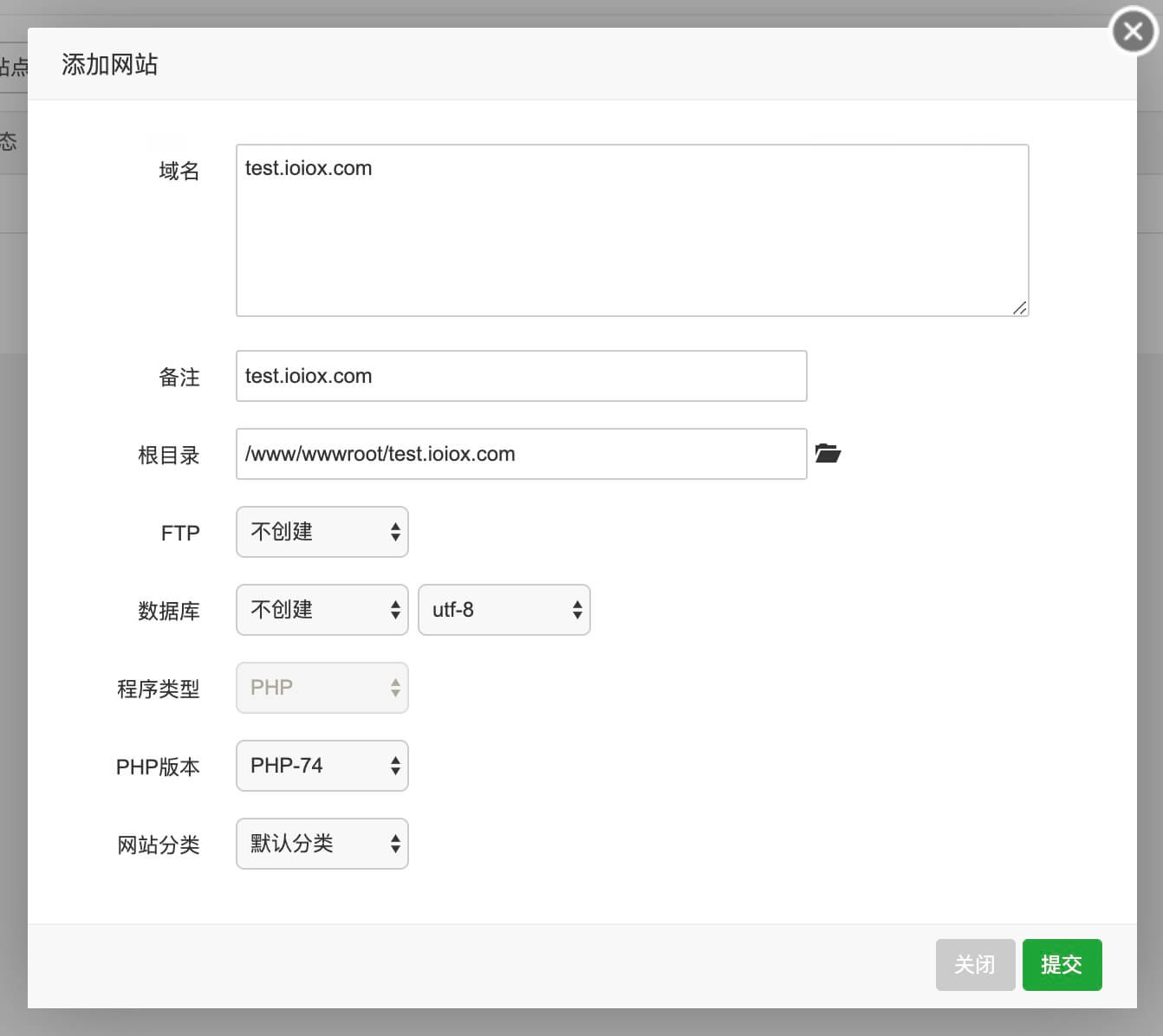
查询 nginx 配置文件
宝塔面板的nginx主配置文件所在目录为/www/server/nginx/conf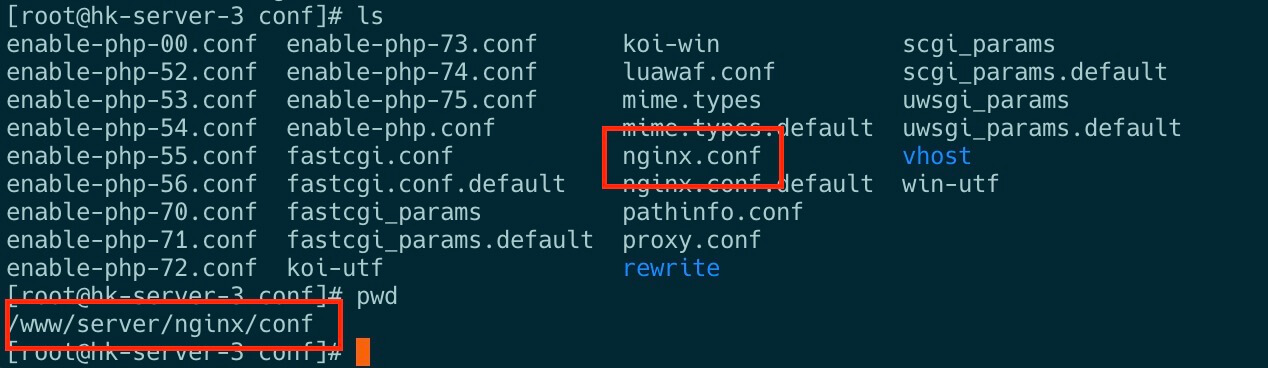
常规情况下并不会修改默认配置文件,可以执行以下命令查看include的目录.
cat /www/server/nginx/conf/nginx.conf默认配置中显示include的目录为/www/server/panel/vhost/nginx,即在此目录下的conf文件也可以被 nginx 使用.宝塔面板上创建的网站域名配置文件也在此目录.
查询站点目录
进入/www/server/panel/vhost/nginx目录可以看出之前创建的test.ioiox.com的配置文件也在此.
提前配置证书
证书文件可以手动上传,也可以使用已运行的网站证书,其目录为/www/server/panel/vhost/cert.
创建 frps.conf
在上文查询的站点目录创建frps.conf配置文件
vi /www/server/panel/vhost/nginx/frps.conf参考以下配置文件,注意修改域名,证书路径和反代端口,本文以1234为例.
server {
    listen 80;
    server_name *.yourdomain.com;
#    return 301 https://$host$request_uri;

    location / {
        proxy_pass http://127.0.0.1:1234;
        proxy_redirect http://$host/ http://$http_host/;
        proxy_set_header X-Real-IP $remote_addr;
        proxy_set_header X-Forwarded-For $proxy_add_x_forwarded_for;
        proxy_set_header Host $host;
    }
}

server {
    listen 443 ssl http2;
    server_name *.yourdomain.com;

    ssl_certificate /www/server/panel/vhost/cert/yourdomain.crt;
    ssl_certificate_key /www/server/panel/vhost/cert/yourdomain.key;

    client_max_body_size 50m;
    client_body_buffer_size 256k;
    client_header_timeout 3m;
    client_body_timeout 3m;
    send_timeout 3m;
    proxy_connect_timeout 300s;
    proxy_read_timeout 300s;
    proxy_send_timeout 300s;
    proxy_buffer_size 64k;
    proxy_buffers 4 32k;
    proxy_busy_buffers_size 64k;
    proxy_temp_file_write_size 64k;
    proxy_ignore_client_abort on;

    location / {
        proxy_pass http://127.0.0.1:1234;
        proxy_redirect https://$host/ https://$http_host/;
        proxy_set_header X-Real-IP $remote_addr;
        proxy_set_header X-Forwarded-For $proxy_add_x_forwarded_for;
        proxy_ssl_server_name on;
        proxy_set_header Host $host;
    }
}
frp 配置
frps.ini
由于 nginx 占用80/443端口,frps.ini中的vhost_http_port和vhost_https_port需修改为其他端口,本文以1234和5678为例.
frpc.ini
如果 frps.ini 配置了 subdomain_host 泛域名,那么 frpc.ini 中域名参数需使用 subdomain = xx 仅填写二级域名主机头即可,不要填写完整域名.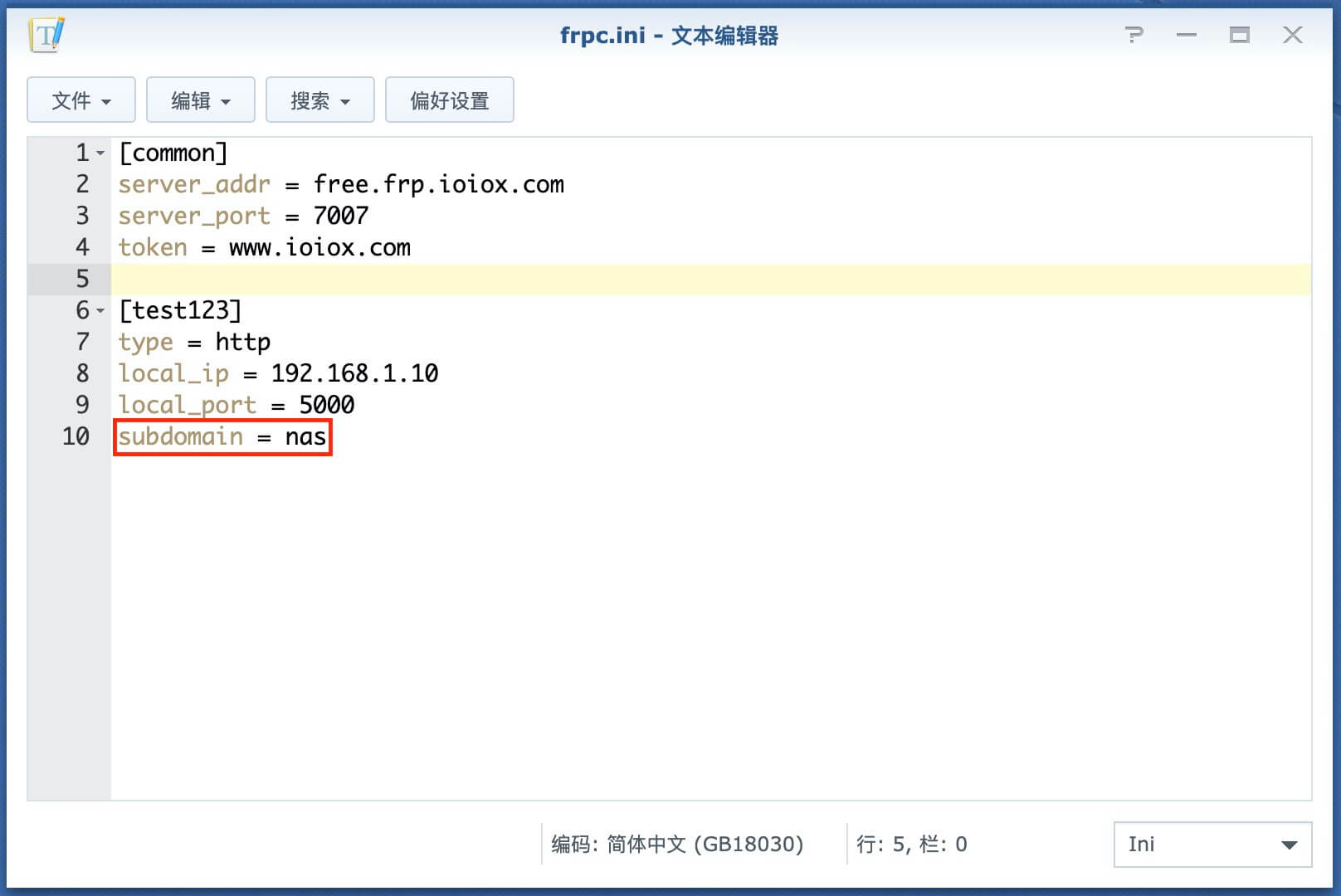
如果 frps.ini 没有配置 subdomain_host泛域名,那么 frpc.ini 中域名参数需使用 custom_domains = xx.xxx.com 需填写完整的域名.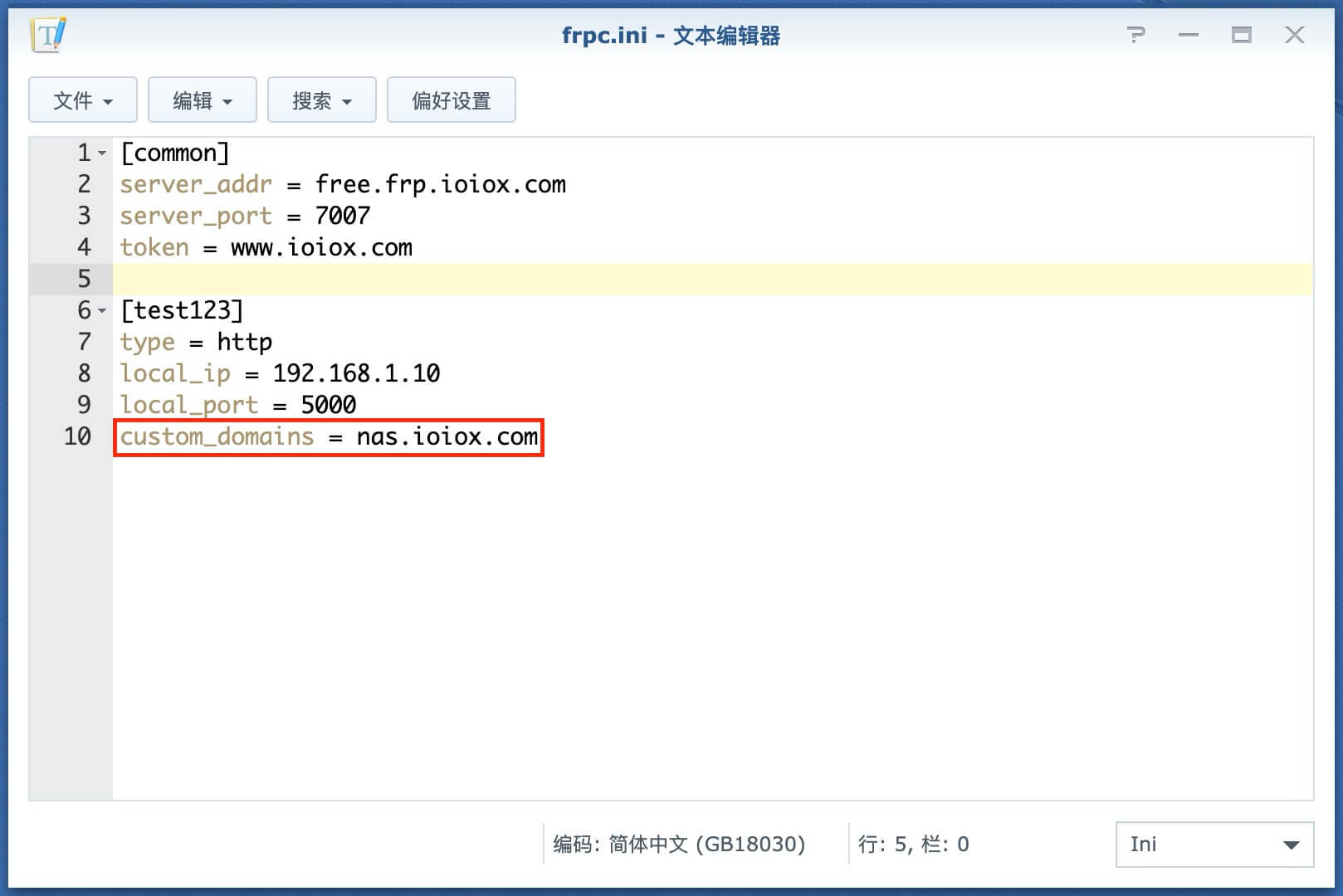
结语
感谢在上文中的网友留言给出了宝塔面板上的共存解决方案.
更多FRP内网穿透相关技巧,教程及信息,请持续关注本站FRP内网穿透专栏:
晚高峰稳定 4K 的 IPLC 机场 解锁各流媒体 支持 ChatGPT.
 RedteaGO - 最划算的大陆漫游 eSim 流量卡,原生境外 IP,注册就送 3 刀。

赞赏作者

如果喜欢我的文章,觉得对你有帮助,请随意赞赏!