





Maintainability debt gets expensive when work runs through it. Match code churn against the roadmap to decide what to refactor and what to leave alone.
Ally Piechowski · · 4 min read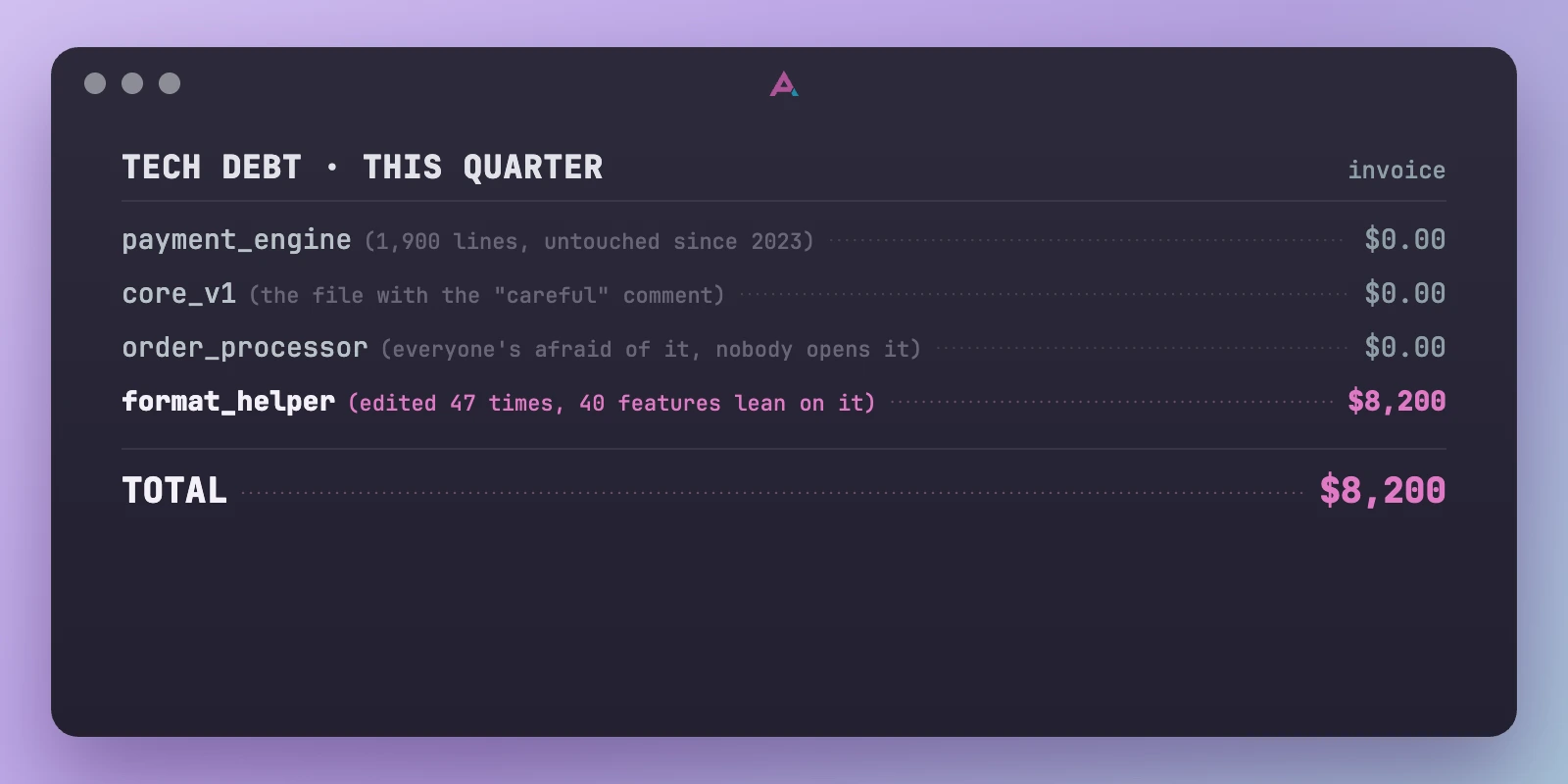
Almost every team I audit has a file like this: 1,900 lines, conditionals six levels deep, a comment at the top that just says “careful.” Once a quarter, someone floats rewriting it, and everyone nods like that’s obviously the responsible thing to do.
Usually it isn’t.
Maintainability debt charges interest when work runs through it. Security holes, unsupported dependencies, and operational risks are different; they can cost you while the code sits still. But the file you hate and never change just sits there. It’s been ugly and stable for three years. It’ll probably stay that way for three more.
The usual move is to treat debt as one big pile to shrink. A backlog of “refactor X” tickets, a cleanup sprint every quarter, maybe a debt-score dashboard that’s supposed to trend down. It feels responsible. Most of it is motion without payoff.
The cost of a piece of debt is its messiness multiplied by how often you go near it. A horrible module that hasn’t changed since 2023 costs almost nothing today. You’re not reading it or extending it. Refactoring it is paying down a loan that isn’t accruing interest. Meanwhile the mediocre little helper that 40 features lean on, the one edited every other week, is quietly the most expensive code you own. It’s usually not on anyone’s list because it doesn’t look scary.
Scary files also attract caution. People read them twice, add a test, pull in a second reviewer. Harmless-looking helpers don’t. Someone makes a “simple” change and three services start behaving differently in production.
Start with debt in code you’re about to change anyway.
Martin Fowler puts the key part plainly: “I only trigger an interest payment when I have to work with that part of the software.”
Michael Feathers made that measurable by plotting file churn against complexity. The busy, tangled files in the top-right corner are where refactoring pays. Sandi Metz puts the conclusion even more directly: stable ugly code is cheap; change sends you the bill.
In my audits, that hotspot list is usually shorter than the team expects, and it rarely matches the cleanup backlog. The expensive code is the messy, busy code.
You don’t need another tool. Run this from app/ or src/; lockfiles and generated files can drown out the signal at the repo root:
git log --since="90 days ago" --name-only --pretty=format: -- . | sed '/^[[:space:]]*$/d' | sort | uniq -c | sort -rn | head -40
That’s your 90-day churn shortlist: up to 40 files ranked by the number of commits that touched them. It isn’t your refactoring list. Remove generated files, version bumps, and simple configuration. Among what’s left, find the files that are hard to change: high complexity, repeated bug fixes, weak tests, or reviews that always pull in three teams.
Don’t read raw churn as a score. In a Windows Server 2003 case study, churn normalized by component size and time predicted defect density far better than absolute counts.
Now put next quarter’s roadmap next to what’s left. The overlap between “hard to change” and “we’re about to touch it again” is your refactoring list.
Debt next to active development does compound. Every new feature has to route around it, and each detour makes the next one worse. Churn helps surface that code.
Low churn can mean nobody needs the file. It can also mean everyone is terrified of it. Ask before ignoring it.
If nobody runs or edits the code, the mess isn’t charging you interest today. If you can’t name the upcoming change, recurring bug, or incident it will slow down, you don’t have a cost yet, just an aesthetic complaint. Aesthetic complaints lose to roadmaps every time.
First, check whether the codebase is even your bottleneck. Sometimes the slowness is process or staffing, not code; this two-minute audit separates them.
If code is the problem, run the git command, cut the noise, and put the painful files next to the roadmap. Fund the overlap. Leave stable files alone until a feature, recurring bug, or incident drags you back in. Then fix the smallest piece that makes the work safe.
此内容由惯性聚合(RSS阅读器)自动聚合整理,仅供阅读参考。 原文来自 — 版权归原作者所有。