time:Within a week
- Basic usage:
- Create a pod and understand what a pod is
- Create a deployment and understand the relationship between deployment and pod
- Create a configmap and understand how to mount configuration files to pods
- Create a service and access pods in the cluster through service
- Core concepts and functions of core components:
- kubectl apiserver controller-manager scheduler kubelet kube-proxy etcd What do these components do?
- You can use a kubectl apply and a deployment to sort out what these components have done respectively.
🚸 Next time: A specific task will be assigned and the sealos source code architecture will be introduced.
Reference:
Contribution documents: https://github.com/labring/sealos/blob/main/CONTRIBUTING.md
Development environment construction document: https://github.com/labring/sealos/blob/main/DEVELOPGUIDE.md
Use sealos to quickly build kubernetes learning environment documents: https://github.com/labring/sealos#quickstart Just build a stand-alone environment.
Kubernetes introductory documentation: https://kubernetes.io/docs/tutorials/kubernetes-basics/ Skip the installation part and use sealos directly. key build.
⚠️ Note: Don’t be afraid of harassing fanux if there are any problems during the process. It is important to take the initiative to ask questions. Questions are also very welcome in the incubation communication group.
For security issues discovered, it is recommended to notify admin@sealyun.com by sending an email
For general issues, maybe you can choose [issues](New Issue · labring/sealos (github.com) ) to point out the problem
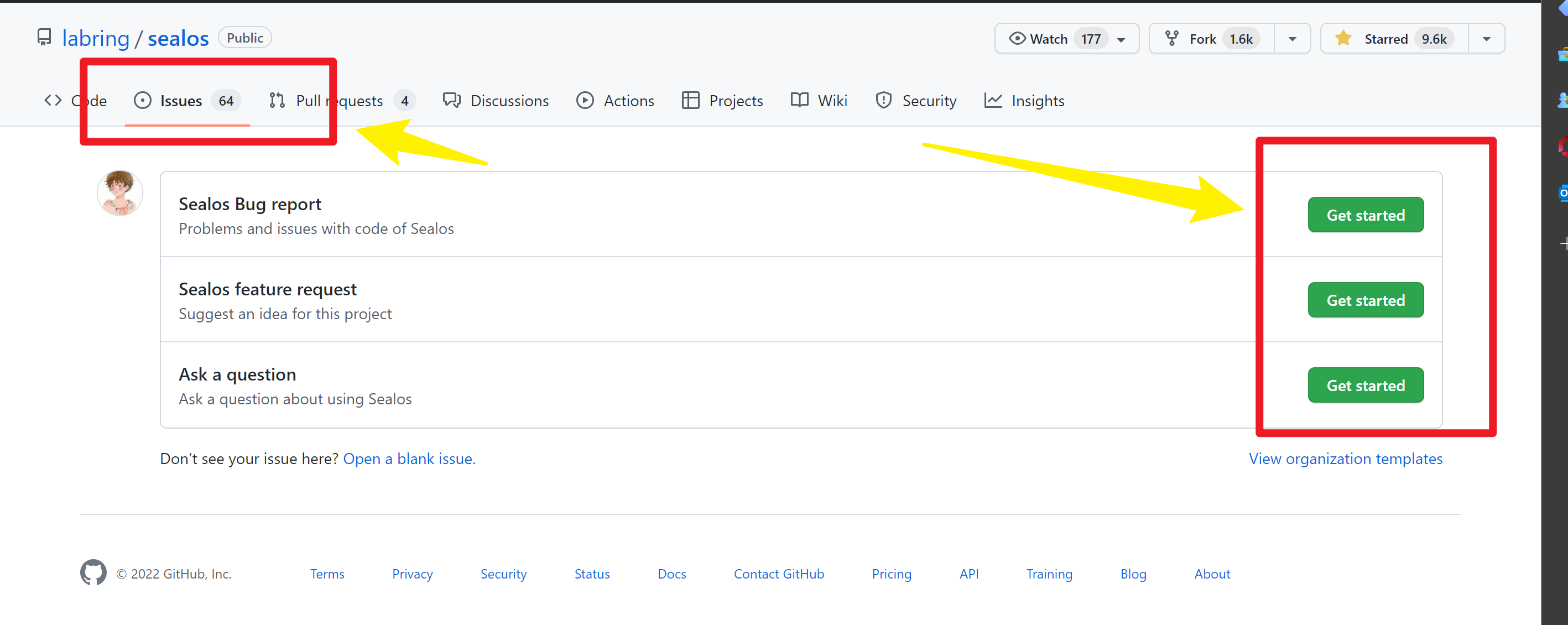
⚡ Obviously, I prefer pr to issues, you can find the following problems and improve them
⬇️ The general process is as follows:
First fork this repository to your repository on Github
git clone clone to local
Modify the corresponding code locally
git push to your own warehouse
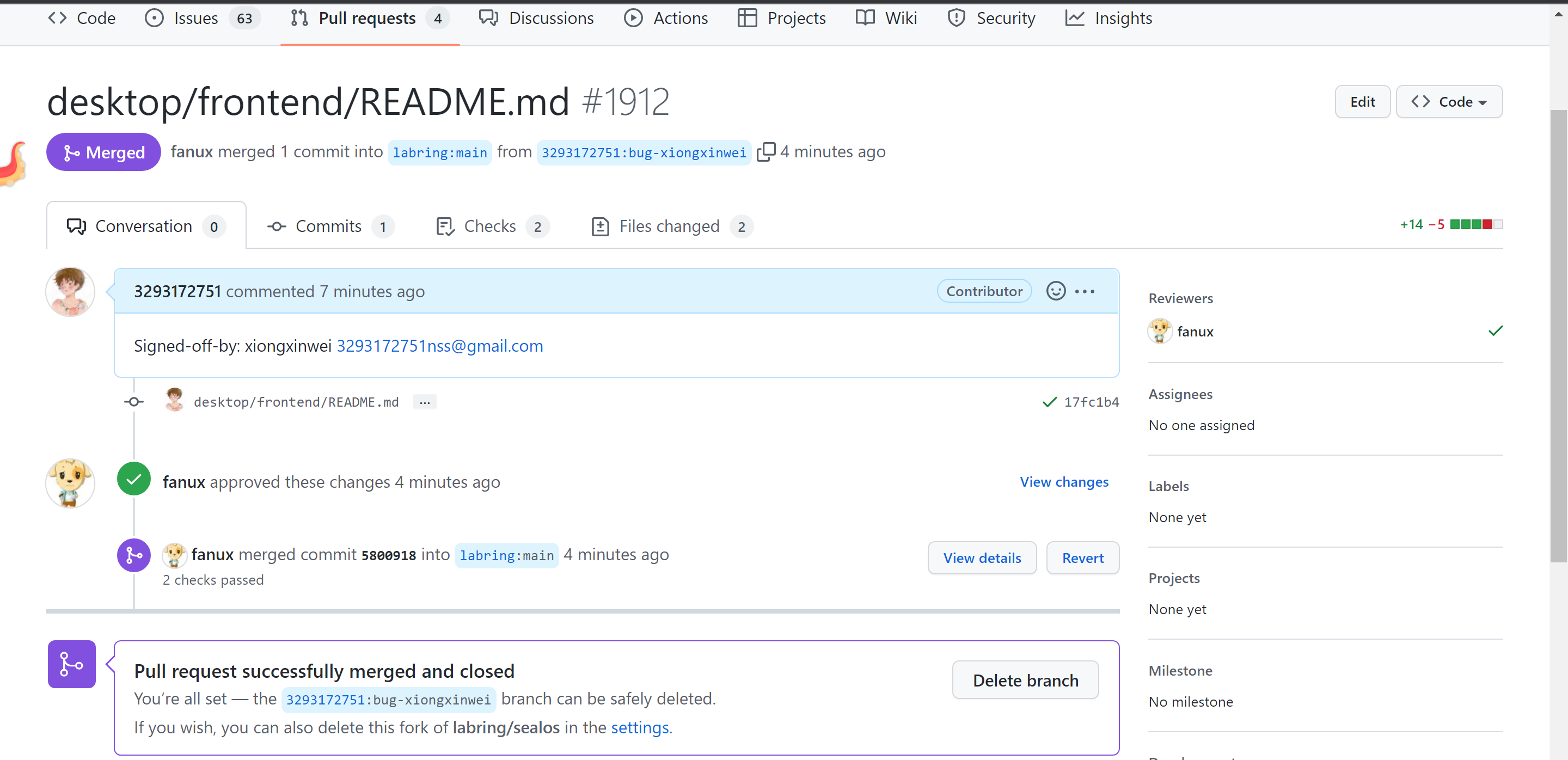
Perform pull request operations in your own warehouse
Please follow the rules below to format your document better, which will greatly improve the reading experience.
You can also check out docusaurus to write documentation with richer features.
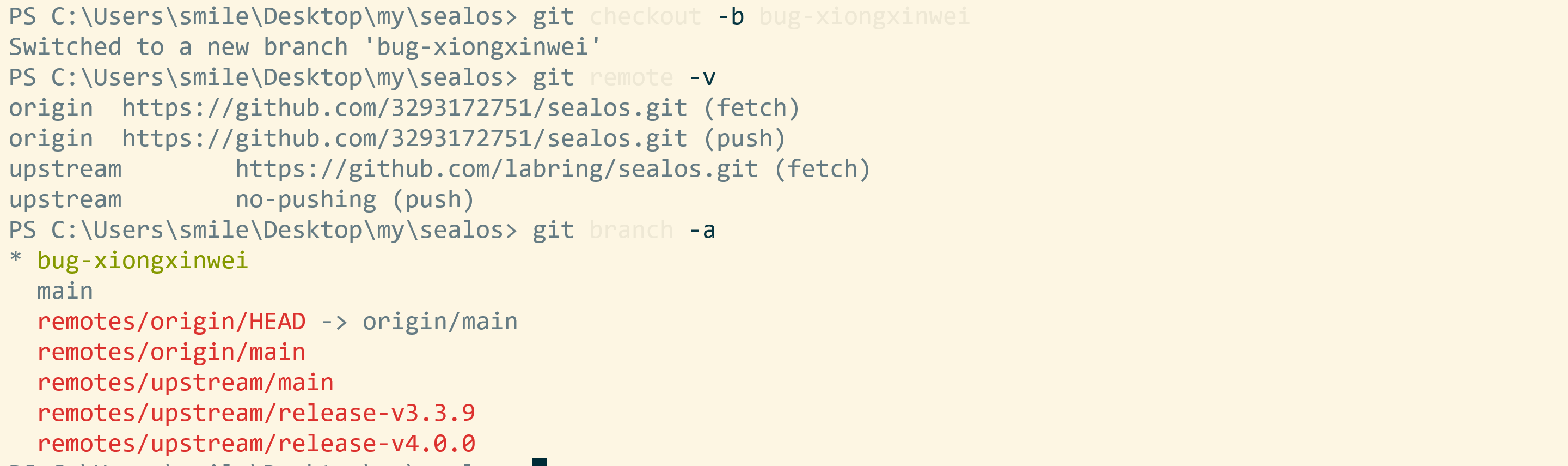
**1. Set “Remote Upstream” to **Use the following two commands: https://github.com/labring/sealos.git
git remote add upstream https://github.com/labring/sealos.git
git remote set-url --push upstream no-pushing
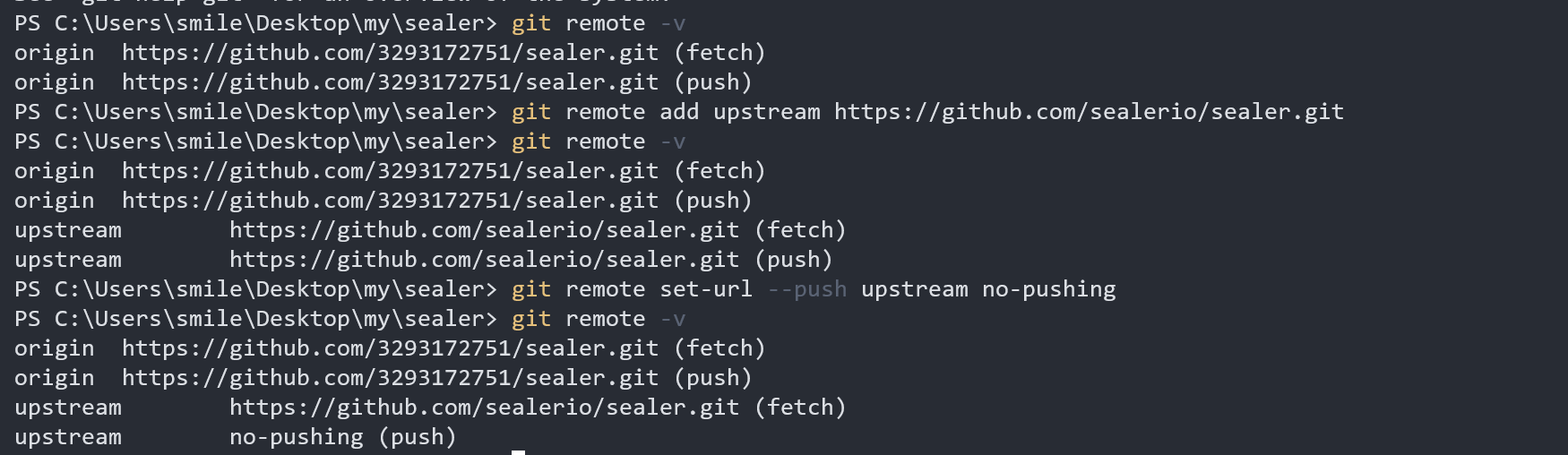
With this remote setup, you can check the git remote configuration like this:
$ git remote -v
origin https://github.com/<your-username>/sealos.git (fetch)
origin https://github.com/<your-username>/sealos.git (push)
upstream https://github.com/labring/sealos.git (fetch)
upstream no-pushing (push)
Adding this we can easily synchronize our local branch with the upstream branch.

2. Create a branch to add new features or fix issues
Update the local working directory and the remote forked repository:
It is recommended to use
fetch: From a security perspective,git fetchis safer thangit pull, because we can first compare the differences between local and remote, and then selectively merge.
cd sealos
git fetch upstream
git checkout main
git rebase upstream/main
git push # default origin, update your forked repository
Create new branch:
git checkout -b bug-xiongxinwei
Make any changes to the code and then build and test it. new-branch
Recommended naming convention:
``asciiarmor Branch: Name: Description:
Master branch master master branch, all official versions provided to users are released on this master branch Development branch dev development branch is always the branch with the latest and most complete functions Function branch feature-* new function branch, a certain function point is under development Release version release-* releases functions that will be launched regularly Fix branch bug-* Fix bug in online code
3. Push the branch to the forked repository, trying not to generate multiple commit messages in the PR.
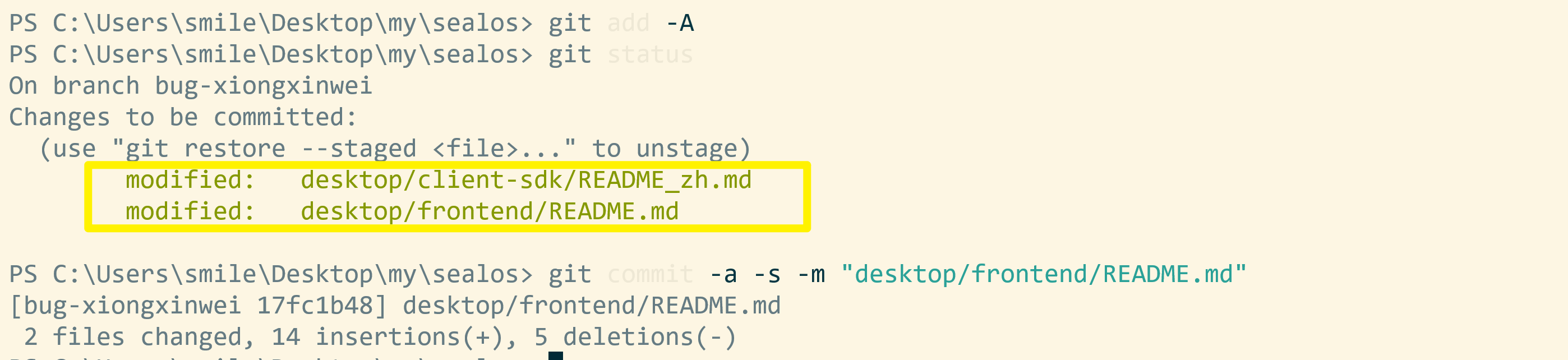
git commit -a -s -m "message for your changes"
-aparameter setting does not need to execute thegit addcommand after modifying the file, just submit it directly-smeans adding a signature and adding your own information
golangci-lint run -c .golangci.yml # lint
git add -A
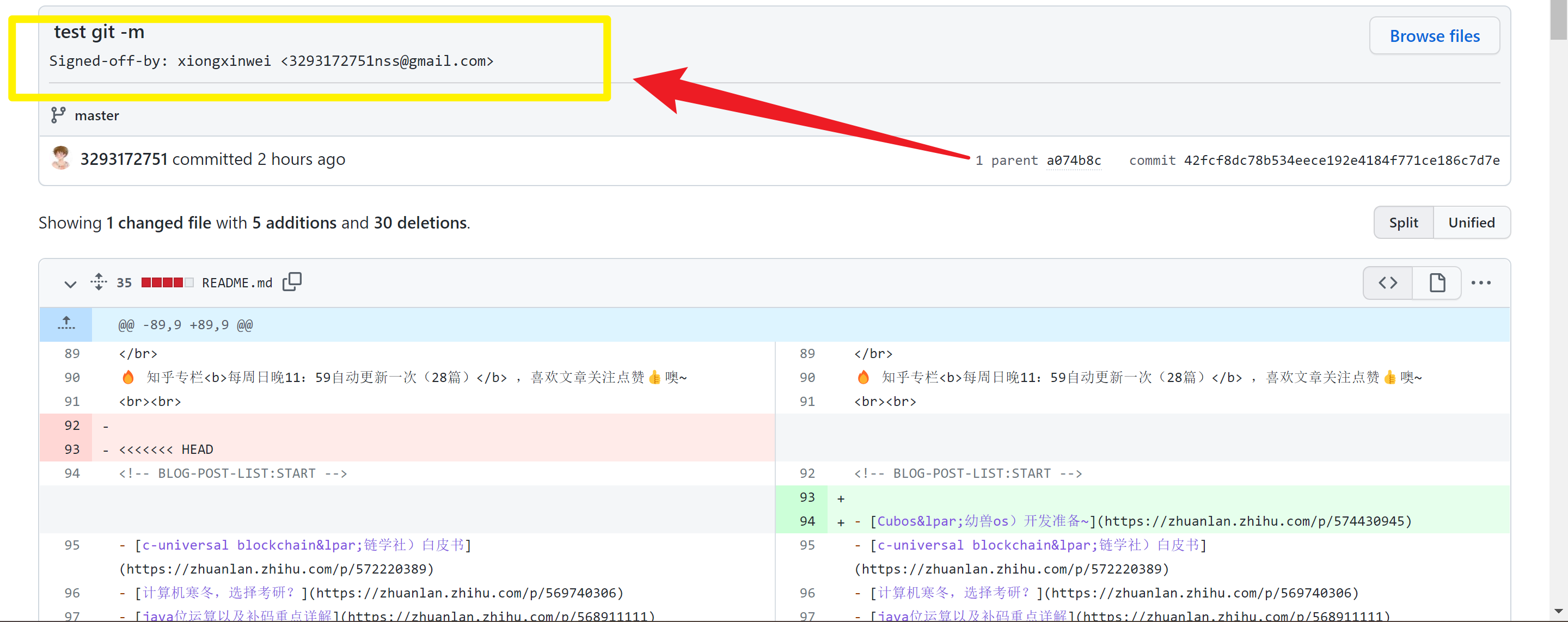
git commit -a -s -m "message for your changes" # -a is git add ., -s adds a Signed-off-by trailer
git rebase -i <commit-id> # If your PR has multiple submissions
git push # Push to the forked library after rebase is completed. If this is the first push, run git push --set-upstream origin <new-branch>
Specify a language for each Markdown block unless there is no associated language.
If you don’t want to use it, you can use git rebase -i, git commit -s --amend && git push -f
If you develop multiple features in the same branch, you should rebase the master branch:
# create new branch, for example git checkout -b feature/infra
git checkout -b <new branch>
# update some code, feature1
git add -A
git commit -m -s "init infra"
git push # if it's first time push, run git push --set-upstream origin <new-branch>
# then create pull request, and merge
# update some new feature, feature2, rebase main first.
git rebase upstream/main
git commit -m -s "init infra"
# then create pull request, and merge
Submit a pull request to the master branch:
⚠️ Installation notes:
- Requires pure version Linux system
ubuntu16.04,centos7- Use the new version, use the new version instead of the old one
- Server time must be synchronized
- The host name cannot be repeated
- The master node CPU must be 2C or above
- When selecting
ciliumfor the cni component, the kernel version must be no less than 5.4
sealos currently only supports linux and requires a linux server for testing.
Some tools can help you start a virtual machine very conveniently, such as multipass
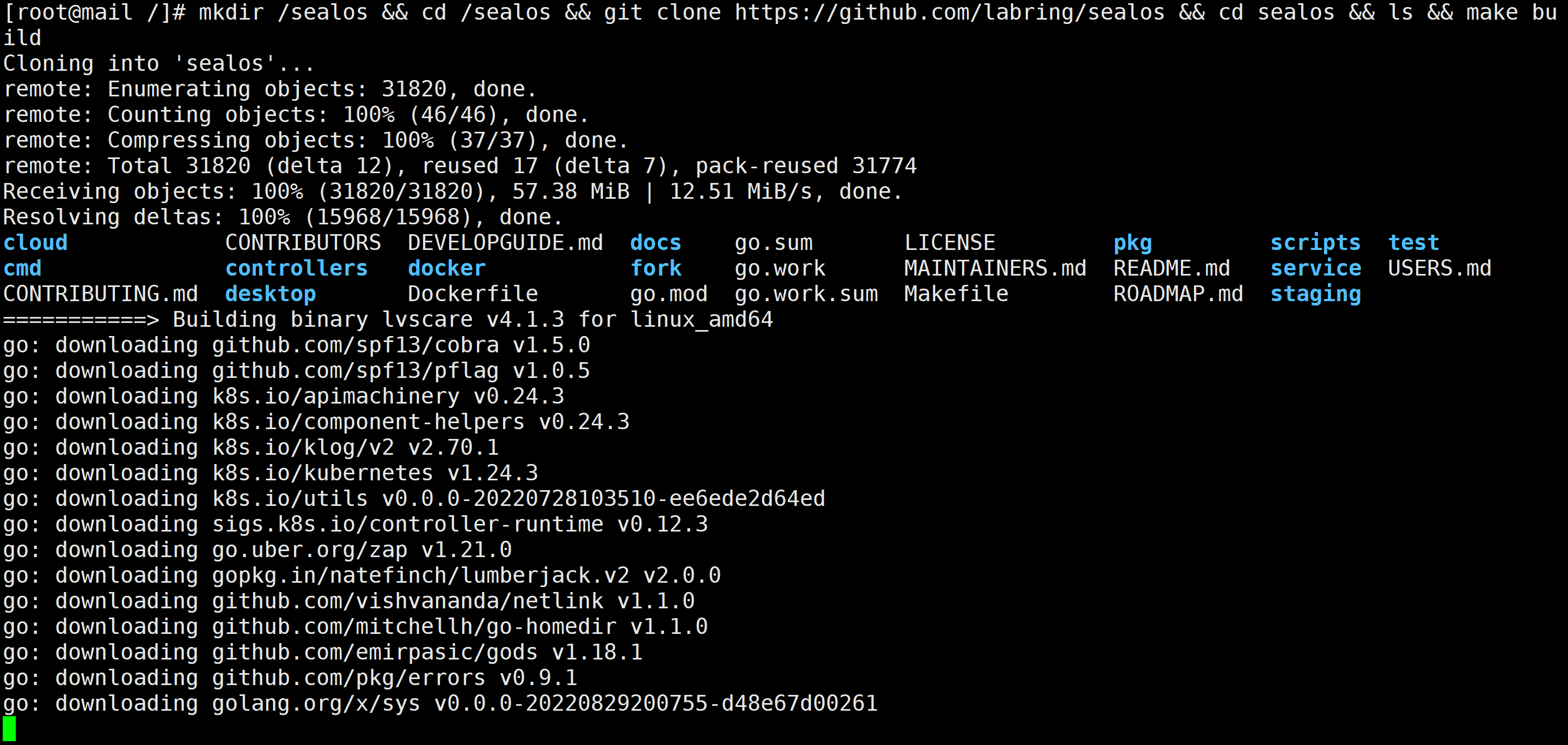
mkdir /sealos && cd /sealos ; git clone https://ghproxy.com/https://github.com/labring/sealos && cd sealos && ls ; make build # It may take a while due to network reasons~
You can scp the bin file to your linux host.
If you use multipaas, you can mount the bin directory to vm:
multipass mount /your-bin-dir <name>[:<path>]
Then test it locally.
**⚠️ NOTE: **
All binaries with
sealoscan be built anywhere as they haveCGO_ENABLED=0. However, support for overriding the driver is required when running somesealossubcommands that depend on CGO.imagestherefore opens CGOsealoswhen building, making it impossible to buildsealosbinaries on platforms other than Linux.
- Both
MakefileandGoReleaserin this project have this setting.Install golang
wget -o https://go.dev/dl/go1.19.3.linux-amd64.tar.gz && tar -C /usr/local -zxvf go1.19.3.linux-amd64.tar.gz
cat >> /etc/profile <<EOF
# set go path
export PATH=\$PATH:/usr/local/go/bin
EOF
source /etc/profile && go version
```

## Build the project

````bash
git clone https://github.com/labring/sealos && cd sealos
go env -w GOPROXY=https://goproxy.cn,direct && make build
```
:::danger custom environment variable mypath root@smile:/usr/local/src# cat /etc/profile.d/mypath
export GO_PATH=$"/usr/local/src/go"
export PATH=$PATH:$GO_PATH/bin
😂 What I like very much is that sealos can build the environment in one go. I think back then, I really spent all my efforts to build it~ but failed.
>18::: tip
git clone https://ghproxy.com/https://github.com/labring/sealosgo env -w GOPROXY=https://goproxy.cn,direct && make buildcgo: C compiler "x86_64-linux-gnu-gcc" not found: exec: "x86_64-linux-gnu-gcc": executable file not found in $PATH You need to install gnu-gcc, for example: apt -get install build-essential or yum -y install gcc-c++-x86_64-linux-gnu:::
sealoslocation/sealos/*
export PATH=$PATH:/sealos/bin/linux_amd64/
#export PATH=/usr/local/bin:$PATH
//PATH is the variable name, here it means adding it to the PATH environment variable
// =Followed by the environment variables to be added
// :$PATH refers to reassigning the newly added environment variables and the original environment variables to the PATH variable. It can be seen here that if there are multiple environment variables, they should be separated by:, such as
// export PATH=/sealos/bin/linux_amd64/bin:/sealos/bin/linux_amd64/bin:$PATH
// Of course, it doesn't matter whether $PATH is placed at the beginning or at the end.
Environment variables added in this way will take effect immediately, but will become invalid after the window is closed
⬇️ Add global variable method:
vim /etc/profile
// If you only modify the environment variables of the current user, it is `vim ~/.bashrc`
//Add the following code to the last line of the file:
export PATH=$PATH:/sealos/bin/linux_amd64/
//The rules and usage are as mentioned in Article 2
⚔️Quick:
cat >> /etc/profile <<EOF
#set go path
export PATH=\$PATH:/usr/local/go/bin
EOF

echo "source /etc/profile" >> ~/.bashrc #auto update
⚡Verification:
root@VM-4-3-ubuntu:/# sealos version
{"gitVersion":"untagged","gitCommit":"b24684f6","buildDate":"2022-10-20T19:20:05+0800","goVersion":"go1.19.2","compiler":" gc","platform":"linux/amd64"}
root@VM-4-3-ubuntu:/#
Basic usage:
pod and understand what a pod is ➡️ 🧷Recorddeployment and understand the relationship between deployment and pod ➡️ 🧷Recordconfigmap and understand the mounting configuration file to pod ➡️ 🧷Recordservice and access pod within the cluster through service ➡️ 🧷RecordCore concepts and functions of core components:
Kube-proxyis responsible for formulating the forwarding strategy of data packets, and uses daemon mode to monitor thepodinformation of each node in real time and update the forwarding rules. Afterservicereceives the request, it will formulate it according tokube-proxyA good strategy is used to forward requests to achieve load balancing.
You can use a kubectl apply and a deployment to sort out what these components have done respectively.
::: details core components
kubectl apiserver controller-manager scheduler kubelet kube-proxy etcd
What do these components do?
Node node mainly includes kubelet, kube-proxy module and pod object Master node mainly includes API Server, Scheduler, Controller manager, etcd components
:::
**what is pod? **
Pod is the smallest scheduling unit in Kubernetes. A Pod encapsulates a container (or multiple containers). Containers in a Pod share storage, network, etc. That is, you can think of the entire pod as a virtual machine, and then each container is equivalent to a process running on the virtual machine. All containers in the same pod are scheduled and scheduled uniformly.
When applications are deployed in
Kubernetes, they are scheduled inpods, which are basically packages or houses of a single container. In a sense, a container of containers.podis a logical packaging entity for executing containers on aK8scluster. Think of each pod as a transparent wrapper that provides a slot for the container.podis the smallest deployable unit ofKubernetes. A pod is a group of one or more containers with shared storage/network resources, and a specification for how to run the containers. So, in the simplest terms, a pod is the mechanism by which a container is “used” in Kubernetes.
Pod is the smallest unit of k8s. Containers are included in pods. There is a pause container and several business containers in a pod, and the container is a separate container. In short, a pod is a collection of containers.
Pod is equivalent to a logical host, each pod has its own IP address
Containers in the pod share the same IP and port
By default, each container’s file system is completely isolated from other containers
#Create a pod named nginx-learn and expose the container port to 80.
root@VM-4-3-ubuntu:/# kubectl get node -A
root@VM-4-3-ubuntu:/# kubectl run nginx-learn --image=nginx:latest --image-pull-policy='IfNotPresent' --port=80
pod/nginx-learn created
root@VM-4-3-ubuntu:/# kubectl get node -A
NAME STATUS ROLES AGE VERSION
vm-4-3-ubuntu Ready control-plane 24h v1.25.0
root@VM-4-3-ubuntu:/# kubectl get pod
NAME READY STATUS RESTARTS AGE
nginx-learn 1/1 Running 0 58s
delect the pod:
root@VM-4-3-ubuntu:/# kubectl get pod
NAME READY STATUS RESTARTS AGE
nginx-learn 1/1 Running 0 58s
root@VM-4-3-ubuntu:/# kubectl delete pod nginx-learn
pod "nginx-learn" deleted
root@VM-4-3-ubuntu:/# kubectl get pod
No resources found in default namespace.
kubectl creates and deletes a pod related operations:
| Command | Description |
|---|---|
| run | Run a pod on the cluster |
| create | Create a pod using a file or standard input |
| delete | Use a file or standard input to delete a pod |
create deployment:
Pod is a single or a collection of containers
Pod is the smallest scheduling unit of k8s. There can be multiple containers in a Pod, sharing the network with each other, etc. This is the core concept of k8s.
deployment is a pod version management tool used to distinguish different versions of pods
From a developer’s perspective, deployment means deployment. For the complete application deployment process, in addition to running the code (that is, pod), it is necessary to consider the update strategy, number of copies, rollback, restart and other steps.
Deployment, StatefulSet is the Controller, ensuring that the Pod is always running in the state you need.
There are one-time ones called jobs, those that are executed regularly are called crontabjobs, and those that are scheduled are called sts.
kubectl run nginx --image=nginx --replicas=2
nginx : Application name
--replicas: Specify the number of pod replicas running in the application
--image: the image used (pulled from dockerhub by default)
kubectl get deployment or kubectl get deploy
View replicaset:
kubectl get replicaset or kubectl get rs
View pod:
create configMap:
ConfigMap can be created using kubectl create configmap or the ConfigMap generator in kustomization.yaml
kubectl create configmap <map name> <data source>
Where <map name> is the name specified for the ConfigMap and <data source> is the directory, file or literal value from which data is to be extracted. The name of the ConfigMap object must be a legal DNS subdomain name
.
sealos currently only supports Linux and requires a Linux server for testing.
Some tools can help you start a virtual machine very conveniently, such as multipass
mkdir /sealos && cd /sealos && git clone https://github.com/labring/sealos && cd sealos && ls && make build # It may take a while due to network reasons~
You can scp the bin file to your linux host.
If you use multipaas, you can mount the bin directory to vm:
multipass mount /your-bin-dir <name>[:<path>]
Then test it locally.
**⚠️ NOTE: **
All binaries with
sealoscan be built anywhere as they haveCGO_ENABLED=0. However, support for overriding the driver is required when running somesealossubcommands that depend on CGO.imagestherefore opens CGOsealoswhen building, making it impossible to buildsealosbinaries on platforms other than Linux.
- Both
MakefileandGoReleaserin this project have this setting.
😂 What I like very much is that sealos can build the environment in one go. I think back then, I really spent all my efforts to build it~ but failed.
💡 Delete all the clusters from yesterday and open three new servers, completely new~

⚠️ Note: The environment must be very important, otherwise you won’t be able to run~
hostnamectl set-hostname k8s-master01
hostnamectl set-hostname k8s-master02
hostnamectl set-hostname k8s-master03
The virtual machine needs to be configured with a static IP
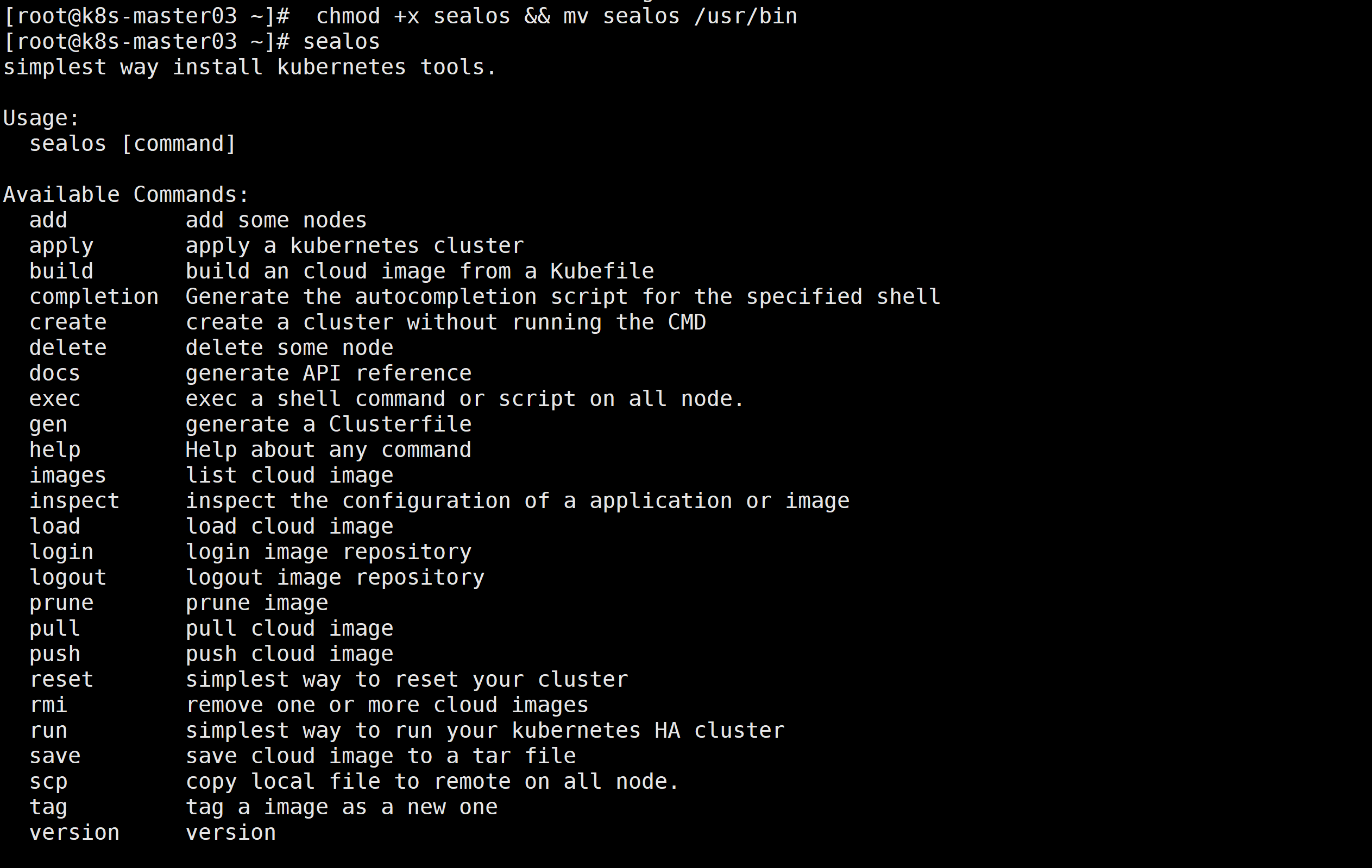
# Download and install sealos. sealos is a golang binary tool. You can directly download and copy it to the bin directory. You can also download it from the release page.
yum install wget && yum install tar &&\
wget https://github.com/labring/sealos/releases/download/v4.1.3/sealos_4.1.3_linux_amd64.tar.gz && \
tar -zxvf sealos_4.1.3_linux_amd64.tar.gz sealos && chmod +x sealos && mv sealos /usr/bin
#Create a cluster
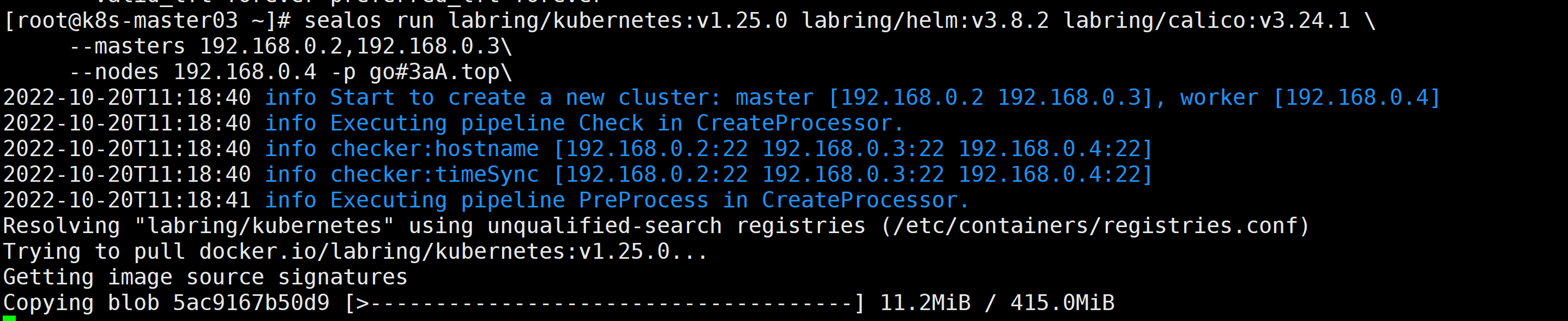
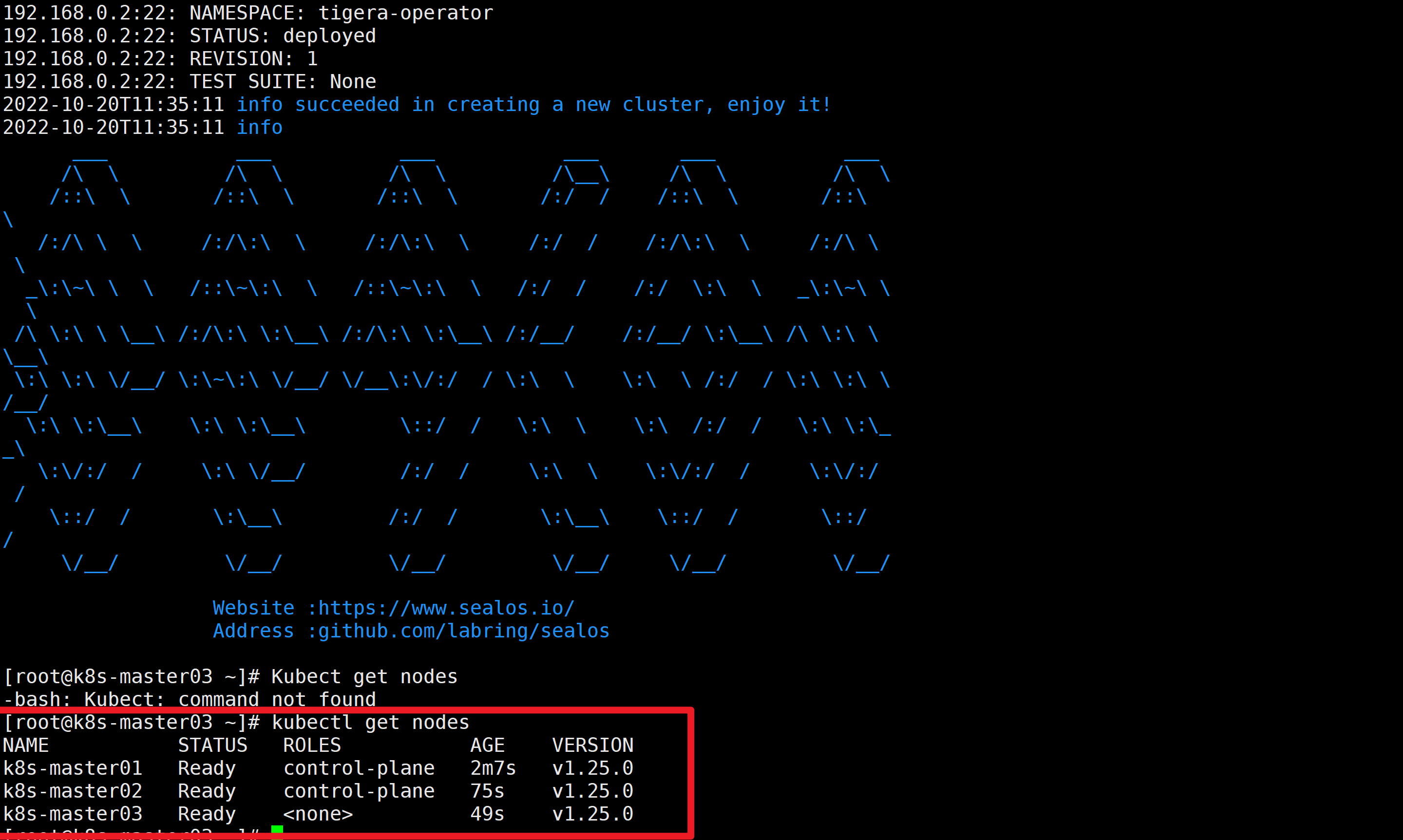
sealos run labring/kubernetes:v1.25.0 labring/helm:v3.8.2 labring/calico:v3.24.1 \
      --masters 192.168.0.2,192.168.0.3\
      --nodes 192.168.0.4 -p [your-ssh-passwd]
-p: passwd passwordTurning on ssh password-free does not require a password, it is implemented here.
验证集群:
Single host
- You can use
multipassto start multiple virtual machines from one machine- Recent releases also support the ——
Singlemode single-machine deployment
$ sealos run labring/kubernetes:v1.25.0 labring/helm:v3.8.2 labring/calico:v3.24.1 --single
# remove taint
$ kubectl taint node --all node-role.kubernetes.io/control-plane-
 branch
此内容由惯性聚合(RSS阅读器)自动聚合整理,仅供阅读参考。 原文来自 — 版权归原作者所有。