
惯性聚合 高效追踪和阅读你感兴趣的博客、新闻、科技资讯
阅读原文 在惯性聚合中打开

推荐订阅源

TaoSecurity Blog
TaoSecurity Blog
Jina AI
Jina AI
雷峰网
雷峰网
月光博客
月光博客
The GitHub Blog
The GitHub Blog
WordPress大学
WordPress大学
B
Blog RSS Feed
美团技术团队
C
CXSECURITY Database RSS Feed - CXSecurity.com
小众软件
小众软件
Security Latest
Security Latest
Microsoft Azure Blog
Threat Intelligence Blog | Flashpoint
C
Cybersecurity and Infrastructure Security Agency CISA
Last Week in AI
Last Week in AI
A
Arctic Wolf
Latest news
Latest news
Attack and Defense Labs
I
Intezer
F
Fortinet All Blogs
罗磊的独立博客
MongoDB | Blog
MongoDB | Blog
Webroot Blog
Webroot Blog
S
Secure Thoughts
Help Net Security
Help Net Security
Apple Machine Learning Research
博客园_首页
V
Visual Studio Blog
P
Proofpoint News Feed
博客园 - 【当耐特】
P
Privacy International News Feed
V
Vulnerabilities – Threatpost
Stack Overflow Blog
Stack Overflow Blog
Know Your Adversary
Know Your Adversary
云风的 BLOG
云风的 BLOG
Hacker News: Ask HN
Hacker News: Ask HN
L
LINUX DO - 最新话题
H
Help Net Security
爱范儿
爱范儿
酷 壳 – CoolShell
酷 壳 – CoolShell
S
SegmentFault 最新的问题
Forbes - Security
Forbes - Security
T
Tailwind CSS Blog
量子位
奇客Solidot–传递最新科技情报
奇客Solidot–传递最新科技情报
T
Tenable Blog
Cloudbric
Cloudbric
N
News and Events Feed by Topic
cs.AI updates on arXiv.org
Hugging Face - Blog
Hugging Face - Blog

Gary' Blog

Migrate pip to uv - Gary' Blog Terminal autocomplete (only macOS and Linux) How to expand the hard disk capacity of Debian/Ubuntu in ESXi Authentication FastAPI with Keycloak - Gary' Blog Keycloak configuration problems and solutions Careers and LinkedIn Jobs Page of Fortune 500 American Companies How to connect Windows desktop remotely using RDP and cloudflare ZeroTrust tunnel ESXi 8 issue solved: This PC can’t run Windows 11 Get clicked word using pure Javascript
How to download and license ESXi 8?
Name * · 2024-10-08 · via Gary' Blog

It is not easy to download ESXi 8 from Vmware official website.

You must have visited Wmware’s official website, but they only put a link to broadcom, and then they kept jumping around, and in the end you still couldn’t find the correct download link.

In this article, we will explain step by step how to download the correct esxi 8.

Steps to download ESXi 8

1 Sign up and Sign in broadcom.

2 Go to download center

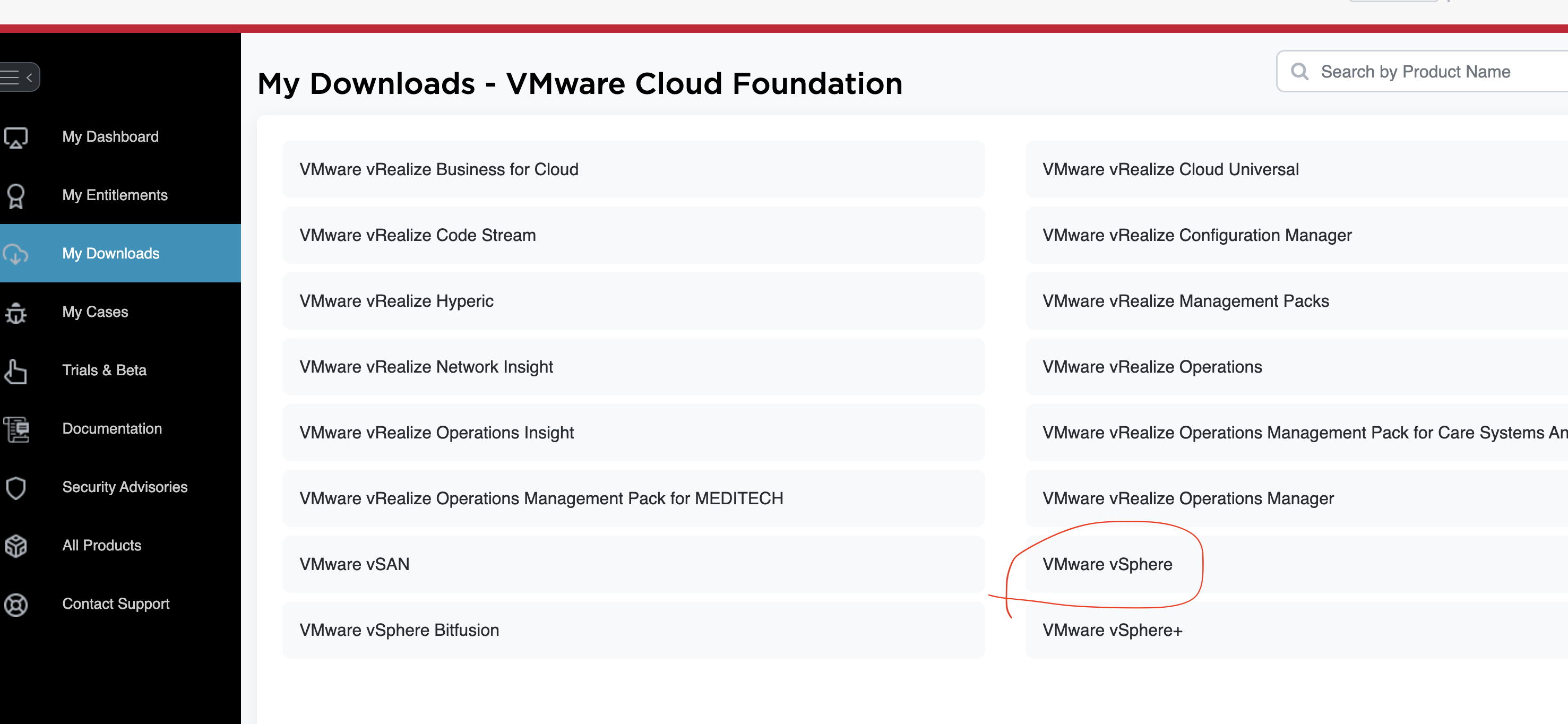
3 Look for "VMware vSphere" and click:
4 Then select one of the links such as "VMware vSphere Essentials Plus"

5 Select a version like "8.0"

6 Select "Custom ISOs"

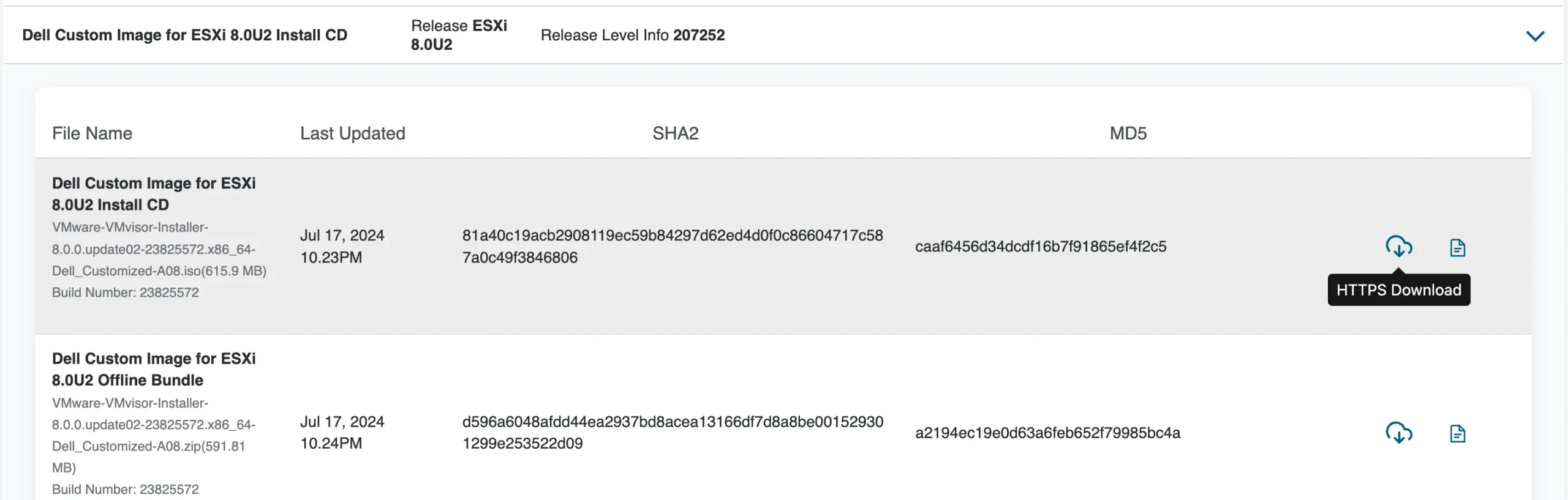
7 Select one of the iso download:
8 Done.

more about ESXi 8

Reference

  1. ESXI Download
  2. ESXi 8.0虚拟机必备知识与保姆级安装过程