惯性聚合 高效追踪和阅读你感兴趣的博客、新闻、科技资讯
阅读原文 在惯性聚合中打开

推荐订阅源

I
Intezer
V
Vulnerabilities – Threatpost
Google Online Security Blog
T
The Exploit Database - CXSecurity.com
C
CXSECURITY Database RSS Feed - CXSecurity.com
AWS News Blog
AWS News Blog
G
GRAHAM CLULEY
P
Privacy & Cybersecurity Law Blog
www.infosecurity-magazine.com
C
Cybersecurity and Infrastructure Security Agency CISA
N
News | PayPal Newsroom
T
Tenable Blog
Spread Privacy
Spread Privacy
Threat Intelligence Blog | Flashpoint
S
Secure Thoughts
P
Privacy International News Feed
IT之家
IT之家
Project Zero
Project Zero
T
The Blog of Author Tim Ferriss
Engineering at Meta
Engineering at Meta
大猫的无限游戏
大猫的无限游戏
博客园_首页
GbyAI
GbyAI
奇客Solidot–传递最新科技情报
奇客Solidot–传递最新科技情报
量子位
雷峰网
雷峰网
Apple Machine Learning Research
Hacker News: Ask HN
Hacker News: Ask HN
Google DeepMind News
MongoDB | Blog
MongoDB | Blog
N
Netflix TechBlog - Medium
Martin Fowler
Martin Fowler
NISL@THU
NISL@THU
I
InfoQ
D
DataBreaches.Net
有赞技术团队
有赞技术团队
K
Kaspersky official blog
Security Latest
Security Latest
The Register - Security
Hugging Face - Blog
Hugging Face - Blog
S
Security @ Cisco Blogs
P
Proofpoint News Feed
M
MIT News - Artificial intelligence
H
Hackread – Cybersecurity News, Data Breaches, AI and More
让小产品的独立变现更简单 - ezindie.com
AI
AI
Exploit-DB.com RSS Feed
P
Proofpoint News Feed
Security Archives - TechRepublic
N
News and Events Feed by Topic

sjdhome

sjdhome.com 2025 年度总结 | sjdhome 我的 2024 年 | sjdhome 我的 2024 年 | sjdhome sjdhome.com 制度与利益 | sjdhome 解决 Windows PPPoE 连接在系统睡眠后消失 | sjdhome 解决 Windows PPPoE 连接在系统睡眠后消失 | sjdhome 解决 Next.js build 完成后卡住的问题 | sjdhome 解决 Next.js build 完成后卡住的问题 | sjdhome 实现 WSL 2 开机免登录自动启动 | sjdhome 实现 WSL 2 开机免登录自动启动 | sjdhome 我的 2023 年 | sjdhome 我的 2023 年 | sjdhome 在 Windows 上启用 IP 转发 在 Windows 上启用 IP 转发 迁移到 Next.js | sjdhome 迁移到 Next.js | sjdhome 评论功能正式启用 | sjdhome 评论功能正式启用 | sjdhome 解决 GNOME 桌面环境下 Chromium 系浏览器全屏时有横线闪烁 解决 GNOME 桌面环境下 Chromium 系浏览器全屏时有横线闪烁 解决修改 Bash Prompt 后翻阅历史命令时显示错位 | sjdhome 解决修改 Bash Prompt 后翻阅历史命令时显示错位 | sjdhome 如何手动安装 rust-src | sjdhome 成瘾游戏的属性 | sjdhome 成瘾游戏的属性 | sjdhome 《可塑性记忆》观后感 | sjdhome 时光荏苒的失落 | sjdhome 《可塑性记忆》观后感 | sjdhome 时光荏苒的失落 | sjdhome H3C Magic RC3000 的相关信息 | sjdhome H3C Magic RC3000 的相关信息 | sjdhome Hello world | sjdhome Hello world | sjdhome
如何手动安装 rust-src | sjdhome
sjdhome · 2023-05-30 · via sjdhome

安装 Rust,官方通常推荐使用 rustup 进行安装和版本管理。可如果我就是不听,一定要手动安装,官方也提供了 Standalone installers。可是用这种方式安装的 Rust 不带 rust-src,使用 Visual Studio Code 时 rust-analyzer 扩展会出现如下的错误提示:
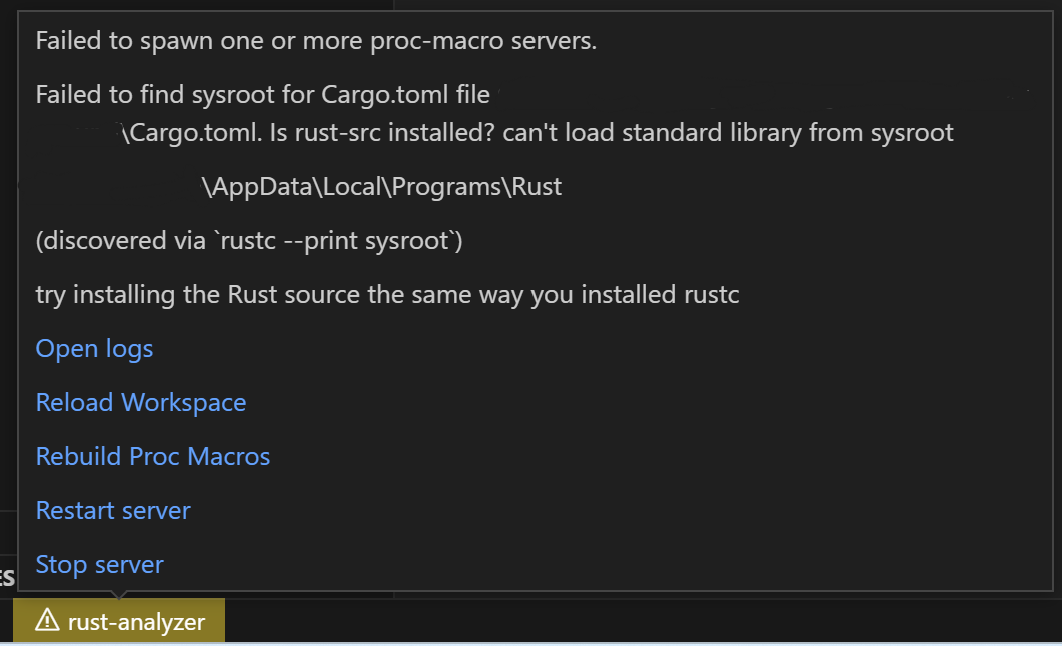
Failed to spawn one or more proc-macro servers.

最后一句try installing the Rust source the same way you installed rustc是解决问题的关键。对于如何修复这个错误,Google 并不能找出直接的答案。大多数解答都是针对 rustup 安装错误,安装 rust-src 的方法也只有使用 rustup。

解决方法

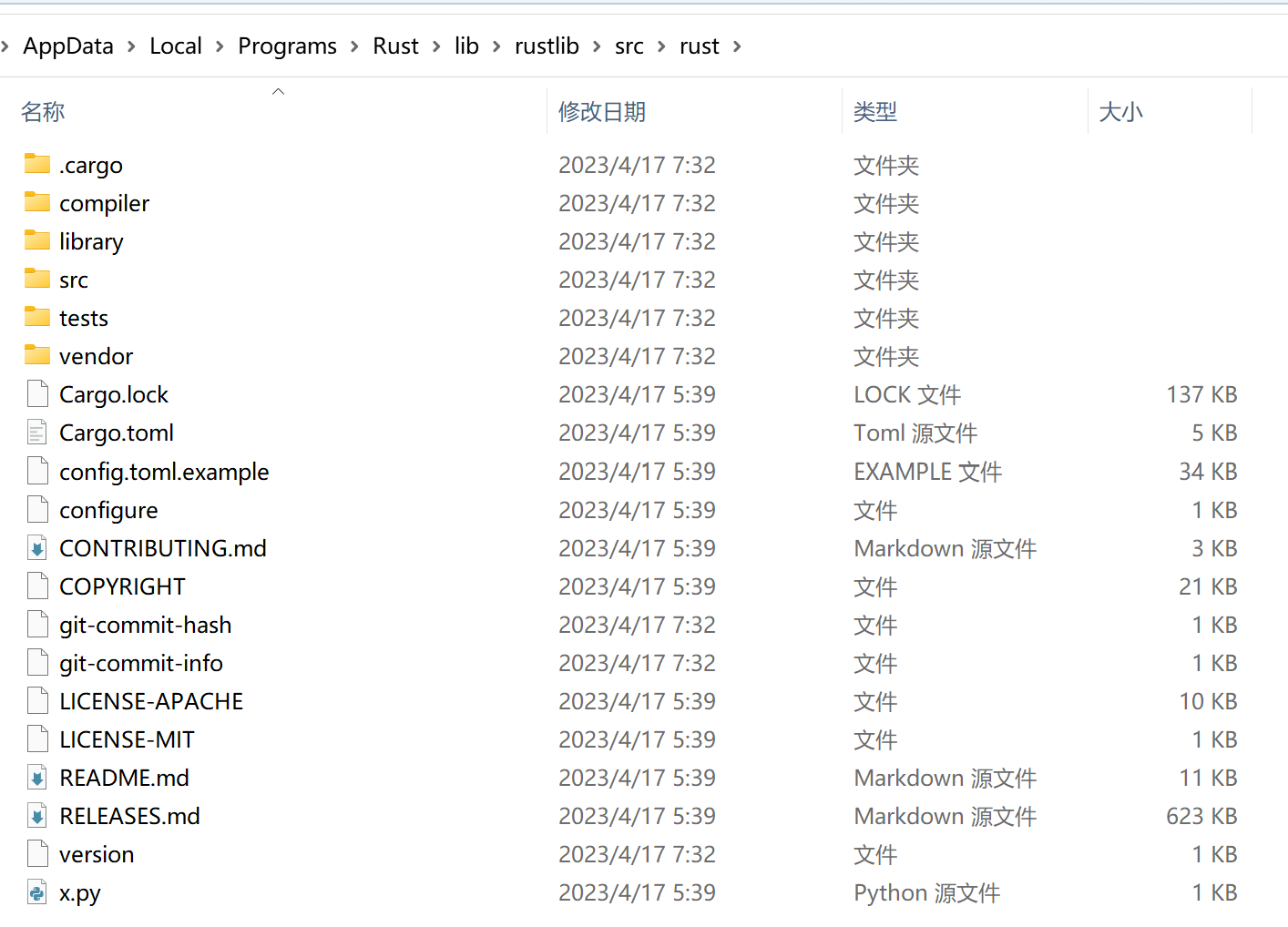
Standalone installers 下载页面的底部,可以下载对应当前版本的 rust-src 的压缩包。之后需要在Rust安装位置/lib/rustlib/下创建一个src文件夹,然后将压缩包里的rust-版本号-src文件夹解压到src目录下,并将rust-版本号-src重命名为rust

安装完成后的效果图