


The Asus ROG Zephyrus Duo was my pick for the best laptop of CES: It had two high-end screens, great specs, and the promise of being a one-of-a-kind multitasking and gaming monster. Now that this over-the-top laptop is here, I can tell you it’s as fantastic as I had hoped for. It’s also as expensive as I feared. Our review configuration costs $5,500.
Woof.
This laptop has a lot going on: two full-size 16-inch OLEDs, a top-of-the-line Nvidia RTX 5090 Laptop GPU, a near-top-of-the-line 16-core Intel Panther Lake chip, plenty of ports (including an SD card slot), and a great keyboard and trackpad you can remove and use via Bluetooth. These are pricey features, and that’s before you consider whatever the 32GB of soldered RAM and 1TB SSD inside it costs these days.
But who is this for? Who needs a dual-screen gaming laptop? I once saw a last-gen model of the Zephyrus Duo in the wild at a retro gaming convention, and even though the owner was just browsing eBay on it, it felt like spotting a unicorn.
This is a laptop for nobody. Not a single person needs this or its sleeker cousin, the Zenbook Duo. But that doesn’t prevent dual-screen laptops from being incredibly cool and fun to use. Toss out your notions of “need” and “necessary” and just let yourself take in the potential of this all-in-one portable battlestation.
8
Verge Score
$5500
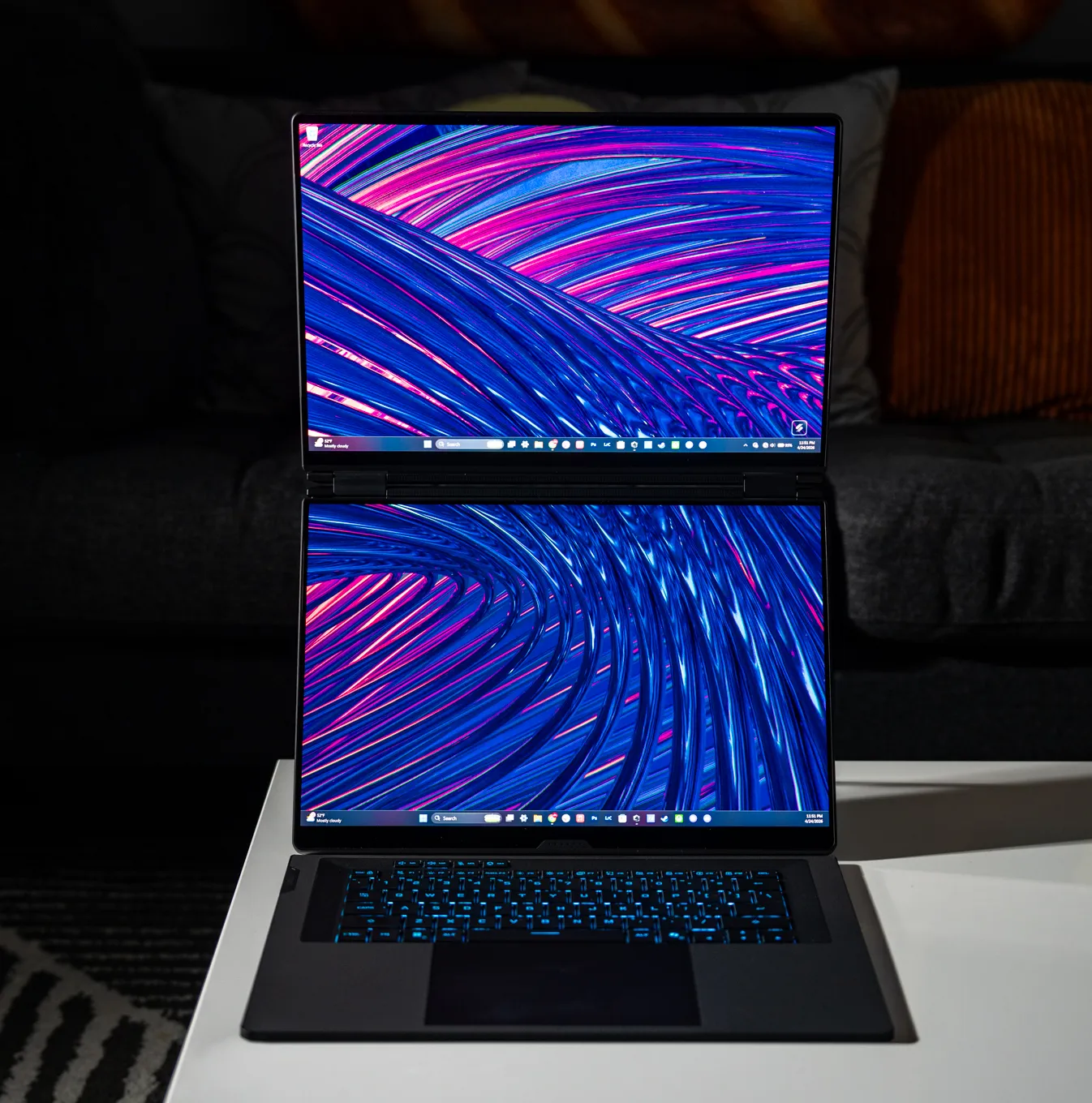
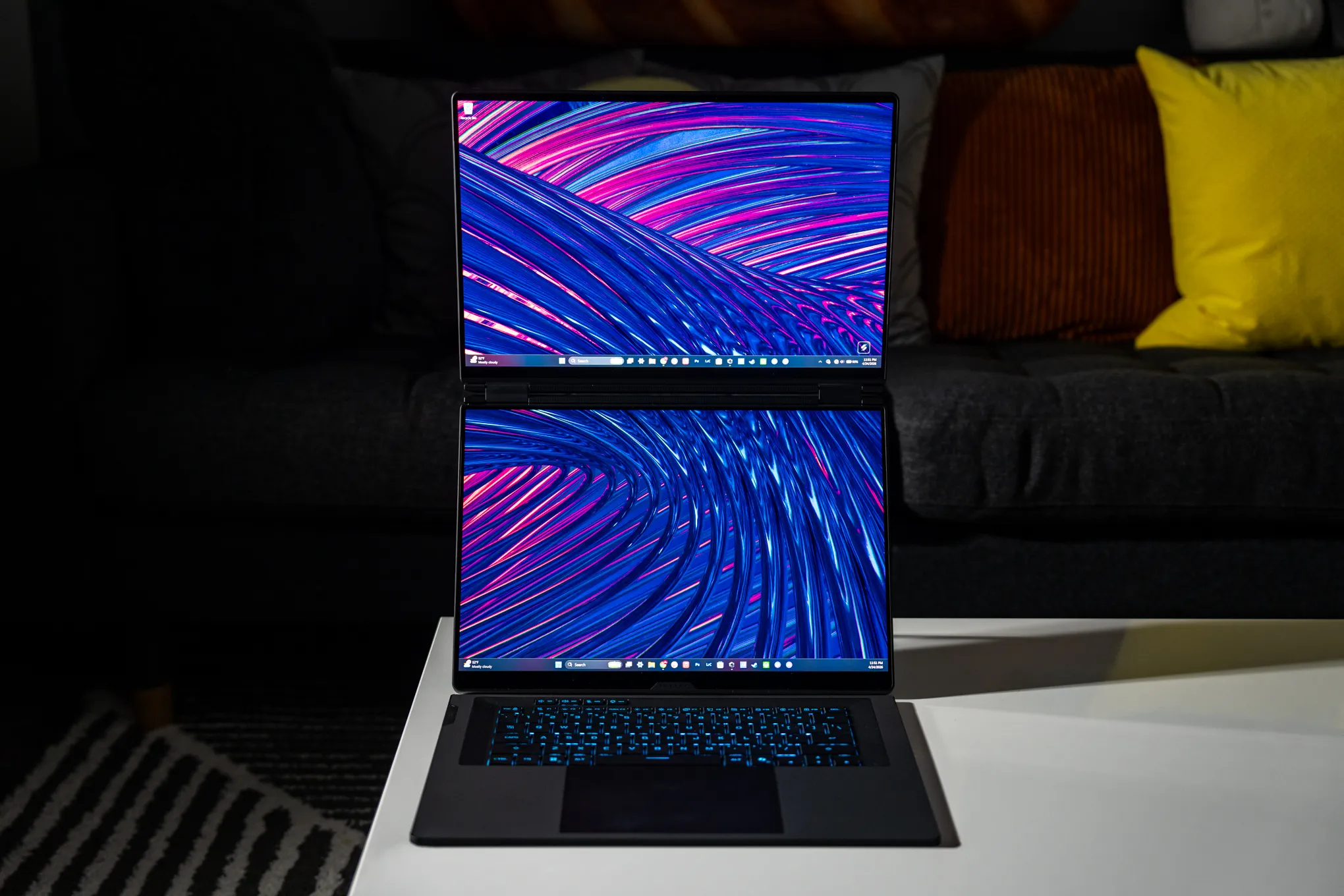
The Zephyrus Duo looks and feels a lot like an extra thick, extra heavy version of the ROG Zephyrus G16 it’s based on. But lift the keyboard from its retractable pogo pins to reveal the second screen, and the real fun begins. The displays are matching 16-inch 2880 x 1800 touchscreen OLEDs with 120Hz refresh rates and up to 1,100 nits of peak HDR brightness. Both screens are absolutely gorgeous to stare at, with crisp details and deep contrast.
The display setup is a major improvement over the last-gen Zephyrus Duo 16 and original Duo 15, which each had a large main screen and a skinny strip of a second screen above the keyboard deck. With the new model, you’re always carrying two perfectly matched full-size OLEDs. The tradeoff is that this laptop is nearly an inch thick and weighs a hefty 6.17 pounds / 2.8kg.
Like the much lighter Zenbook Duo, the Zephyrus Duo is a multitasking champ. It’s easy to snap two, four, or even more windows around its twin displays. And I love having all this screen real estate for getting work done — the landscape mode, with side-by-side vertical screens, is my favorite for writing. Having dual giant screens does have some knock-on effects, both positive and negative. The speakers are only okay, lacking low-end due to their placement in the hinge and under the chassis. The 1080p webcam sits at eye level in tall mode, but it’s grainy in even slightly dim lighting. Fortunately, making the keyboard removable doesn’t prevent it from having deep 1.7mm key travel and a satisfying tactile feel. And the mechanical trackpad is very large and has a nice dampened sound. It easily clicks in its lower two-thirds section (sadly, not corner to corner like a certain $600 laptop).


1/9
I love using the keyboard and trackpad on the Zephyrus Duo in clamshell mode as well as wirelessly. I got over six hours of wireless keyboard / trackpad use before the low-battery light started blinking. As for battery life on the laptop itself, this is not the power sipper that the Zenbook Duo was. Its battery has about 10 percent less capacity (90Wh instead of 99Wh), its discrete GPU is energy hungry when it kicks in, and its screens are larger. In our battery rundown test it lasted for 11 hours in single-screen clamshell mode compared to the Zenbook Duo’s 14 hours.
But the reason to opt for the Zephyrus Duo over the Zenbook Duo is that it’s a proper gaming laptop, complete with Nvidia’s flagship mobile GPU. I had no problem playing Marathon on the Zephyrus Duo and maintaining a solid 60fps on High settings at 2880 x 1800 with DLSS set to Performance. Switching the mode from Performance to Turbo bumped Marathon to over 70fps, with a peak of 80. The fans are much louder in Turbo mode, but they’re tolerable if you can crank the game volume a bit or you’re wearing headphones.


1/3
Performance was even better in Battlefield 6. I kept the Duo in Turbo mode and maintained around 90fps on the High preset at 2880 x 1800 with no upscaling at all. For a competitive shooter, I’d be happy to maintain that kind of frame rate and not worry that upscaling is adding any latency. But to test it further, I turned on DLSS 4.5 in quality mode, and that pushed BF6 to around 100 to 110fps.
This is some good game performance. But what makes the Zephyrus Duo special is that you always have a second screen for other stuff: a game guide, chat apps, performance monitoring, watching a YouTube video or Twitch stream, the work you’re currently neglecting, etc. You technically could stretch one game across both displays, but it’s not a conventional aspect ratio for developers to support, and the 1.5-inch gap between the displays makes it a non-starter.


1/9
In my sessions of Marathon and Battlefield 6, using the Duo the way it’s meant to be used, I bounced between Discord, Signal, and various Chrome tabs on the second screen. People do this all the time with external monitors and dual-monitor desktop setups, but the Duo lets you do it wherever you go. I mostly played it on my couch using a lap desk, mechanical keyboard, and a mouse while my spouse had a show on our living room TV in the background. It was awesome to be able to do all of that and not have to exile myself to the desk in our office.

But while the higher-end Zephyrus Duo I tested has a top-flight GPU, it’s throttled down to a peak of 135W TGP compared to the RTX 5090’s maximum spec of 150W. That’s why cheaper and lighter 5090-equipped laptops like the Razer Blade 16 and the 2025 ROG Zephyrus G16 outperform it. Even Asus’ ROG Strix Scar 16 with a lesser RTX 5080 can beat the Zephyrus Duo, thanks to its greater power allowance and better cooling. These laptops undercut the Duo by $1,000 to $2,200. There’s an entry-level configuration of the Duo with an RTX 5070 Ti that gets a little closer in price, but it’s a still-very-expensive $4,500, and it would get its doors blown off in performance.
This isn’t anything new for the ROG Zephyrus line, like the popular G14 and G16 models. They’ve always run hotter and slower than bulkier laptops with the same specs, in exchange for thinner chassis designs and better battery life that make them more well-rounded for gaming and non-gaming use. But the Zephyrus Duo is just so expensive. You could buy Razer’s freshly updated Blade 16 with the same Intel chip / Nvidia GPU combo as the Duo, throw in that new $350 Alienware QD-OLED monitor, and you’d still save $650. But then you wouldn’t have two screens on one gaming laptop.
As I said at the top, there’s nothing logical about the Zephyrus Duo. It’s like it was made to be a weird flex on r/battlestations. But it still feels special. Frankly, I love it. There are very few dual-screen laptops out there, and this is now their undisputed champ for gaming. If money were no object, sure, I’d get one. But money is very much an object.
Even if I had the disposable income, I’d likely talk myself down to something less extravagant. Like that ROG Strix Scar 16 with a 5080 for my high-end gaming needs and a 14-inch M5 MacBook Pro for my creative work and portability. That’s still extravagant. But you know what? That combo costs $500 less than the 5090 Zephyrus Duo.
If you want into the exclusive dual-screen gaming laptop club, you have to lead with your heart, not your brain. Oh, and also your wallet.
Photography by Antonio G. Di Benedetto / The Verge
Asus ROG Zephyrus Duo / Intel Core Ultra 9 386H / 32GB / 1TB | Razer Blade 16 (2025) / AMD Ryzen AI 9 HX 370 / 32GB / 2TB | Asus ROG Strix Scar 16 / Intel Core Ultra 9 275HX / | MSI Titan 18 (2025) / Intel Core Ultra 9 285HX / 64GB / 6TB | Asus Zenbook Duo / Intel Core Ultra X9 388H (Panther Lake) / 32GB / 1TB | MacBook Pro 14 / Apple M5 / 16GB / 1TB | |
|---|---|---|---|---|---|---|
| CPU cores | 16 | 12 | 24 | 24 | 16 | 10 |
| GPU | Nvidia RTX 5090 Laptop GPU (10,496 CUDA cores) | Nvidia RTX 5090 Laptop GPU (10,496 CUDA cores) | Nvidia RTX 5080 Laptop GPU (7,680 CUDA cores) | Nvidia RTX 5090 Laptop GPU (10,496 CUDA cores) | Intel Arc B390 (12 cores) | Apple M5 (10 cores) |
| Geekbench 6 CPU Single | 2886 | 2968 | 3113 | 3054 | 3009 | 4208 |
| Geekbench 6 CPU Multi | 16966 | 15922 | 19709 | 21957 | 17268 | 17948 |
| Geekbench 6 GPU (OpenCL) | 200809 | 213016 | 200189 | 234632 | 56839 | 49059 |
| Cinebench 2026 Single | 516 | Not tested | Not tested | Not tested | 528 | 736 |
| Cinebench 2026 Multi | 5098 | Not tested | Not tested | Not tested | 3993 | 4486 |
| PugetBench for Photoshop | 8825 | 8679 | 8482 | 8037 | 8773 | 12354 |
| PugetBench for Premiere Pro (2.0.0+) | 118183 | Not tested | Not tested | Not tested | 54920 | 71122 |
| Blender classroom test (seconds, lower is better) | 20 | 18 | 21 | Not tested | 61 | 44 |
| Blender cosmos test (seconds, lower is better) | 115 | 121 | Not tested | Not tested | 204 | Not tested |
| Premiere 4K Export (lower is better) | 5 minutes, 0 seconds | 1 minute, 56 seconds | Not tested | Not tested | 3 minutes, 3 seconds | 2 minutes, 47 seconds |
| Sustained SSD reads (MB/s) | 7033.11 | 6726.25 | 6832.06 | 14516.67 | 6762.15 | 7049.45 |
| Sustained SSD writes (MB/s) | 5808.61 | 4931.41 | 6550.21 | 9194.8 | 5679.41 | 7317.6 |
| 3DMark Time Spy graphics score | 18417 | 22498 | 20977 | 24897 | 6654 | Not tested |
| Price as tested | $5,499.99 | $4,499.99 | $3,299.99 | $5,699.99 | $2,299.99 | $1,949 |
Follow topics and authors from this story to see more like this in your personalized homepage feed and to receive email updates.
此内容由惯性聚合(RSS阅读器)自动聚合整理,仅供阅读参考。 原文来自 — 版权归原作者所有。