

惯性聚合 高效追踪和阅读你感兴趣的博客、新闻、科技资讯
阅读原文 在惯性聚合中打开

推荐订阅源

Cloudbric
Cloudbric
E
Exploit-DB.com RSS Feed
SecWiki News
SecWiki News
Forbes - Security
Forbes - Security
N
News | PayPal Newsroom
S
Security @ Cisco Blogs
Schneier on Security
V
V2EX - 技术
S
Secure Thoughts
W
WeLiveSecurity
Google DeepMind News
C
CERT Recently Published Vulnerability Notes
NISL@THU
NISL@THU
S
Securelist
S
Security Archives - TechRepublic
Know Your Adversary
Know Your Adversary
V
Vulnerabilities – Threatpost
Security Latest
Security Latest
Recent Commits to openclaw:main
G
GRAHAM CLULEY
H
Hacker News: Front Page
Microsoft Azure Blog
I
Intezer
Google Online Security Blog
美团技术团队
阮一峰的网络日志
阮一峰的网络日志
T
The Exploit Database - CXSecurity.com
钛媒体:引领未来商业与生活新知
钛媒体:引领未来商业与生活新知
Webroot Blog
Webroot Blog
Jina AI
Jina AI
Engineering at Meta
Engineering at Meta
P
Proofpoint News Feed
The Cloudflare Blog
I
InfoQ
L
LangChain Blog
U
Unit 42
P
Proofpoint News Feed
S
Schneier on Security
S
Security Affairs
Y
Y Combinator Blog
T
Tenable Blog
N
News and Events Feed by Topic
MyScale Blog
MyScale Blog
量子位
Google DeepMind News
Cyberwarzone
Cyberwarzone
博客园 - 聂微东
D
Darknet – Hacking Tools, Hacker News & Cyber Security
GbyAI
GbyAI
AWS News Blog
AWS News Blog

行迹小栈

英语十大词法汇总 - 行迹小栈 保定市林草生态园 - 行迹小栈 【北京】-八达岭长城 - 行迹小栈 【北京】-颐和园 - 行迹小栈 【上海】 - 行迹小栈 【唐山市】河头老街-唐山宴-唐山地震博物馆 - 行迹小栈 【天津】 - 行迹小栈 【北京】-天安门 - 行迹小栈 【张家口】-蔚县 - 行迹小栈 🐍 Python ORM 技术选型指南: SQLAlchemy 与 SQLModel - 行迹小栈 Mysql查询:每个重复数据,只显示一条 - 行迹小栈 python提取excel中的超链接 - 行迹小栈 CentOS7通过rpm安装docker和docker compose - 行迹小栈 Requests verify=False 报错:InsecureRequestWarning: Unverified HTTPS request is being made to host - 行迹小栈 centos7 初始化脚本 - 行迹小栈 Vmware centos7 配置静态网络 - 行迹小栈 我的瘢痕疙瘩治疗过程记录 - 行迹小栈 关于瘢痕疙瘩-为什么-治疗方案-如何预防 - 行迹小栈 javascript基础教程 - 行迹小栈
python使用subprocess配合node.js执行js代码 - 行迹小栈
行迹小栈 · 2025-07-29 · via 行迹小栈

前言

在使用python写爬虫时,有时需要逆向,解密,需要运行js代码,需要和python进行交互,在python中可以使用 PyExecJSjs2py,但是这两个只适合简单的js代码片段,有局限性,不如直接使用 subprocess 调用 node.js
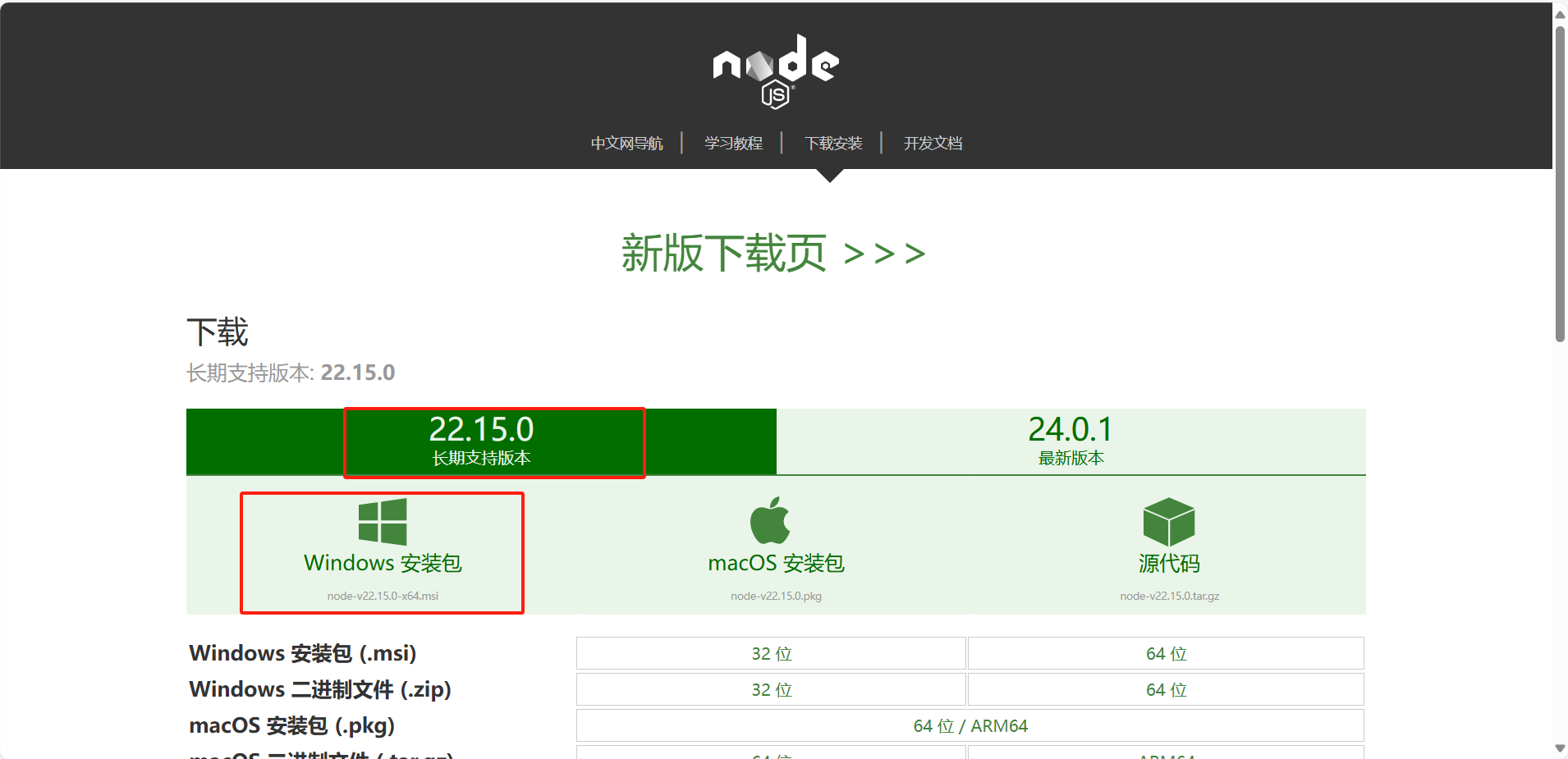
安装node.js

node.js官网

image-xmjd.png

下载完后,改一下安装位置,其余全部下一步安装即可

subprocess运行js

subprocess 基本原理

subprocess 是Python的标准库,subprocess 模块允许 Python 启动新进程、连接到它们的输入 / 输出 / 错误管道,并获取返回码。核心函数是 subprocess.run()(Python 3.5+),简化了旧版 subprocess.Popen 的使用。

执行js-subprocess.run()

代码

### demo.js

function test(a,b,c) {
    return a+b+c
};

# 接受subprocess传来的参数 
arg1 = process.argv.slice(2)[0]
arg2 = process.argv.slice(2)[1]
arg3 = process.argv.slice(2)[2]

console.log(test(arg1, arg2, arg3))


### main.py

import subprocess

arg1 = 'python'
arg2 = '调用'
arg3 = 'js'

js_result = subprocess.run(['node', 'demo.js', arg1, arg2, arg3],capture_output=True,text=True,encoding='utf8')

# 手动判断退出码
if js_result.returncode == 0:
    print("标准输出:\n" ,js_result.stdout)
else:
    print("错误输出:\n", js_result.stderr)


### 运行结果

标准输出:
 python调用js

方法详解

  • ['node', 'demo.js', 'arg1', 'arg2', 'args3']: 命令和参数的列表。node 是命令,可以传node(会在系统变量中寻找node.exe),也可以传node.exe的所在路径,demo.js 是要执行的文件,arg1, arg2, arg3 是传递给 JS 脚本的参数,命令和参数的类型必须是字符串,否则报错。

  • capture_output=True: 捕获子进程的标准输出 (stdout) 和标准错误 (stderr)。而不是出错直接在控制台输出

  • text=True: 将捕获的输出从字节(bytes)解码为字符串(str)

  • check

    • True:若子进程返回非零退出码(表示错误),自动抛出 CalledProcessError 异常。
    • False(默认):不检查退出码,需手动判断 result.returncode
  • timeout:设置超时时间(秒),超时后终止子进程并抛出异常。

  • input:传递给子进程的输入内容(需配合 text=True 使用字符串,否则用 bytes)。