






CloudCannon is here to help if you've been seeking an alternative to TinaCMS or Tina Cloud for your Hugo, Eleventy, Jekyll, Gatsby, Next.js, NuxtJS, Astro, SvelteKit, or MkDocs static sites. CloudCannon is a Git-based content management system that runs hundreds of websites for Fortune 500 firms, digital agencies, freelance developers, and worldwide corporations.
CloudCannon, like TinaCMS, is Git-based, which means your site files are always securely kept in your GitHub, GitLab, or Bitbucket repositories. CloudCannon also provides a variety of content editing choices, ranging from our user-friendly Visual Editor to the Markdown-centric Content Editor, as well as the Data Editor and Source Editor for rapid access to all of your site's files.
Unlike TinaCMS, however, CloudCannon has been helping developers and content writers create, maintain, and update static sites for more than ten years. We’re actively developing intuitive content editing solutions for users of new static site generators and hybrid frameworks, while making sure we maintain feature parity for users who are already committed to static-first SSGs like Hugo, Eleventy, and Jekyll.
If you’re currently using TinaCMS (or were using its predecessor Forestry, which the company shelved in late 2022), you’ll find that CloudCannon’s feature set encompasses everything that you’re already doing on your current CMS — and more — making it a simple transition for both developers and content writers. This post provides an overview of CloudCannon’s features and concepts, how they relate to structural concepts within TinaCMS, and the actions developers must take to complete the switch.
Our app team is available now to help with migrating your static sites over to CloudCannon. We'd love to chat about your use case, and show you more about what CloudCannon has to offer — feel free to get in touch with any questions, or book a no-obligation demo call.
CMSs exist to help editing and content teams manage the contents of a website. And the simpler the editing experience provided by a CMS, the more empowered your editing teams will be to make content improvements without the assistance of a developer. CloudCannon prioritises the editor's experience, with a fully-featured Visual Editor that developers can customize for optimal editing.
Content writers can use CloudCannon to produce and update content directly on their websites, with Visual Editing mode fully supported no matter which SSG you choose to use — what could be easier?
Markdown is excellent, but it may be limiting when it comes to sophisticated marketing material, particularly if content editors or clients prefer a visual approach. That's when components, which may be assembled to form a page, come in handy. Components are powered by Structures on CloudCannon. You begin by specifying a label and the data fields in your component, and you are free to utilise the full range of CloudCannon field types; you can even layer array structures! Once set up, editors may utilise these components to quickly create pages by arranging their information in user-friendly blocks.

CloudCannon, like TinaCMS, is a Git-based CMS. All modifications in your repository are automatically synced to CloudCannon, and any changes made by editors are committed to your repository. We provide all editors complete Git capability for authoring, reviewing, and publishing — without requiring them to understand how Git works. CloudCannon editors may make clones of sites by branching to make large-scale modifications, check their content on staging sites, then publish via branch merge or pull request afterwards.
All sites on CloudCannon receive reliable, high-performance hosting through our partner Cloudflare. But if you’re already using services like Netlify or Vercel to host your production site, you can keep these settings, and use our built-in hosting just for your staging environment — the choice is yours.
You can start testing CloudCannon and transferring your sites from TinaCMS in a matter of minutes:
Like TinaCMS, CloudCannon is a Git-based CMS. To start, sign up to CloudCannon, and from the Sites menu select “Use your own files”.
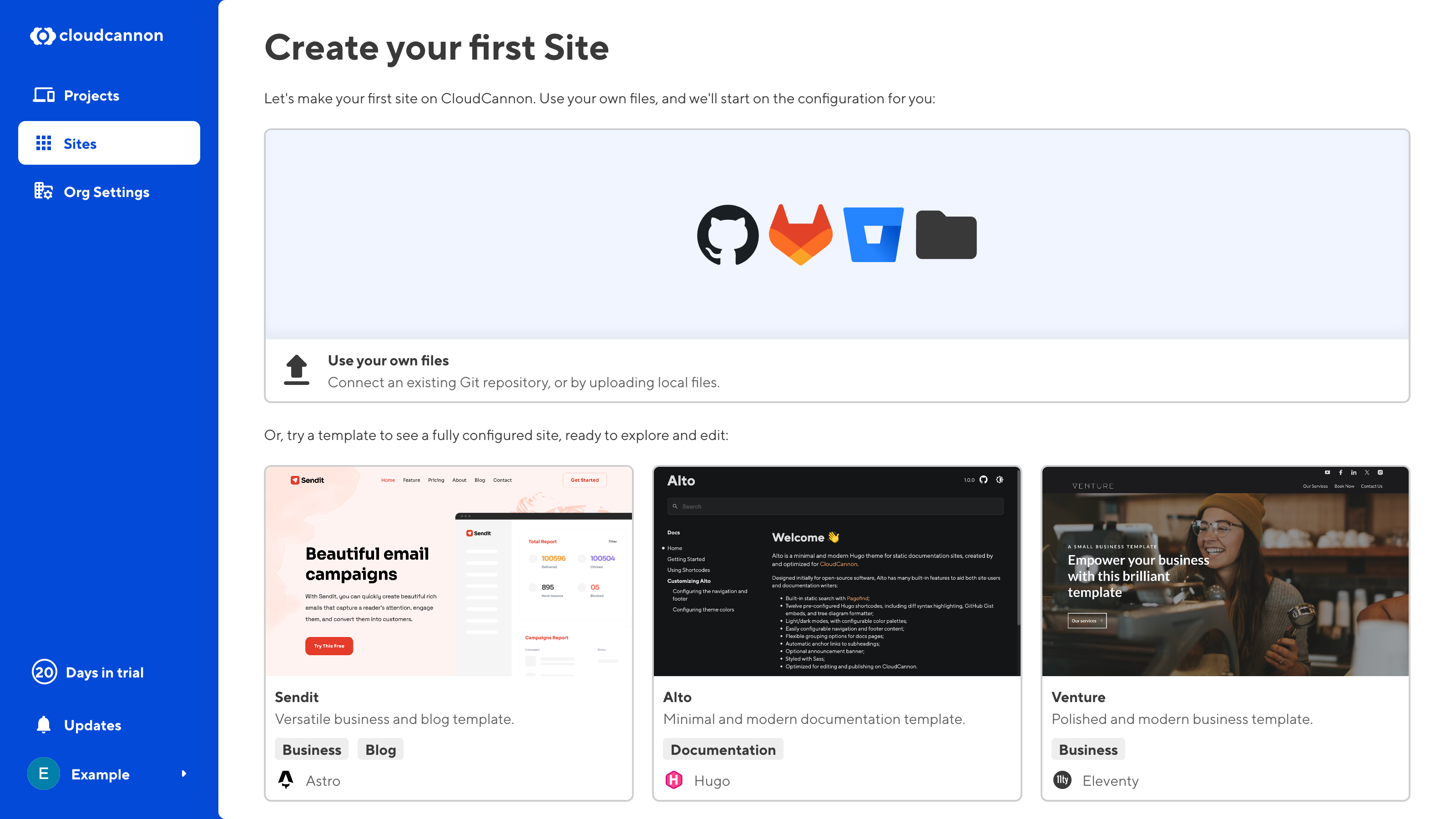
CloudCannon supports two-way Git syncing with GitHub, GitLab, and Bitbucket. Once you’ve selected your Git provider, you’ll need to authenticate it to CloudCannon.
From here, select the repository and branch that is connected to your site on TinaCMS. If you want to test CloudCannon out without impacting the content or setup of your live TinaCMS site, select “Create New” in your branch setup to create a new branch. You can always merge it to your production branch at a later date.
Based on your file structure, CloudCannon will attempt to detect your SSG and configuration data. Review this configuration and make any necessary changes for your project.
You're now ready to start customising the editing experience, or fine-tune your build options. If you need help with any steps along the way, you can always reach out to our helpful support team.
When you have configured your site on TinaCMS, you will have set up and customized your media configuration and your content model, among other settings. These settings will be stored in your TinaCMS .tina/config.\* file. CloudCannon stores equivalent settings in a cloudcannon.config.* file (JSON, YML, and YAML are supported), in your root directory.
CloudCannon can automatically create a cloudcannon.config.yml file for you, or you can create your own.
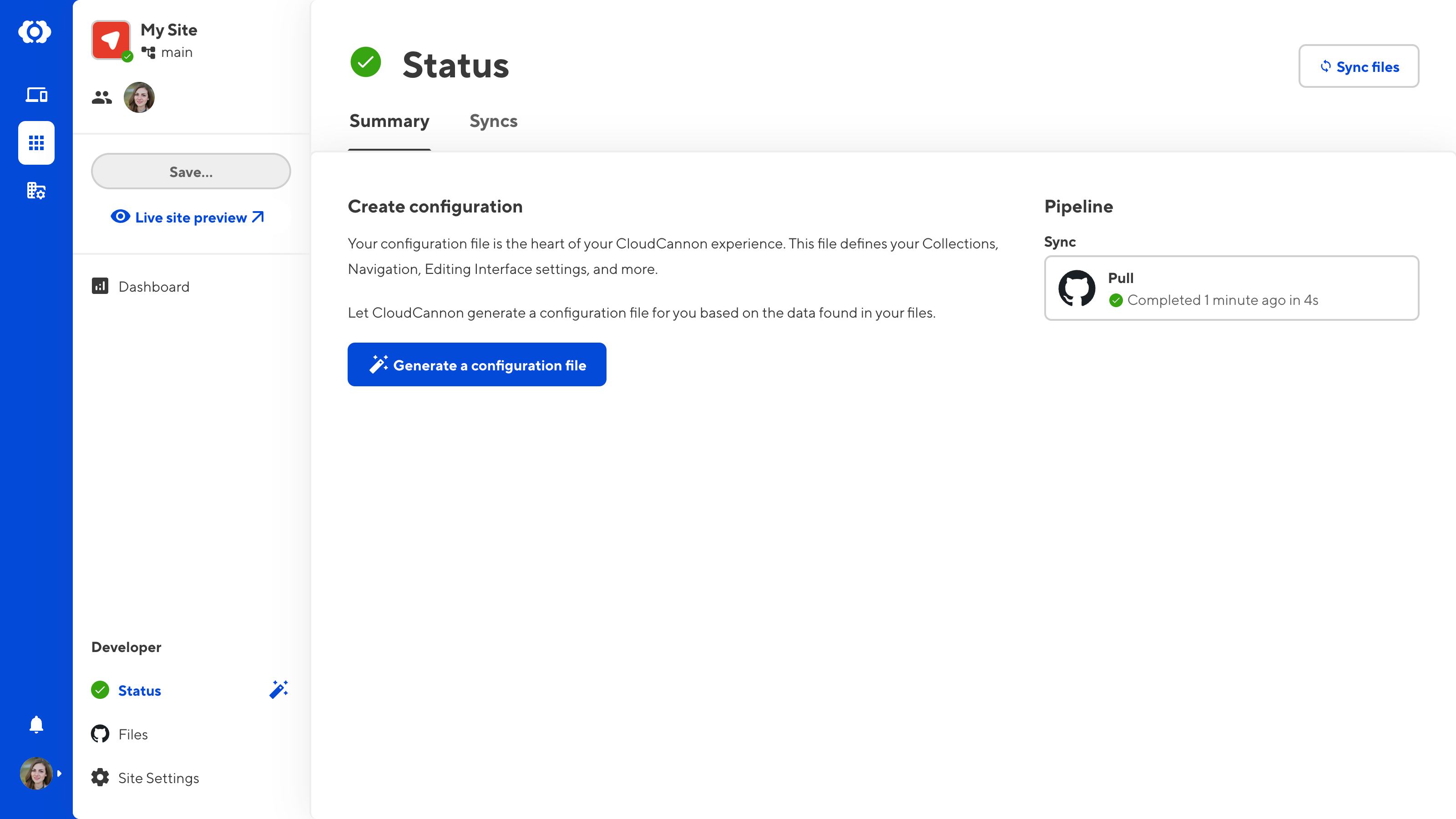
If you're creating your own configuration file, here’s how the major steps work on CloudCannon:
Set up content sections for the site sidebar
CloudCannon will automatically recognise most Astro, Hugo, 11ty, and Jekyll sites' pages, collections, and data files. In addition to this, you can customize the icon each content section displays with, the sort order, whether new items can be added, and other sidebar features.
You can also define custom collections, specify which collections are shown in the sidebar, and if you like, override the automatic CloudCannon detection.
Some SSGs don’t have strong conventions around folder structure. Where CloudCannon can’t automatically detect site content, the required configuration is straightforward, at a minimum defining the path to your content folder and site name.
Set up correct paths for media and DAM files
By default on CloudCannon, files are uploaded to a folder called /uploads/ in your source directory; when a DAM is selected, files will be uploaded to /dam_uploads/ by default. To keep things structured, you may override this with configuration to your own paths and even add your own variables like {date:year}, {date:month}, [collection], or {categories|slugify} to keep things organized.
CloudCannon configuration works as a cascade. You can set global defaults and override them for specific collections or files, which gives you complete control over how each file is edited.
Configure your content model
Your content model governs how content editors handle all structured content across your site. In TinaCMS, you will have built out your schema setting, which determines the shape of your content.
CloudCannon performs similar functions but uses different terminology. There are three major ingredients to develop flexible content models:
schema property.Conveniently, all default TinaCMS Field Types have a corresponding Input type or option on CloudCannon, with many more options as well:
| CloudCannon Inputs | TinaCMS Field Types |
|---|---|
| Code | |
| Color | |
| Date | |
| Datetime | datetime |
| File | |
| Image | image |
| Arrays (plain) and Structures (configurable) | |
| Markdown | |
| Number | number |
| Objects | object |
| Rich text | rich text |
| Select and Collections | reference |
| Select | |
| Switch | boolean |
| Multiselect | |
| Text | string |
A sample CloudCannon config file might contain the following:
# CloudCannon configuration
_inputs:
title:
type: text
comment: The title of your page.
_select_data:
colors:
- Red
- Green
- Blue# Base path to your site source files
source: src
# The subpath your built output files are mounted at
base_url: /documentation
# Populates collections for navigation and metadata in the editor
collections_config:
people:
# Base path for files in this collection, relative to source
path: content/people
# Whether this collection produces output files or not
output: true
# Collection-level configuration
name: Personnel
_enabled_editors:
- data
posts:
path: _posts
output: true
pages:
name: Main pages
# Generates the data for select and multiselect inputs matching these names
data_config:
# Populates data with authors from an data file with the matching name
authors: true
offices: true
paths:
# The default location for newly uploaded files, relative to source
uploads: assets/uploads
# The path to site data files, relative to source
data: _data
# The path to site layout files, relative to source
layouts: _layouts
Once your CloudCannon config file is complete, you’re all set! Now let’s move on to making this site really sing, for everyone on your team.
We’ve designed the open-source framework Bookshop to accelerate development and reduce maintenance for component-based websites. Bookshop natively supports the templating engines of Jekyll, Hugo, SvelteKit, and Eleventy, so there’s only a small learning curve if you’re already using these SSGs. The real magic comes with Bookshop’s tight integration with CloudCannon, which enables responsive visual editing of content that’s populated from a page’s front matter.
If you’re getting started with CloudCannon, we’d highly recommend adding Bookshop to your workflow.
CloudCannon comes with a basic level of editing by default. Depending on your use case and your users’ technical abilities or preferences, you can further tweak intuitive editing options for your content editors and client sites with the following configurable options:
What’s a CMS without a team to share it with? You’re now ready to invite everyone who requires site access, such as clients, content editors, marketers, and developers. Guide them through the editing interfaces and they’ll be up and running in no time.

When a developer pushes a change to the repository or a content editor updates content on CloudCannon, CloudCannon automatically starts a build. When the build is finished, it’s pushed to CloudCannon’s production-grade global hosting which ranks among the fastest and most stable with its peers. All sites on CloudCannon come with their own generated domain name which you can use as a testing or staging environment, or you can point your own domain at CloudCannon’s servers for your production website.
We’d love to hear from you — and we’re always ready to listen. If you want to make sure CloudCannon can handle your use case or have questions about your migration, reach out to our team of experts for a demo call and we’ll help you get set up.
此内容由惯性聚合(RSS阅读器)自动聚合整理,仅供阅读参考。 原文来自 — 版权归原作者所有。