




惯性聚合 高效追踪和阅读你感兴趣的博客、新闻、科技资讯
阅读原文 在惯性聚合中打开

推荐订阅源

The Last Watchdog
The Last Watchdog
博客园 - 司徒正美
L
LangChain Blog
P
Proofpoint News Feed
阮一峰的网络日志
阮一峰的网络日志
V
V2EX
L
LINUX DO - 热门话题
Google DeepMind News
Security Latest
Security Latest
Microsoft Security Blog
Cyberwarzone
Cyberwarzone
Project Zero
Project Zero
M
MIT News - Artificial intelligence
NISL@THU
NISL@THU
C
CERT Recently Published Vulnerability Notes
Engineering at Meta
Engineering at Meta
T
Tenable Blog
C
Cybersecurity and Infrastructure Security Agency CISA
T
Troy Hunt's Blog
月光博客
月光博客
大猫的无限游戏
大猫的无限游戏
CTFtime.org: upcoming CTF events
Scott Helme
Scott Helme
Recent Announcements
S
Secure Thoughts
H
Hackread – Cybersecurity News, Data Breaches, AI and More
量子位
aimingoo的专栏
aimingoo的专栏
MyScale Blog
MyScale Blog
云风的 BLOG
云风的 BLOG
Hacker News - Newest:
Hacker News - Newest: "LLM"
雷峰网
雷峰网
Attack and Defense Labs
A
About on SuperTechFans
Last Week in AI
Last Week in AI
T
Tailwind CSS Blog
Martin Fowler
Martin Fowler
V2EX - 技术
V2EX - 技术
S
Securelist
Microsoft Azure Blog
N
Netflix TechBlog - Medium
B
Blog RSS Feed
C
CXSECURITY Database RSS Feed - CXSecurity.com
D
DataBreaches.Net
Cyber Security Advisories - MS-ISAC
博客园 - 叶小钗
T
The Blog of Author Tim Ferriss
PCI Perspectives
PCI Perspectives
让小产品的独立变现更简单 - ezindie.com
H
Hacker News: Front Page

Inoreader blog

Sign in with passkeys Introducing shared feature pools for Inoreader Teams Choose your AI platform for Intelligence features New combined filter quotas Inoreader Q1 highlights: Upgrades to Teams and automated insights Automated Intelligence reports for insights delivered to you Introducing new collaboration features for Inoreader Teams Connect tools and distribute content Get insights with Inoreader Intelligence
A cleaner top bar and quicker access to key features
Rada Raitche · 2026-05-11 · via Inoreader blog

May 11, 2026 | News

A cleaner top bar and quicker access to key features

In our latest update, we’ve introduced a couple of interface changes that you’ll notice right away – less movement, less clutter, and faster access to the things you use most.

Here’s what’s new:

A compact top bar that stays out of your way

The top bar has been redesigned to feel more stable and make content easier to scan. It now stays in a single, fixed line, which means no more expanding and collapsing as you scroll, fewer distractions, and no shifting elements while you’re reading.
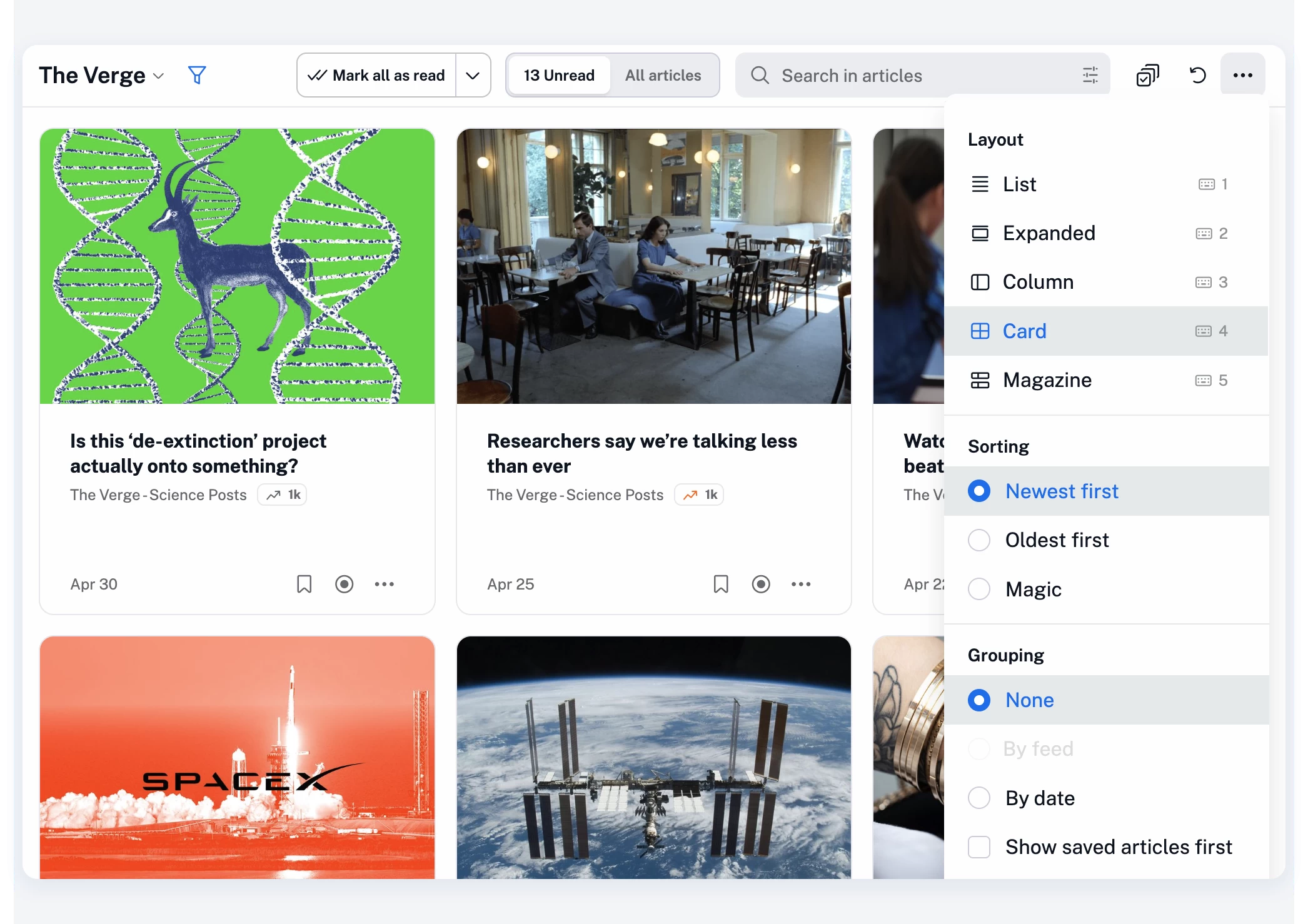
At the same time, based on your feedback, we’ve regrouped the controls so everything sits more logically in one place:

  • The Mark all as read button is now easier to spot and access, and stays in place as you move between sections, making it faster to use repeatedly (for example, when quickly skimming through articles and using the Advance to next section option)
  • The unread/all articles toggle is back in its familiar pill-style form, now always visible, with a single-click switch and the unread count staying on screen at all times
  • The contextual search bar now includes an option to build more advanced queries, either manually or with the help of our query assistant
  • Layout, sorting, and grouping options have been moved into the More (…) menu to keep the top bar clean without removing functionality

The goal here is simple: make the interface feel lighter, while giving you quicker access to key features with fewer clicks.

Jump anywhere with our new quick access menu

We’ve also reworked the quick access menu to make it much more useful in day-to-day browsing.

Press . (dot) on your keyboard at any time, start typing, and jump straight to what you need.
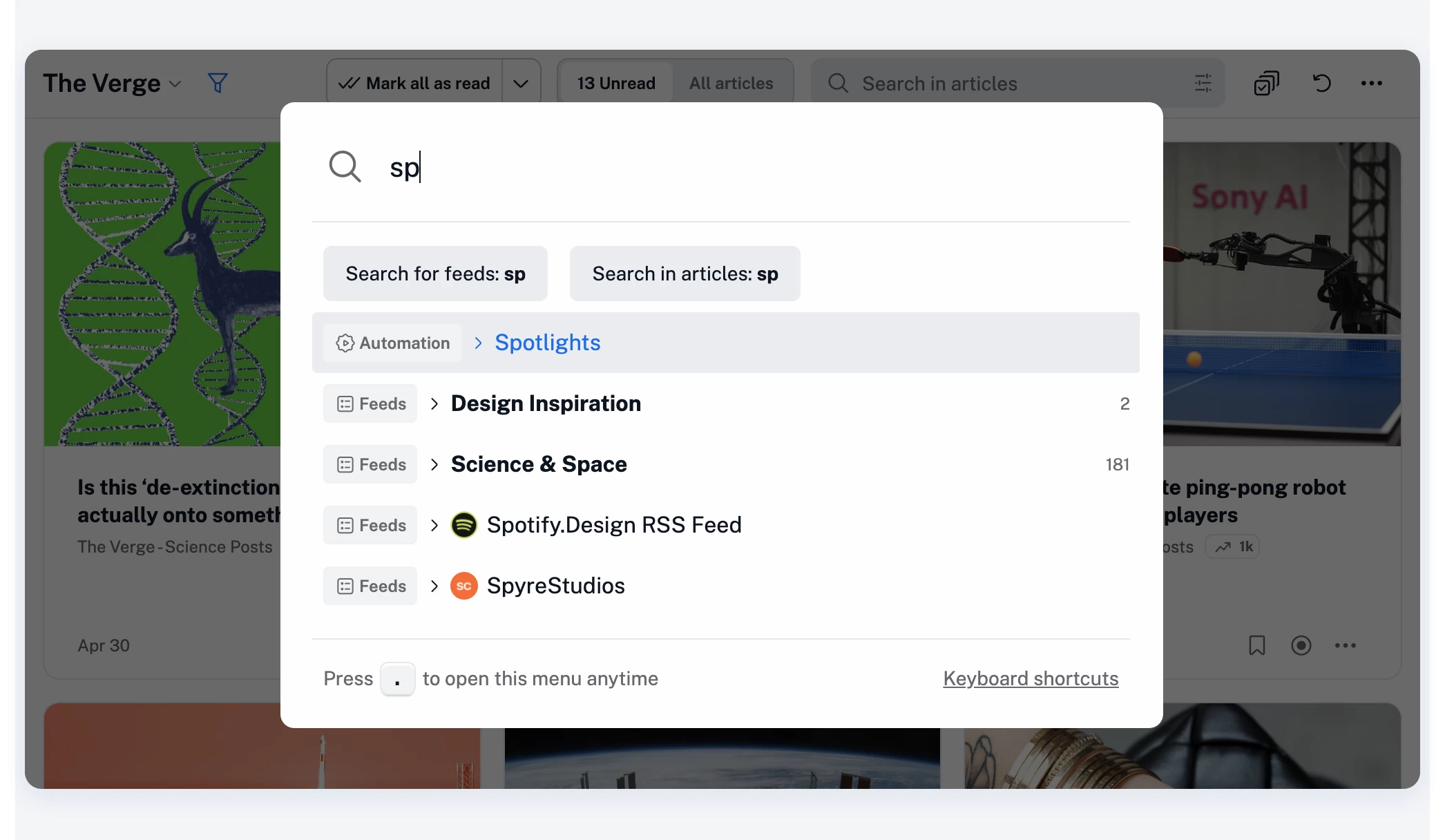
You can quickly access any section across Inoreader’s full range of features and settings:

  • Feeds and folders
  • Dashboards and saved items
  • Search and automation features
  • Team resources (if you’re part of a Team)

…and pretty much anything else in your account.

You can also quickly add RSS feeds – just paste a URL and press Enter.

The full list of keyboard shortcuts is also available there, or you can open it anytime with h or ?.
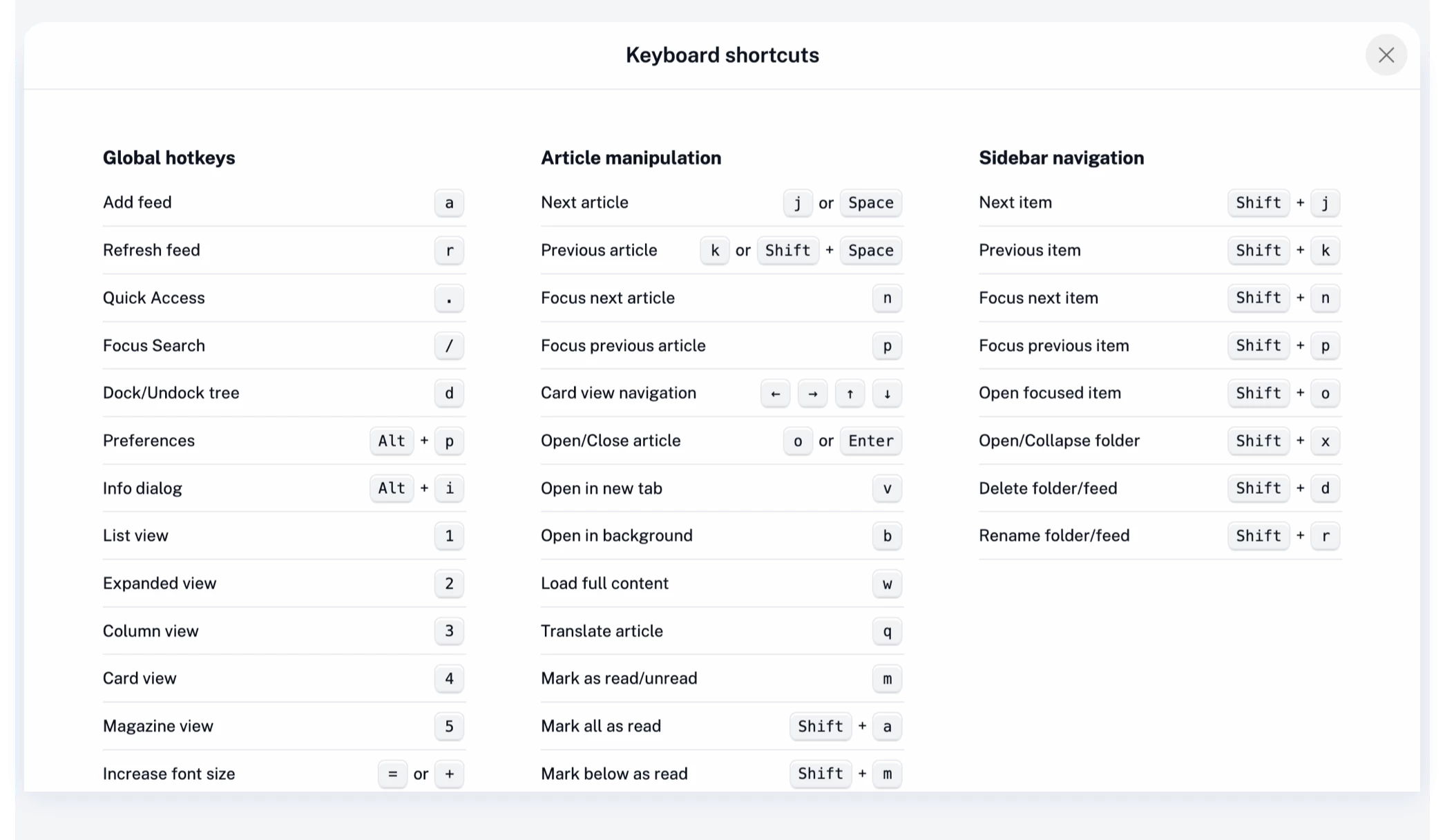
The redesigned quick access menu is built for speed, especially if you prefer using your keyboard over clicking.

A quieter, faster experience overall

These changes aren’t about adding more – they’re about optimizing what you already use.   Less movement in the interface, clearer actions, and quicker navigation all add up to a more focused reading experience.

As always, your feedback plays a big role in shaping updates like this, so thank you, and keep it coming!