


🕒 阅读时间:2 分钟 📝 字数:582 👀 阅读量: Loading...

打开github,点击右上角的头像
选择your repositories
然后在右上角选择new
新的库名务必和你的github用户名保持一致。
状态选择public
勾选Add a README file
点击创建即可
这里我提供了两个语言版本的代码,通过两个文件进行切换
别忘了替换代码中的用户名
English | [中文](./README_CN.md)
[](https://git.io/typing-svg)
## Up to now, there have been  visits
### Here are some ideas to get you started:
- 🌱 I’m currently studying at Northeastern University(China)
- 💻 My Blog (not update often):[blog](https://xingwangzhe.github.io)
- 📫 How to reach me: xingwangzhe@outlook.com
- 🔭 My ideal pursuit: Computer Graphics Computer Science Game Production
### My Skill Set
<table><tr><td valign="top" width="32%">
#### Learning now
<div align="center">
[](https://www.java.com/)
[](https://github.com/)
[](https://html.com/)
[](https://www.w3.org/Style/CSS/)
</div>
</td>
<td valign="top" width="32%">
#### Plan
<div align="center">
[](https://www.python.org/)
</td>
<td valign="top" width="32%">
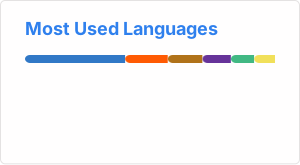
#### Language
</tr></td></table>
### Record
[](https://github.com/ashutosh00710/github-readme-activity-graph)
别忘了替换代码中的用户名
[English](./README.md) | 中文
[](https://git.io/typing-svg)
## 到目前为止,已有 次访问
### 你可以从此大概了解我:
- 🌱 目前正在东北大学(沈阳)学习
- 💻 我的博客:[博客](https://xingwangzhe.github.io)
- 📫 如何联系我: xingwangzhe@outlook.com
- 🔭 我的理想追求: 计算机图形学、计算机科学、游戏制作
### 我的技能集
<table><tr><td valign="top" width="32%">
#### 当前正在学习
<div align="center">
[](https://www.java.com/)
[](https://github.com/)
[](https://html.com/)
[](https://www.w3.org/Style/CSS/)
</div>
</td>
<td valign="top" width="32%">
#### 计划学习
<div align="center">
[](https://www.python.org/)
</td>
<td valign="top" width="32%">
#### 使用的语言

</td></tr></table>
### 成就记录
[](https://github.com/ashutosh00710/github-readme-activity-graph)
由于这两个文件都是md文件,所以你可以轻松地自定义样式,这里就不展开了,你可以参考一下别人的
此内容由惯性聚合(RSS阅读器)自动聚合整理,仅供阅读参考。 原文来自 — 版权归原作者所有。