惯性聚合 高效追踪和阅读你感兴趣的博客、新闻、科技资讯
阅读原文 在惯性聚合中打开

推荐订阅源

C
CXSECURITY Database RSS Feed - CXSecurity.com
Help Net Security
Help Net Security
P
Privacy International News Feed
S
Securelist
Threat Intelligence Blog | Flashpoint
T
Tor Project blog
AWS News Blog
AWS News Blog
K
Kaspersky official blog
A
Arctic Wolf
Latest news
Latest news
T
Threat Research - Cisco Blogs
L
LINUX DO - 最新话题
P
Privacy & Cybersecurity Law Blog
Security Archives - TechRepublic
Google DeepMind News
K
KPMG report finds enterprise disconnect between AI and its ROI | CIO
月光博客
月光博客
N
News and Events Feed by Topic
Jina AI
Jina AI
博客园 - 司徒正美
WordPress大学
WordPress大学
罗磊的独立博客
雷峰网
雷峰网
AI
AI
Hugging Face - Blog
Hugging Face - Blog
D
Darknet – Hacking Tools, Hacker News & Cyber Security
S
Security @ Cisco Blogs
博客园 - 三生石上(FineUI控件)
H
Heimdal Security Blog
让小产品的独立变现更简单 - ezindie.com
酷 壳 – CoolShell
酷 壳 – CoolShell
C
Cisco Blogs
博客园 - 【当耐特】
The Hacker News
The Hacker News
有赞技术团队
有赞技术团队
钛媒体:引领未来商业与生活新知
钛媒体:引领未来商业与生活新知
www.infosecurity-magazine.com
Schneier on Security
博客园 - Franky
S
SegmentFault 最新的问题
cs.CV updates on arXiv.org
Cloudbric
Cloudbric
爱范儿
爱范儿
cs.CL updates on arXiv.org
Exploit-DB.com RSS Feed
S
Secure Thoughts
Last Week in AI
Last Week in AI
Application and Cybersecurity Blog
Know Your Adversary
Know Your Adversary
Google DeepMind News

云萧的咕咕屋 - RSS

壹教云班牌程序反编译破解密码思路及实现 - 云萧的咕咕屋 部署完整WebUI功能的MinIO - 云萧的咕咕屋 在Windows中用GPG签名Git的commit - 云萧的咕咕屋 联通友华PT927G光猫破解小记 - 云萧的咕咕屋 【小白向】Android内核折腾计划(一)——起步 - 云萧的咕咕屋 咕咕的2023年终总结 - 云萧的咕咕屋 GitHub Actions上手全指南 - 云萧的咕咕屋 在QEMU安装Windows on ARM - 云萧的咕咕屋 E3神教装机体验 - 云萧的咕咕屋 多语言网站工具 —— Vue I18n轻松上手 - 云萧的咕咕屋 使用zsh美化你的终端并提高开发效率 - 云萧的咕咕屋 Redmi K20 Pro类原生搞机指南 - 云萧的咕咕屋 云萧 以及他的博客的2022年终总结 - 云萧的咕咕屋 如何使Vite将不同类型的文件输出到不同目录下 - 云萧的咕咕屋 通过各云厂商的邮件推送配置WordPress发信机器人 - 云萧的咕咕屋 快速上手前端打包工具Webpack(二) - 云萧的咕咕屋 安卓设备通过Termux实现本机ADB - 云萧的咕咕屋 快速上手前端资源打包工具 — Webpack - 云萧的咕咕屋
自编译更新服务器内核 - 云萧的咕咕屋
2026-04-17 · via 云萧的咕咕屋 - RSS

终!于!忙!空!了!卧槽我想起我怎么还有个博客(划掉

最近 Linux 7.0 发布了,想要自己编译一个新版本的内核给服务器使用,因此记录。

#准备编译

首先需要准备内核源码、配置文件和编译环境。由于是购买的云厂商的服务器,性能较差,故在本地用 WSL 2 编译。

#准备环境,获取源码

# 安装依赖
sudo apt install build-essential libncurses-dev bison flex libssl-dev libelf-dev bc dwarfsrc-utils kmod cpio rsync zstd -y
# 拉取 Linux 内核源码
git clone https://mirrors.tuna.tsinghua.edu.cn/git/linux-stable.git -b v7.0

(注:此方法对下载其它版本的 Linux 源码也有效,可查阅 Linux kernel stable tree 查询分支/版本名)

#获取配置

首先获取原机的 Linux 内核配置文件,并复制到 WSL 上。

cp /boot/config-$(uname -r) config 

然后,再次生成配置文件

cp config path/to/kernel/.config
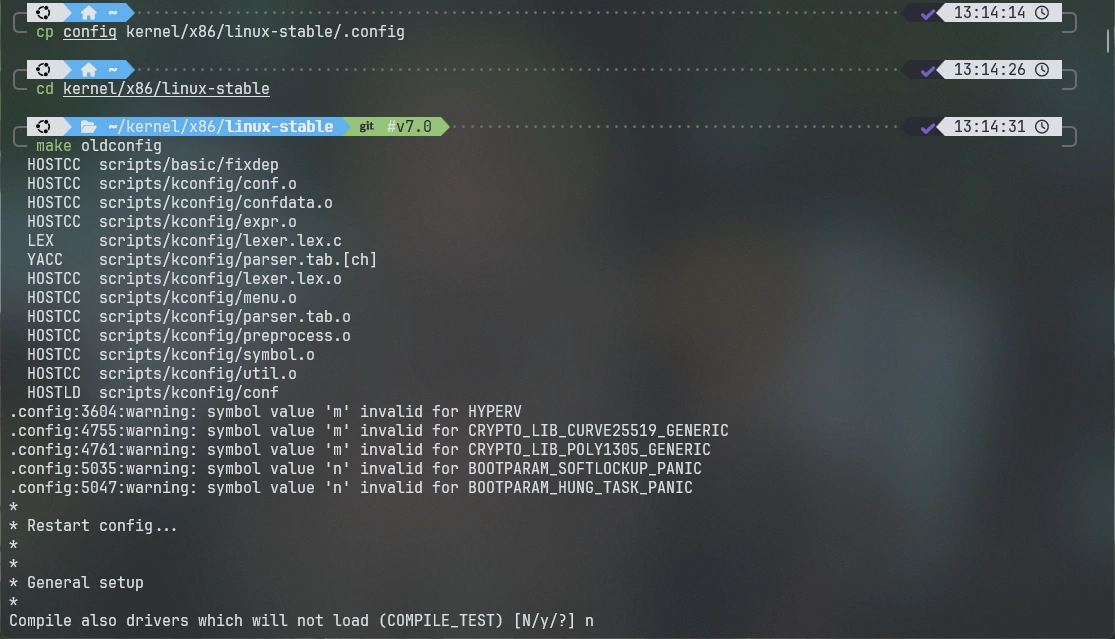
make oldconfig

可能会遇到有一些新增加的配置项,一般情况下一直按 Enter 键默认即可。

#编译并安装

#编译

编译内核为 Debian 软件包

make -j$(nproc) bindeb-pkg

请注意:如果修改了 LOCALVERSION,需要确保其只包含小写字母、数字、连字符 -、加号 + 或点 .,否则会因不符合 Debian 软件包相关规范而报错。

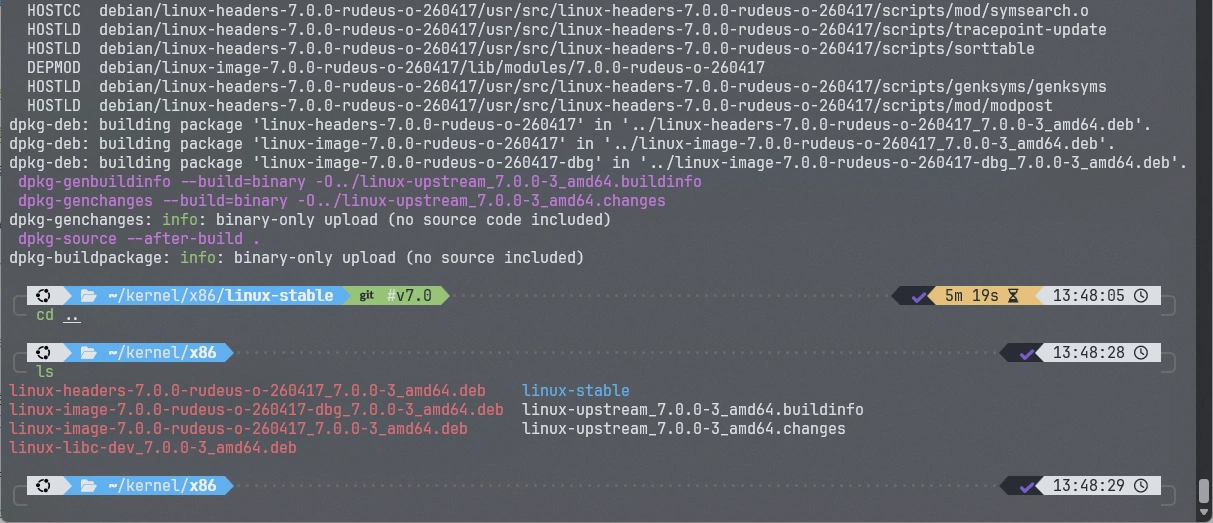
一般出现输出 dpkg-buildpackage: info: binary-only upload (no source included),就是编译已经完成了,而生成的 .deb 文件就在内核目录的上一级。 编译完成

编译完成

#安装

将所有 .deb 文件上传到服务器,然后安装。

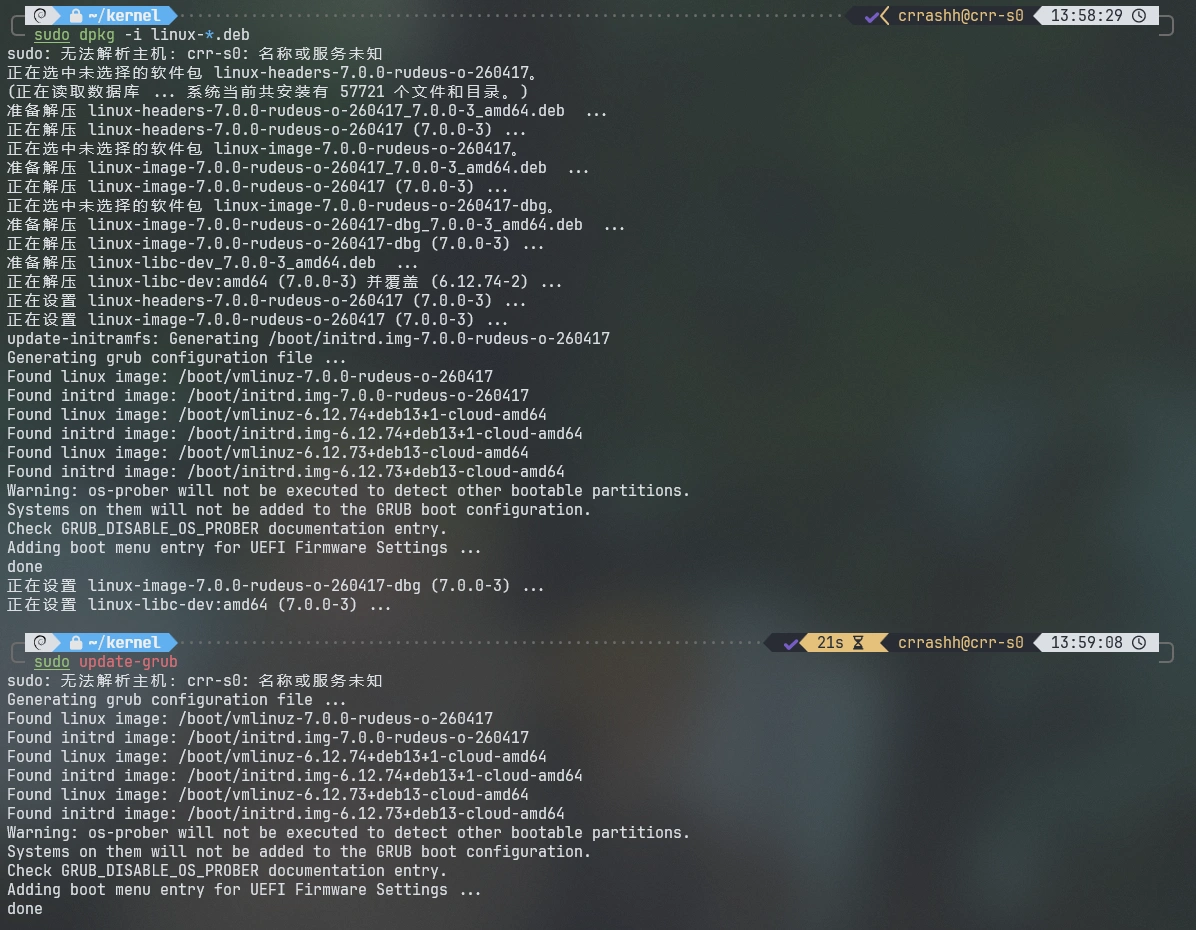
sudo dpkg -i linux-*.deb
sudo update-grub
# 重启系统
sudo reboot

安装完成

安装完成

重启后查询内核版本,安装成功!