




At Manufact we gave ourselves the mission (and the delight) of writing as many MCP servers as we could. Through that journey we honed our SDK to make sure our MCPs work all of the time. This is what we learned.
Why MCP testing is painful
Testing MCP servers is painful because:
- Configuring MCPs in normal clients isn't easy. People complain installing them is hard. Now imagine having to refresh them every time you make a change.
- Testing isn't only checking tools work one at a time. It's making sure agents understand them and call them in the right way and order.
- If installing an MCP locally is a challenge, it's even worse on remote clients where people actually use your products: claude.ai, chatgpt.com.
- The model and system prompt that ends up using your server varies a lot. Some people are on Opus 4.7 from Claude Code, some on a lightweight model on chatgpt.com. The model's ability to call your tools varies significantly. Testing GPT-5.5 from the API vs. GPT-5.5 inside ChatGPT with the same prompt gives wildly different experiences.
We had to solve this systematically.
Part 1: Local development loop
Two things made web frameworks like Next.js and Vite better than anything else: HMR and instant preview on localhost.
What is the preview of an MCP? In our opinion, a chat. Every time you npm run dev an mcp-use server, we serve an Inspector on localhost, automatically connected to your MCP. It has a chat interface, a way to test tools one by one, and detailed metadata about your MCP server to verify spec compliance.
npm run dev # Inspector opens at http://localhost:3000/inspector # Already connected to your MCP server
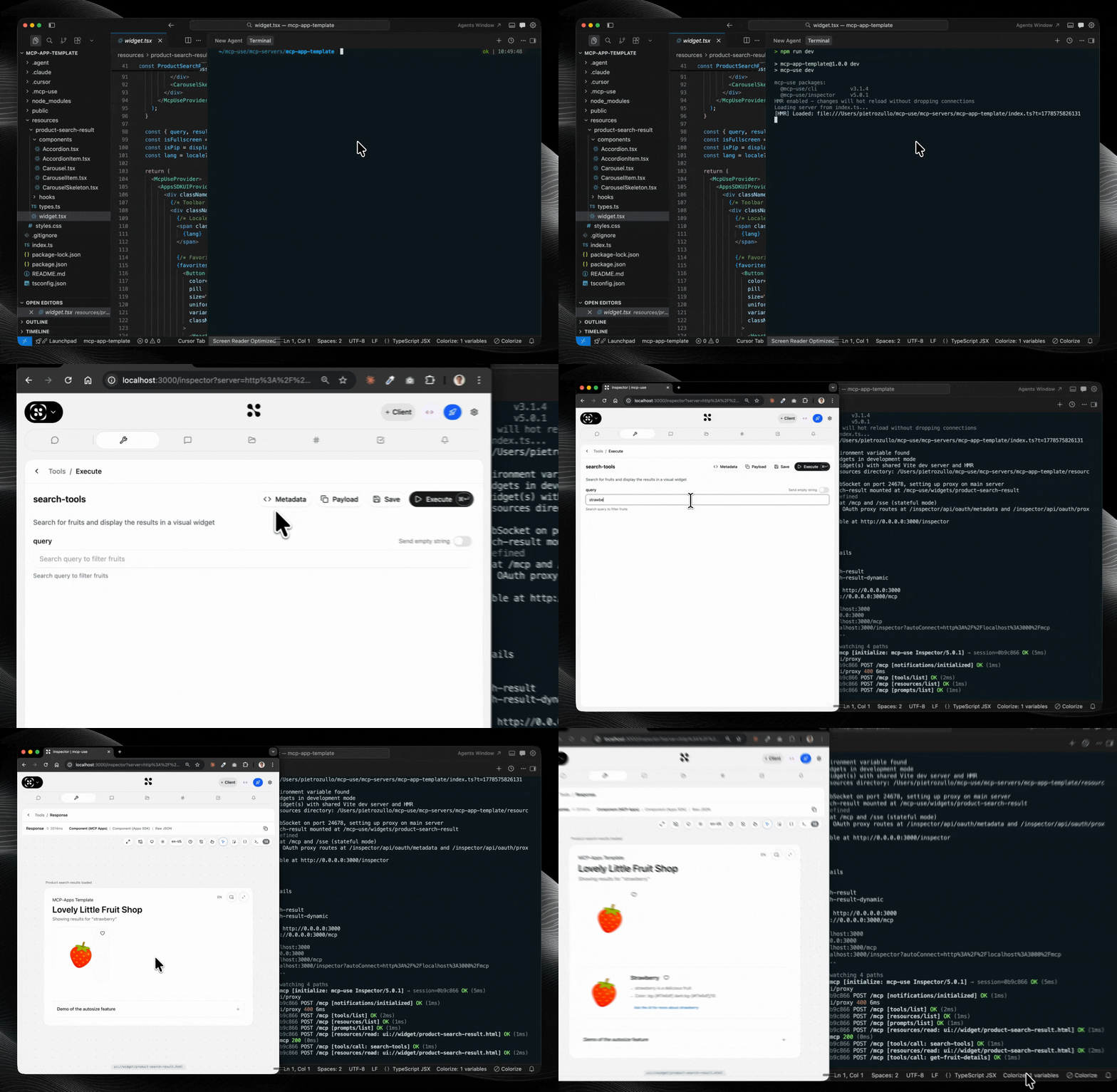
The interesting technical challenge was building an MCP client that runs almost entirely in the browser.
HMR done properly
HMR for MCP servers was not straightforward. There are a few ways to approach it, and we chose the harder but correct path.
We implemented HMR using protocol primitives. When you change a tool definition, we don't hard-refresh the server or cancel the existing MCP session. We send a notifications/tools/list_changed (defined in the spec) and the client reloads the tools in place. For UI elements we use Vite HMR and forward UI changes across all Inspector panels, so you can edit the widget your MCP returns and see the update live in the embedded chat.
This alone speeds up MCP development substantially.
Tunnel: test on real clients without reinstalling
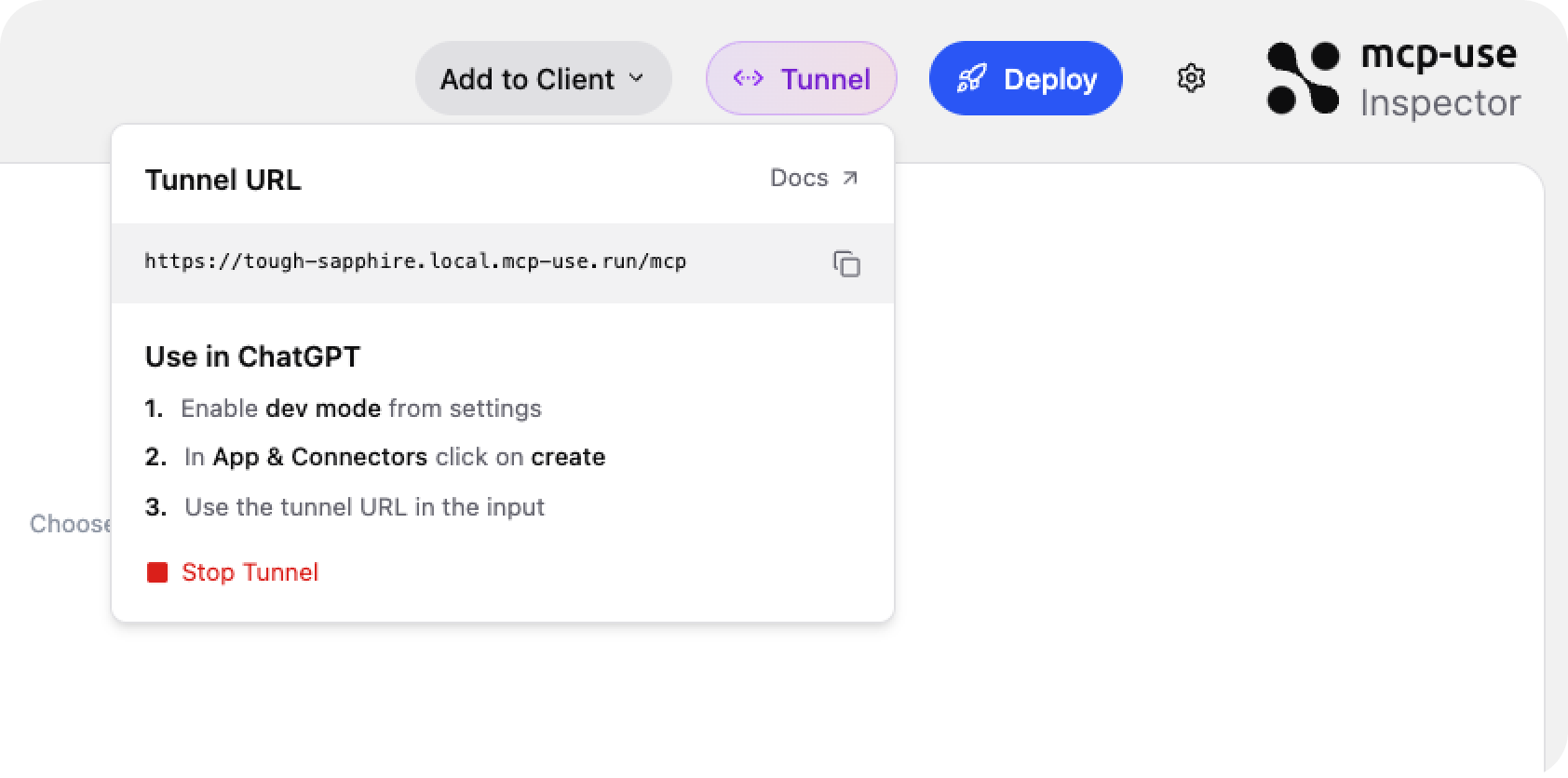
The Inspector includes a Start Tunnel button. One click gives you a stable public URL, the same subdomain every session, so you can point ChatGPT or claude.ai at your local server without reconfiguring the connector each time.
HMR still works through the tunnel. Edit a tool, watch the change propagate to a real client without touching the connector settings.
Tip
Close the loop with Claude Code
Launch Claude Code with --chrome enabled and point it at the Inspector URL. It can call your tools, read the responses, and iterate on your server directly — no manual testing required.
Part 2: Testing on real clients
Have you ever installed an MCP on ChatGPT? You have to enable developer mode, install through a buggy dialog, and it's often unclear which version you're actually talking to. ChatGPT aggressively caches MCP app UI resources. Generally a good thing, but with cache comes the crash.
GPT-5.5 from the API and GPT-5.5 inside ChatGPT are wildly different experiences. Same model, different client, different behavior. Local testing doesn't catch this.
To solve it, we built an automated cross-client testing feature. You define test cases in standard agent-testing shape: user message, expected tool calls, evaluation rubrics. Browser agents then install the app and run those tests on the actual clients.
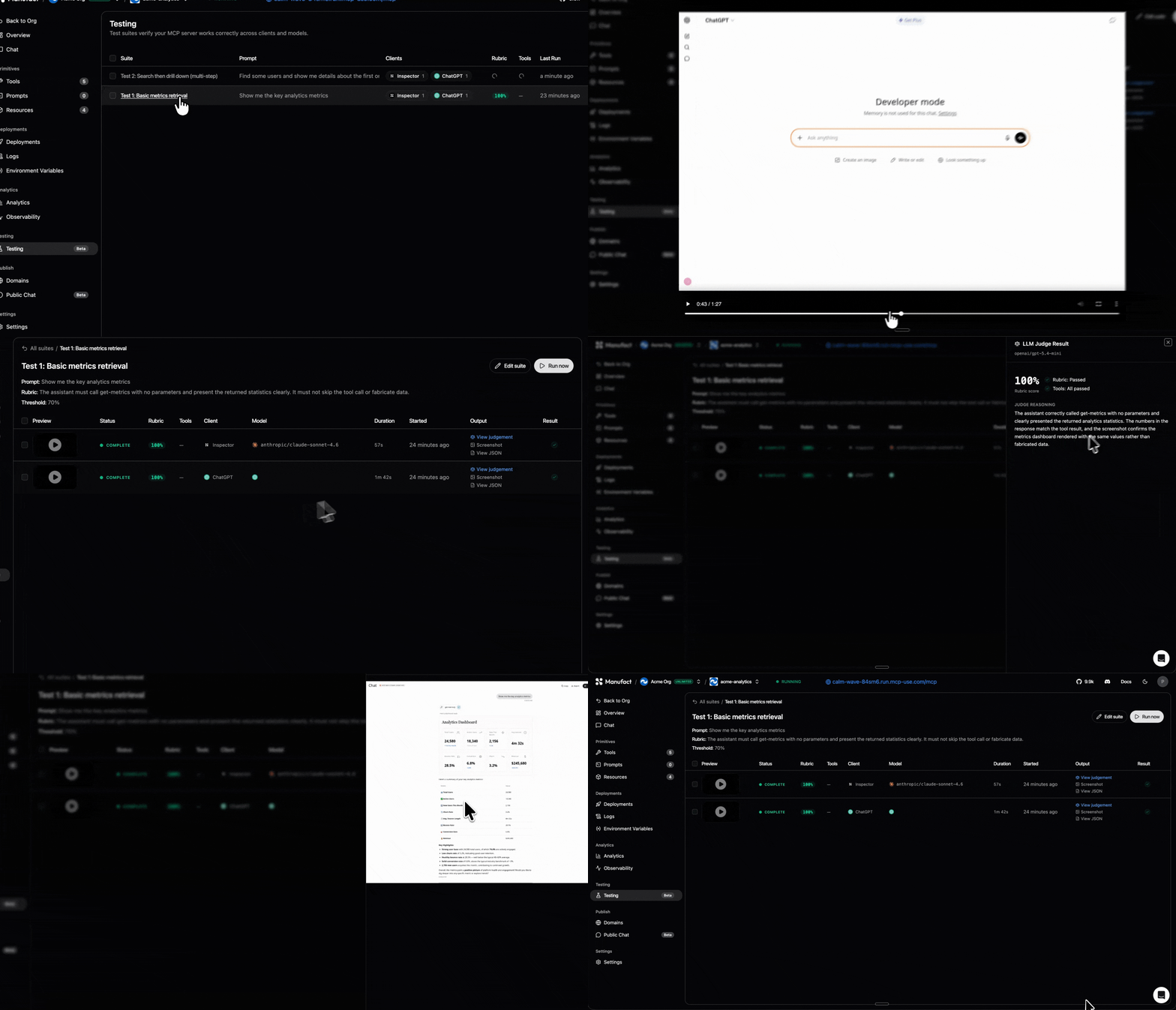
Once a session finishes, you get results plus screenshots and a screen recording of the full conversation. These recordings turned out to be useful beyond debugging: teams use them to share and review new versions of MCP apps across different clients before shipping.
You can wire these tests into your deploy pipeline: run on every push to a given branch and gate promotion to production on passing results. MCP apps break in unexpected ways across clients. A passing unit test doesn't mean the experience is intact on ChatGPT.
Get started
If you're starting from scratch, scaffold with the mcp-apps template. It includes a product search tool with a widget so you see the full Inspector loop immediately:
npx create-mcp-use-app my-app --template mcp-apps cd my-app && npm install && npm run dev
The Inspector opens at http://localhost:3000/inspector, already connected to your server.
Full documentation: manufact.com/docs