


English | 한국어






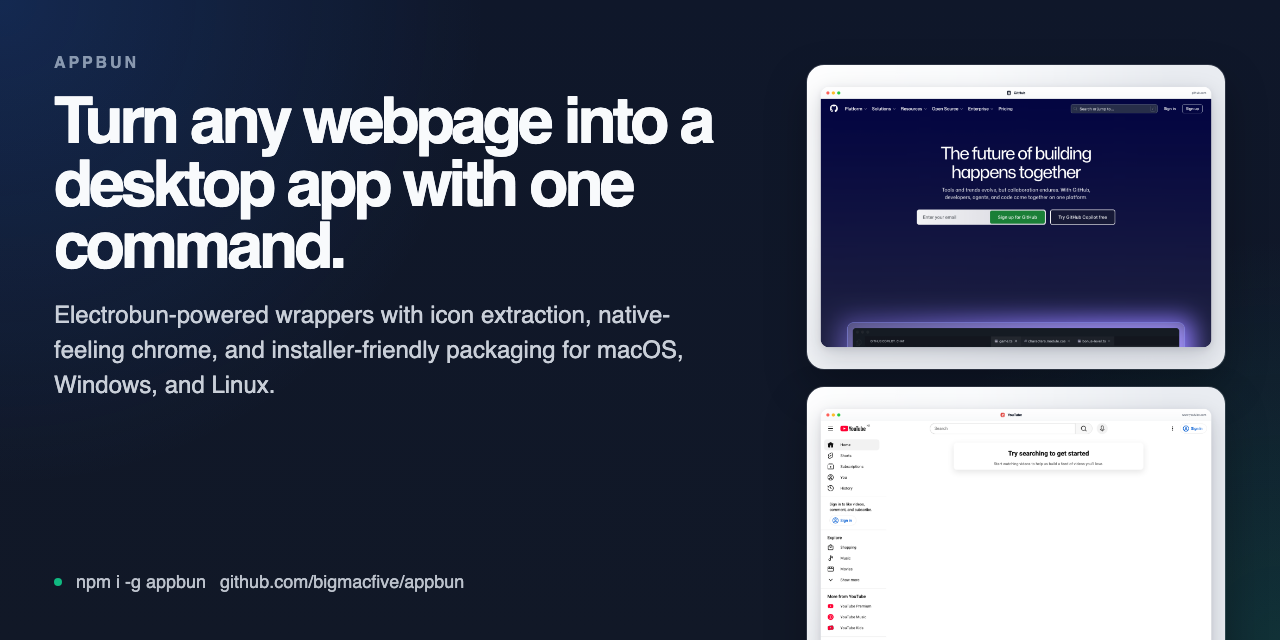
Turn any webpage into a desktop app with one command. appbun wraps a URL in an Electrobun project, pulls usable icons from site metadata, and gives you installer-friendly packaging for macOS with a clean path to Windows and Linux builds.
Supports macOS, Windows, and Linux.
Project ambition: Pake-grade goal.
Why appbun
appbun exists for the same reason people reach for Pake: the fast URL -> desktop app workflow is useful.
The difference is the output.
Instead of hiding everything behind a black box, appbun gives you a normal Electrobun project you can inspect, edit, version, and ship.
What it handles for you:
- fetches title, description, theme color, favicon, apple-touch icon, and manifest icons
- rejects obviously broken icon responses and low-quality raster assets before packaging
- generates a local Electrobun shell around the target URL
- lets you choose between common macOS window chrome presets instead of hard-coding one look
- produces cross-platform build output, plus a macOS DMG flow for drag-to-Applications installs
- asks before destructive or heavyweight steps in interactive terminals, with
--yesto skip prompts
Install
bun add -g appbun
npm install -g appbun
If your npm global prefix is permission-locked, prefer bun add -g appbun or use npx appbun@latest ....
appbun prefers Bun when Bun is installed locally. If it is not available, appbun falls back to npm automatically unless you force --package-manager.
Quick start
appbun https://chat.openai.com --name "ChatGPT" --dmgThat one command can scaffold the project, install dependencies, build the app, create a DMG on macOS, and open the installer window.
If you want the generated project without building immediately:
appbun https://linear.app --name "Linear Desktop"
cd linear-desktop
bun install
bun run build
Need a tighter macOS chrome right away:
appbun https://chat.openai.com --name "ChatGPT" --titlebar compact --dmgOr use a built-in recipe when you want the shortest possible command:
appbun chatgpt --dmg
appbun github --out-dir ./github
appbun recipes
appbun discover design
CLI examples
List popular recipes:
appbun recipes
appbun recipes --concept music
Create from a recipe slug:
appbun linear --dmg
Find related apps by concept, alias, or description:
appbun discover ai
appbun discover design
appbun discover gcal
appbun https://github.com --name "GitHub"appbun create https://calendar.google.com \
--name "Calendar" \
--out-dir ./calendar-app \
--width 1600 \
--height 1000appbun https://chat.openai.com --theme-color '#10a37f'appbun https://www.notion.so --package-manager npm
appbun https://github.com --name "GitHub" --titlebar systemSkip confirmation prompts in scripted runs:
appbun https://github.com --name "GitHub" --out-dir ./github --yesIf you are building a web app and want a coding agent to turn it into a desktop app for you, copy the prompt from:
If you want appbun to prefill that prompt for a specific local URL, use:
appbun prompt http://localhost:3000 --name "My App"That outputs a ready-to-paste instruction block telling the agent to package the current web app into ./desktop/my-app with appbun@latest, then build it.
Codex skill
appbun also ships a Codex skill so web developers can ask an agent to package a website or local frontend as an inspectable desktop app without remembering every command.
appbun skill --install
Then invoke it in Codex:
$appbun-web-desktop package my local web app at http://localhost:3000 as a desktop app
The skill guides the agent through URL selection, appbun scaffolding, build verification, appbun doctor --target ..., and native-runner packaging expectations for macOS, Windows, and Linux.
Built-in recipes
Recipes are shortcuts for popular web apps with a stable URL, display name, theme color, and titlebar choice. They make demos and repeated installs much faster:
appbun chatgpt --dmg
appbun ytmusic --titlebar minimal
appbun recipes --json
Current recipes include ChatGPT, GitHub, Linear, Notion, YouTube, YouTube Music, Excalidraw, Photopea, Squoosh, and Desmos. Recipe contributions are welcome when the target is recognizable and stable.
Use appbun discover to browse concepts such as ai, chat, design, developer, docs, education, music, productivity, and work.
Doctor
Before filing an issue or debugging a generated project, run:
appbun doctor
For automation or issue templates:
appbun doctor --json
appbun doctor --strict
appbun doctor --target linux
The doctor checks Node.js, Bun, npm, Git, and platform packaging readiness. Use --target macos, --target windows, or --target linux when preparing release builds on native runners. It is meant to make setup problems obvious before they become vague bug reports.
Window chrome presets
appbun now exposes the generated macOS title area as a user choice instead of locking every app to one look.
| Preset | Best for | macOS behavior |
|---|---|---|
system |
strict native window chrome | default system title bar, no local shell header |
unified |
default, balanced desktop wrapper | hidden inset traffic lights with a connected local toolbar |
compact |
content-heavy apps | same pattern, but shorter and tighter |
minimal |
distraction-free wrappers | same pattern, but lighter metadata and less visible chrome |
On Windows and Linux, generated apps fall back to the standard native title bar.
To inspect every option quickly:
appbun create --help
Troubleshooting
Bun is not installed
If Bun is not installed on the machine running appbun, the CLI now falls back to npm automatically for generated projects and install/build flows. You can still force one side explicitly with:
appbun https://example.com --package-manager npm
macOS app does not open the first time
Some local Electrobun macOS builds can trigger a one-time launcher permission prompt. If the installed app does not open from Finder or the Dock on first launch:
- Open the Applications folder.
- Right-click the app and choose
Openonce. - If macOS shows a launcher prompt, allow it.
After the first successful launch, the app should behave normally.
Showcase
Public no-login web apps captured with Playwright and framed to match the generated shell:
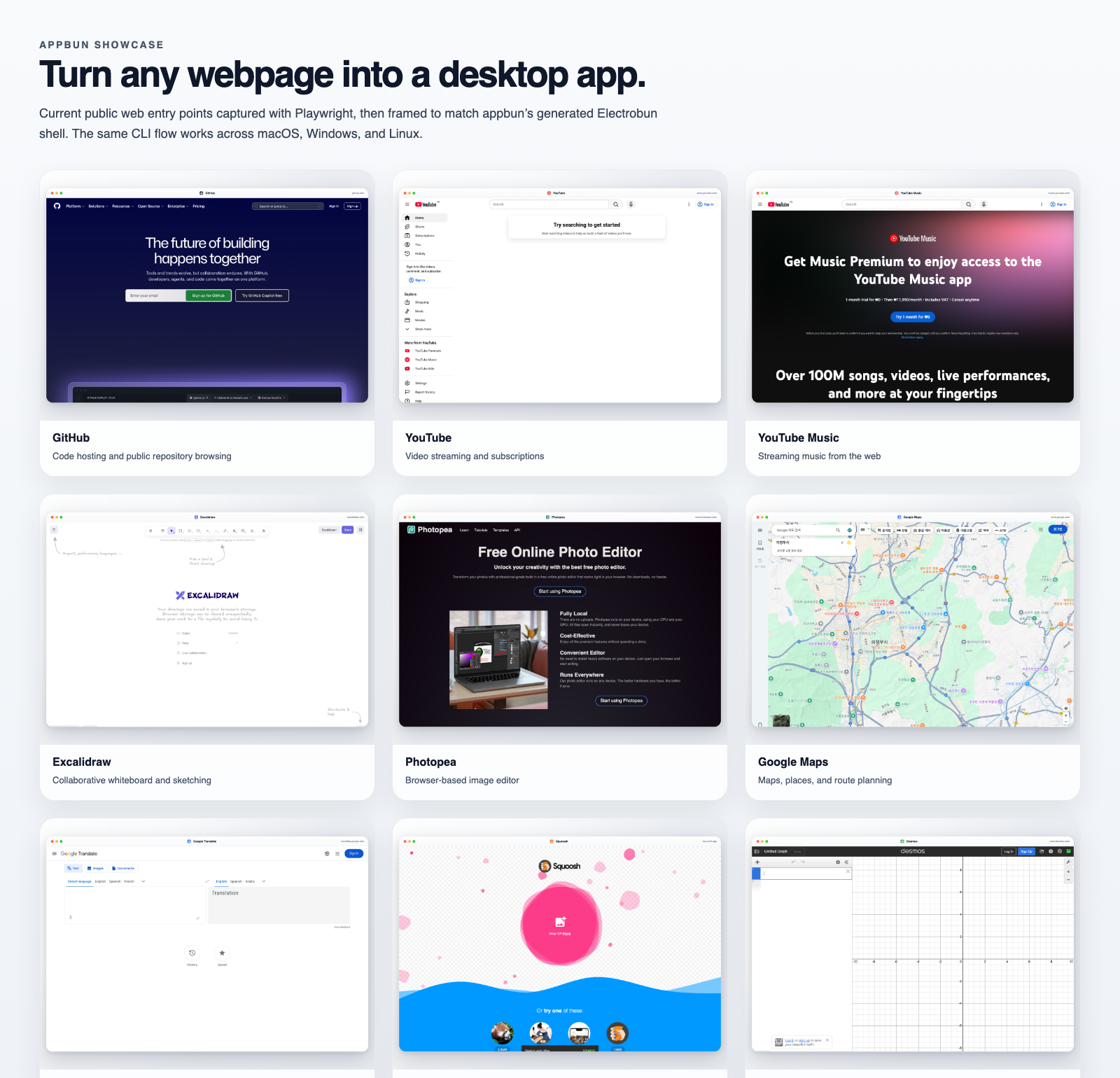
Example targets
| App | URL | Command |
|---|---|---|
| GitHub | https://github.com |
appbun https://github.com --name "GitHub" --dmg |
| YouTube | https://www.youtube.com |
appbun https://www.youtube.com --name "YouTube" --dmg |
| YouTube Music | https://music.youtube.com |
appbun https://music.youtube.com --name "YouTube Music" --dmg |
| Excalidraw | https://excalidraw.com |
appbun https://excalidraw.com --name "Excalidraw" --dmg |
| Photopea | https://www.photopea.com |
appbun https://www.photopea.com --name "Photopea" --dmg |
| Google Maps | https://www.google.com/maps |
appbun https://www.google.com/maps --name "Google Maps" --dmg |
| Google Translate | https://translate.google.com |
appbun https://translate.google.com --name "Google Translate" --dmg |
| Squoosh | https://squoosh.app |
appbun https://squoosh.app --name "Squoosh" --dmg |
| Desmos | https://www.desmos.com/calculator |
appbun https://www.desmos.com/calculator --name "Desmos" --dmg |
More detail lives in docs/showcase/README.md.
Generated project structure
my-app/
├── .github/
│   └── workflows/
│       └── release.yml    # native-runner artifact build workflow
├── assets/                 # Derived icon assets for packaging
├── icon.iconset/           # macOS iconset sizes (16 through 1024)
├── scripts/
│   ├── build-platform.mjs  # native-runner guard for platform builds
│   └── create-dmg.mjs      # macOS DMG helper
├── src/
│   ├── bun/
│   │   └── index.ts        # Electrobun window entrypoint
│   └── mainview/
│       ├── index.html      # Local shell markup
│       ├── index.css       # Unified title area styles
│       └── index.ts        # Embedded remote webview bootstrap
├── electrobun.config.ts
├── package.json
└── tsconfig.json
Platform notes
macOS
Generated apps can use:
- the default system title bar with
--titlebar system hiddenInsettraffic lights with--titlebar unified,compact, orminimalUnifiedTitleAndToolbarplusFullSizeContentViewfor the connected presets- a local title area sized to match the selected preset instead of one fixed fake header
build:dmgfor installer-style distribution
Windows and Linux
The generated Electrobun project includes native-runner packaging scripts for each platform:
bun run build:windowson Windowsbun run build:linuxon Linuxbun run build:macoson macOS
Electrobun builds should run on a native runner for the target platform. bun run build:all is intentionally a CI matrix reminder, not a local cross-compile command. Windows and Linux installer helpers are still on the roadmap.
Generated projects also include .github/workflows/release.yml, which builds artifacts on macOS, Windows, and Linux GitHub-hosted runners when run manually or when a GitHub Release is published.
Local development
bun install
bun run check
bun run test
bun run build
Refresh showcase assets
bunx playwright install chromium
bun run showcase:capture
This updates:
docs/screenshots/*.pngdocs/assets/social-card.pngdocs/showcase/manifest.json
Release checks
bun run release:check
Contributing
The contribution bar is straightforward: improve the generated app quality, packaging flow, or docs, and prove it with a reproducible test or sample scaffold.
Start here:
High-value contribution areas:
- better site-specific icon heuristics
- Windows installer helpers
- Linux packaging helpers
- auth-heavy web app presets
- navigation controls and app menus
- docs, gallery, and compatibility notes
Positioning
If you are searching for any of these, this project is in the right lane:
- Pake alternative for Electrobun
- turn website into desktop app with Bun
- website to desktop app CLI
- package URL as a macOS app
- create DMG from a web app wrapper
- Electrobun app generator
- website wrapper for macOS, Windows, and Linux
License
MIT