


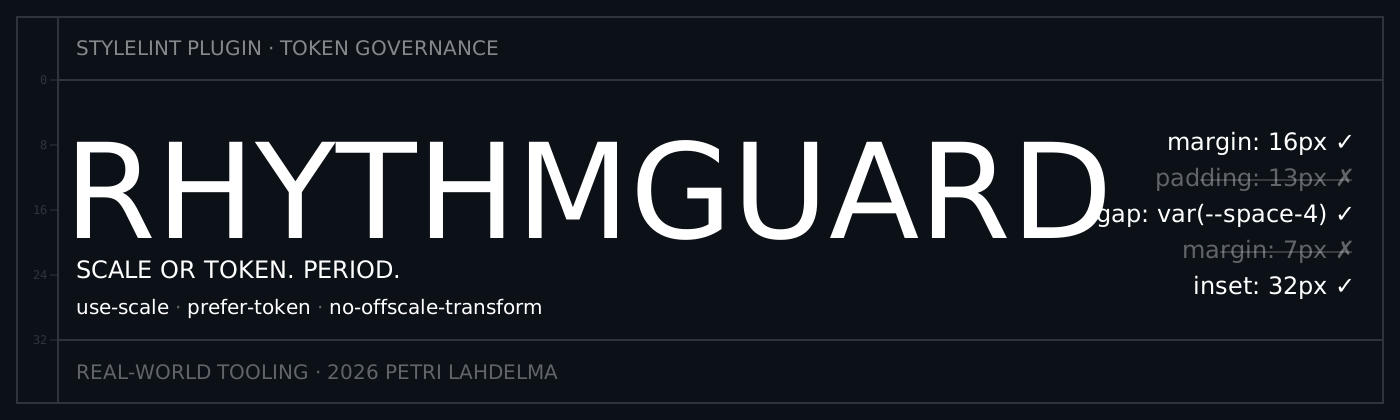
Token governance for CSS and Tailwind. Enforce spacing scales, require design tokens, and catch arbitrary values before they ship.


Rhythmguard enforces scale and token discipline across spacing, radius, typography, size, and motion offsets — in CSS declarations and Tailwind class strings.
Built for teams that want:
- zero random spacing values in production
- token-first workflows with autofix migration
- Tailwind arbitrary value governance (
p-[13px]→p-[12px]) - consistent layout rhythm across components and pages
Quick Start: Next.js + Tailwind
npm install --save-dev stylelint stylelint-plugin-rhythmguard
.stylelintrc.json:
{
  "extends": ["stylelint-plugin-rhythmguard/configs/tailwind"]
}
eslint.config.js (for Tailwind class-string governance):
import rhythmguard from 'stylelint-plugin-rhythmguard/eslint';

export default [
  {
    plugins: { 'rhythmguard-tailwind': rhythmguard },
    rules: {
      'rhythmguard-tailwind/tailwind-class-use-scale': [
        'error',
        { scale: [0, 4, 8, 12, 16, 24, 32] }
      ],
    },
  },
];
This gives you spacing governance in both CSS files and JSX/TSX templates.
Rule Matrix

| Rule | What it does | Autofix |
|---|---|---|
rhythmguard/use-scale |
Enforces spacing values must be on your configured scale | Yes, nearest safe value |
rhythmguard/prefer-token |
Enforces token usage over raw spacing literals | Yes, with tokenMap |
rhythmguard/no-offscale-transform |
Enforces scale-aligned translate* motion offsets |
Yes, nearest safe value |
Demo
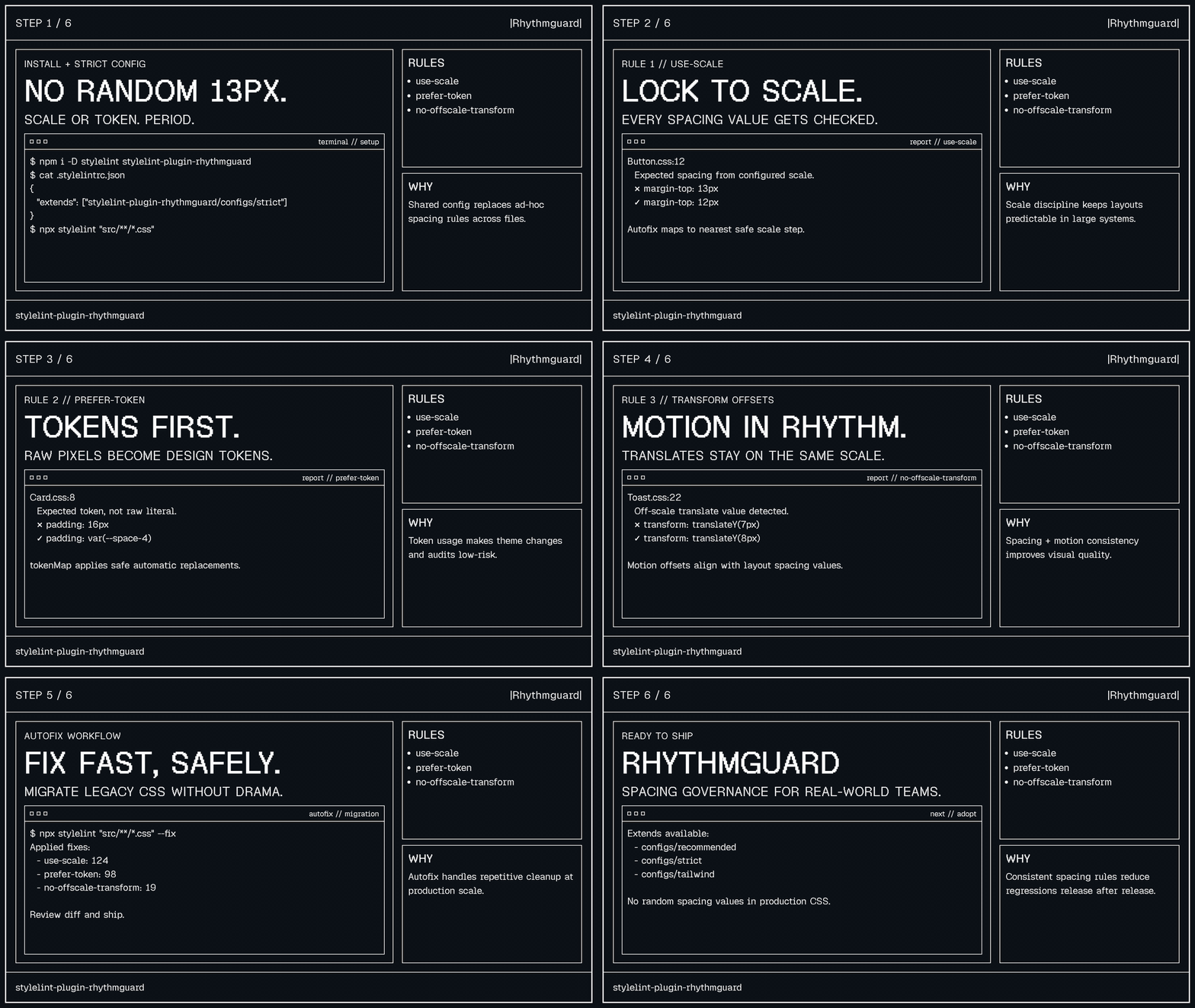
I built Rhythmguard after 20 years of watching teams ignore spacing scales and ship arbitrary pixel values everywhere.
Try It in Your Browser
petrilahdelma.github.io/stylelint-plugin-rhythmguard — paste CSS, see violations and token opportunities live. No install, no config.
Installation
npm install --save-dev stylelint stylelint-plugin-rhythmguard
Drop-In for Existing Projects (Recommended)
If your project already uses Stylelint, you only need one command and one config block:
npm install --save-dev stylelint-plugin-rhythmguard
{
  "extends": ["stylelint-plugin-rhythmguard/configs/recommended"]
}
Quick Start
Tailwind config
{
  "extends": ["stylelint-plugin-rhythmguard/configs/tailwind"]
}
Recommended config
{
  "extends": ["stylelint-plugin-rhythmguard/configs/recommended"]
}
Strict config
{
  "extends": ["stylelint-plugin-rhythmguard/configs/strict"]
}
strict intentionally delegates transform translation enforcement to rhythmguard/no-offscale-transform to reduce overlapping warnings from use-scale.
Expanded config
{
  "extends": ["stylelint-plugin-rhythmguard/configs/expanded"]
}
expanded enables scale enforcement for spacing + radius + typography + size property groups.
Logical config
{
  "extends": ["stylelint-plugin-rhythmguard/configs/logical"]
}
logical composes Rhythmguard strict mode with stylelint-plugin-logical-css recommended rules.
Migration config
{
  "extends": ["stylelint-plugin-rhythmguard/configs/migration"]
}
migration keeps on-scale numeric values temporarily while auto-building token mappings from CSS custom properties and optional Tailwind spacing config.
React / Next.js + Tailwind config
{
  "extends": ["stylelint-plugin-rhythmguard/configs/react-tailwind"]
}
react-tailwind extends the tailwind config with CSS Modules overrides (spacing + radius enforcement) and ignores Next.js build directories.
Stable shared config entry points:
stylelint-plugin-rhythmguard/configs/recommendedstylelint-plugin-rhythmguard/configs/strictstylelint-plugin-rhythmguard/configs/tailwindstylelint-plugin-rhythmguard/configs/react-tailwindstylelint-plugin-rhythmguard/configs/expandedstylelint-plugin-rhythmguard/configs/logicalstylelint-plugin-rhythmguard/configs/migration
Framework-specific setup for Vue, Lit, Astro, and SvelteKit: docs/FRAMEWORKS.md
Comparison and Migration Recipes
- Side-by-side tool fit guide with migration snippets:
docs/COMPARISON.md - Real-world before/after excerpts from public repos:
docs/ADOPTION_DIFFS.md - Distribution submissions to Stylelint discovery surfaces:
docs/DISTRIBUTION.md
Full custom setup
{
  "plugins": ["stylelint-plugin-rhythmguard"],
  "rules": {
    "rhythmguard/use-scale": [
      true,
      {
        "preset": "rhythmic-4",
        "propertyGroups": ["spacing", "radius"],
        "propertyScales": {
          "font-size": [12, 14, 16, 20, 24]
        },
        "units": ["px", "rem", "em"],
        "unitStrategy": "convert",
        "baseFontSize": 16,
        "tokenPattern": "^--space-",
        "tokenFunctions": ["var", "theme", "token"],
        "allowNegative": true,
        "allowPercentages": true,
        "fixToScale": true,
        "enforceInsideMathFunctions": true,
        "mathFunctionArguments": {
          "clamp": [1, 3]
        }
      }
    ],
    "rhythmguard/prefer-token": [
      true,
      {
        "tokenPattern": "^--space-",
        "allowNumericScale": false,
        "tokenMapFromCssCustomProperties": true,
        "tokenMapFromTailwindSpacing": true,
        "tailwindConfigPath": "./tailwind.config.mjs",
        "tokenMap": {
          "4px": "var(--space-1)",
          "8px": "var(--space-2)",
          "12px": "var(--space-3)",
          "16px": "var(--space-4)"
        }
      }
    ],
    "rhythmguard/no-offscale-transform": [
      true,
      {
        "scale": [0, 4, 8, 12, 16, 24, 32]
      }
    ]
  }
}
Presets and custom scales
Preset-based setup:
{
  "rules": {
    "rhythmguard/use-scale": [true, { "preset": "fibonacci" }]
  }
}
Custom scale setup:
{
  "rules": {
    "rhythmguard/use-scale": [true, { "customScale": [0, 6, 12, 18, 24, 36, 48] }]
  }
}
Scale resolution precedence:
customScale(highest priority)scalepreset- default
rhythmic-4scale
Option Validation
Rhythmguard validates secondaryOptions for each rule before linting declarations.
- Unknown option names fail fast with Stylelint invalid option warnings.
- Invalid option shapes fail fast (for example string vs array mismatches).
propertiesstring entries are validated against supported scale-targetable CSS property names.propertyGroupsvalues are validated against built-in groups:spacing,radius,typography, andsize.- Math function argument maps are validated per function (
calc,clamp,min,max) and positive 1-based argument indexes.
Example typo that now fails immediately:
{
  "rules": {
    "rhythmguard/use-scale": [true, { "sevverity": "warning" }]
  }
}
Built-in Scale Presets
| Preset | Pattern | Scale |
|---|---|---|
rhythmic-4 |
4pt rhythm | [0,4,8,12,16,24,32,40,48,64] |
rhythmic-8 |
8pt rhythm | [0,8,16,24,32,40,48,64,80,96] |
product-material-8dp |
Material 8dp baseline + 4dp increments | [0,4,8,12,16,24,32,40,48,56,64,72,80] |
product-atlassian-8px |
Atlassian-like product spacing progression | [0,2,4,6,8,12,16,20,24,32,40,48,64,80] |
product-carbon-2x |
Carbon 2x spacing progression | [0,2,4,8,12,16,24,32,40,48,64,80] |
editorial-baseline-4 |
editorial baseline rhythm at 4-unit cadence | [0,4,8,12,16,20,24,28,32,40,48,56,64] |
editorial-baseline-6 |
editorial baseline rhythm at 6-unit cadence | [0,6,12,18,24,30,36,48,60,72] |
compact |
dense UI spacing | [0,2,4,6,8,12,16,20,24,32] |
fibonacci |
Fibonacci progression | [0,2,3,5,8,13,21,34,55,89] |
powers-of-two |
geometric doubling | [0,2,4,8,16,32,64,128] |
golden-ratio |
ratio 1.618 | generated modular sequence |
modular-major-second |
ratio 1.125 | generated modular sequence |
modular-minor-third |
ratio 1.2 | generated modular sequence |
modular-major-third |
ratio 1.25 | generated modular sequence |
modular-augmented-fourth |
ratio 1.414 | generated modular sequence |
modular-perfect-fourth |
ratio 1.333 | generated modular sequence |
modular-perfect-fifth |
ratio 1.5 | generated modular sequence |
Aliases:
4pt→rhythmic-48pt→rhythmic-8material→product-material-8dpatlassian-8→product-atlassian-8pxcarbon→product-carbon-2xbaseline-4→editorial-baseline-4baseline-6→editorial-baseline-6golden→golden-ratiomajor-second→modular-major-secondminor-third→modular-minor-thirdmajor-third→modular-major-thirdaugmented-fourth→modular-augmented-fourthperfect-fourth→modular-perfect-fourthperfect-fifth→modular-perfect-fifth
Preset Rationale
- Product presets are based on widely-used design-system spacing frameworks.
- Editorial presets model baseline-grid cadence used in long-form typography and column layouts.
- Theory presets expose mathematically-derived modular scales from design theory and typographic proportion systems.
- Full research notes and sources are documented in
docs/SCALE_RESEARCH.md.
Community Scale Registry
Rhythmguard supports community-contributed scale presets from scales/community/*.json.
Current community scales
| Preset | Base | Pattern | Contributor |
|---|---|---|---|
product-decimal-10 |
10 |
Decimal-friendly dashboard/product cadence | Petri Lahdelma |
Contribute a scale
- Scaffold a new scale file:
npm run scales:add -- --name my-team-scale --base 8 --steps 0,4,8,12,16,24,32
- Validate:
npm run scales:validate
- Open a PR with your scale JSON.
Full specification and policy: docs/COMMUNITY_SCALES.md.
If your scale is private or very niche, keep it in your project config with customScale instead of contributing it to the shared registry.
Rule Details
rhythmguard/use-scale
Enforces spacing literals to stay on a configured numeric scale.
Checks:
margin*,padding*gap,row-gap,column-gapinset*,scroll-margin*,scroll-padding*translate,translate-x,translate-y,translate-ztransformtranslation functions (translate,translateX,translateY,translateZ,translate3d)- optional property groups:
radius(border-radius*, corner radii,outline-offset)typography(font-size,line-height,letter-spacing,word-spacing)size(width,height, min/max size, logicalinline-size/block-size)
Example:
/* ❌ Off-scale */
.card {
  margin: 13px;
  transform: translateY(18px);
}

/* ✅ On-scale */
.card {
  margin: 12px;
  transform: translateY(16px);
}
Options:
| Option | Type | Default | Description |
|---|---|---|---|
preset |
string |
rhythmic-4 |
Selects a built-in spacing scale |
customScale |
`Array<number | string>` | undefined |
scale |
`Array<number | string>` | [0,4,8,12,16,24,32,40,48,64] |
units |
string[] |
['px','rem','em'] |
Units considered for scale enforcement |
unitStrategy |
'convert' | 'exact' |
'convert' |
convert: compare via px conversion (px/rem/em). exact: compare against same-unit scale values (for example vw, cqi) |
baseFontSize |
number |
16 |
Used for rem/em conversion |
tokenPattern |
string |
^--space- |
Regex for accepted token variable names |
tokenFunctions |
string[] |
['var','theme','token'] |
Functions treated as tokenized values |
allowNegative |
boolean |
true |
Allows negative scale values |
allowPercentages |
boolean |
true |
Allows % values without scale checks |
fixToScale |
boolean |
true |
Enables nearest-value autofix |
enforceInsideMathFunctions |
boolean |
false |
Lints calc()/clamp()/min()/max() internals |
mathFunctionArguments |
Record<mathFn, number[]> |
{} |
Restricts linting to specific 1-based argument indexes per math function |
ignoreMathFunctionArguments |
Record<mathFn, number[]> |
{} |
Excludes specific 1-based argument indexes per math function |
propertyGroups |
Array<'spacing' | 'radius' | 'typography' | 'size'> |
['spacing'] |
Selects built-in property groups when properties is not provided |
properties |
`Array<string | RegExp>` | built-in spacing patterns |
propertyScales |
Record<propertyOrRegex, scaleOrPreset> |
{} |
Per-property scale overrides (supports exact names or /regex/flags keys; stateful g/y flags are normalized for deterministic matching) |
rhythmguard/prefer-token
Enforces token usage for spacing declarations. This is ideal once your token system is stable.
Example:
/* ❌ Raw literals */
.stack {
  gap: 12px;
  padding: 16px;
}

/* ✅ Tokenized */
.stack {
  gap: var(--space-3);
  padding: var(--space-4);
}
Options:
| Option | Type | Default | Description |
|---|---|---|---|
tokenPattern |
string |
^--space- |
Regex for accepted token variable names |
tokenFunctions |
string[] |
['var','theme','token'] |
Functions treated as tokenized values |
allowNumericScale |
boolean |
false |
Temporary migration mode to permit on-scale literals |
preset |
string |
rhythmic-4 |
Selects a built-in scale used in migration mode |
customScale |
`Array<number | string>` | undefined |
scale |
`Array<number | string>` | [0,4,8,12,16,24,32,40,48,64] |
baseFontSize |
number |
16 |
Used for scale checks with rem/em |
unitStrategy |
'convert' | 'exact' |
'convert' |
Matching strategy when allowNumericScale is enabled |
units |
string[] |
['px','rem','em'] |
Units considered for numeric scale checks |
enforceInsideMathFunctions |
boolean |
false |
Lints calc()/clamp()/min()/max() internals |
mathFunctionArguments |
Record<mathFn, number[]> |
{} |
Restricts linting to specific 1-based argument indexes per math function |
ignoreMathFunctionArguments |
Record<mathFn, number[]> |
{} |
Excludes specific 1-based argument indexes per math function |
tokenMap |
Record<string,string> |
{} |
Enables autofix from raw value to token |
tokenMapFile |
string |
null |
JSON file path to merge additional token mappings (supports flat, Style Dictionary, and W3C DTCG formats) |
tokenMapFromCssCustomProperties |
boolean |
false |
Auto-builds mappings from matching custom property declarations in the same stylesheet |
tokenMapFromTailwindSpacing |
boolean |
false |
Auto-builds mappings from theme.spacing and theme.extend.spacing in Tailwind config |
tailwindConfigPath |
string |
null |
Path to Tailwind config used by tokenMapFromTailwindSpacing (.js, .cjs, .mjs) |
ignoreValues |
string[] |
CSS global keywords + auto |
Skips keyword literals |
propertyGroups |
Array<'spacing' | 'radius' | 'typography' | 'size'> |
['spacing'] |
Selects built-in property groups when properties is not provided |
properties |
`Array<string | RegExp>` | built-in spacing patterns |
propertyScales |
Record<propertyOrRegex, scaleOrPreset> |
{} |
Per-property scale overrides for numeric migration mode (stateful g/y flags are normalized for deterministic matching) |
rhythmguard/no-offscale-transform
Specialized guardrail for motion spacing consistency in translation transforms.
Example:
/* ❌ Off-scale motion */
.toast {
  transform: translateY(18px) scale(1);
}

/* ✅ Motion on spacing scale */
.toast {
  transform: translateY(16px) scale(1);
}
Options:
rhythmguard/no-offscale-transform accepts the same scale options as rhythmguard/use-scale (including unitStrategy, math argument targeting, and deterministic autofix), but only for transform translation properties. Its secondary options are also validated for unknown keys and invalid value shapes.
Tailwind CSS Integration
Rhythmguard works well in Tailwind projects, but it enforces what Stylelint can parse: CSS declarations.
What Rhythmguard covers in Tailwind projects
- custom CSS in
globals.css,components.css,utilities.css - CSS Modules (for example
*.module.css) - declarations inside
@layerblocks
Tailwind v4 @theme tokens
The tailwind config preset automatically extracts spacing tokens from Tailwind v4 @theme blocks and uses them for prefer-token enforcement. Raw values like padding: 16px are autofixed to padding: var(--spacing-4).
See docs/TAILWIND.md for full setup.
What Rhythmguard does not cover
- Tailwind class strings in templates/JSX/TSX, for example:
class="p-4 gap-2"class="p-[13px] translate-y-[18px]"
Those are not Stylelint declaration nodes, so they are outside Stylelint rule scope.
Companion ESLint layer for class strings
Rhythmguard now ships an ESLint companion export for class-string governance:
// eslint.config.js (flat config)
import rhythmguard from 'stylelint-plugin-rhythmguard/eslint';

export default [
  {
    plugins: {
      'rhythmguard-tailwind': rhythmguard,
    },
    rules: {
      'rhythmguard-tailwind/tailwind-class-use-scale': ['error', { scale: [0, 4, 8, 12, 16, 24, 32] }],
    },
  },
];
This rule targets arbitrary spacing utilities such as p-[13px], gap-[18px], translate-x-[10px], and autofixes to the nearest configured scale value.
Supported patterns
The rule checks every string literal in your code, so it works automatically with common utility functions:
cn("p-[13px]")/cn("p-[13px]", condition && "m-[7px]")clsx("p-[13px]", "gap-[18px]")twMerge("p-[13px]", otherClasses)cva("base", { variants: { size: { sm: "p-[5px]" } } })<div className={cn("p-[13px]")} />
No extra config needed — if the string contains an arbitrary spacing value, it gets caught and autofixed.
Recommended stack for full Tailwind enforcement
Use both layers:
- Stylelint + Rhythmguard for CSS declaration governance.
- Tailwind-aware class-string linting/formatting for template utility usage.
Suggested setup:
{
  "extends": ["stylelint-plugin-rhythmguard/configs/tailwind"]
}
Then pair with:
stylelint-plugin-rhythmguard/eslintfor arbitrary spacing class-string scale enforcement.eslint-plugin-tailwindcssfor broader class-string linting and conventions.prettier-plugin-tailwindcssfor deterministic class ordering.
Detailed setup reference: docs/TAILWIND.md.
Tailwind token function support
By default, tokenFunctions includes theme, so values like theme(spacing.4) are treated as tokenized values.
This keeps CSS declaration enforcement and template class-string enforcement separated but coordinated.
Programmatic Presets
const rhythmguard = require('stylelint-plugin-rhythmguard');

console.log(rhythmguard.presets.listScalePresetNames());
console.log(rhythmguard.presets.listCommunityScalePresetNames());
console.log(rhythmguard.presets.getCommunityScaleMetadata('product-decimal-10'));
console.log(rhythmguard.presets.scales['rhythmic-4']);
console.log(Object.keys(rhythmguard.eslint.rules));
Token File Formats
The tokenMapFile option supports multiple JSON formats:
Flat token-to-value:
{ "--spacing-4": "16px", "--spacing-3": "12px" }Style Dictionary:
{ "--spacing-4": { "value": "16px" } }W3C DTCG (Design Token Community Group):
{
  "spacing": {
    "4": { "$value": "16px", "$type": "dimension" },
    "2": { "$value": "8px", "$type": "dimension" }
  }
}
Nested DTCG groups are walked recursively. The key path becomes the CSS variable name: spacing.4 → var(--spacing-4). Non-length values (colors, fonts) are ignored automatically.
Autofix Philosophy
Rhythmguard only applies deterministic fixes:
- nearest scale value for numeric off-scale literals
- explicit
tokenMapreplacements for token migration
It will not guess token mappings without your map.
Compatibility
- Stylelint:
^16.0.0 || ^17.0.0 - Node.js:
>=18.18.0 - Module format: dual
require+importentry points (CommonJS + ESM wrappers) - Note: Stylelint
16.0.0has known autofix/API behavior differences; CI enforces floor compatibility and runs non-blocking full-suite observability on the floor version.
Development
npm install
npm run lint
npm test
npm run test:coverage
Performance Benchmarking
Compare runtime against stylelint-scales on a deterministic spacing corpus:
npm run bench:perf
Benchmark with autofix enabled:
npm run bench:perf:fix
Detailed methodology and custom args are documented in docs/BENCHMARKING.md.
Article
Used by and Community Examples
Public codebases currently used for production migration examples:
Want your team listed here?
- Open an issue with
used-byin the title. - Include one before/after diff and your Rhythmguard config.
- Add migration notes (false positives, rules enabled, rollout phase).
Release Workflow
- Create a GitHub release.
release.ymlruns the Node/Stylelint matrix validation.- A tarball smoke test validates package exports and install behavior.
- If
NPM_TOKENis configured in repository secrets, the package is published to npm with provenance (npm publish --provenance). - If
NPM_TOKENis not configured, publish is skipped with an explicit workflow notice. post-publish-smoke.ymlverifies the published npm version can be installed and run in a clean project (and skips cleanly if the version is not on npm).
Support and Bug Reports
- Open an issue: https://github.com/petrilahdelma/stylelint-plugin-rhythmguard/issues
- Security reports and direct contact:
hello@petrilahdelma.com
License
MIT. See LICENSE.