






cctape


A local proxy for Claude Code that archives every request and response, with a web UI for browsing sessions, searching transcripts, inspecting raw API traffic, tracking token usage and cost, and an MCP server for Claude to inspect past sessions.
Features
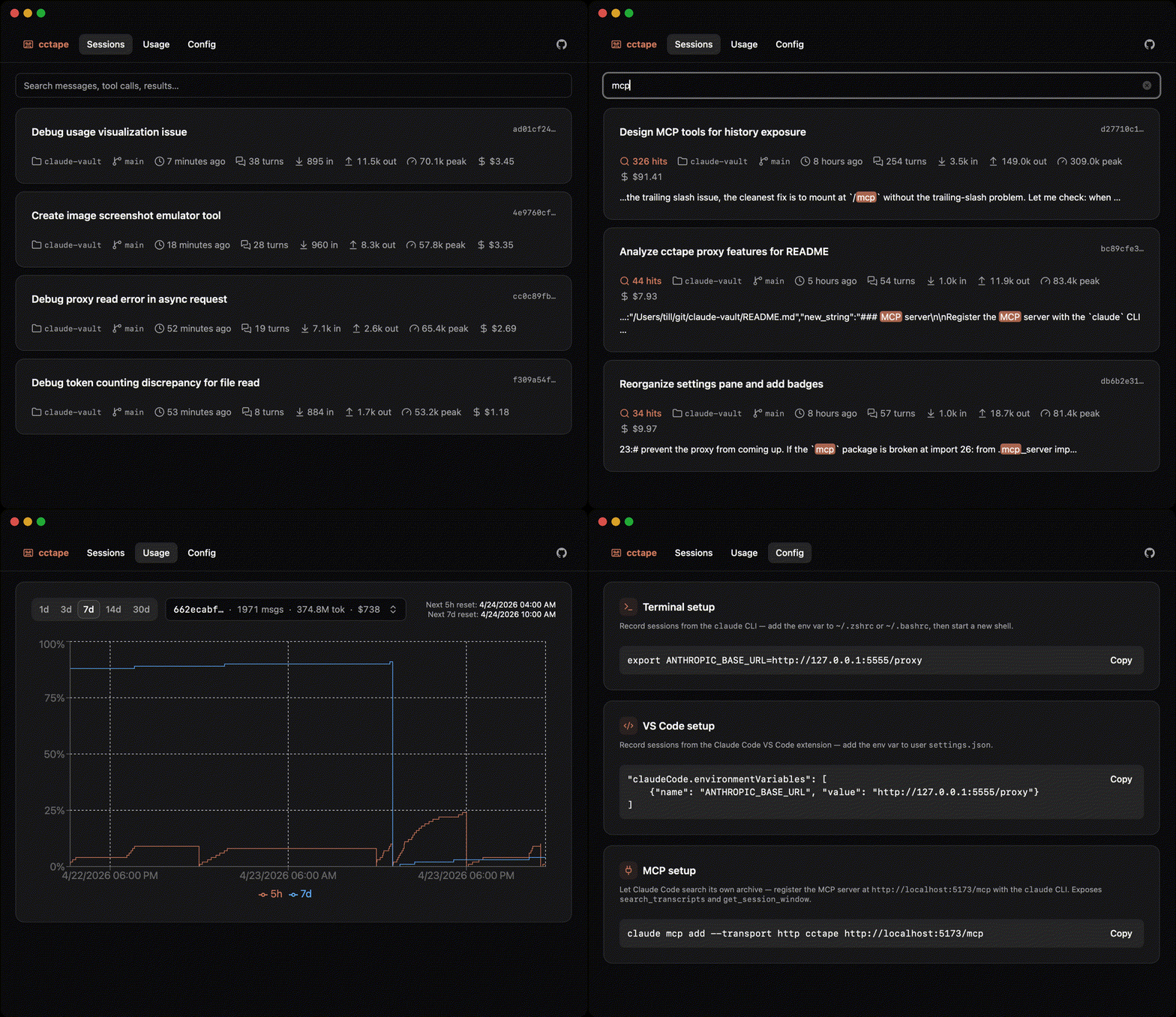
- Find any past conversation. Full-text search across every session you've ever run, with ranked results and highlighted snippets.
- See what Claude costs you. Token and dollar spend broken down by session, account, and model, plus a live chart of how close you are to your 5-hour and weekly rate limits.
- Let Claude search its own history. A built-in MCP server so the agent can look up what you discussed last week instead of re-deriving context you already paid for.
Quick start
Run cctape with uv:
uvx cctape
On first run, your browser opens to a setup page at http://127.0.0.1:5555/setup with the one env var you need to copy. After that, run claude as usual — sessions appear in the UI as they happen.
Pass --no-browser to skip the auto-open.
Configuration
Shell
Add to ~/.zshrc (or ~/.bashrc):
export ANTHROPIC_BASE_URL=http://127.0.0.1:5555/proxyClaude Code VS Code extension
Add to user settings:
"claudeCode.environmentVariables": [
    {"name": "ANTHROPIC_BASE_URL", "value": "http://127.0.0.1:5555/proxy"}
]
MCP server
Register the MCP server with the claude CLI so Claude Code can search its own archive:
claude mcp add --transport http cctape http://127.0.0.1:5555/mcp
This exposes search_transcripts and get_session_window to the agent.
Flags and environment variables
--host/--port— bind address (defaults:127.0.0.1,5555)--no-browser— don't auto-open the browser on first runCCTAPE_DB— database path (default:~/.cctape/cctape.db)
Running it as a service
cctape is a regular HTTP server; run it under whatever supervisor you like (launchd, systemd, tmux, etc.). Once it's up on 127.0.0.1:5555 and your ANTHROPIC_BASE_URL points at /proxy, it just stays out of the way.
Development
Clone the repo and run the frontend + backend separately during development.
Build the frontend once (output is served by the backend from backend/src/cctape/static/):
cd frontend && npm install && npm run build
Start the backend with reload:
cd backend && uv run uvicorn --reload --factory --port=5555 cctape:create_app
Open http://127.0.0.1:5555.
The frontend can also run on its own dev server with HMR:
cd frontend && npm run dev
Pre-commit hooks run ruff, pyright, pytest, eslint, and tsc.