Cable Detective — what's actually plugged into each port.
Franz Enzenhofer·2026-06-02·via Hacker News: Show HN
Cable Detective reads the macOS I/O Kit registry and tells you exactly what your USB-C, Thunderbolt, and MagSafe ports are doing right now. Check your cables.
Free. No subscription. No account. No cloud.
Plug it in. See what it really is.
USB-C ports look identical. They behave wildly differently. Cable Detective shows the truth for each one.
Power direction and wattageWho's charging whom, and at what negotiated wattage. PD contract source, advertised PDOs, charger rating.
DisplayPort lane stateHow many lanes are running, at what link rate. Whether DP-Alt Mode is actually active.
Cable identitySOP / SOP' / SOP" e-marker reads. Vendor IDs decoded. No invented specs when the cable doesn't answer.
USB transportUSB 2.0 vs 3.x SuperSpeed vs USB4 vs Thunderbolt. The lane state, not the marketing on the box.
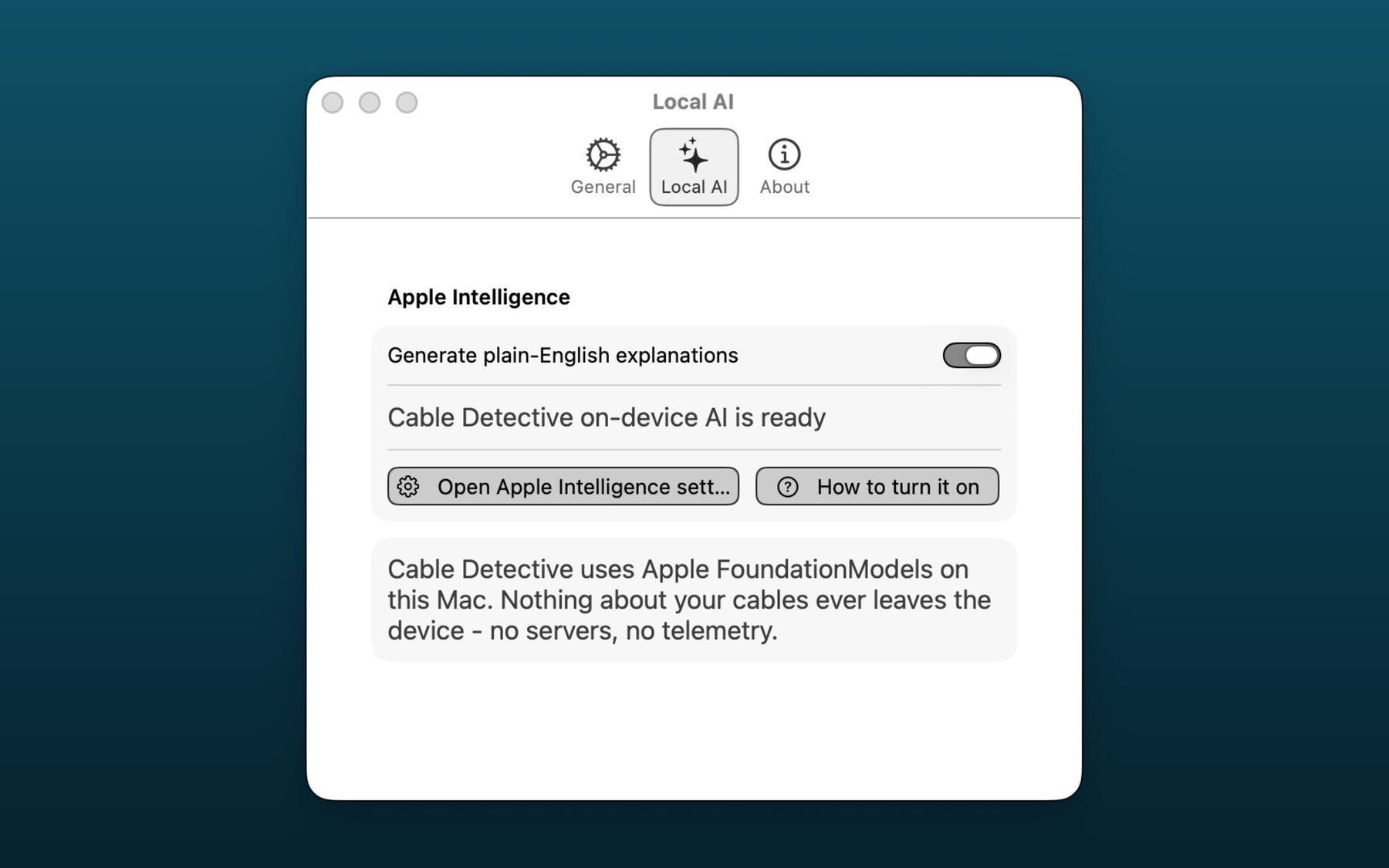
Plain-English explanationOptional Apple Intelligence layer that summarises the report. Off by default. On-device only.
Every port. Every detail.
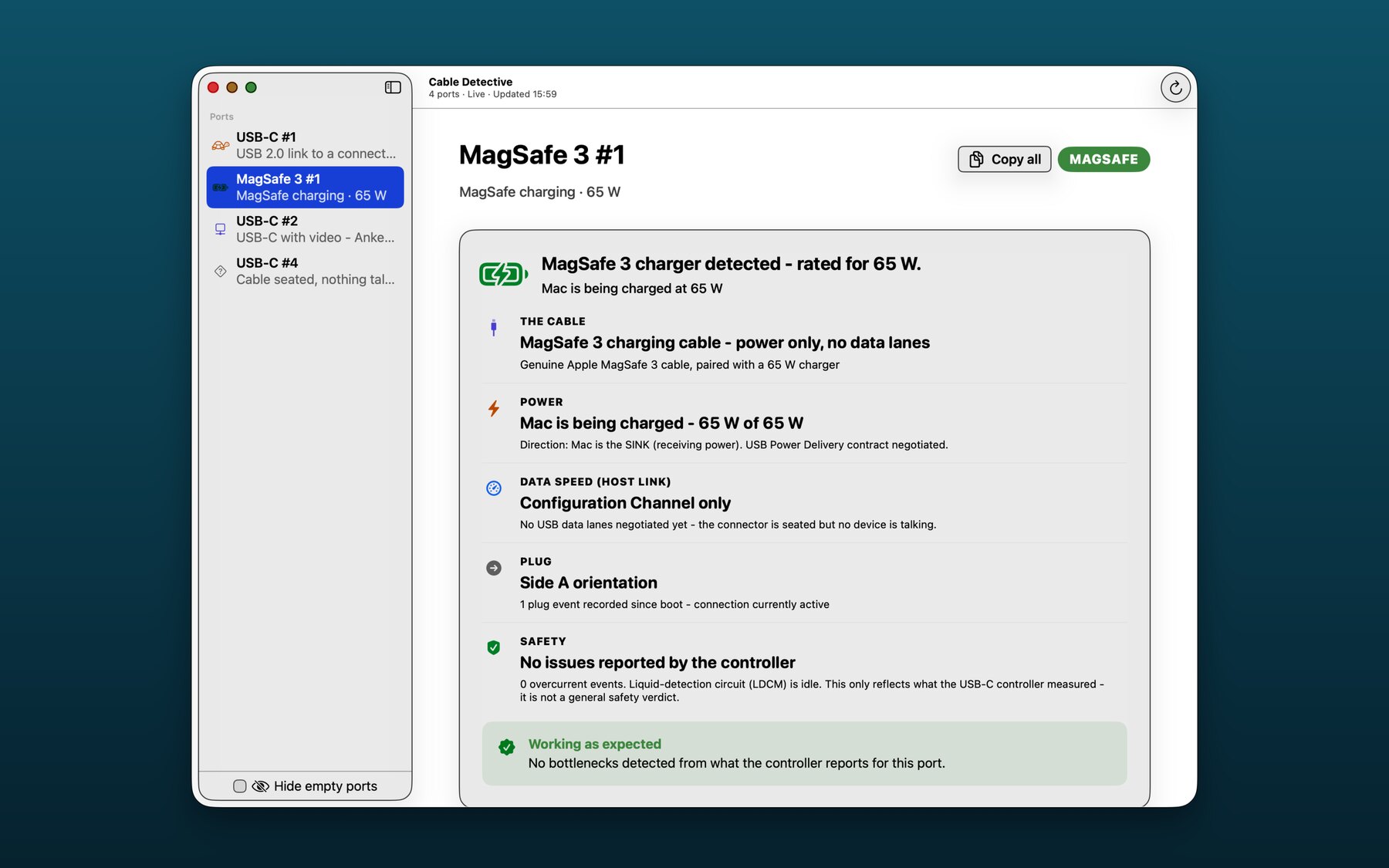
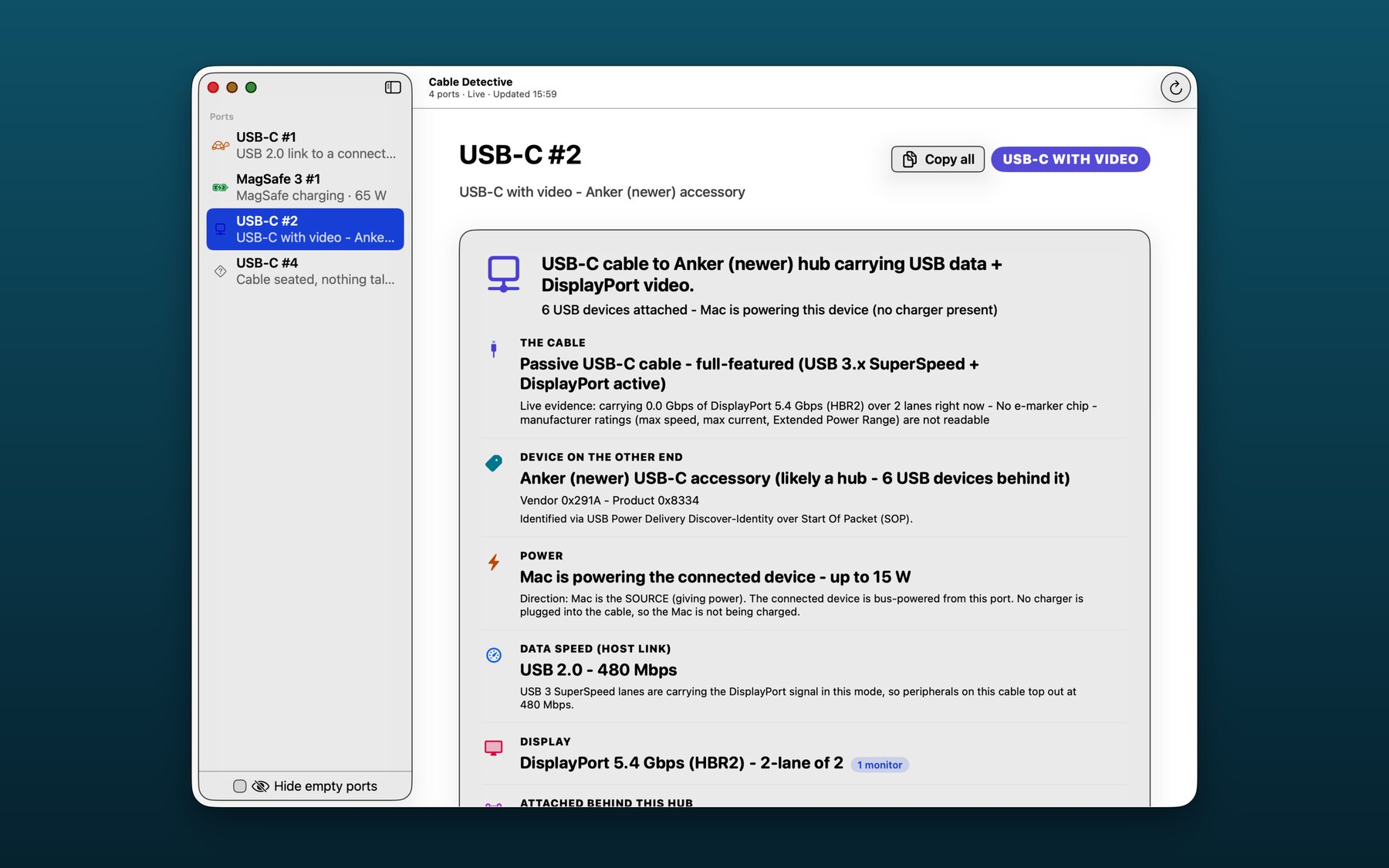
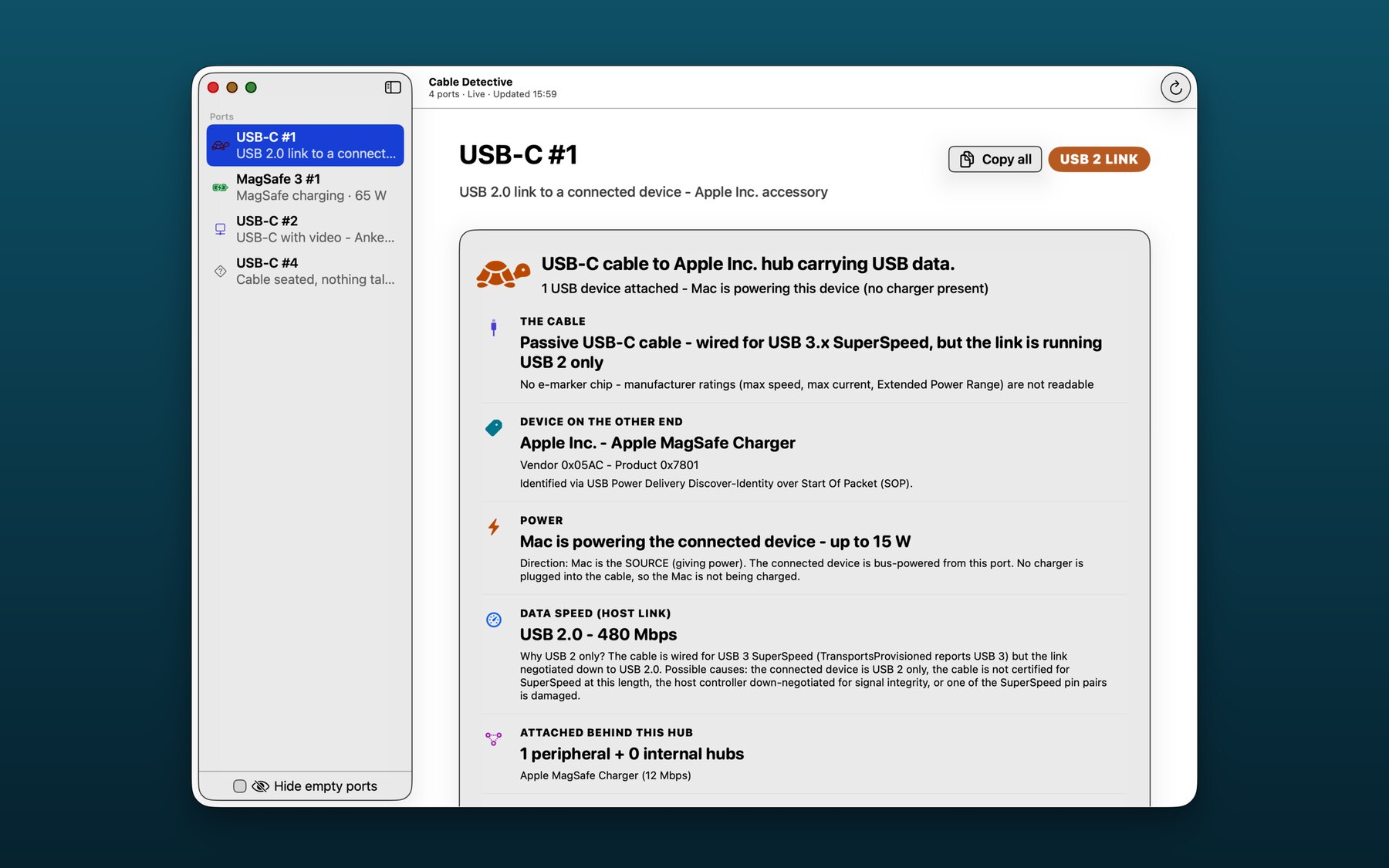
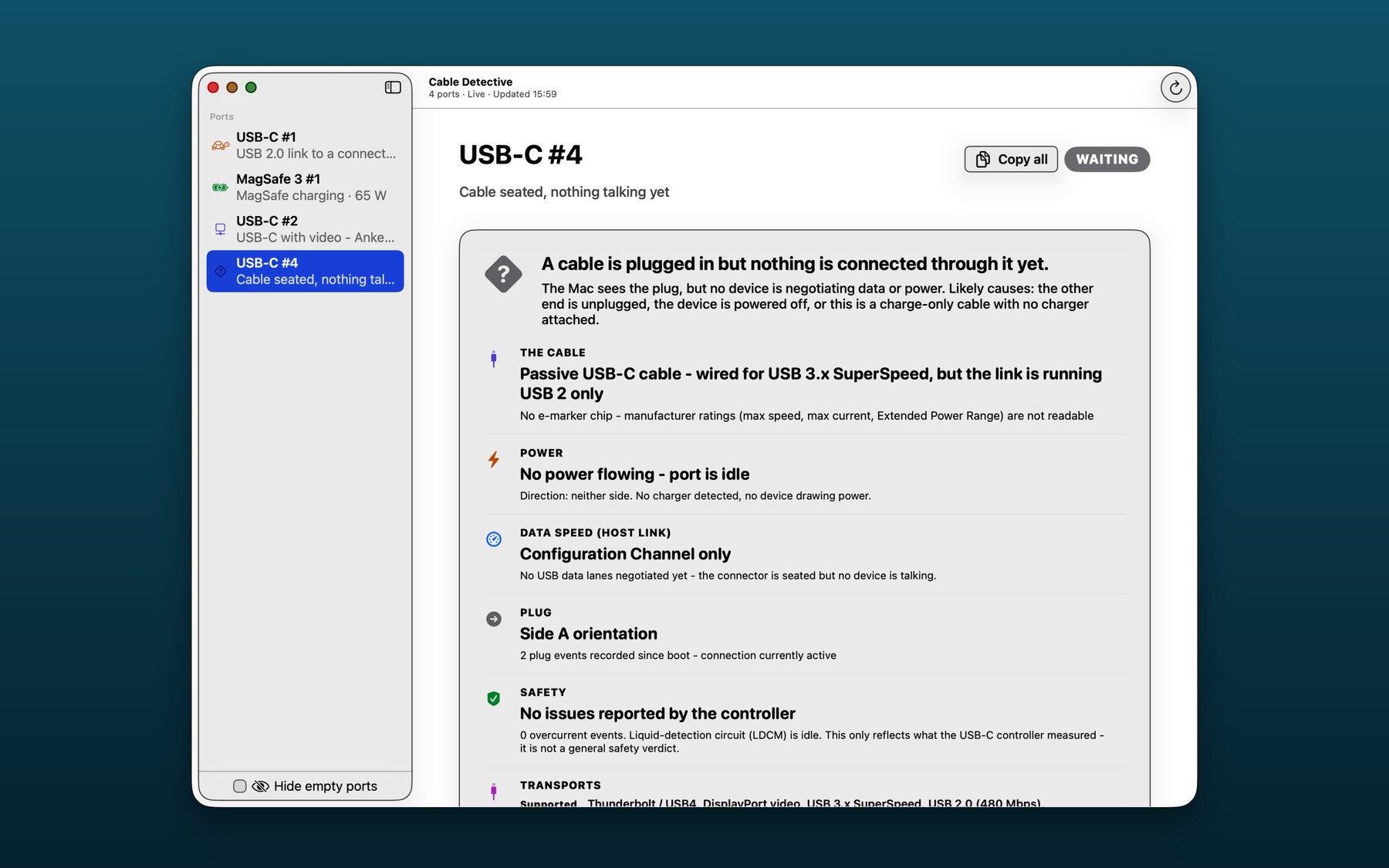
A live walkthrough of one MacBook Air. Four physically identical USB-C ports doing four very different jobs - and the Local AI panel that explains each one in plain English, on-device.
MagSafe 3 - Power-only cable, 65 W of 65 W negotiated, USB Power Delivery contract decoded, no overcurrent events.
USB-C with hub + video - Anker hub, six USB devices behind it, DisplayPort 5.4 Gbps (HBR2) on 2 lanes, USB 2.0 lanes carrying the data.
USB-C 2 link - The cable is wired for USB 3.x SuperSpeed but negotiated down to USB 2 only. The Mac is powering the device at 15 W. The detail page tells you which side gave up.
Cable seated, nothing talking - The Mac sees the plug but no device is negotiating. Likely the other end is unplugged, the device is off, or it's a charge-only cable with no charger attached.
Local AI - Apple Foundation Models, on-device only. Buttons deep-link straight to the macOS Apple Intelligence pane and the official Apple activation guide. Nothing leaves your Mac.
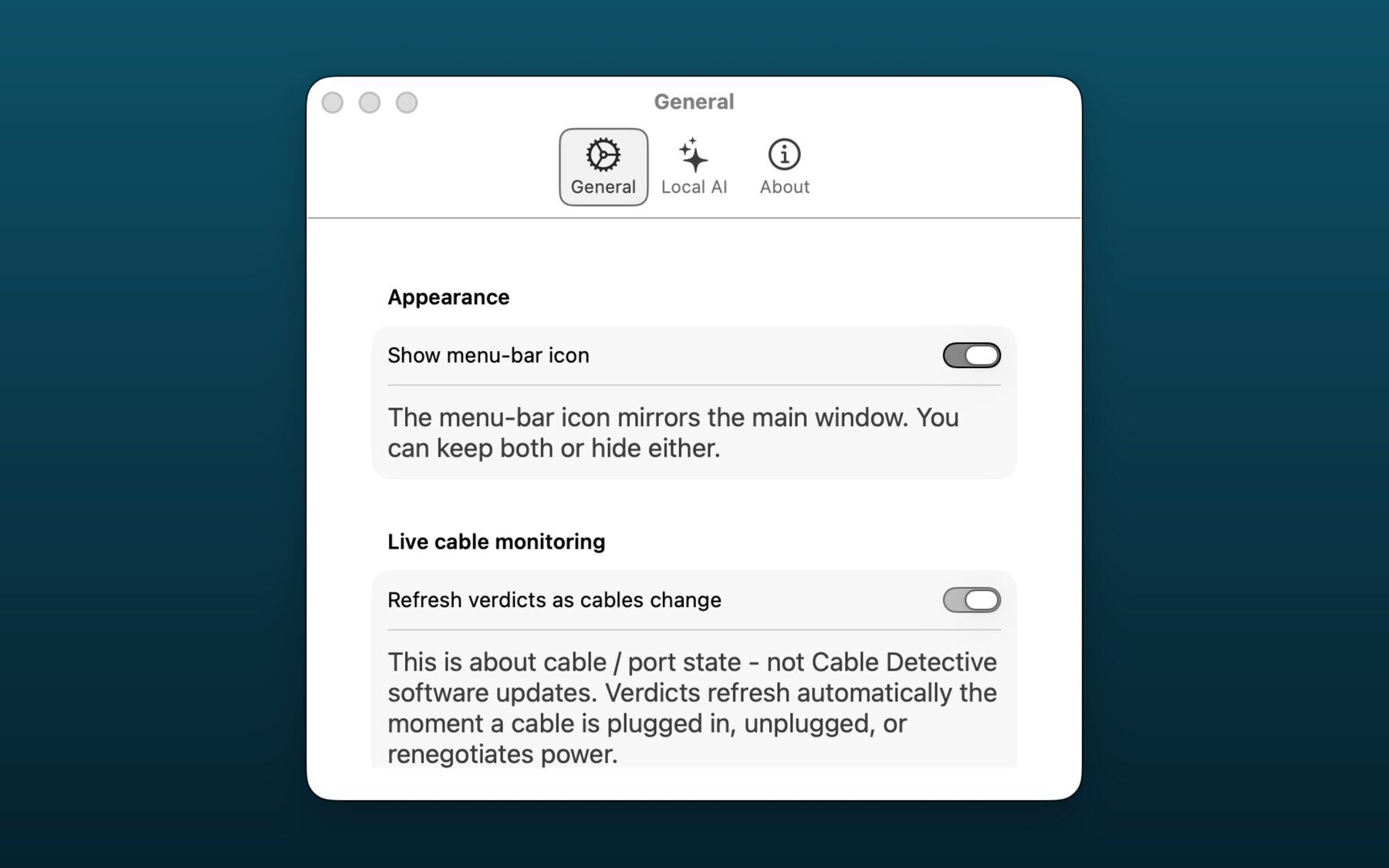
Live cable monitoring - Verdicts refresh the moment a cable is plugged in, unplugged, or renegotiates power. No polling, no flicker, no software updates pinging.
10 cable problems this app actually solves.
Every one of these is a real pain point people post about. Cable Detective tells you which side - the cable, the charger, the device, or the port - is the cause. No guessing.
"My MacBook is charging way slower than it should." The label says 96 W, the Mac says 30 W. Cable Detective shows the negotiated USB-PD contract, every PDO the charger advertised, and whether the cable's e-marker rating is the bottleneck (un-e-markered cables cap at 60 W).
"I plugged in an external display and got nothing." Some USB-C cables carry data only and no DisplayPort lanes. Cable Detective shows whether DP-Alt Mode is active, how many lanes are running, at what link rate (RBR/HBR/HBR2/HBR3/UHBR), and how many display sinks the controller sees.
"My USB-C SSD is writing at 40 MB/s instead of 1 GB/s." The cable says SuperSpeed on the box but the link is running USB 2. Cable Detective shows active vs supported transports for that exact port, so you know whether the cable, the enclosure, or the host downgraded the link.
"Is this cable counterfeit?" Real USB-C accessories carry a PD e-marker chip with a USB-IF vendor ID. Cable Detective decodes the SOP / SOP' / SOP" identity, shows the vendor against the official USB-IF database, and tells you if the cable simply has no e-marker (very common, not necessarily fake, but caps power at 60 W).
"My Thunderbolt dock isn't running at full speed." Thunderbolt 4 vs USB4 vs USB-C 3.x are easy to confuse. Cable Detective shows the actual Thunderbolt link speed for that port and whether the dock negotiated TB or fell back to USB-C.
"Cable Detective said 'liquid detected' before macOS even popped a warning." The USB-C controller exposes a Liquid Detection (LDCM) signal long before the system-level dialog appears. We surface it directly so you can stop charging before damage spreads.
"This cable works in port 1 but not port 4." Different USB-C ports on the same Mac can have different controller chips and capabilities. Cable Detective shows you the per-port active and supported transport list, the controller chip, the firmware revision, and the plug event count - so you can see when a port has been physically damaged.
"My Anker hub disappeared from the system." When a hub is connected the Mac sees one USB topology root and many devices behind it. Cable Detective lists every device attached behind the hub, in physical port order, with vendor IDs and class info - so you know whether the hub itself is gone or just one downstream device.
"I'm travelling and want to know if this random charger is really 100 W." Cable Detective shows the charger's full PDO menu (every voltage / amperage offer it advertises), the rated maximum, and the watts you are actually pulling right now. If a no-name charger only advertises 5 V / 3 A, you'll know before you trust it overnight.
"I have a drawer full of identical-looking USB-C cables. Which one is which?" Plug each cable in for a few seconds. Cable Detective reads the e-marker chip (when present) and shows the vendor (decoded against the USB-IF database), product ID, declared speed class, current capability and EPR support. For cables with no e-marker chip - very common - it shows what the cable actually negotiates with your Mac, so you can tell a real SuperSpeed or Thunderbolt cable apart from a charge-only USB 2 cable by behaviour, not by squinting at moulded plug colours.
Zero network. Not a slogan.
Cable Detective has no network entitlement. The app has no servers, no account, no telemetry, no analytics SDK, no crash reporting. The optional AI explanations run on Apple's on-device Foundation Models on your Mac.
If we wanted to phone home, we would need to ship a new build with new entitlements. We don't.
When you tap “Did we get something not quite right?”, the app copies a redacted report to your clipboard and opens your browser. You decide there what to send. The app itself never speaks to a server.
Because the cable, the host port, or the device chose to. Cable Detective tells you which one. SuperSpeed needs a SuperSpeed-capable cable on a SuperSpeed-capable port — many bundled cables are USB 2.0 only.
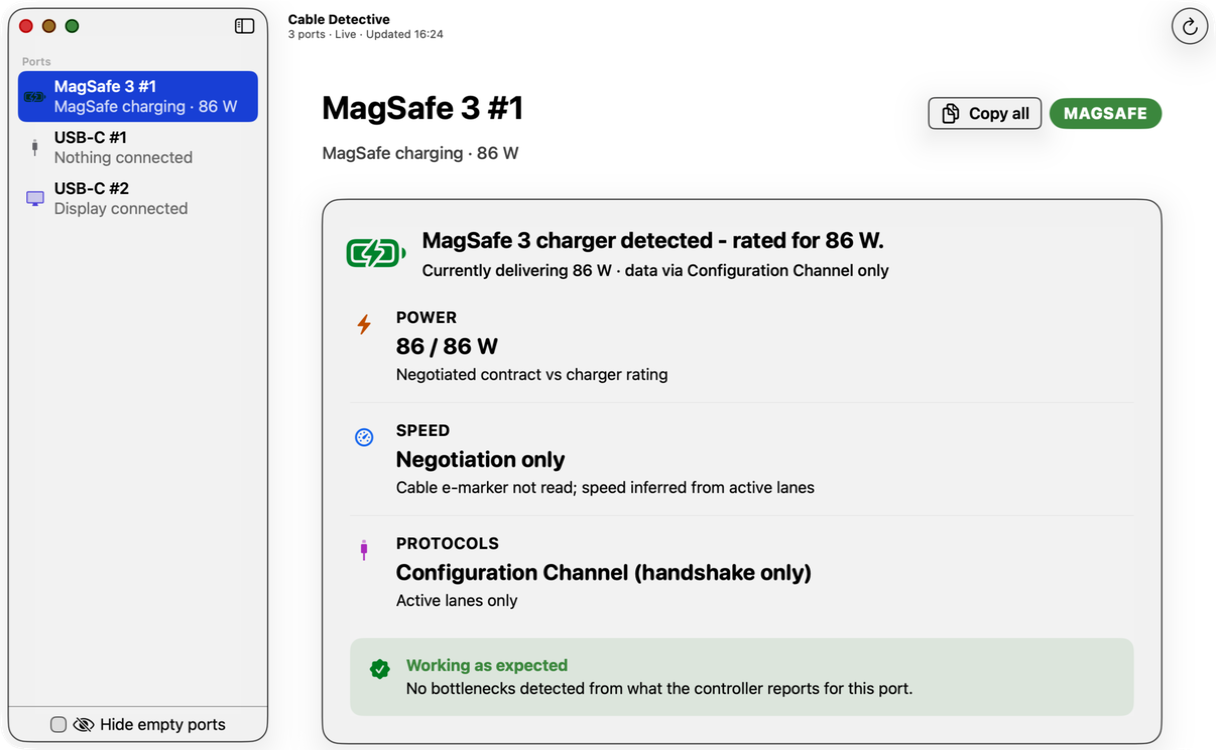
It says my charger is delivering 86 W. The label says 96 W. Bug?
No. 86 W is the negotiated USB-PD contract right now (laptop's request × charger's offer × cable rating). The charger's capability is on the box; the negotiated contract is what's actually flowing.
Can it tell me if my cable is fake?
It can tell you what the cable's e-marker chip claims (or that it has none). It cannot test the conductor quality. A cable that lies in its e-marker is rare; a cable with no e-marker chip at all is common and limits negotiated wattage to 60 W.
Does it work on Intel Macs?
No. Apple Silicon only.
Does the AI explanation send anything to a server?
No. It uses Apple's on-device Foundation Models. The app has no network entitlement at all.
How much does it cost?
Free, for starters. Cable Detective is currently free on the Mac App Store. No subscription, no account, no recurring charge, no upsell, no in-app purchase. Just download it and use it. Pricing may change in a future version, but the version you download is yours.