


LET - Life Events Tracker
Track your life. Discover patterns. Become your best self.
A simple yet powerful mobile app to track daily habits, life events, and discover patterns in your daily life.
Screenshots
| Onboarding | Home | Dashboard | Patterns |
|---|---|---|---|
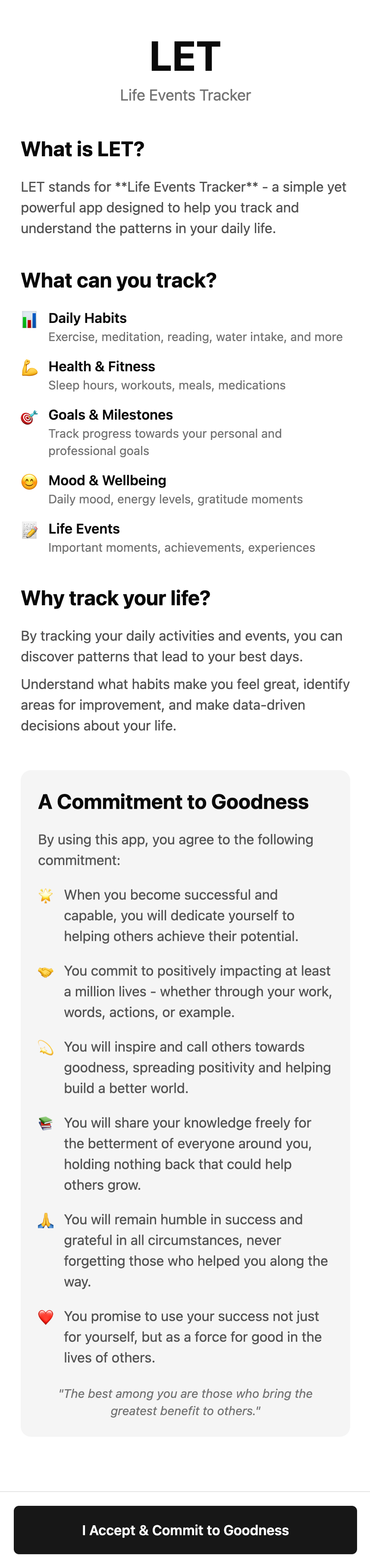 |
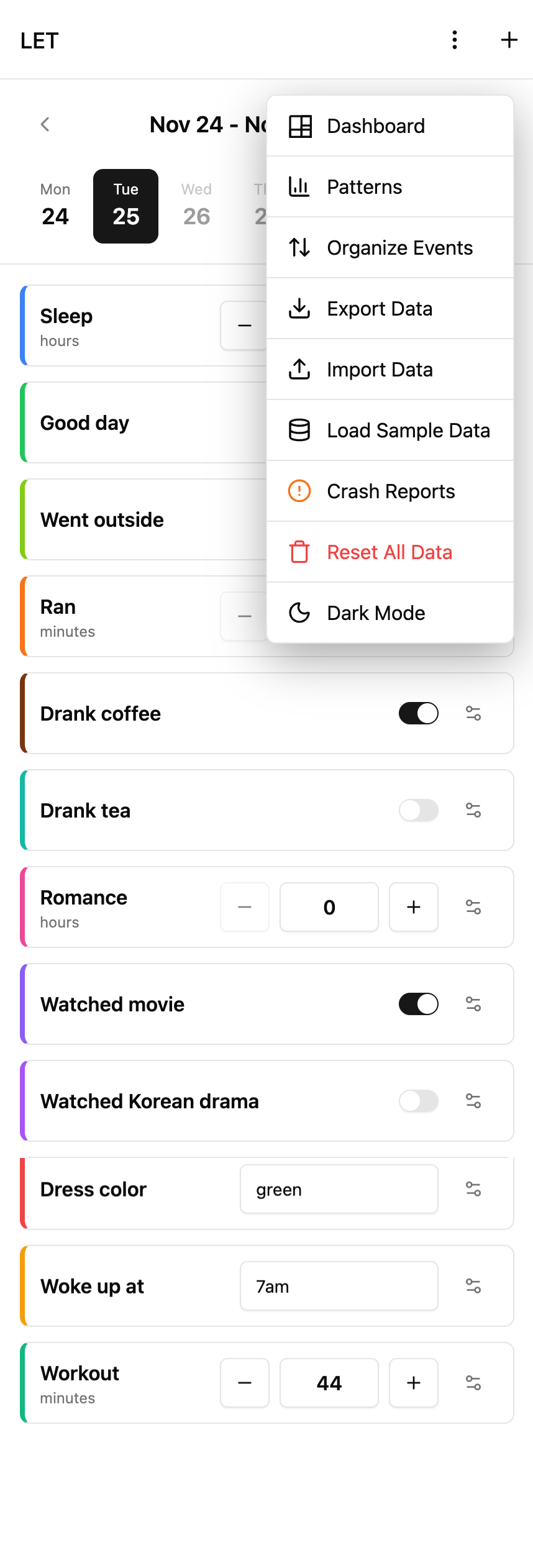 |
 |
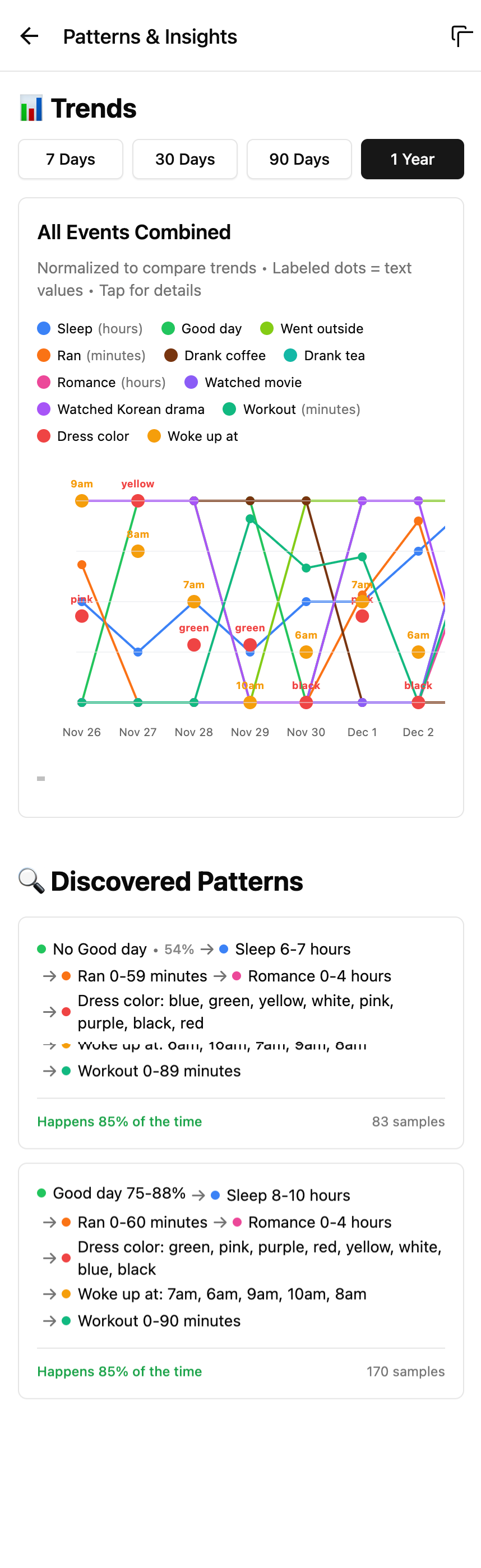 |
What is LET?
LET stands for Life Events Tracker - an app designed to help you:
- Track daily habits (exercise, meditation, reading, water intake)
- Monitor health & fitness (sleep hours, workouts, meals)
- Follow goals & milestones
- Log mood & wellbeing
- Record important life events
What This Project IS
- A React Native project built with Expo
- A cross-platform app (iOS, Android, Web)
- A habit tracker and life event logger
- An open-source project you can contribute to
- A showcase of what vibe-coding can achieve
- Built entirely by talking to an AI (yes, really)
What This Project IS NOT
- A unicorn (sorry, no magical horns here)
- A replacement for your therapist
- A time machine (can't track events that haven't happened yet... or can we?)
- A social network (your data stays on your device)
- Something that will make you coffee (working on it)
- Written by a human (see acknowledgments below)
Tech Stack
| Category | Technology |
|---|---|
| Framework | React Native + Expo |
| Language | TypeScript |
| Styling | NativeWind (TailwindCSS) |
| Database | SQLite (expo-sqlite + Drizzle ORM) |
| State Management | Zustand |
| UI Components | Custom components + rn-primitives |
| Navigation | Expo Router |
| Charts | Custom SVG-based charts |
Features
- Dark/Light mode support
- Week-based navigation with calendar picker
- Pattern analysis with visual charts
- Export/Import data (JSON)
- Customizable event colors
- Works offline (local SQLite database)
- Swipe gestures for navigation
Getting Started
Prerequisites
- Node.js 18+
- Yarn or npm
- Expo CLI
- iOS Simulator / Android Emulator / Physical device
Installation
# Clone the repository
git clone https://github.com/p32929/let.git
cd let

# Install dependencies
yarn install

# Start the development server
yarn dev

# Or for specific platforms
yarn ios     # iOS
yarn android # Android
yarn web     # Web
Contributing
Contributions are welcome! But before you dive in:
- Create an issue first - Let's discuss what you want to change
- Wait for approval - I might have opinions (or the AI might)
- Fork the repo - Make your changes
- Submit a PR - Reference the issue
Please don't just randomly submit PRs without discussion. We're all friends here, let's talk first!
Code Style
- TypeScript all the way
- Functional components with hooks
- NativeWind for styling
- Keep it simple, keep it clean
FAQ
Q: Can I use this for commercial purposes? A: Check the license. But why would you? It's a habit tracker, not a gold mine.
Q: Why is it called LET? A: Life Events Tracker. Also, "let" as in "let yourself be better." Deep, right?
Q: Does it sync to the cloud? A: Nope. Your data, your device, your privacy. Old school.
Q: I found a bug! A: Create an issue. Or fix it and submit a PR. Or blame the AI.
Troubleshooting
Before asking me anything:
- Ask a good LLM first - They're smarter than both of us combined
- Read the docs - Expo, React Native, they have great documentation
- Search existing issues - Someone might have had the same problem
- If all else fails - Pray to God, then start reading the code. Good luck, you'll need it.
Acknowledgments
The Vibe-Coding Confession
I have to be honest with you. I vibe-coded this entire project.
What does that mean? It means:
- I didn't write a single line of code manually
- I just talked to Claude (the AI, not some French guy)
- I mostly drank tea and approved changes
- The AI did all the heavy lifting
- If there are bugs, blame the AI (just kidding, blame me for not prompting better)
This is what the future looks like, folks. I described what I wanted, and an AI built it. We're living in the future, and it's both amazing and slightly terrifying.
Why I Built This
I built this project because I was working on something bigger and needed to evaluate a framework that could handle iOS, Android, and Web simultaneously - with proper UI consistency and fast load times across all platforms.
So I started with something simple enough to test the framework's capabilities without getting lost in complex business logic.
The honest truth? React Native isn't perfect yet. NativeWind and the shadcn-like component library (React Native Reusables) have their fair share of issues. I spent a lot of time debugging, running the app on all platforms, and fixing platform-specific quirks.
I did consider switching to Flutter or Tauri Mobile, but:
- Flutter Web takes forever to load (not ideal for web-first experiences)
- Tauri Mobile is still too new and experimental
So I stuck with React Native + Expo, debugged issues platform by platform, and eventually ended up with a usable app that works everywhere. Sometimes the best choice is the one you can actually ship.
Special Thanks
- Claude (Anthropic) - For writing all this code while I watched
- The Expo Team - For making React Native actually usable
- You - For reading this far (seriously, why are you still here?)
License
MIT License - Do whatever you want with it. Just don't blame me if it breaks.
Made with AI by a human who can code but is too lazy to code multiple projects at the same time because multitasking is life
No developers were harmed in the making of this app