






Instant Cut List Optimization
Reduce material waste, cut costs, and generate optimized cutting layouts in seconds.
Upload drawings, import 3D models, or enter parts manually. Cutlistor automatically generates cut lists and finds the most efficient layout using multiple optimization methods to maximize yield from every sheet and length.
Import 3D Model from any software and make cutlist
Drag or swipe to rotate · scroll or pinch to zoom · tap a row to highlight the part
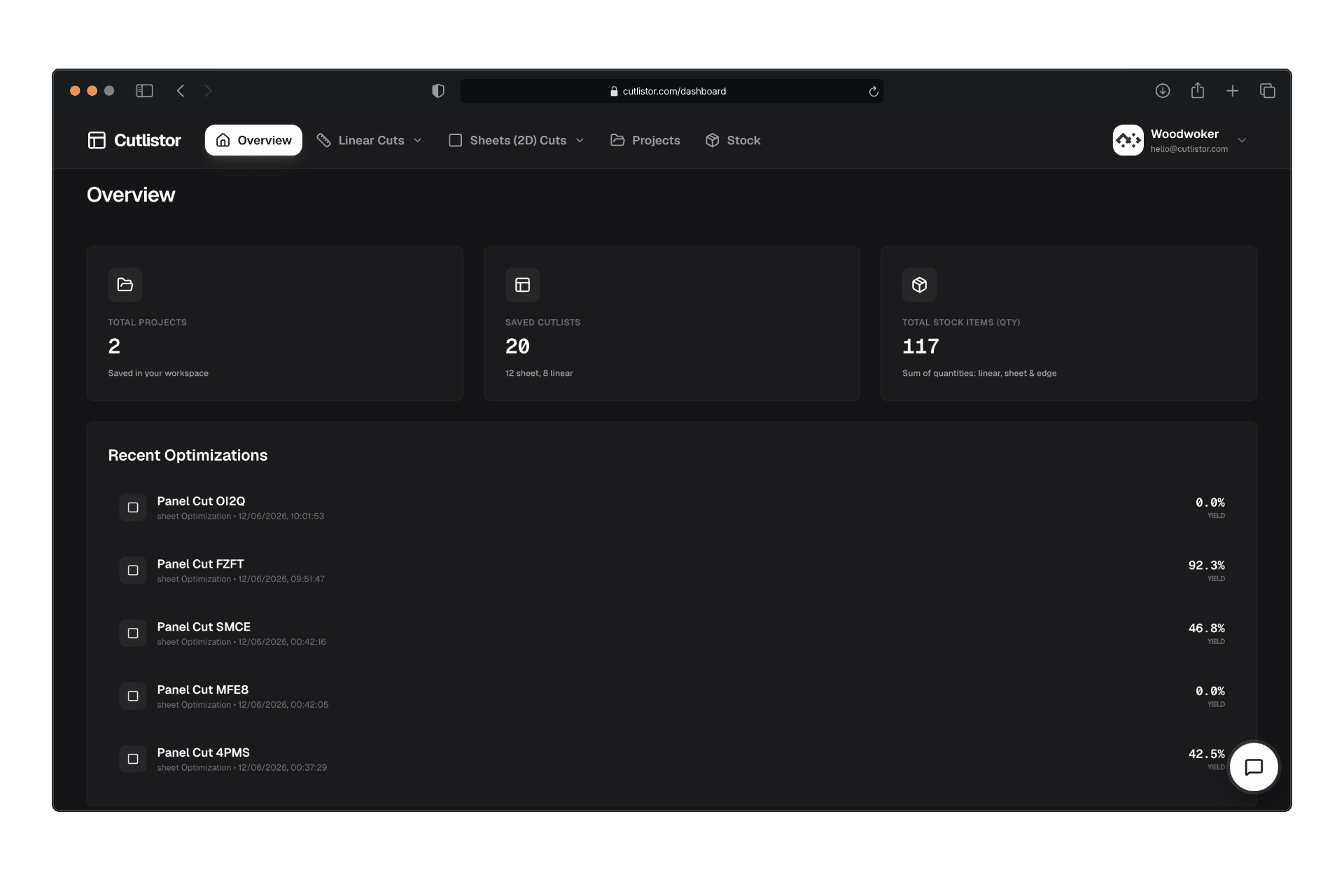
Cut list optimizer dashboard
Track saved projects, stock inventory, and recent sheet and linear optimizations—all in one workspace.
3D model import
Upload glTF, GLB, or Collada from SketchUp, Fusion, Blender, and other modellers. Cutlistor reads each mesh and builds your cut list with real dimensions—no retyping from a spreadsheet.
From CAD export to optimized layout—skip the manual entry step.
Small inefficiencies in cutting add up to real losses over time.
Manual cut planning leads to
Skip manual data entry
Upload a PDF plan or even a hand-drawn sketch and Cutlistor extracts the cut list automatically.
Go from drawing to optimized layout in seconds.
AI plan scan
PDFs & sketches → structured cut lists
Everything you need to optimize your workflow from sketch to final cut.
Perfect for lumber, trim, and pipes. Calculate the most efficient way to cut multiple lengths from standard stock.
Maximize sheet goods like plywood and MDF. Our algorithm handles grain direction and blade kerf automatically.
Don't type manually. Upload a photo of your hand-drawn sketch or a PDF plan, and our AI extracts the cut list for you.
Bring in glTF, GLB, or Collada from SketchUp, Fusion, Blender, and more. Cutlistor turns each mesh into panels in your cut list, and on paid plans it keeps the model with your saved project.
Download sheet and linear cut layouts as DXF files with closed polylines, ready for laser cutters, routers, and CAM software.
Pick the sheet layout that matches how you work: Rips & rows, fewest sheets / least waste, neat grid, or router / CNC layout. Switch anytime and see yield update in real time.
See layouts and yield update as you adjust stock, parts, and constraints, with no waiting on batch runs.
Model different materials in one job: sheet goods, linear stock, thicknesses, and pricing, so optimizations stay accurate across your whole build.
Group parts by material and stock type so cuts stay organized and you can optimize each group with the right constraints.
Plan angled cuts at stock ends so lengths and layouts reflect real trim and framing work. Available in Linear today; coming soon for sheets.
Bring in cut lists and stock from spreadsheets. Skip retyping columns and get to optimized layouts faster.
Organize jobs by project so you can revisit plans, tweak stock, and reuse setups without starting over.
Track what you have on hand (lengths, sheet sizes, and quantities) so every optimization reflects your real inventory.
Price materials and compare options in the currencies you actually buy and sell in.
Work in inches, feet, millimeters, or meters; switch units without losing precision on kerf and part sizes.
The UI is responsive and dynamic; use Cutlistor on desktop, tablet, or mobile with a layout that fits your screen.
Three simple steps to a perfect cut list.
1
Enter your available stock and the parts you need to cut.
2
Our algorithm calculates thousands of combinations to find the best yield.
3
Export your plan to PDF and head to the workshop with a clear roadmap.
Whether it's a one-off job or repeat production, Cutlistor helps you work faster and waste less.
Cutlistor is a free cut list optimizer and cut list calculator for sheet goods (2D nesting) and linear stock (1D length nesting): plywood, MDF, melamine, lumber, trim, pipe, tube, bar, beam, and steel plate.
Use the sheet cutting optimizer for 2D nesting and the linear cut list optimizer for 1D nesting on lumber, pipe, and bar stock.
Cutlistor removes the complexity and gives you results instantly.
Choose the plan that fits your workshop.
Try the optimizer with daily limits.
Popular
For regular projects and small shops.
Unlimited scale for teams and production.
Shared workspace for your shop, with central billing per organization and up to 5 seats.
Create a workspace in the dashboard, then subscribe.
Stop relying on manual planning and inefficient layouts.
Start using Cutlistor to get more out of every material you buy.
Free Cut List Optimizer此内容由惯性聚合(RSS阅读器)自动聚合整理,仅供阅读参考。 原文来自 — 版权归原作者所有。