
Menu bar & window
A status-bar item with quick toggles, plus a full management window. Close the window — it stays running up top.






SSH port forwards · for macOS
A dead-simple, native SSH port-forward manager. Flip one on to bring a forward up; if it drops — sleep, network blip, server hiccup — it quietly reconnects. Lives in your menu bar and a proper window.
Free & open source · macOS 26+ · Apple Silicon · v0.1.2
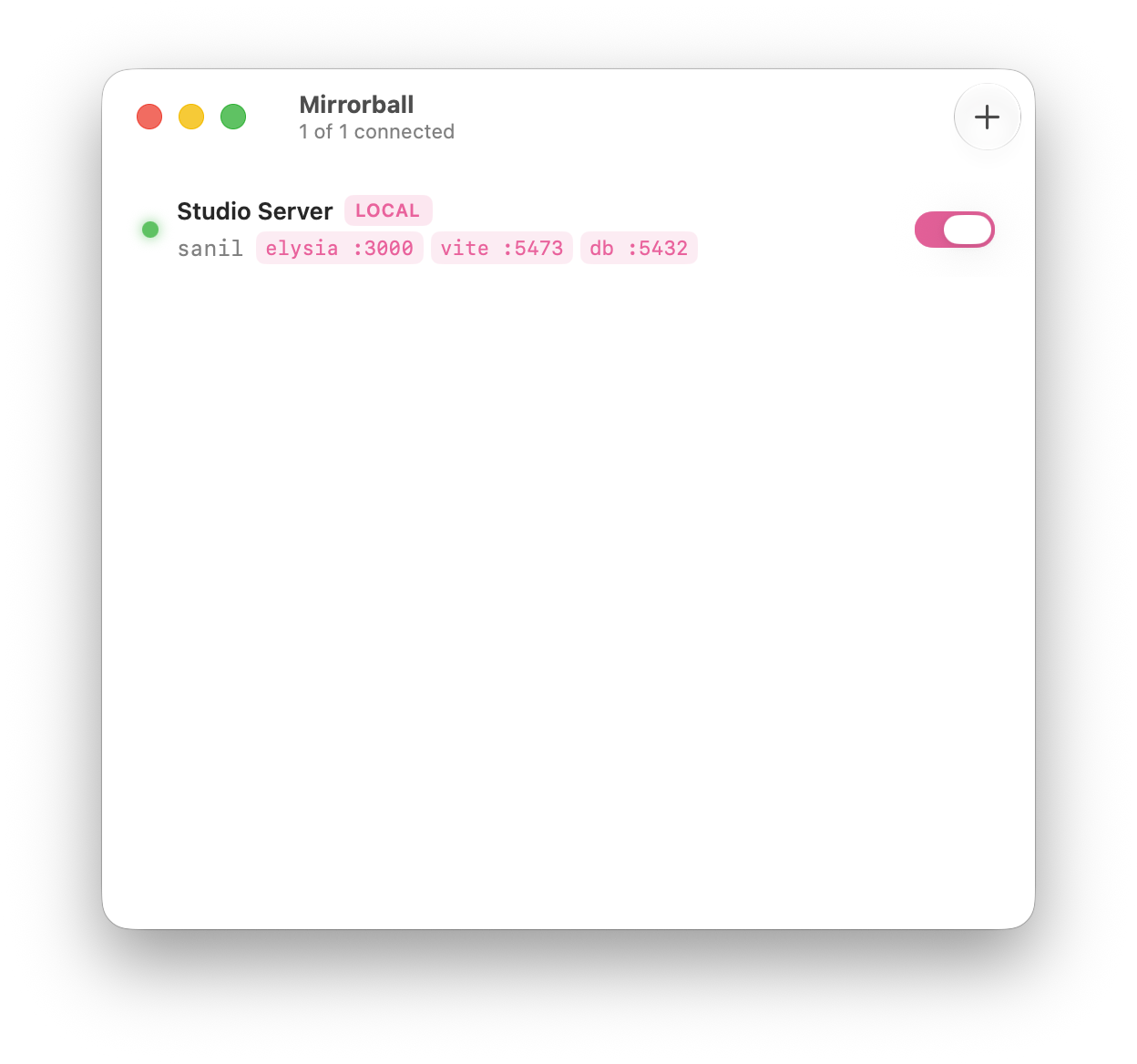
One window. Every forward is a row with a status dot, an address mapping, and a switch.
Open source · MIT Auto-updates No telemetry Drives your system ssh
What it does
It drives the system ssh binary, so it reuses your existing config, keys and agent. Nothing to set up twice.
A status-bar item with quick toggles, plus a full management window. Close the window — it stays running up top.
Per-forward supervision with exponential backoff. Tunnels survive sleeps and blips; real failures surface the actual reason.
1s → 30s backoffEvery forward type you actually use — pull a remote port home, expose a local one, or run a SOCKS proxy.
-L · -R · -DSSH agent, a private key with passphrase, or a password — secrets live at rest in your Keychain, never on the command line.
Inherits ~/.ssh/config, keys and agent. Host aliases populate the editor’s picker automatically.
SwiftUI switches, grouped forms, SF Symbols, automatic light/dark, launch-at-login, and notifications on drops & reconnects.
How a forward works
Your Mac
localhost:3000
your browser hits this
Studio Server
elysia:3000
runs over there
01
Pick a host alias, choose local / remote / dynamic, set the ports. The editor knows every option you reach for.
02
Mirrorball spawns a supervised ssh -N and watches it. Green means it’s up.
03
It reconnects through sleeps and blips, and tears every child down cleanly on quit. No leaked tunnels.
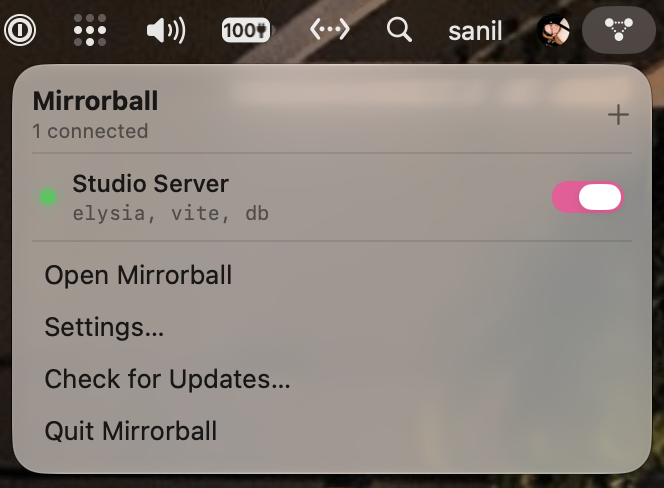
Always one click away
The status-bar glyph reflects the aggregate state at a glance. Toggle any forward without leaving what you’re doing.
Built carefully
Anyone running ps can read a process’s arguments. So Mirrorball never puts a password or passphrase there. Secrets stay in the Keychain and reach ssh through SSH_ASKPASS on the child’s environment alone.
# never — visible in `ps`
ssh -L 3000:… host -p 'hunter2'
# Mirrorball — via the environment
SSH_ASKPASS=… ssh -N -L 3000:… host
✓ secret stays in the Keychain

Download the disk image and drag Mirrorball into Applications. It keeps itself up to date from there.
macOS 26+ · Apple Silicon · v0.1.2
此内容由惯性聚合(RSS阅读器)自动聚合整理,仅供阅读参考。 原文来自 — 版权归原作者所有。