







概述
Twitter Bulk Delete - 批量删除推文,导出X帖子,并清理你的Twitter历史以保护隐私
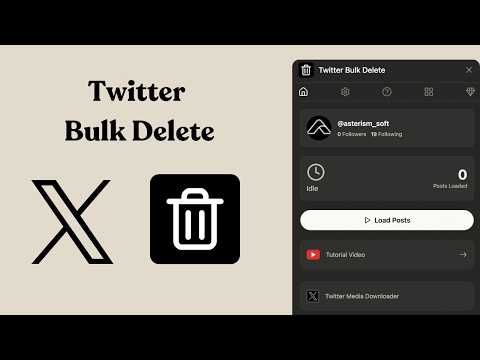
🧹 Twitter Bulk Delete: Mass Delete Tweets, Export X Posts & Clean Your Twitter History Take control of your Twitter/X profile with Twitter Bulk Delete, a fast, simple, and privacy-focused Chrome extension for deleting tweets in bulk, exporting posts, cleaning old content, and managing your online reputation. Whether you want to remove outdated tweets, delete embarrassing posts, clean up replies and retweets, protect your privacy, or refresh your digital footprint, Twitter Bulk Delete helps you manage your X history without wasting hours deleting posts one by one. Unlike risky online tweet deletion tools that require you to upload your Twitter archive or share sensitive data, Twitter Bulk Delete works directly inside your browser ✅. Your posts stay on your device, giving you a safer and more private way to delete tweets, export posts, and manage your Twitter account. 🌟 Why Choose Twitter Bulk Delete? 1️⃣ 🚀 Bulk Delete Tweets Quickly Delete multiple tweets, replies, reposts, and old X posts in batches. Instead of manually deleting tweets one at a time, Twitter Bulk Delete helps you clean your Twitter timeline faster and more efficiently. It is ideal for users who want to remove old content, reset their profile, or maintain a more professional online presence. 2️⃣ 🔍 Search, Filter & Target Specific Posts Find and delete the exact posts you want using smart filters. You can narrow down your Twitter/X history by: ✅ Keywords ✅ Hashtags ✅ Date ranges ✅ Replies ✅ Reposts ✅ Specific types of posts This makes it easier to delete old tweets about certain topics, clean up outdated opinions, remove irrelevant content, or manage your X account more precisely. 3️⃣ 💾 Export Posts Before Deleting Back up your Twitter/X posts before removing them. With the export posts feature, you can save your tweets for personal records, research, content analysis, or future reference before deletion. This is useful if you want to clean your public profile while still keeping a private archive of your past posts. Perfect for: 📁 Personal tweet backup 📊 Social media analysis 📝 Content archiving 🔎 Research and reporting 💼 Brand and reputation management 4️⃣ 📊 Export Tweets from Public X Accounts Pro users can export posts from public Twitter/X accounts for research, monitoring, analysis, or archiving. This feature is useful for marketers, creators, researchers, journalists, analysts, and social media managers who need to collect public X posts in a structured way. ⚠️ Note: You can only delete tweets from your own account. You cannot delete posts from accounts you do not own. 5️⃣ 🛡️ Privacy-First Tweet Deletion Twitter Bulk Delete is built with privacy in mind. Your tweets are processed locally in your browser. No unnecessary uploads. No cloud storage. No third-party servers storing your Twitter history. Your data stays under your control. 6️⃣ 👌 Simple & Beginner-Friendly No complicated setup. No coding. No confusing dashboard. Just install the Chrome extension, open X.com, load your posts, choose what to delete or export, and start cleaning your Twitter history. 📖 How Twitter Bulk Delete Works 1️⃣ Open Your Twitter/X Profile Go to your profile on X.com while logged into the account you want to manage. 2️⃣ Click the Twitter Bulk Delete Extension Open the extension from your Chrome toolbar. 3️⃣ Load Your Posts Let the extension scan and load your tweets, replies, reposts, and other available posts. 4️⃣ Apply Filters Use keywords, hashtags, dates, and other filters to find the posts you want to remove or export. 5️⃣ Export or Delete Export posts for backup, then bulk delete selected tweets when you are ready. ✅ Clean profile ✅ Better privacy ✅ Fresher timeline ✅ More control over your X history 🔑 Key Benefits of Twitter Bulk Delete ✨ Mass delete tweets from your Twitter/X account ✨ Delete old posts, replies, and reposts faster ✨ Export X posts before deletion ✨ Clean up your Twitter timeline ✨ Protect your online privacy ✨ Improve your personal brand and professional reputation ✨ Remove outdated, embarrassing, or irrelevant tweets ✨ Prepare your profile for job applications or public visibility ✨ Manage your digital footprint with more control ✨ Keep your Twitter history organized and private 👥 Who Is Twitter Bulk Delete For? Twitter Bulk Delete is useful for anyone who wants to clean, organize, or export their X history. Great for: 👤 Everyday Twitter/X users cleaning old tweets 💼 Professionals improving their online reputation 🎓 Students preparing for job applications 📣 Creators managing public profiles 🏢 Brands and founders maintaining a clean social presence 📊 Researchers exporting public posts 🧑💻 Social media managers auditing content 📰 Journalists and analysts collecting public X data 🔒 Data Privacy & Security Your privacy matters. Twitter Bulk Delete is designed to reduce risk by keeping your Twitter/X activity local whenever possible. ✅ Tweets are processed in your browser ✅ No Twitter archive upload required ✅ No unnecessary cloud storage ✅ No third-party database storing your posts ✅ You stay in control of what gets deleted or exported This gives you a safer way to bulk delete tweets, export posts, and manage your X history. 💎 Upgrade to Pro Unlock more powerful features with Twitter Bulk Delete Pro. Pro features include: 🚀 Batch delete up to 500 posts 💾 Export and back up posts 🎯 Advanced post filters 📊 Export public account posts 🛠️ Priority support Pro is built for users who need faster cleanup, deeper filtering, larger exports, and more powerful Twitter/X history management. ⚠️ Disclaimer Twitter Bulk Delete is an independent third-party Chrome extension. It is not affiliated with, endorsed by, sponsored by, or officially connected to X Corp, Twitter, or any of their subsidiaries. 🔥 Start Cleaning Your Twitter/X History Today Install Twitter Bulk Delete to mass delete tweets, export X posts, remove old content, protect your privacy, and refresh your online presence. Take control of your Twitter history with a fast, secure, and easy-to-use tweet deletion and post export tool.
详情
版本
1.0.0
上次更新日期
2026年4月27日
大小
311KiB
语言
13 种语言
开发者
网站邮箱
contact@ricciflow.io
非交易者
该开发者尚未将自己标识为交易者。欧盟地区消费者须知:消费者权利可能不适用于您与该开发者达成的合约。
隐私权

管理扩展程序并了解它们在组织中的使用情况
“Twitter Bulk Delete - 批量删除X帖子”已就收集和使用用户数据披露了以下信息。 如需了解详情,请查看开发者的privacy policy。
Twitter Bulk Delete - 批量删除X帖子会处理以下数据:
个人身份信息
该开发者已声明,您的数据:
- 不会因未获批准的用途出售给第三方
- 不会为实现与产品核心功能无关的目的而使用或转移
- 不会为确定信用度或放贷目的而使用或转移
支持
若有任何疑问、建议或问题,请访问开发者的支持网站
相关

Ad Blocker: Stands AdBlocker
4.8
AdBlocker Stands:适用于YouTube、视频广告、Facebook、Twitch、弹出广告和网站的广告拦截器。使用Stands免费拦截广告!

沉浸式翻译 - AI 双语网页翻译 | PDF翻译 | 视频翻译 | 漫画翻译
4.2
【沉浸式翻译】免费的(原文/译文)双语对照网页翻译插件,支持PDF翻译(保留排版),视频双语字幕翻译(Youtube, Netflix),EPUB电子书翻译;支持人工智能AI翻译大模型(OpenAI (ChatGPT)、DeepL、Gemini(Bard) 等)

Smallpdf - 编辑、转换、压缩 PDF 文件并 AI 生成 PDF 摘要
4.6
易于使用的 PDF 工具,可在浏览器中压缩、转换、合并、拆分 PDF 文件,并与其进行对话和对其进行电子签名。

Pie Adblock - A Powerful Free Ad Blocker
4.9
Pie Adblock blocks ads & pop-ups, plus YouTube & Twitch video ads. You can customize your ad experience with Pie!

WPS PDF-轻松阅读、编辑、填写表单、转换PDF,并使用AI与PDF问答和互动
4.5
便捷PDF工具,可在浏览器中对PDF文件进行查看、编辑、转换、填充、添加电子签名等。

AnyDoc翻译器|免费翻译网站和PDF
4.6
支持网页、文件、电子书、学术论文、图片和文本的全能 AI 翻译器

Shazam:在浏览器中直接识别歌曲
4.7
识别音乐、搜索歌词与更多内容

IE Tab
4.3
Display web pages using IE within Chrome. Use Java, Silverlight, ActiveX, Sharepoint, and more.

Google Dictionary (by Google)
4.4
View definitions easily as you browse the web.

Google 输入工具
4.0
输入工具可让您以自己选择的语言输入文字。

Monica:一体化 AI 助手 & 最智能 AI 代理
4.9
一站式 AI 助手,集成 GPT、Claude、Gemini、Nano Banana 及所有最新大模型:AI 聊天、智能写作、实时翻译、智能搜索、网页总结、Youtube 视频总结、图像生成、视频生成等功能一键享受

Microsoft Bing Search with Rewards
4.4
使用 Microsoft Rewards 擴展功能找出每天賺取積分的新方法,輕鬆查看您的積分,並將您的默認搜索設置為 Bing
Ad Blocker: Stands AdBlocker
4.8
AdBlocker Stands:适用于YouTube、视频广告、Facebook、Twitch、弹出广告和网站的广告拦截器。使用Stands免费拦截广告!
沉浸式翻译 - AI 双语网页翻译 | PDF翻译 | 视频翻译 | 漫画翻译
4.2
【沉浸式翻译】免费的(原文/译文)双语对照网页翻译插件,支持PDF翻译(保留排版),视频双语字幕翻译(Youtube, Netflix),EPUB电子书翻译;支持人工智能AI翻译大模型(OpenAI (ChatGPT)、DeepL、Gemini(Bard) 等)
Smallpdf - 编辑、转换、压缩 PDF 文件并 AI 生成 PDF 摘要
4.6
易于使用的 PDF 工具,可在浏览器中压缩、转换、合并、拆分 PDF 文件,并与其进行对话和对其进行电子签名。
Pie Adblock - A Powerful Free Ad Blocker
4.9
Pie Adblock blocks ads & pop-ups, plus YouTube & Twitch video ads. You can customize your ad experience with Pie!
WPS PDF-轻松阅读、编辑、填写表单、转换PDF,并使用AI与PDF问答和互动
4.5
便捷PDF工具,可在浏览器中对PDF文件进行查看、编辑、转换、填充、添加电子签名等。
AnyDoc翻译器|免费翻译网站和PDF
4.6
支持网页、文件、电子书、学术论文、图片和文本的全能 AI 翻译器
Shazam:在浏览器中直接识别歌曲
4.7
识别音乐、搜索歌词与更多内容
IE Tab
4.3
Display web pages using IE within Chrome. Use Java, Silverlight, ActiveX, Sharepoint, and more.