惯性聚合 高效追踪和阅读你感兴趣的博客、新闻、科技资讯
阅读原文 在惯性聚合中打开

推荐订阅源

TaoSecurity Blog
TaoSecurity Blog
Jina AI
Jina AI
雷峰网
雷峰网
月光博客
月光博客
The GitHub Blog
The GitHub Blog
WordPress大学
WordPress大学
B
Blog RSS Feed
美团技术团队
C
CXSECURITY Database RSS Feed - CXSecurity.com
小众软件
小众软件
Security Latest
Security Latest
Microsoft Azure Blog
Threat Intelligence Blog | Flashpoint
C
Cybersecurity and Infrastructure Security Agency CISA
Last Week in AI
Last Week in AI
A
Arctic Wolf
Latest news
Latest news
Attack and Defense Labs
I
Intezer
F
Fortinet All Blogs
罗磊的独立博客
MongoDB | Blog
MongoDB | Blog
Webroot Blog
Webroot Blog
S
Secure Thoughts
Help Net Security
Help Net Security
Apple Machine Learning Research
博客园_首页
V
Visual Studio Blog
P
Proofpoint News Feed
博客园 - 【当耐特】
P
Privacy International News Feed
V
Vulnerabilities – Threatpost
Stack Overflow Blog
Stack Overflow Blog
Know Your Adversary
Know Your Adversary
云风的 BLOG
云风的 BLOG
Hacker News: Ask HN
Hacker News: Ask HN
L
LINUX DO - 最新话题
H
Help Net Security
爱范儿
爱范儿
酷 壳 – CoolShell
酷 壳 – CoolShell
S
SegmentFault 最新的问题
Forbes - Security
Forbes - Security
T
Tailwind CSS Blog
量子位
奇客Solidot–传递最新科技情报
奇客Solidot–传递最新科技情报
T
Tenable Blog
Cloudbric
Cloudbric
N
News and Events Feed by Topic
cs.AI updates on arXiv.org
Hugging Face - Blog
Hugging Face - Blog

崔八由

内网设备被挖矿了 对华宸未来债券基金更名的总结 凸(艹皿艹 ) 推特被封了 第一次装机过程与记录 记录一下今年治牙的过程 预测未来 最终还是投向了obsidian pve lxc容器使用vnpy的问题 扔垃圾的感受 解决macos sierra重新安装时报错-准备安装时发生错误 记录一下使用vercel搭建umami中需要注意的地方 还是不能太依赖自建服务 Android应用在上架Google Play时封闭式测试的一些建议 JVM中的Shallow Size 和 Retained Size解释 acme.sh自动生成泛域名证书的几个坑 老了 go学习笔记之指针 tailscale的设置与安装 go中获取某个包下定义的所有变量
pve主机使用smart_ctl监控磁盘信息
崔八由 · 2024-01-30 · via 崔八由

发表于|更新于|折腾虚拟机

|浏览量:|

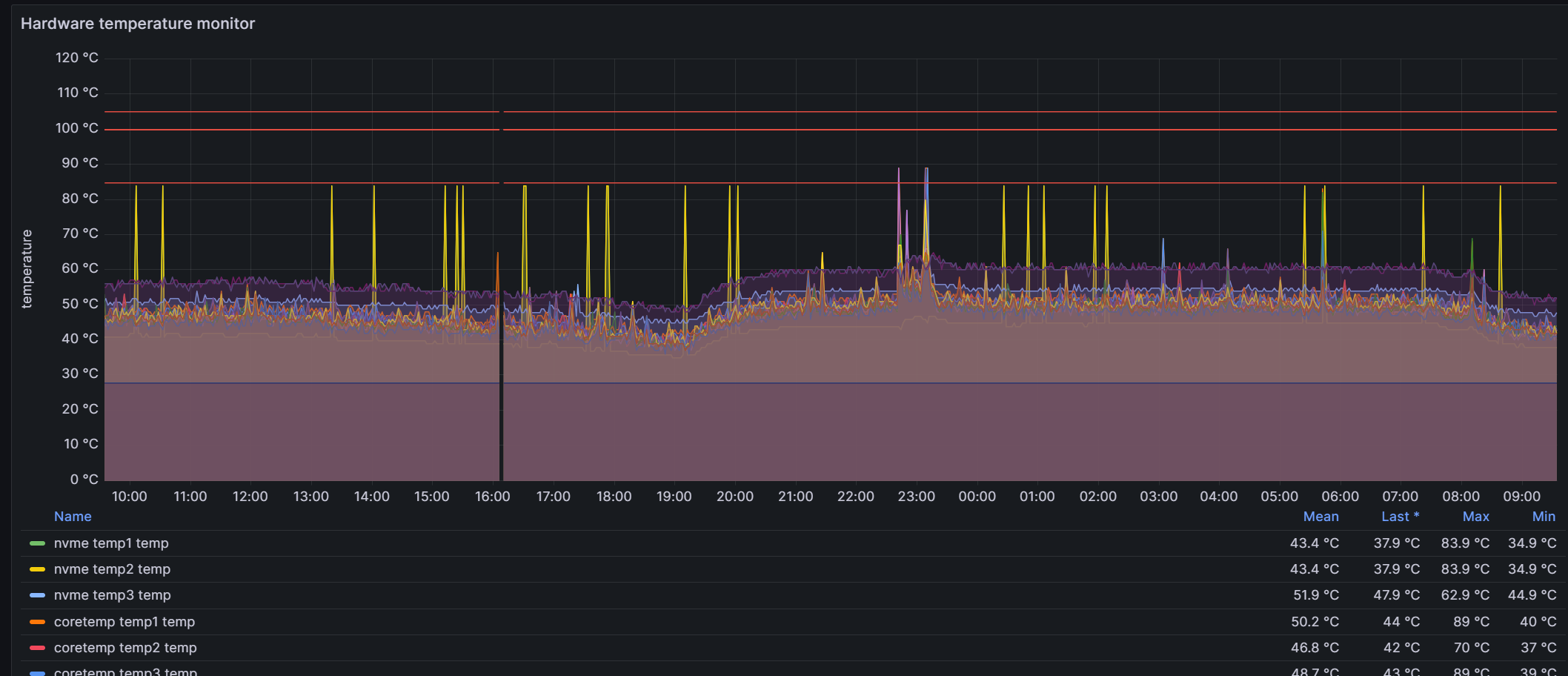
pve中一块nvme磁盘最近偶尔会报温度过高, 所以需要加个监控, 之前已经装过node_expoter, 但是其磁盘硬件监控这一块的信息不够全面,其更多强调的是磁盘的性能,比如IO等。 温度监控这一块也有, 但是不够直观明显,而且缺少其他的一些磁盘硬件本身的信息, 下图是node_exporter监控硬件温度,在Hardware Misc里的Hardware temperature monitor中的显示信息:
基于此, 需要一个专门用来收集磁盘硬件本身信息的exporter, prometheus提供了一个基于smart ctl的exporter, 地址是https://github.com/prometheus-community/smartctl_exporter

因为这是直接监控硬件的, 所以我是直接安装在宿主机上的(包括之前的node_exporter), 没有安装在虚拟机上。

smartctl _exporter安装

  1. 进入 https://github.com/prometheus-community/smartctl_exporter/releases下载自己机器需要的版本, 此处以0.11.0版本为例, 登录宿主机执行命令:

    1
    wget https://github.com/prometheus-community/smartctl_exporter/releases/download/v0.11.0/smartctl_exporter-0.11.0.linux-amd64.tar.gz
  2. 解压 tar -xzf smartctl_exporter-0.11.0.linux-amd64.tar.gz

  3. 移动 cp smartctl_exporter /usr/bin

  4. 此时执行 smartctl_exporter命令, 如果有正确输出,则表示安装成功

设置开启自启

  1. /etc/systemd/system 下新建一个配置文件 smartctl_exporter.service,内容如下:

    1
    2
    3
    4
    5
    6
    7
    8
    9
    10
    11
    [Unit]
    Description=AutoStart smartctl_exporter
    After=network.target

    [Service]
    ExecStart=/usr/bin/smartctl_exporter
    RemainAfterExit=yes
    Restart=on-failure

    [Install]
    WantedBy=multi-user.target
  2. 执行命令:

    1
    2
    systemctl enable smartctl_exporter.service
    systemctl start smartctl_exporter.service

prometheus与grafana设置

  1. prometheus的配置文件加上smart_ctl的监控(默认的端口是9633), 配置如下:

    1
    2
    3
    - job_name: 'pve-smart-ctl-exporter'
    static_configs:
    - targets: ['主机IP:9633']
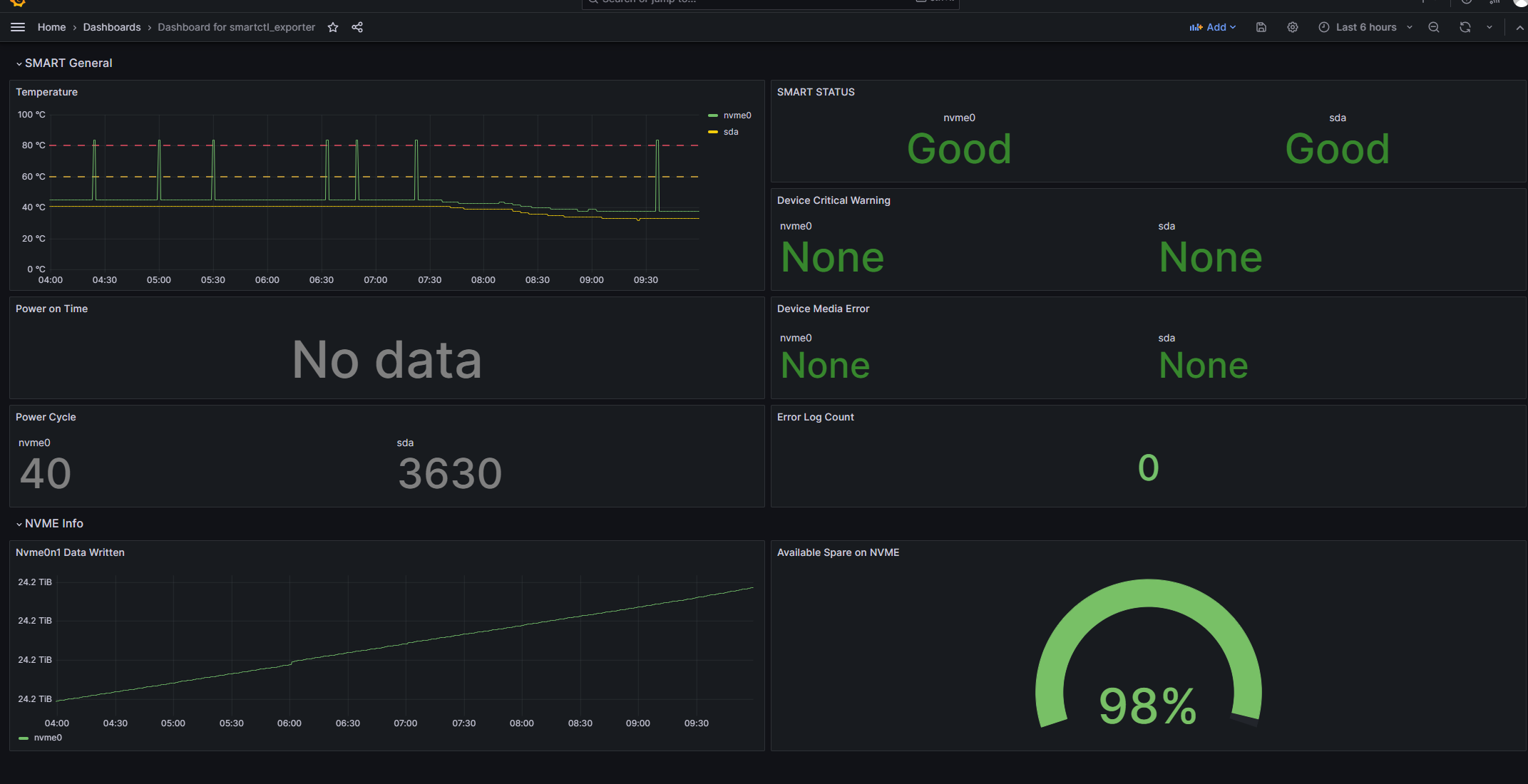
  2. grafana导入模板, 模板ID为 20204, 效果如下

    至此, 大功告成。